
Grade 4 Nonfiction Text Features and Text Structures Vocabulary is a world-facing guide to 100 fourth grade nonfiction reading terms, Grade 4 text features, headings, captions, diagrams, charts, glossary, index, table of contents, text structures, cause and effect, compare and contrast, problem and solution, chronology, informational text, source evaluation and reading strategies. The goal is to help learners use the page, visual and organizational features of nonfiction instead of treating them as decoration.
Current Grade 4 resources make an important distinction between text features—such as headings, bold words, captions, diagrams, charts, glossaries and indexes—and text structures—such as chronology, compare and contrast, cause and effect, problem and solution and description. Strong comprehension requires both: the reader must recognize the feature or structure and explain what information it contributes.
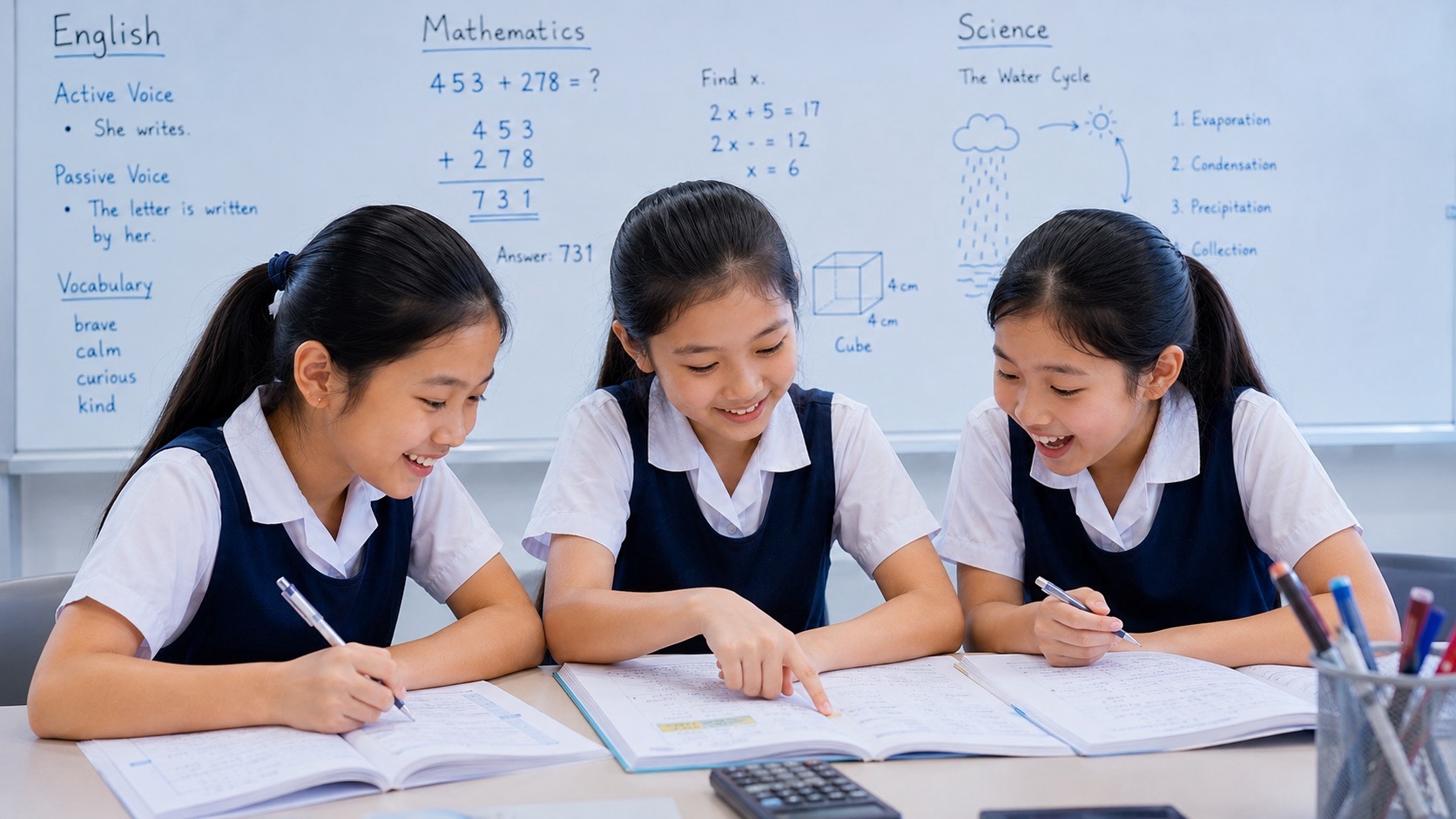
This new page owns the Primary 4 / Grade 4 Nonfiction Text Features and Text Structures search family inside the eduKateSG world lane. It is additive and distinct from the general Reading Comprehension owner. Alicia, Tricia and Kai Kai model the loop: preview → navigate → locate → interpret → connect structure → evaluate source → summarize → synthesize.
The 50-Second Nonfiction Reading Rule
- Preview the title, headings and visuals.
- Use the table of contents, index or glossary when needed.
- Distinguish a feature from the text’s overall structure.
- Read captions and labels rather than skipping them.
- Interpret graphs, maps and tables as part of the text.
- Notice signal words for structure.
- Separate facts, opinions, claims and evidence.
- Check source, author and date when relevant.
- Summarize after combining prose and visuals.
- Use the same navigation skills in print and digital texts.
Navigation and Front Matter
These terms belong to the navigation and front matter family. Learn each term by using it to locate, organize, interpret or evaluate information.
1. title
Definition: the name of a text or section that gives an initial clue about content.
Example: The title suggests that the article will explain how bridges are designed.
Tricia’s nonfiction check: Explain what information title helps a reader find, understand, organize or evaluate. Then name one nearby feature or structure that could be confused with it.
Transfer: Create a fresh informational-text situation using title. State what a strong reader should do with the feature, structure or strategy rather than merely identify it.
2. table of contents
Definition: a list showing major sections or chapters and their page numbers.
Example: Alicia used the table of contents to find the chapter on ecosystems.
Kai Kai’s nonfiction check: Explain what information table of contents helps a reader find, understand, organize or evaluate. Then name one nearby feature or structure that could be confused with it.
Transfer: Create a fresh informational-text situation using table of contents. State what a strong reader should do with the feature, structure or strategy rather than merely identify it.
3. chapter
Definition: a major division of a longer text.
Example: Chapter 4 focuses on weather.
Alicia’s nonfiction check: Explain what information chapter helps a reader find, understand, organize or evaluate. Then name one nearby feature or structure that could be confused with it.
Transfer: Create a fresh informational-text situation using chapter. State what a strong reader should do with the feature, structure or strategy rather than merely identify it.
4. section
Definition: a part of a text organized around one subtopic.
Example: Tricia read the section about renewable energy.
Tricia’s nonfiction check: Explain what information section helps a reader find, understand, organize or evaluate. Then name one nearby feature or structure that could be confused with it.
Transfer: Create a fresh informational-text situation using section. State what a strong reader should do with the feature, structure or strategy rather than merely identify it.
5. heading
Definition: a title that names a section and helps organize information.
Example: The heading shows that the next part is about causes of erosion.
Kai Kai’s nonfiction check: Explain what information heading helps a reader find, understand, organize or evaluate. Then name one nearby feature or structure that could be confused with it.
Transfer: Create a fresh informational-text situation using heading. State what a strong reader should do with the feature, structure or strategy rather than merely identify it.
6. subheading
Definition: a smaller heading within a section that narrows the topic.
Example: The subheading introduces coastal erosion.
Alicia’s nonfiction check: Explain what information subheading helps a reader find, understand, organize or evaluate. Then name one nearby feature or structure that could be confused with it.
Transfer: Create a fresh informational-text situation using subheading. State what a strong reader should do with the feature, structure or strategy rather than merely identify it.
7. page number
Definition: a number identifying the location of a page in a text.
Example: Kai Kai used the page number to return to the diagram.
Tricia’s nonfiction check: Explain what information page number helps a reader find, understand, organize or evaluate. Then name one nearby feature or structure that could be confused with it.
Transfer: Create a fresh informational-text situation using page number. State what a strong reader should do with the feature, structure or strategy rather than merely identify it.
8. index
Definition: an alphabetical list of topics with page references.
Example: The index showed three pages discussing migration.
Kai Kai’s nonfiction check: Explain what information index helps a reader find, understand, organize or evaluate. Then name one nearby feature or structure that could be confused with it.
Transfer: Create a fresh informational-text situation using index. State what a strong reader should do with the feature, structure or strategy rather than merely identify it.
9. glossary
Definition: a list of important terms with definitions, often near the end of a text.
Example: Alicia checked the glossary for the word condensation.
Alicia’s nonfiction check: Explain what information glossary helps a reader find, understand, organize or evaluate. Then name one nearby feature or structure that could be confused with it.
Transfer: Create a fresh informational-text situation using glossary. State what a strong reader should do with the feature, structure or strategy rather than merely identify it.
10. guide word
Definition: a word at the top of a dictionary or reference page showing the first or last entry on that page.
Example: Tricia used the guide words to find habitat quickly.
Tricia’s nonfiction check: Explain what information guide word helps a reader find, understand, organize or evaluate. Then name one nearby feature or structure that could be confused with it.
Transfer: Create a fresh informational-text situation using guide word. State what a strong reader should do with the feature, structure or strategy rather than merely identify it.
Navigation and Front Matter mini-practice
- Create one nonfiction question using title. Answer it by explaining the function of the feature, structure, source or reading strategy.
- Create one nonfiction question using table of contents. Answer it by explaining the function of the feature, structure, source or reading strategy.
- Create one nonfiction question using chapter. Answer it by explaining the function of the feature, structure, source or reading strategy.
- Create one nonfiction question using section. Answer it by explaining the function of the feature, structure, source or reading strategy.
- Create one nonfiction question using heading. Answer it by explaining the function of the feature, structure, source or reading strategy.
- Create one nonfiction question using subheading. Answer it by explaining the function of the feature, structure, source or reading strategy.
- Create one nonfiction question using page number. Answer it by explaining the function of the feature, structure, source or reading strategy.
- Create one nonfiction question using index. Answer it by explaining the function of the feature, structure, source or reading strategy.
- Create one nonfiction question using glossary. Answer it by explaining the function of the feature, structure, source or reading strategy.
- Create one nonfiction question using guide word. Answer it by explaining the function of the feature, structure, source or reading strategy.
Visual Text Features
These terms belong to the visual text features family. Learn each term by using it to locate, organize, interpret or evaluate information.
11. photograph
Definition: an image captured by a camera showing real people, places, objects or events.
Example: The photograph shows the river before the flood.
Kai Kai’s nonfiction check: Explain what information photograph helps a reader find, understand, organize or evaluate. Then name one nearby feature or structure that could be confused with it.
Transfer: Create a fresh informational-text situation using photograph. State what a strong reader should do with the feature, structure or strategy rather than merely identify it.
12. illustration
Definition: a drawn or created image that explains or decorates information.
Example: The illustration shows the parts of a seed.
Alicia’s nonfiction check: Explain what information illustration helps a reader find, understand, organize or evaluate. Then name one nearby feature or structure that could be confused with it.
Transfer: Create a fresh informational-text situation using illustration. State what a strong reader should do with the feature, structure or strategy rather than merely identify it.
13. caption
Definition: text placed near an image to explain what it shows.
Example: The caption identifies the year the bridge opened.
Tricia’s nonfiction check: Explain what information caption helps a reader find, understand, organize or evaluate. Then name one nearby feature or structure that could be confused with it.
Transfer: Create a fresh informational-text situation using caption. State what a strong reader should do with the feature, structure or strategy rather than merely identify it.
14. diagram
Definition: a simplified visual showing parts, processes or relationships.
Example: The diagram shows how water moves through the water cycle.
Kai Kai’s nonfiction check: Explain what information diagram helps a reader find, understand, organize or evaluate. Then name one nearby feature or structure that could be confused with it.
Transfer: Create a fresh informational-text situation using diagram. State what a strong reader should do with the feature, structure or strategy rather than merely identify it.
15. label
Definition: a word or phrase naming a part of a visual.
Example: Each plant part has a label.
Alicia’s nonfiction check: Explain what information label helps a reader find, understand, organize or evaluate. Then name one nearby feature or structure that could be confused with it.
Transfer: Create a fresh informational-text situation using label. State what a strong reader should do with the feature, structure or strategy rather than merely identify it.
16. map
Definition: a visual representation of an area or spatial relationship.
Example: The map shows the river and nearby settlements.
Tricia’s nonfiction check: Explain what information map helps a reader find, understand, organize or evaluate. Then name one nearby feature or structure that could be confused with it.
Transfer: Create a fresh informational-text situation using map. State what a strong reader should do with the feature, structure or strategy rather than merely identify it.
17. timeline
Definition: a visual showing events in chronological order.
Example: The timeline shows when the inventions appeared.
Kai Kai’s nonfiction check: Explain what information timeline helps a reader find, understand, organize or evaluate. Then name one nearby feature or structure that could be confused with it.
Transfer: Create a fresh informational-text situation using timeline. State what a strong reader should do with the feature, structure or strategy rather than merely identify it.
18. chart
Definition: a visual arrangement of information for comparison or organization.
Example: The chart compares four materials.
Alicia’s nonfiction check: Explain what information chart helps a reader find, understand, organize or evaluate. Then name one nearby feature or structure that could be confused with it.
Transfer: Create a fresh informational-text situation using chart. State what a strong reader should do with the feature, structure or strategy rather than merely identify it.
19. graph
Definition: a visual display showing numerical relationships or patterns.
Example: The graph shows temperature increasing over time.
Tricia’s nonfiction check: Explain what information graph helps a reader find, understand, organize or evaluate. Then name one nearby feature or structure that could be confused with it.
Transfer: Create a fresh informational-text situation using graph. State what a strong reader should do with the feature, structure or strategy rather than merely identify it.
20. table
Definition: information arranged in rows and columns.
Example: The table lists rainfall for each month.
Kai Kai’s nonfiction check: Explain what information table helps a reader find, understand, organize or evaluate. Then name one nearby feature or structure that could be confused with it.
Transfer: Create a fresh informational-text situation using table. State what a strong reader should do with the feature, structure or strategy rather than merely identify it.
Visual Text Features mini-practice
- Create one nonfiction question using photograph. Answer it by explaining the function of the feature, structure, source or reading strategy.
- Create one nonfiction question using illustration. Answer it by explaining the function of the feature, structure, source or reading strategy.
- Create one nonfiction question using caption. Answer it by explaining the function of the feature, structure, source or reading strategy.
- Create one nonfiction question using diagram. Answer it by explaining the function of the feature, structure, source or reading strategy.
- Create one nonfiction question using label. Answer it by explaining the function of the feature, structure, source or reading strategy.
- Create one nonfiction question using map. Answer it by explaining the function of the feature, structure, source or reading strategy.
- Create one nonfiction question using timeline. Answer it by explaining the function of the feature, structure, source or reading strategy.
- Create one nonfiction question using chart. Answer it by explaining the function of the feature, structure, source or reading strategy.
- Create one nonfiction question using graph. Answer it by explaining the function of the feature, structure, source or reading strategy.
- Create one nonfiction question using table. Answer it by explaining the function of the feature, structure, source or reading strategy.
Formatting Features
These terms belong to the formatting features family. Learn each term by using it to locate, organize, interpret or evaluate information.
21. bold print
Definition: thicker darker text used to emphasize important words or terms.
Example: The new vocabulary words appear in bold print.
Alicia’s nonfiction check: Explain what information bold print helps a reader find, understand, organize or evaluate. Then name one nearby feature or structure that could be confused with it.
Transfer: Create a fresh informational-text situation using bold print. State what a strong reader should do with the feature, structure or strategy rather than merely identify it.
22. italics
Definition: slanted text used for emphasis, titles or special terms.
Example: The species name appears in italics.
Tricia’s nonfiction check: Explain what information italics helps a reader find, understand, organize or evaluate. Then name one nearby feature or structure that could be confused with it.
Transfer: Create a fresh informational-text situation using italics. State what a strong reader should do with the feature, structure or strategy rather than merely identify it.
23. bullet point
Definition: a symbol marking an item in a list.
Example: Each safety rule appears as a bullet point.
Kai Kai’s nonfiction check: Explain what information bullet point helps a reader find, understand, organize or evaluate. Then name one nearby feature or structure that could be confused with it.
Transfer: Create a fresh informational-text situation using bullet point. State what a strong reader should do with the feature, structure or strategy rather than merely identify it.
24. numbered list
Definition: a list in which items are arranged with numbers.
Example: The procedure uses a numbered list.
Alicia’s nonfiction check: Explain what information numbered list helps a reader find, understand, organize or evaluate. Then name one nearby feature or structure that could be confused with it.
Transfer: Create a fresh informational-text situation using numbered list. State what a strong reader should do with the feature, structure or strategy rather than merely identify it.
25. text box
Definition: a separate boxed area containing additional or highlighted information.
Example: The text box explains a surprising fact.
Tricia’s nonfiction check: Explain what information text box helps a reader find, understand, organize or evaluate. Then name one nearby feature or structure that could be confused with it.
Transfer: Create a fresh informational-text situation using text box. State what a strong reader should do with the feature, structure or strategy rather than merely identify it.
26. sidebar
Definition: a separate block beside the main text containing related information.
Example: The sidebar gives background information about the inventor.
Kai Kai’s nonfiction check: Explain what information sidebar helps a reader find, understand, organize or evaluate. Then name one nearby feature or structure that could be confused with it.
Transfer: Create a fresh informational-text situation using sidebar. State what a strong reader should do with the feature, structure or strategy rather than merely identify it.
27. callout
Definition: a highlighted note drawing attention to a detail, definition or key fact.
Example: A callout explains why the measurement matters.
Alicia’s nonfiction check: Explain what information callout helps a reader find, understand, organize or evaluate. Then name one nearby feature or structure that could be confused with it.
Transfer: Create a fresh informational-text situation using callout. State what a strong reader should do with the feature, structure or strategy rather than merely identify it.
28. color key
Definition: a guide explaining what different colors represent in a visual.
Example: The color key shows which areas receive the most rainfall.
Tricia’s nonfiction check: Explain what information color key helps a reader find, understand, organize or evaluate. Then name one nearby feature or structure that could be confused with it.
Transfer: Create a fresh informational-text situation using color key. State what a strong reader should do with the feature, structure or strategy rather than merely identify it.
29. icon
Definition: a small symbol representing an idea, action or category.
Example: A warning icon marks the safety note.
Kai Kai’s nonfiction check: Explain what information icon helps a reader find, understand, organize or evaluate. Then name one nearby feature or structure that could be confused with it.
Transfer: Create a fresh informational-text situation using icon. State what a strong reader should do with the feature, structure or strategy rather than merely identify it.
30. hyperlink
Definition: clickable text or an image leading to another digital location.
Example: The hyperlink opens a page with more data.
Alicia’s nonfiction check: Explain what information hyperlink helps a reader find, understand, organize or evaluate. Then name one nearby feature or structure that could be confused with it.
Transfer: Create a fresh informational-text situation using hyperlink. State what a strong reader should do with the feature, structure or strategy rather than merely identify it.
Formatting Features mini-practice
- Create one nonfiction question using bold print. Answer it by explaining the function of the feature, structure, source or reading strategy.
- Create one nonfiction question using italics. Answer it by explaining the function of the feature, structure, source or reading strategy.
- Create one nonfiction question using bullet point. Answer it by explaining the function of the feature, structure, source or reading strategy.
- Create one nonfiction question using numbered list. Answer it by explaining the function of the feature, structure, source or reading strategy.
- Create one nonfiction question using text box. Answer it by explaining the function of the feature, structure, source or reading strategy.
- Create one nonfiction question using sidebar. Answer it by explaining the function of the feature, structure, source or reading strategy.
- Create one nonfiction question using callout. Answer it by explaining the function of the feature, structure, source or reading strategy.
- Create one nonfiction question using color key. Answer it by explaining the function of the feature, structure, source or reading strategy.
- Create one nonfiction question using icon. Answer it by explaining the function of the feature, structure, source or reading strategy.
- Create one nonfiction question using hyperlink. Answer it by explaining the function of the feature, structure, source or reading strategy.
Text Structures
These terms belong to the text structures family. Learn each term by using it to locate, organize, interpret or evaluate information.
31. chronology
Definition: organization by time order.
Example: The biography uses chronology from childhood to adulthood.
Tricia’s nonfiction check: Explain what information chronology helps a reader find, understand, organize or evaluate. Then name one nearby feature or structure that could be confused with it.
Transfer: Create a fresh informational-text situation using chronology. State what a strong reader should do with the feature, structure or strategy rather than merely identify it.
32. sequence
Definition: organization by ordered steps or stages.
Example: The procedure uses sequence to explain how to plant a seed.
Kai Kai’s nonfiction check: Explain what information sequence helps a reader find, understand, organize or evaluate. Then name one nearby feature or structure that could be confused with it.
Transfer: Create a fresh informational-text situation using sequence. State what a strong reader should do with the feature, structure or strategy rather than merely identify it.
33. cause and effect
Definition: organization showing why something happens and what results.
Example: The article uses cause and effect to explain flooding.
Alicia’s nonfiction check: Explain what information cause and effect helps a reader find, understand, organize or evaluate. Then name one nearby feature or structure that could be confused with it.
Transfer: Create a fresh informational-text situation using cause and effect. State what a strong reader should do with the feature, structure or strategy rather than merely identify it.
34. compare and contrast
Definition: organization showing similarities and differences.
Example: The text uses compare and contrast for solar and wind energy.
Tricia’s nonfiction check: Explain what information compare and contrast helps a reader find, understand, organize or evaluate. Then name one nearby feature or structure that could be confused with it.
Transfer: Create a fresh informational-text situation using compare and contrast. State what a strong reader should do with the feature, structure or strategy rather than merely identify it.
35. problem and solution
Definition: organization presenting a difficulty and one or more responses.
Example: The report uses problem and solution to discuss water waste.
Kai Kai’s nonfiction check: Explain what information problem and solution helps a reader find, understand, organize or evaluate. Then name one nearby feature or structure that could be confused with it.
Transfer: Create a fresh informational-text situation using problem and solution. State what a strong reader should do with the feature, structure or strategy rather than merely identify it.
36. description
Definition: organization that explains features, characteristics or details.
Example: The passage uses description to explain rainforest layers.
Alicia’s nonfiction check: Explain what information description helps a reader find, understand, organize or evaluate. Then name one nearby feature or structure that could be confused with it.
Transfer: Create a fresh informational-text situation using description. State what a strong reader should do with the feature, structure or strategy rather than merely identify it.
37. procedure
Definition: organization showing how to do or make something.
Example: The manual presents a procedure for assembling the model.
Tricia’s nonfiction check: Explain what information procedure helps a reader find, understand, organize or evaluate. Then name one nearby feature or structure that could be confused with it.
Transfer: Create a fresh informational-text situation using procedure. State what a strong reader should do with the feature, structure or strategy rather than merely identify it.
38. classification
Definition: organization grouping information into categories.
Example: The article uses classification to group animals by diet.
Kai Kai’s nonfiction check: Explain what information classification helps a reader find, understand, organize or evaluate. Then name one nearby feature or structure that could be confused with it.
Transfer: Create a fresh informational-text situation using classification. State what a strong reader should do with the feature, structure or strategy rather than merely identify it.
39. question and answer
Definition: organization built around questions followed by explanations or responses.
Example: The webpage uses question and answer sections.
Alicia’s nonfiction check: Explain what information question and answer helps a reader find, understand, organize or evaluate. Then name one nearby feature or structure that could be confused with it.
Transfer: Create a fresh informational-text situation using question and answer. State what a strong reader should do with the feature, structure or strategy rather than merely identify it.
40. order of importance
Definition: organization arranging information from more important to less important or the reverse.
Example: The report presents recommendations in order of importance.
Tricia’s nonfiction check: Explain what information order of importance helps a reader find, understand, organize or evaluate. Then name one nearby feature or structure that could be confused with it.
Transfer: Create a fresh informational-text situation using order of importance. State what a strong reader should do with the feature, structure or strategy rather than merely identify it.
Text Structures mini-practice
- Create one nonfiction question using chronology. Answer it by explaining the function of the feature, structure, source or reading strategy.
- Create one nonfiction question using sequence. Answer it by explaining the function of the feature, structure, source or reading strategy.
- Create one nonfiction question using cause and effect. Answer it by explaining the function of the feature, structure, source or reading strategy.
- Create one nonfiction question using compare and contrast. Answer it by explaining the function of the feature, structure, source or reading strategy.
- Create one nonfiction question using problem and solution. Answer it by explaining the function of the feature, structure, source or reading strategy.
- Create one nonfiction question using description. Answer it by explaining the function of the feature, structure, source or reading strategy.
- Create one nonfiction question using procedure. Answer it by explaining the function of the feature, structure, source or reading strategy.
- Create one nonfiction question using classification. Answer it by explaining the function of the feature, structure, source or reading strategy.
- Create one nonfiction question using question and answer. Answer it by explaining the function of the feature, structure, source or reading strategy.
- Create one nonfiction question using order of importance. Answer it by explaining the function of the feature, structure, source or reading strategy.
Structure Signals
These terms belong to the structure signals family. Learn each term by using it to locate, organize, interpret or evaluate information.
41. signal word
Definition: a word or phrase that hints at the relationship or structure of ideas.
Example: Because is a signal word for cause.
Kai Kai’s nonfiction check: Explain what information signal word helps a reader find, understand, organize or evaluate. Then name one nearby feature or structure that could be confused with it.
Transfer: Create a fresh informational-text situation using signal word. State what a strong reader should do with the feature, structure or strategy rather than merely identify it.
42. transition
Definition: a word or phrase linking one idea or section to another.
Example: However is a transition showing contrast.
Alicia’s nonfiction check: Explain what information transition helps a reader find, understand, organize or evaluate. Then name one nearby feature or structure that could be confused with it.
Transfer: Create a fresh informational-text situation using transition. State what a strong reader should do with the feature, structure or strategy rather than merely identify it.
43. cause signal
Definition: a word or phrase introducing a cause or reason.
Example: Because of signals a cause.
Tricia’s nonfiction check: Explain what information cause signal helps a reader find, understand, organize or evaluate. Then name one nearby feature or structure that could be confused with it.
Transfer: Create a fresh informational-text situation using cause signal. State what a strong reader should do with the feature, structure or strategy rather than merely identify it.
44. effect signal
Definition: a word or phrase introducing a result.
Example: As a result signals an effect.
Kai Kai’s nonfiction check: Explain what information effect signal helps a reader find, understand, organize or evaluate. Then name one nearby feature or structure that could be confused with it.
Transfer: Create a fresh informational-text situation using effect signal. State what a strong reader should do with the feature, structure or strategy rather than merely identify it.
45. comparison signal
Definition: a word or phrase indicating similarity.
Example: Similarly signals comparison.
Alicia’s nonfiction check: Explain what information comparison signal helps a reader find, understand, organize or evaluate. Then name one nearby feature or structure that could be confused with it.
Transfer: Create a fresh informational-text situation using comparison signal. State what a strong reader should do with the feature, structure or strategy rather than merely identify it.
46. contrast signal
Definition: a word or phrase indicating difference.
Example: In contrast signals difference.
Tricia’s nonfiction check: Explain what information contrast signal helps a reader find, understand, organize or evaluate. Then name one nearby feature or structure that could be confused with it.
Transfer: Create a fresh informational-text situation using contrast signal. State what a strong reader should do with the feature, structure or strategy rather than merely identify it.
47. sequence signal
Definition: a word or phrase showing order.
Example: Next signals sequence.
Kai Kai’s nonfiction check: Explain what information sequence signal helps a reader find, understand, organize or evaluate. Then name one nearby feature or structure that could be confused with it.
Transfer: Create a fresh informational-text situation using sequence signal. State what a strong reader should do with the feature, structure or strategy rather than merely identify it.
48. example signal
Definition: a word or phrase introducing an example.
Example: For example signals illustration.
Alicia’s nonfiction check: Explain what information example signal helps a reader find, understand, organize or evaluate. Then name one nearby feature or structure that could be confused with it.
Transfer: Create a fresh informational-text situation using example signal. State what a strong reader should do with the feature, structure or strategy rather than merely identify it.
49. definition signal
Definition: wording showing that a term is being defined.
Example: Means is a definition signal.
Tricia’s nonfiction check: Explain what information definition signal helps a reader find, understand, organize or evaluate. Then name one nearby feature or structure that could be confused with it.
Transfer: Create a fresh informational-text situation using definition signal. State what a strong reader should do with the feature, structure or strategy rather than merely identify it.
50. conclusion signal
Definition: a word or phrase indicating summary or final judgment.
Example: Overall can signal a conclusion.
Kai Kai’s nonfiction check: Explain what information conclusion signal helps a reader find, understand, organize or evaluate. Then name one nearby feature or structure that could be confused with it.
Transfer: Create a fresh informational-text situation using conclusion signal. State what a strong reader should do with the feature, structure or strategy rather than merely identify it.
Structure Signals mini-practice
- Create one nonfiction question using signal word. Answer it by explaining the function of the feature, structure, source or reading strategy.
- Create one nonfiction question using transition. Answer it by explaining the function of the feature, structure, source or reading strategy.
- Create one nonfiction question using cause signal. Answer it by explaining the function of the feature, structure, source or reading strategy.
- Create one nonfiction question using effect signal. Answer it by explaining the function of the feature, structure, source or reading strategy.
- Create one nonfiction question using comparison signal. Answer it by explaining the function of the feature, structure, source or reading strategy.
- Create one nonfiction question using contrast signal. Answer it by explaining the function of the feature, structure, source or reading strategy.
- Create one nonfiction question using sequence signal. Answer it by explaining the function of the feature, structure, source or reading strategy.
- Create one nonfiction question using example signal. Answer it by explaining the function of the feature, structure, source or reading strategy.
- Create one nonfiction question using definition signal. Answer it by explaining the function of the feature, structure, source or reading strategy.
- Create one nonfiction question using conclusion signal. Answer it by explaining the function of the feature, structure, source or reading strategy.
Main Ideas and Evidence
These terms belong to the main ideas and evidence family. Learn each term by using it to locate, organize, interpret or evaluate information.
51. topic
Definition: the general subject a text is about.
Example: The topic is renewable resources.
Alicia’s nonfiction check: Explain what information topic helps a reader find, understand, organize or evaluate. Then name one nearby feature or structure that could be confused with it.
Transfer: Create a fresh informational-text situation using topic. State what a strong reader should do with the feature, structure or strategy rather than merely identify it.
52. main idea
Definition: the most important point a paragraph or section communicates.
Example: The main idea explains why wetlands matter.
Tricia’s nonfiction check: Explain what information main idea helps a reader find, understand, organize or evaluate. Then name one nearby feature or structure that could be confused with it.
Transfer: Create a fresh informational-text situation using main idea. State what a strong reader should do with the feature, structure or strategy rather than merely identify it.
53. central idea
Definition: the broad controlling idea developed across a longer text.
Example: The central idea connects conservation and community action.
Kai Kai’s nonfiction check: Explain what information central idea helps a reader find, understand, organize or evaluate. Then name one nearby feature or structure that could be confused with it.
Transfer: Create a fresh informational-text situation using central idea. State what a strong reader should do with the feature, structure or strategy rather than merely identify it.
54. key detail
Definition: an important piece of information supporting a main or central idea.
Example: The statistic is a key detail.
Alicia’s nonfiction check: Explain what information key detail helps a reader find, understand, organize or evaluate. Then name one nearby feature or structure that could be confused with it.
Transfer: Create a fresh informational-text situation using key detail. State what a strong reader should do with the feature, structure or strategy rather than merely identify it.
55. supporting detail
Definition: information that explains, proves or develops a point.
Example: The example is a supporting detail.
Tricia’s nonfiction check: Explain what information supporting detail helps a reader find, understand, organize or evaluate. Then name one nearby feature or structure that could be confused with it.
Transfer: Create a fresh informational-text situation using supporting detail. State what a strong reader should do with the feature, structure or strategy rather than merely identify it.
56. fact
Definition: a statement that can be checked against evidence.
Example: The bridge opened in 1998 is a fact if records confirm it.
Kai Kai’s nonfiction check: Explain what information fact helps a reader find, understand, organize or evaluate. Then name one nearby feature or structure that could be confused with it.
Transfer: Create a fresh informational-text situation using fact. State what a strong reader should do with the feature, structure or strategy rather than merely identify it.
57. opinion
Definition: a judgment or belief that may not be directly provable as fact.
Example: The bridge is beautiful is an opinion.
Alicia’s nonfiction check: Explain what information opinion helps a reader find, understand, organize or evaluate. Then name one nearby feature or structure that could be confused with it.
Transfer: Create a fresh informational-text situation using opinion. State what a strong reader should do with the feature, structure or strategy rather than merely identify it.
58. claim
Definition: a statement presented for support or evaluation.
Example: The author claims the new design will reduce waste.
Tricia’s nonfiction check: Explain what information claim helps a reader find, understand, organize or evaluate. Then name one nearby feature or structure that could be confused with it.
Transfer: Create a fresh informational-text situation using claim. State what a strong reader should do with the feature, structure or strategy rather than merely identify it.
59. reason
Definition: an explanation supporting a claim or decision.
Example: Lower cost is one reason for the recommendation.
Kai Kai’s nonfiction check: Explain what information reason helps a reader find, understand, organize or evaluate. Then name one nearby feature or structure that could be confused with it.
Transfer: Create a fresh informational-text situation using reason. State what a strong reader should do with the feature, structure or strategy rather than merely identify it.
60. evidence
Definition: information used to support a claim or answer.
Example: The table provides evidence for the author’s point.
Alicia’s nonfiction check: Explain what information evidence helps a reader find, understand, organize or evaluate. Then name one nearby feature or structure that could be confused with it.
Transfer: Create a fresh informational-text situation using evidence. State what a strong reader should do with the feature, structure or strategy rather than merely identify it.
Main Ideas and Evidence mini-practice
- Create one nonfiction question using topic. Answer it by explaining the function of the feature, structure, source or reading strategy.
- Create one nonfiction question using main idea. Answer it by explaining the function of the feature, structure, source or reading strategy.
- Create one nonfiction question using central idea. Answer it by explaining the function of the feature, structure, source or reading strategy.
- Create one nonfiction question using key detail. Answer it by explaining the function of the feature, structure, source or reading strategy.
- Create one nonfiction question using supporting detail. Answer it by explaining the function of the feature, structure, source or reading strategy.
- Create one nonfiction question using fact. Answer it by explaining the function of the feature, structure, source or reading strategy.
- Create one nonfiction question using opinion. Answer it by explaining the function of the feature, structure, source or reading strategy.
- Create one nonfiction question using claim. Answer it by explaining the function of the feature, structure, source or reading strategy.
- Create one nonfiction question using reason. Answer it by explaining the function of the feature, structure, source or reading strategy.
- Create one nonfiction question using evidence. Answer it by explaining the function of the feature, structure, source or reading strategy.
Nonfiction Genres
These terms belong to the nonfiction genres family. Learn each term by using it to locate, organize, interpret or evaluate information.
61. informational text
Definition: a text created mainly to explain or communicate factual information.
Example: The science passage is an informational text.
Tricia’s nonfiction check: Explain what information informational text helps a reader find, understand, organize or evaluate. Then name one nearby feature or structure that could be confused with it.
Transfer: Create a fresh informational-text situation using informational text. State what a strong reader should do with the feature, structure or strategy rather than merely identify it.
62. article
Definition: a piece of writing on a topic published in print or digital form.
Example: The class reads an article about coral reefs.
Kai Kai’s nonfiction check: Explain what information article helps a reader find, understand, organize or evaluate. Then name one nearby feature or structure that could be confused with it.
Transfer: Create a fresh informational-text situation using article. State what a strong reader should do with the feature, structure or strategy rather than merely identify it.
63. report
Definition: an organized account presenting information, findings or analysis.
Example: Tricia writes a report on the investigation.
Alicia’s nonfiction check: Explain what information report helps a reader find, understand, organize or evaluate. Then name one nearby feature or structure that could be confused with it.
Transfer: Create a fresh informational-text situation using report. State what a strong reader should do with the feature, structure or strategy rather than merely identify it.
64. biography
Definition: an account of a person’s life written by someone else.
Example: The biography describes the inventor’s early life.
Tricia’s nonfiction check: Explain what information biography helps a reader find, understand, organize or evaluate. Then name one nearby feature or structure that could be confused with it.
Transfer: Create a fresh informational-text situation using biography. State what a strong reader should do with the feature, structure or strategy rather than merely identify it.
65. autobiography
Definition: an account of a person’s life written by that person.
Example: The autobiography uses first-person memories.
Kai Kai’s nonfiction check: Explain what information autobiography helps a reader find, understand, organize or evaluate. Then name one nearby feature or structure that could be confused with it.
Transfer: Create a fresh informational-text situation using autobiography. State what a strong reader should do with the feature, structure or strategy rather than merely identify it.
66. textbook
Definition: an instructional book organized for learning a subject.
Example: Kai Kai uses the textbook glossary.
Alicia’s nonfiction check: Explain what information textbook helps a reader find, understand, organize or evaluate. Then name one nearby feature or structure that could be confused with it.
Transfer: Create a fresh informational-text situation using textbook. State what a strong reader should do with the feature, structure or strategy rather than merely identify it.
67. manual
Definition: a text giving instructions or technical guidance.
Example: The manual explains how to operate the device.
Tricia’s nonfiction check: Explain what information manual helps a reader find, understand, organize or evaluate. Then name one nearby feature or structure that could be confused with it.
Transfer: Create a fresh informational-text situation using manual. State what a strong reader should do with the feature, structure or strategy rather than merely identify it.
68. reference text
Definition: a text designed mainly for looking up information.
Example: An encyclopedia is a reference text.
Kai Kai’s nonfiction check: Explain what information reference text helps a reader find, understand, organize or evaluate. Then name one nearby feature or structure that could be confused with it.
Transfer: Create a fresh informational-text situation using reference text. State what a strong reader should do with the feature, structure or strategy rather than merely identify it.
69. webpage
Definition: a document or resource displayed on the web.
Example: The webpage includes links, headings and a chart.
Alicia’s nonfiction check: Explain what information webpage helps a reader find, understand, organize or evaluate. Then name one nearby feature or structure that could be confused with it.
Transfer: Create a fresh informational-text situation using webpage. State what a strong reader should do with the feature, structure or strategy rather than merely identify it.
70. brochure
Definition: a short informational publication, often folded or digital, presenting key facts.
Example: The museum brochure gives opening hours and exhibit highlights.
Tricia’s nonfiction check: Explain what information brochure helps a reader find, understand, organize or evaluate. Then name one nearby feature or structure that could be confused with it.
Transfer: Create a fresh informational-text situation using brochure. State what a strong reader should do with the feature, structure or strategy rather than merely identify it.
Nonfiction Genres mini-practice
- Create one nonfiction question using informational text. Answer it by explaining the function of the feature, structure, source or reading strategy.
- Create one nonfiction question using article. Answer it by explaining the function of the feature, structure, source or reading strategy.
- Create one nonfiction question using report. Answer it by explaining the function of the feature, structure, source or reading strategy.
- Create one nonfiction question using biography. Answer it by explaining the function of the feature, structure, source or reading strategy.
- Create one nonfiction question using autobiography. Answer it by explaining the function of the feature, structure, source or reading strategy.
- Create one nonfiction question using textbook. Answer it by explaining the function of the feature, structure, source or reading strategy.
- Create one nonfiction question using manual. Answer it by explaining the function of the feature, structure, source or reading strategy.
- Create one nonfiction question using reference text. Answer it by explaining the function of the feature, structure, source or reading strategy.
- Create one nonfiction question using webpage. Answer it by explaining the function of the feature, structure, source or reading strategy.
- Create one nonfiction question using brochure. Answer it by explaining the function of the feature, structure, source or reading strategy.
Sources and Evaluation
These terms belong to the sources and evaluation family. Learn each term by using it to locate, organize, interpret or evaluate information.
71. author
Definition: the person or group responsible for creating a text.
Example: Alicia checks the author’s name.
Kai Kai’s nonfiction check: Explain what information author helps a reader find, understand, organize or evaluate. Then name one nearby feature or structure that could be confused with it.
Transfer: Create a fresh informational-text situation using author. State what a strong reader should do with the feature, structure or strategy rather than merely identify it.
72. source
Definition: a place, document, person or resource providing information.
Example: The report cites a government source.
Alicia’s nonfiction check: Explain what information source helps a reader find, understand, organize or evaluate. Then name one nearby feature or structure that could be confused with it.
Transfer: Create a fresh informational-text situation using source. State what a strong reader should do with the feature, structure or strategy rather than merely identify it.
73. publication
Definition: the book, journal, website or other outlet where a text appears.
Example: Tricia checks the publication before using the article.
Tricia’s nonfiction check: Explain what information publication helps a reader find, understand, organize or evaluate. Then name one nearby feature or structure that could be confused with it.
Transfer: Create a fresh informational-text situation using publication. State what a strong reader should do with the feature, structure or strategy rather than merely identify it.
74. date
Definition: the time when a source was created, published or updated.
Example: The date shows whether the information is recent.
Kai Kai’s nonfiction check: Explain what information date helps a reader find, understand, organize or evaluate. Then name one nearby feature or structure that could be confused with it.
Transfer: Create a fresh informational-text situation using date. State what a strong reader should do with the feature, structure or strategy rather than merely identify it.
75. citation
Definition: a formal reference showing where information came from.
Example: Kai Kai adds a citation for the data.
Alicia’s nonfiction check: Explain what information citation helps a reader find, understand, organize or evaluate. Then name one nearby feature or structure that could be confused with it.
Transfer: Create a fresh informational-text situation using citation. State what a strong reader should do with the feature, structure or strategy rather than merely identify it.
76. reference
Definition: information identifying or directing readers to a source.
Example: The report includes a reference list.
Tricia’s nonfiction check: Explain what information reference helps a reader find, understand, organize or evaluate. Then name one nearby feature or structure that could be confused with it.
Transfer: Create a fresh informational-text situation using reference. State what a strong reader should do with the feature, structure or strategy rather than merely identify it.
77. primary source
Definition: evidence created by a direct participant or during the time being studied.
Example: A diary can be a primary source.
Kai Kai’s nonfiction check: Explain what information primary source helps a reader find, understand, organize or evaluate. Then name one nearby feature or structure that could be confused with it.
Transfer: Create a fresh informational-text situation using primary source. State what a strong reader should do with the feature, structure or strategy rather than merely identify it.
78. secondary source
Definition: an account created later using other sources.
Example: A textbook is usually a secondary source.
Alicia’s nonfiction check: Explain what information secondary source helps a reader find, understand, organize or evaluate. Then name one nearby feature or structure that could be confused with it.
Transfer: Create a fresh informational-text situation using secondary source. State what a strong reader should do with the feature, structure or strategy rather than merely identify it.
79. reliability
Definition: the degree to which a source can be trusted for a particular purpose.
Example: Alicia compares sources for reliability.
Tricia’s nonfiction check: Explain what information reliability helps a reader find, understand, organize or evaluate. Then name one nearby feature or structure that could be confused with it.
Transfer: Create a fresh informational-text situation using reliability. State what a strong reader should do with the feature, structure or strategy rather than merely identify it.
80. bias
Definition: a tendency or preference that may shape selection or presentation of information.
Example: Tricia checks whether the wording shows bias.
Kai Kai’s nonfiction check: Explain what information bias helps a reader find, understand, organize or evaluate. Then name one nearby feature or structure that could be confused with it.
Transfer: Create a fresh informational-text situation using bias. State what a strong reader should do with the feature, structure or strategy rather than merely identify it.
Sources and Evaluation mini-practice
- Create one nonfiction question using author. Answer it by explaining the function of the feature, structure, source or reading strategy.
- Create one nonfiction question using source. Answer it by explaining the function of the feature, structure, source or reading strategy.
- Create one nonfiction question using publication. Answer it by explaining the function of the feature, structure, source or reading strategy.
- Create one nonfiction question using date. Answer it by explaining the function of the feature, structure, source or reading strategy.
- Create one nonfiction question using citation. Answer it by explaining the function of the feature, structure, source or reading strategy.
- Create one nonfiction question using reference. Answer it by explaining the function of the feature, structure, source or reading strategy.
- Create one nonfiction question using primary source. Answer it by explaining the function of the feature, structure, source or reading strategy.
- Create one nonfiction question using secondary source. Answer it by explaining the function of the feature, structure, source or reading strategy.
- Create one nonfiction question using reliability. Answer it by explaining the function of the feature, structure, source or reading strategy.
- Create one nonfiction question using bias. Answer it by explaining the function of the feature, structure, source or reading strategy.
Visual Literacy
These terms belong to the visual literacy family. Learn each term by using it to locate, organize, interpret or evaluate information.
81. legend
Definition: a guide explaining symbols or colors on a map, chart or diagram.
Example: The map legend explains the blue lines.
Alicia’s nonfiction check: Explain what information legend helps a reader find, understand, organize or evaluate. Then name one nearby feature or structure that could be confused with it.
Transfer: Create a fresh informational-text situation using legend. State what a strong reader should do with the feature, structure or strategy rather than merely identify it.
82. scale
Definition: a system showing measurement or value intervals on a map or graph.
Example: The graph scale increases by 10.
Tricia’s nonfiction check: Explain what information scale helps a reader find, understand, organize or evaluate. Then name one nearby feature or structure that could be confused with it.
Transfer: Create a fresh informational-text situation using scale. State what a strong reader should do with the feature, structure or strategy rather than merely identify it.
83. axis
Definition: a reference line on a graph used to organize values.
Example: Time appears on the horizontal axis.
Kai Kai’s nonfiction check: Explain what information axis helps a reader find, understand, organize or evaluate. Then name one nearby feature or structure that could be confused with it.
Transfer: Create a fresh informational-text situation using axis. State what a strong reader should do with the feature, structure or strategy rather than merely identify it.
84. key
Definition: a guide explaining symbols, patterns or categories.
Example: The chart key explains the colored bars.
Alicia’s nonfiction check: Explain what information key helps a reader find, understand, organize or evaluate. Then name one nearby feature or structure that could be confused with it.
Transfer: Create a fresh informational-text situation using key. State what a strong reader should do with the feature, structure or strategy rather than merely identify it.
85. symbol
Definition: a mark or image representing an idea, object or category.
Example: A star symbol marks the capital city.
Tricia’s nonfiction check: Explain what information symbol helps a reader find, understand, organize or evaluate. Then name one nearby feature or structure that could be confused with it.
Transfer: Create a fresh informational-text situation using symbol. State what a strong reader should do with the feature, structure or strategy rather than merely identify it.
86. arrow
Definition: a directional mark showing movement, sequence or relationship.
Example: The arrows show how water moves.
Kai Kai’s nonfiction check: Explain what information arrow helps a reader find, understand, organize or evaluate. Then name one nearby feature or structure that could be confused with it.
Transfer: Create a fresh informational-text situation using arrow. State what a strong reader should do with the feature, structure or strategy rather than merely identify it.
87. inset map
Definition: a smaller map placed within or beside a larger map to show detail or wider context.
Example: The inset map shows where the island lies in the region.
Alicia’s nonfiction check: Explain what information inset map helps a reader find, understand, organize or evaluate. Then name one nearby feature or structure that could be confused with it.
Transfer: Create a fresh informational-text situation using inset map. State what a strong reader should do with the feature, structure or strategy rather than merely identify it.
88. cross-section
Definition: a view showing the inside of an object as if cut through.
Example: The cross-section shows the layers inside the volcano.
Tricia’s nonfiction check: Explain what information cross-section helps a reader find, understand, organize or evaluate. Then name one nearby feature or structure that could be confused with it.
Transfer: Create a fresh informational-text situation using cross-section. State what a strong reader should do with the feature, structure or strategy rather than merely identify it.
89. cutaway
Definition: an illustration removing part of an outer surface to reveal internal features.
Example: The cutaway shows the machine’s internal parts.
Kai Kai’s nonfiction check: Explain what information cutaway helps a reader find, understand, organize or evaluate. Then name one nearby feature or structure that could be confused with it.
Transfer: Create a fresh informational-text situation using cutaway. State what a strong reader should do with the feature, structure or strategy rather than merely identify it.
90. data label
Definition: text or numbers placed on a graph or chart to identify a value or category.
Example: The data label shows 42 percent.
Alicia’s nonfiction check: Explain what information data label helps a reader find, understand, organize or evaluate. Then name one nearby feature or structure that could be confused with it.
Transfer: Create a fresh informational-text situation using data label. State what a strong reader should do with the feature, structure or strategy rather than merely identify it.
Visual Literacy mini-practice
- Create one nonfiction question using legend. Answer it by explaining the function of the feature, structure, source or reading strategy.
- Create one nonfiction question using scale. Answer it by explaining the function of the feature, structure, source or reading strategy.
- Create one nonfiction question using axis. Answer it by explaining the function of the feature, structure, source or reading strategy.
- Create one nonfiction question using key. Answer it by explaining the function of the feature, structure, source or reading strategy.
- Create one nonfiction question using symbol. Answer it by explaining the function of the feature, structure, source or reading strategy.
- Create one nonfiction question using arrow. Answer it by explaining the function of the feature, structure, source or reading strategy.
- Create one nonfiction question using inset map. Answer it by explaining the function of the feature, structure, source or reading strategy.
- Create one nonfiction question using cross-section. Answer it by explaining the function of the feature, structure, source or reading strategy.
- Create one nonfiction question using cutaway. Answer it by explaining the function of the feature, structure, source or reading strategy.
- Create one nonfiction question using data label. Answer it by explaining the function of the feature, structure, source or reading strategy.
Reading Strategies
These terms belong to the reading strategies family. Learn each term by using it to locate, organize, interpret or evaluate information.
91. preview
Definition: look over a text before close reading to predict organization and content.
Example: Alicia previews the headings and diagrams.
Tricia’s nonfiction check: Explain what information preview helps a reader find, understand, organize or evaluate. Then name one nearby feature or structure that could be confused with it.
Transfer: Create a fresh informational-text situation using preview. State what a strong reader should do with the feature, structure or strategy rather than merely identify it.
92. skim
Definition: read quickly to get the general idea.
Example: Tricia skims the article before taking notes.
Kai Kai’s nonfiction check: Explain what information skim helps a reader find, understand, organize or evaluate. Then name one nearby feature or structure that could be confused with it.
Transfer: Create a fresh informational-text situation using skim. State what a strong reader should do with the feature, structure or strategy rather than merely identify it.
93. scan
Definition: look quickly for a specific word, number or fact.
Example: Kai Kai scans the page for the date.
Alicia’s nonfiction check: Explain what information scan helps a reader find, understand, organize or evaluate. Then name one nearby feature or structure that could be confused with it.
Transfer: Create a fresh informational-text situation using scan. State what a strong reader should do with the feature, structure or strategy rather than merely identify it.
94. locate
Definition: find the exact place where information appears.
Example: Alicia locates the definition in the glossary.
Tricia’s nonfiction check: Explain what information locate helps a reader find, understand, organize or evaluate. Then name one nearby feature or structure that could be confused with it.
Transfer: Create a fresh informational-text situation using locate. State what a strong reader should do with the feature, structure or strategy rather than merely identify it.
95. navigate
Definition: move through sections, links or features to find information.
Example: Tricia navigates the webpage using headings and hyperlinks.
Kai Kai’s nonfiction check: Explain what information navigate helps a reader find, understand, organize or evaluate. Then name one nearby feature or structure that could be confused with it.
Transfer: Create a fresh informational-text situation using navigate. State what a strong reader should do with the feature, structure or strategy rather than merely identify it.
96. predict
Definition: state what may appear or happen based on clues.
Example: Kai Kai predicts the next section from the heading.
Alicia’s nonfiction check: Explain what information predict helps a reader find, understand, organize or evaluate. Then name one nearby feature or structure that could be confused with it.
Transfer: Create a fresh informational-text situation using predict. State what a strong reader should do with the feature, structure or strategy rather than merely identify it.
97. infer
Definition: reach a conclusion from clues and reasoning.
Example: Alicia infers why the author included the chart.
Tricia’s nonfiction check: Explain what information infer helps a reader find, understand, organize or evaluate. Then name one nearby feature or structure that could be confused with it.
Transfer: Create a fresh informational-text situation using infer. State what a strong reader should do with the feature, structure or strategy rather than merely identify it.
98. interpret
Definition: explain the meaning of information, data or a visual.
Example: Tricia interprets the graph before answering.
Kai Kai’s nonfiction check: Explain what information interpret helps a reader find, understand, organize or evaluate. Then name one nearby feature or structure that could be confused with it.
Transfer: Create a fresh informational-text situation using interpret. State what a strong reader should do with the feature, structure or strategy rather than merely identify it.
99. summarize
Definition: state the most important information in a shorter form.
Example: Kai Kai summarizes the article in four sentences.
Alicia’s nonfiction check: Explain what information summarize helps a reader find, understand, organize or evaluate. Then name one nearby feature or structure that could be confused with it.
Transfer: Create a fresh informational-text situation using summarize. State what a strong reader should do with the feature, structure or strategy rather than merely identify it.
100. synthesize
Definition: combine information from several parts or sources into a new understanding.
Example: Alicia synthesizes the map, table and paragraph.
Tricia’s nonfiction check: Explain what information synthesize helps a reader find, understand, organize or evaluate. Then name one nearby feature or structure that could be confused with it.
Transfer: Create a fresh informational-text situation using synthesize. State what a strong reader should do with the feature, structure or strategy rather than merely identify it.
Reading Strategies mini-practice
- Create one nonfiction question using preview. Answer it by explaining the function of the feature, structure, source or reading strategy.
- Create one nonfiction question using skim. Answer it by explaining the function of the feature, structure, source or reading strategy.
- Create one nonfiction question using scan. Answer it by explaining the function of the feature, structure, source or reading strategy.
- Create one nonfiction question using locate. Answer it by explaining the function of the feature, structure, source or reading strategy.
- Create one nonfiction question using navigate. Answer it by explaining the function of the feature, structure, source or reading strategy.
- Create one nonfiction question using predict. Answer it by explaining the function of the feature, structure, source or reading strategy.
- Create one nonfiction question using infer. Answer it by explaining the function of the feature, structure, source or reading strategy.
- Create one nonfiction question using interpret. Answer it by explaining the function of the feature, structure, source or reading strategy.
- Create one nonfiction question using summarize. Answer it by explaining the function of the feature, structure, source or reading strategy.
- Create one nonfiction question using synthesize. Answer it by explaining the function of the feature, structure, source or reading strategy.
Ten Core Nonfiction Workouts
- Use a table of contents and index to locate two different kinds of information.
- Explain what a heading and subheading reveal before reading a section.
- Combine a caption and diagram to answer a question.
- Identify a cause-and-effect structure and its signal words.
- Compare problem-and-solution with description structure.
- Distinguish fact, opinion, claim, reason and evidence.
- Interpret a map legend, graph scale and data label.
- Compare a primary source with a secondary source.
- Preview and skim an article, then scan for one exact date.
- Synthesize information from a paragraph, table and diagram.
100 Retrieval Prompts
- Retrieve the nonfiction term meaning “the name of a text or section that gives an initial clue about content”: title. Give one example from a book, article, webpage, map, chart or report.
- Retrieve the nonfiction term meaning “a list showing major sections or chapters and their page numbers”: table of contents. Give one example from a book, article, webpage, map, chart or report.
- Retrieve the nonfiction term meaning “a major division of a longer text”: chapter. Give one example from a book, article, webpage, map, chart or report.
- Retrieve the nonfiction term meaning “a part of a text organized around one subtopic”: section. Give one example from a book, article, webpage, map, chart or report.
- Retrieve the nonfiction term meaning “a title that names a section and helps organize information”: heading. Give one example from a book, article, webpage, map, chart or report.
- Retrieve the nonfiction term meaning “a smaller heading within a section that narrows the topic”: subheading. Give one example from a book, article, webpage, map, chart or report.
- Retrieve the nonfiction term meaning “a number identifying the location of a page in a text”: page number. Give one example from a book, article, webpage, map, chart or report.
- Retrieve the nonfiction term meaning “an alphabetical list of topics with page references”: index. Give one example from a book, article, webpage, map, chart or report.
- Retrieve the nonfiction term meaning “a list of important terms with definitions, often near the end of a text”: glossary. Give one example from a book, article, webpage, map, chart or report.
- Retrieve the nonfiction term meaning “a word at the top of a dictionary or reference page showing the first or last entry on that page”: guide word. Give one example from a book, article, webpage, map, chart or report.
- Retrieve the nonfiction term meaning “an image captured by a camera showing real people, places, objects or events”: photograph. Give one example from a book, article, webpage, map, chart or report.
- Retrieve the nonfiction term meaning “a drawn or created image that explains or decorates information”: illustration. Give one example from a book, article, webpage, map, chart or report.
- Retrieve the nonfiction term meaning “text placed near an image to explain what it shows”: caption. Give one example from a book, article, webpage, map, chart or report.
- Retrieve the nonfiction term meaning “a simplified visual showing parts, processes or relationships”: diagram. Give one example from a book, article, webpage, map, chart or report.
- Retrieve the nonfiction term meaning “a word or phrase naming a part of a visual”: label. Give one example from a book, article, webpage, map, chart or report.
- Retrieve the nonfiction term meaning “a visual representation of an area or spatial relationship”: map. Give one example from a book, article, webpage, map, chart or report.
- Retrieve the nonfiction term meaning “a visual showing events in chronological order”: timeline. Give one example from a book, article, webpage, map, chart or report.
- Retrieve the nonfiction term meaning “a visual arrangement of information for comparison or organization”: chart. Give one example from a book, article, webpage, map, chart or report.
- Retrieve the nonfiction term meaning “a visual display showing numerical relationships or patterns”: graph. Give one example from a book, article, webpage, map, chart or report.
- Retrieve the nonfiction term meaning “information arranged in rows and columns”: table. Give one example from a book, article, webpage, map, chart or report.
- Retrieve the nonfiction term meaning “thicker darker text used to emphasize important words or terms”: bold print. Give one example from a book, article, webpage, map, chart or report.
- Retrieve the nonfiction term meaning “slanted text used for emphasis, titles or special terms”: italics. Give one example from a book, article, webpage, map, chart or report.
- Retrieve the nonfiction term meaning “a symbol marking an item in a list”: bullet point. Give one example from a book, article, webpage, map, chart or report.
- Retrieve the nonfiction term meaning “a list in which items are arranged with numbers”: numbered list. Give one example from a book, article, webpage, map, chart or report.
- Retrieve the nonfiction term meaning “a separate boxed area containing additional or highlighted information”: text box. Give one example from a book, article, webpage, map, chart or report.
- Retrieve the nonfiction term meaning “a separate block beside the main text containing related information”: sidebar. Give one example from a book, article, webpage, map, chart or report.
- Retrieve the nonfiction term meaning “a highlighted note drawing attention to a detail, definition or key fact”: callout. Give one example from a book, article, webpage, map, chart or report.
- Retrieve the nonfiction term meaning “a guide explaining what different colors represent in a visual”: color key. Give one example from a book, article, webpage, map, chart or report.
- Retrieve the nonfiction term meaning “a small symbol representing an idea, action or category”: icon. Give one example from a book, article, webpage, map, chart or report.
- Retrieve the nonfiction term meaning “clickable text or an image leading to another digital location”: hyperlink. Give one example from a book, article, webpage, map, chart or report.
- Retrieve the nonfiction term meaning “organization by time order”: chronology. Give one example from a book, article, webpage, map, chart or report.
- Retrieve the nonfiction term meaning “organization by ordered steps or stages”: sequence. Give one example from a book, article, webpage, map, chart or report.
- Retrieve the nonfiction term meaning “organization showing why something happens and what results”: cause and effect. Give one example from a book, article, webpage, map, chart or report.
- Retrieve the nonfiction term meaning “organization showing similarities and differences”: compare and contrast. Give one example from a book, article, webpage, map, chart or report.
- Retrieve the nonfiction term meaning “organization presenting a difficulty and one or more responses”: problem and solution. Give one example from a book, article, webpage, map, chart or report.
- Retrieve the nonfiction term meaning “organization that explains features, characteristics or details”: description. Give one example from a book, article, webpage, map, chart or report.
- Retrieve the nonfiction term meaning “organization showing how to do or make something”: procedure. Give one example from a book, article, webpage, map, chart or report.
- Retrieve the nonfiction term meaning “organization grouping information into categories”: classification. Give one example from a book, article, webpage, map, chart or report.
- Retrieve the nonfiction term meaning “organization built around questions followed by explanations or responses”: question and answer. Give one example from a book, article, webpage, map, chart or report.
- Retrieve the nonfiction term meaning “organization arranging information from more important to less important or the reverse”: order of importance. Give one example from a book, article, webpage, map, chart or report.
- Retrieve the nonfiction term meaning “a word or phrase that hints at the relationship or structure of ideas”: signal word. Give one example from a book, article, webpage, map, chart or report.
- Retrieve the nonfiction term meaning “a word or phrase linking one idea or section to another”: transition. Give one example from a book, article, webpage, map, chart or report.
- Retrieve the nonfiction term meaning “a word or phrase introducing a cause or reason”: cause signal. Give one example from a book, article, webpage, map, chart or report.
- Retrieve the nonfiction term meaning “a word or phrase introducing a result”: effect signal. Give one example from a book, article, webpage, map, chart or report.
- Retrieve the nonfiction term meaning “a word or phrase indicating similarity”: comparison signal. Give one example from a book, article, webpage, map, chart or report.
- Retrieve the nonfiction term meaning “a word or phrase indicating difference”: contrast signal. Give one example from a book, article, webpage, map, chart or report.
- Retrieve the nonfiction term meaning “a word or phrase showing order”: sequence signal. Give one example from a book, article, webpage, map, chart or report.
- Retrieve the nonfiction term meaning “a word or phrase introducing an example”: example signal. Give one example from a book, article, webpage, map, chart or report.
- Retrieve the nonfiction term meaning “wording showing that a term is being defined”: definition signal. Give one example from a book, article, webpage, map, chart or report.
- Retrieve the nonfiction term meaning “a word or phrase indicating summary or final judgment”: conclusion signal. Give one example from a book, article, webpage, map, chart or report.
- Retrieve the nonfiction term meaning “the general subject a text is about”: topic. Give one example from a book, article, webpage, map, chart or report.
- Retrieve the nonfiction term meaning “the most important point a paragraph or section communicates”: main idea. Give one example from a book, article, webpage, map, chart or report.
- Retrieve the nonfiction term meaning “the broad controlling idea developed across a longer text”: central idea. Give one example from a book, article, webpage, map, chart or report.
- Retrieve the nonfiction term meaning “an important piece of information supporting a main or central idea”: key detail. Give one example from a book, article, webpage, map, chart or report.
- Retrieve the nonfiction term meaning “information that explains, proves or develops a point”: supporting detail. Give one example from a book, article, webpage, map, chart or report.
- Retrieve the nonfiction term meaning “a statement that can be checked against evidence”: fact. Give one example from a book, article, webpage, map, chart or report.
- Retrieve the nonfiction term meaning “a judgment or belief that may not be directly provable as fact”: opinion. Give one example from a book, article, webpage, map, chart or report.
- Retrieve the nonfiction term meaning “a statement presented for support or evaluation”: claim. Give one example from a book, article, webpage, map, chart or report.
- Retrieve the nonfiction term meaning “an explanation supporting a claim or decision”: reason. Give one example from a book, article, webpage, map, chart or report.
- Retrieve the nonfiction term meaning “information used to support a claim or answer”: evidence. Give one example from a book, article, webpage, map, chart or report.
- Retrieve the nonfiction term meaning “a text created mainly to explain or communicate factual information”: informational text. Give one example from a book, article, webpage, map, chart or report.
- Retrieve the nonfiction term meaning “a piece of writing on a topic published in print or digital form”: article. Give one example from a book, article, webpage, map, chart or report.
- Retrieve the nonfiction term meaning “an organized account presenting information, findings or analysis”: report. Give one example from a book, article, webpage, map, chart or report.
- Retrieve the nonfiction term meaning “an account of a person’s life written by someone else”: biography. Give one example from a book, article, webpage, map, chart or report.
- Retrieve the nonfiction term meaning “an account of a person’s life written by that person”: autobiography. Give one example from a book, article, webpage, map, chart or report.
- Retrieve the nonfiction term meaning “an instructional book organized for learning a subject”: textbook. Give one example from a book, article, webpage, map, chart or report.
- Retrieve the nonfiction term meaning “a text giving instructions or technical guidance”: manual. Give one example from a book, article, webpage, map, chart or report.
- Retrieve the nonfiction term meaning “a text designed mainly for looking up information”: reference text. Give one example from a book, article, webpage, map, chart or report.
- Retrieve the nonfiction term meaning “a document or resource displayed on the web”: webpage. Give one example from a book, article, webpage, map, chart or report.
- Retrieve the nonfiction term meaning “a short informational publication, often folded or digital, presenting key facts”: brochure. Give one example from a book, article, webpage, map, chart or report.
- Retrieve the nonfiction term meaning “the person or group responsible for creating a text”: author. Give one example from a book, article, webpage, map, chart or report.
- Retrieve the nonfiction term meaning “a place, document, person or resource providing information”: source. Give one example from a book, article, webpage, map, chart or report.
- Retrieve the nonfiction term meaning “the book, journal, website or other outlet where a text appears”: publication. Give one example from a book, article, webpage, map, chart or report.
- Retrieve the nonfiction term meaning “the time when a source was created, published or updated”: date. Give one example from a book, article, webpage, map, chart or report.
- Retrieve the nonfiction term meaning “a formal reference showing where information came from”: citation. Give one example from a book, article, webpage, map, chart or report.
- Retrieve the nonfiction term meaning “information identifying or directing readers to a source”: reference. Give one example from a book, article, webpage, map, chart or report.
- Retrieve the nonfiction term meaning “evidence created by a direct participant or during the time being studied”: primary source. Give one example from a book, article, webpage, map, chart or report.
- Retrieve the nonfiction term meaning “an account created later using other sources”: secondary source. Give one example from a book, article, webpage, map, chart or report.
- Retrieve the nonfiction term meaning “the degree to which a source can be trusted for a particular purpose”: reliability. Give one example from a book, article, webpage, map, chart or report.
- Retrieve the nonfiction term meaning “a tendency or preference that may shape selection or presentation of information”: bias. Give one example from a book, article, webpage, map, chart or report.
- Retrieve the nonfiction term meaning “a guide explaining symbols or colors on a map, chart or diagram”: legend. Give one example from a book, article, webpage, map, chart or report.
- Retrieve the nonfiction term meaning “a system showing measurement or value intervals on a map or graph”: scale. Give one example from a book, article, webpage, map, chart or report.
- Retrieve the nonfiction term meaning “a reference line on a graph used to organize values”: axis. Give one example from a book, article, webpage, map, chart or report.
- Retrieve the nonfiction term meaning “a guide explaining symbols, patterns or categories”: key. Give one example from a book, article, webpage, map, chart or report.
- Retrieve the nonfiction term meaning “a mark or image representing an idea, object or category”: symbol. Give one example from a book, article, webpage, map, chart or report.
- Retrieve the nonfiction term meaning “a directional mark showing movement, sequence or relationship”: arrow. Give one example from a book, article, webpage, map, chart or report.
- Retrieve the nonfiction term meaning “a smaller map placed within or beside a larger map to show detail or wider context”: inset map. Give one example from a book, article, webpage, map, chart or report.
- Retrieve the nonfiction term meaning “a view showing the inside of an object as if cut through”: cross-section. Give one example from a book, article, webpage, map, chart or report.
- Retrieve the nonfiction term meaning “an illustration removing part of an outer surface to reveal internal features”: cutaway. Give one example from a book, article, webpage, map, chart or report.
- Retrieve the nonfiction term meaning “text or numbers placed on a graph or chart to identify a value or category”: data label. Give one example from a book, article, webpage, map, chart or report.
- Retrieve the nonfiction term meaning “look over a text before close reading to predict organization and content”: preview. Give one example from a book, article, webpage, map, chart or report.
- Retrieve the nonfiction term meaning “read quickly to get the general idea”: skim. Give one example from a book, article, webpage, map, chart or report.
- Retrieve the nonfiction term meaning “look quickly for a specific word, number or fact”: scan. Give one example from a book, article, webpage, map, chart or report.
- Retrieve the nonfiction term meaning “find the exact place where information appears”: locate. Give one example from a book, article, webpage, map, chart or report.
- Retrieve the nonfiction term meaning “move through sections, links or features to find information”: navigate. Give one example from a book, article, webpage, map, chart or report.
- Retrieve the nonfiction term meaning “state what may appear or happen based on clues”: predict. Give one example from a book, article, webpage, map, chart or report.
- Retrieve the nonfiction term meaning “reach a conclusion from clues and reasoning”: infer. Give one example from a book, article, webpage, map, chart or report.
- Retrieve the nonfiction term meaning “explain the meaning of information, data or a visual”: interpret. Give one example from a book, article, webpage, map, chart or report.
- Retrieve the nonfiction term meaning “state the most important information in a shorter form”: summarize. Give one example from a book, article, webpage, map, chart or report.
- Retrieve the nonfiction term meaning “combine information from several parts or sources into a new understanding”: synthesize. Give one example from a book, article, webpage, map, chart or report.
100 Function Challenges
- For title, explain what job it performs for the reader. State what useful information could be missed if the reader ignored it.
- For table of contents, explain what job it performs for the reader. State what useful information could be missed if the reader ignored it.
- For chapter, explain what job it performs for the reader. State what useful information could be missed if the reader ignored it.
- For section, explain what job it performs for the reader. State what useful information could be missed if the reader ignored it.
- For heading, explain what job it performs for the reader. State what useful information could be missed if the reader ignored it.
- For subheading, explain what job it performs for the reader. State what useful information could be missed if the reader ignored it.
- For page number, explain what job it performs for the reader. State what useful information could be missed if the reader ignored it.
- For index, explain what job it performs for the reader. State what useful information could be missed if the reader ignored it.
- For glossary, explain what job it performs for the reader. State what useful information could be missed if the reader ignored it.
- For guide word, explain what job it performs for the reader. State what useful information could be missed if the reader ignored it.
- For photograph, explain what job it performs for the reader. State what useful information could be missed if the reader ignored it.
- For illustration, explain what job it performs for the reader. State what useful information could be missed if the reader ignored it.
- For caption, explain what job it performs for the reader. State what useful information could be missed if the reader ignored it.
- For diagram, explain what job it performs for the reader. State what useful information could be missed if the reader ignored it.
- For label, explain what job it performs for the reader. State what useful information could be missed if the reader ignored it.
- For map, explain what job it performs for the reader. State what useful information could be missed if the reader ignored it.
- For timeline, explain what job it performs for the reader. State what useful information could be missed if the reader ignored it.
- For chart, explain what job it performs for the reader. State what useful information could be missed if the reader ignored it.
- For graph, explain what job it performs for the reader. State what useful information could be missed if the reader ignored it.
- For table, explain what job it performs for the reader. State what useful information could be missed if the reader ignored it.
- For bold print, explain what job it performs for the reader. State what useful information could be missed if the reader ignored it.
- For italics, explain what job it performs for the reader. State what useful information could be missed if the reader ignored it.
- For bullet point, explain what job it performs for the reader. State what useful information could be missed if the reader ignored it.
- For numbered list, explain what job it performs for the reader. State what useful information could be missed if the reader ignored it.
- For text box, explain what job it performs for the reader. State what useful information could be missed if the reader ignored it.
- For sidebar, explain what job it performs for the reader. State what useful information could be missed if the reader ignored it.
- For callout, explain what job it performs for the reader. State what useful information could be missed if the reader ignored it.
- For color key, explain what job it performs for the reader. State what useful information could be missed if the reader ignored it.
- For icon, explain what job it performs for the reader. State what useful information could be missed if the reader ignored it.
- For hyperlink, explain what job it performs for the reader. State what useful information could be missed if the reader ignored it.
- For chronology, explain what job it performs for the reader. State what useful information could be missed if the reader ignored it.
- For sequence, explain what job it performs for the reader. State what useful information could be missed if the reader ignored it.
- For cause and effect, explain what job it performs for the reader. State what useful information could be missed if the reader ignored it.
- For compare and contrast, explain what job it performs for the reader. State what useful information could be missed if the reader ignored it.
- For problem and solution, explain what job it performs for the reader. State what useful information could be missed if the reader ignored it.
- For description, explain what job it performs for the reader. State what useful information could be missed if the reader ignored it.
- For procedure, explain what job it performs for the reader. State what useful information could be missed if the reader ignored it.
- For classification, explain what job it performs for the reader. State what useful information could be missed if the reader ignored it.
- For question and answer, explain what job it performs for the reader. State what useful information could be missed if the reader ignored it.
- For order of importance, explain what job it performs for the reader. State what useful information could be missed if the reader ignored it.
- For signal word, explain what job it performs for the reader. State what useful information could be missed if the reader ignored it.
- For transition, explain what job it performs for the reader. State what useful information could be missed if the reader ignored it.
- For cause signal, explain what job it performs for the reader. State what useful information could be missed if the reader ignored it.
- For effect signal, explain what job it performs for the reader. State what useful information could be missed if the reader ignored it.
- For comparison signal, explain what job it performs for the reader. State what useful information could be missed if the reader ignored it.
- For contrast signal, explain what job it performs for the reader. State what useful information could be missed if the reader ignored it.
- For sequence signal, explain what job it performs for the reader. State what useful information could be missed if the reader ignored it.
- For example signal, explain what job it performs for the reader. State what useful information could be missed if the reader ignored it.
- For definition signal, explain what job it performs for the reader. State what useful information could be missed if the reader ignored it.
- For conclusion signal, explain what job it performs for the reader. State what useful information could be missed if the reader ignored it.
- For topic, explain what job it performs for the reader. State what useful information could be missed if the reader ignored it.
- For main idea, explain what job it performs for the reader. State what useful information could be missed if the reader ignored it.
- For central idea, explain what job it performs for the reader. State what useful information could be missed if the reader ignored it.
- For key detail, explain what job it performs for the reader. State what useful information could be missed if the reader ignored it.
- For supporting detail, explain what job it performs for the reader. State what useful information could be missed if the reader ignored it.
- For fact, explain what job it performs for the reader. State what useful information could be missed if the reader ignored it.
- For opinion, explain what job it performs for the reader. State what useful information could be missed if the reader ignored it.
- For claim, explain what job it performs for the reader. State what useful information could be missed if the reader ignored it.
- For reason, explain what job it performs for the reader. State what useful information could be missed if the reader ignored it.
- For evidence, explain what job it performs for the reader. State what useful information could be missed if the reader ignored it.
- For informational text, explain what job it performs for the reader. State what useful information could be missed if the reader ignored it.
- For article, explain what job it performs for the reader. State what useful information could be missed if the reader ignored it.
- For report, explain what job it performs for the reader. State what useful information could be missed if the reader ignored it.
- For biography, explain what job it performs for the reader. State what useful information could be missed if the reader ignored it.
- For autobiography, explain what job it performs for the reader. State what useful information could be missed if the reader ignored it.
- For textbook, explain what job it performs for the reader. State what useful information could be missed if the reader ignored it.
- For manual, explain what job it performs for the reader. State what useful information could be missed if the reader ignored it.
- For reference text, explain what job it performs for the reader. State what useful information could be missed if the reader ignored it.
- For webpage, explain what job it performs for the reader. State what useful information could be missed if the reader ignored it.
- For brochure, explain what job it performs for the reader. State what useful information could be missed if the reader ignored it.
- For author, explain what job it performs for the reader. State what useful information could be missed if the reader ignored it.
- For source, explain what job it performs for the reader. State what useful information could be missed if the reader ignored it.
- For publication, explain what job it performs for the reader. State what useful information could be missed if the reader ignored it.
- For date, explain what job it performs for the reader. State what useful information could be missed if the reader ignored it.
- For citation, explain what job it performs for the reader. State what useful information could be missed if the reader ignored it.
- For reference, explain what job it performs for the reader. State what useful information could be missed if the reader ignored it.
- For primary source, explain what job it performs for the reader. State what useful information could be missed if the reader ignored it.
- For secondary source, explain what job it performs for the reader. State what useful information could be missed if the reader ignored it.
- For reliability, explain what job it performs for the reader. State what useful information could be missed if the reader ignored it.
- For bias, explain what job it performs for the reader. State what useful information could be missed if the reader ignored it.
- For legend, explain what job it performs for the reader. State what useful information could be missed if the reader ignored it.
- For scale, explain what job it performs for the reader. State what useful information could be missed if the reader ignored it.
- For axis, explain what job it performs for the reader. State what useful information could be missed if the reader ignored it.
- For key, explain what job it performs for the reader. State what useful information could be missed if the reader ignored it.
- For symbol, explain what job it performs for the reader. State what useful information could be missed if the reader ignored it.
- For arrow, explain what job it performs for the reader. State what useful information could be missed if the reader ignored it.
- For inset map, explain what job it performs for the reader. State what useful information could be missed if the reader ignored it.
- For cross-section, explain what job it performs for the reader. State what useful information could be missed if the reader ignored it.
- For cutaway, explain what job it performs for the reader. State what useful information could be missed if the reader ignored it.
- For data label, explain what job it performs for the reader. State what useful information could be missed if the reader ignored it.
- For preview, explain what job it performs for the reader. State what useful information could be missed if the reader ignored it.
- For skim, explain what job it performs for the reader. State what useful information could be missed if the reader ignored it.
- For scan, explain what job it performs for the reader. State what useful information could be missed if the reader ignored it.
- For locate, explain what job it performs for the reader. State what useful information could be missed if the reader ignored it.
- For navigate, explain what job it performs for the reader. State what useful information could be missed if the reader ignored it.
- For predict, explain what job it performs for the reader. State what useful information could be missed if the reader ignored it.
- For infer, explain what job it performs for the reader. State what useful information could be missed if the reader ignored it.
- For interpret, explain what job it performs for the reader. State what useful information could be missed if the reader ignored it.
- For summarize, explain what job it performs for the reader. State what useful information could be missed if the reader ignored it.
- For synthesize, explain what job it performs for the reader. State what useful information could be missed if the reader ignored it.
100 Misclassification Repairs
- Create one example where a learner confuses title with another feature, structure or strategy. Repair the classification and explain the difference.
- Create one example where a learner confuses table of contents with another feature, structure or strategy. Repair the classification and explain the difference.
- Create one example where a learner confuses chapter with another feature, structure or strategy. Repair the classification and explain the difference.
- Create one example where a learner confuses section with another feature, structure or strategy. Repair the classification and explain the difference.
- Create one example where a learner confuses heading with another feature, structure or strategy. Repair the classification and explain the difference.
- Create one example where a learner confuses subheading with another feature, structure or strategy. Repair the classification and explain the difference.
- Create one example where a learner confuses page number with another feature, structure or strategy. Repair the classification and explain the difference.
- Create one example where a learner confuses index with another feature, structure or strategy. Repair the classification and explain the difference.
- Create one example where a learner confuses glossary with another feature, structure or strategy. Repair the classification and explain the difference.
- Create one example where a learner confuses guide word with another feature, structure or strategy. Repair the classification and explain the difference.
- Create one example where a learner confuses photograph with another feature, structure or strategy. Repair the classification and explain the difference.
- Create one example where a learner confuses illustration with another feature, structure or strategy. Repair the classification and explain the difference.
- Create one example where a learner confuses caption with another feature, structure or strategy. Repair the classification and explain the difference.
- Create one example where a learner confuses diagram with another feature, structure or strategy. Repair the classification and explain the difference.
- Create one example where a learner confuses label with another feature, structure or strategy. Repair the classification and explain the difference.
- Create one example where a learner confuses map with another feature, structure or strategy. Repair the classification and explain the difference.
- Create one example where a learner confuses timeline with another feature, structure or strategy. Repair the classification and explain the difference.
- Create one example where a learner confuses chart with another feature, structure or strategy. Repair the classification and explain the difference.
- Create one example where a learner confuses graph with another feature, structure or strategy. Repair the classification and explain the difference.
- Create one example where a learner confuses table with another feature, structure or strategy. Repair the classification and explain the difference.
- Create one example where a learner confuses bold print with another feature, structure or strategy. Repair the classification and explain the difference.
- Create one example where a learner confuses italics with another feature, structure or strategy. Repair the classification and explain the difference.
- Create one example where a learner confuses bullet point with another feature, structure or strategy. Repair the classification and explain the difference.
- Create one example where a learner confuses numbered list with another feature, structure or strategy. Repair the classification and explain the difference.
- Create one example where a learner confuses text box with another feature, structure or strategy. Repair the classification and explain the difference.
- Create one example where a learner confuses sidebar with another feature, structure or strategy. Repair the classification and explain the difference.
- Create one example where a learner confuses callout with another feature, structure or strategy. Repair the classification and explain the difference.
- Create one example where a learner confuses color key with another feature, structure or strategy. Repair the classification and explain the difference.
- Create one example where a learner confuses icon with another feature, structure or strategy. Repair the classification and explain the difference.
- Create one example where a learner confuses hyperlink with another feature, structure or strategy. Repair the classification and explain the difference.
- Create one example where a learner confuses chronology with another feature, structure or strategy. Repair the classification and explain the difference.
- Create one example where a learner confuses sequence with another feature, structure or strategy. Repair the classification and explain the difference.
- Create one example where a learner confuses cause and effect with another feature, structure or strategy. Repair the classification and explain the difference.
- Create one example where a learner confuses compare and contrast with another feature, structure or strategy. Repair the classification and explain the difference.
- Create one example where a learner confuses problem and solution with another feature, structure or strategy. Repair the classification and explain the difference.
- Create one example where a learner confuses description with another feature, structure or strategy. Repair the classification and explain the difference.
- Create one example where a learner confuses procedure with another feature, structure or strategy. Repair the classification and explain the difference.
- Create one example where a learner confuses classification with another feature, structure or strategy. Repair the classification and explain the difference.
- Create one example where a learner confuses question and answer with another feature, structure or strategy. Repair the classification and explain the difference.
- Create one example where a learner confuses order of importance with another feature, structure or strategy. Repair the classification and explain the difference.
- Create one example where a learner confuses signal word with another feature, structure or strategy. Repair the classification and explain the difference.
- Create one example where a learner confuses transition with another feature, structure or strategy. Repair the classification and explain the difference.
- Create one example where a learner confuses cause signal with another feature, structure or strategy. Repair the classification and explain the difference.
- Create one example where a learner confuses effect signal with another feature, structure or strategy. Repair the classification and explain the difference.
- Create one example where a learner confuses comparison signal with another feature, structure or strategy. Repair the classification and explain the difference.
- Create one example where a learner confuses contrast signal with another feature, structure or strategy. Repair the classification and explain the difference.
- Create one example where a learner confuses sequence signal with another feature, structure or strategy. Repair the classification and explain the difference.
- Create one example where a learner confuses example signal with another feature, structure or strategy. Repair the classification and explain the difference.
- Create one example where a learner confuses definition signal with another feature, structure or strategy. Repair the classification and explain the difference.
- Create one example where a learner confuses conclusion signal with another feature, structure or strategy. Repair the classification and explain the difference.
- Create one example where a learner confuses topic with another feature, structure or strategy. Repair the classification and explain the difference.
- Create one example where a learner confuses main idea with another feature, structure or strategy. Repair the classification and explain the difference.
- Create one example where a learner confuses central idea with another feature, structure or strategy. Repair the classification and explain the difference.
- Create one example where a learner confuses key detail with another feature, structure or strategy. Repair the classification and explain the difference.
- Create one example where a learner confuses supporting detail with another feature, structure or strategy. Repair the classification and explain the difference.
- Create one example where a learner confuses fact with another feature, structure or strategy. Repair the classification and explain the difference.
- Create one example where a learner confuses opinion with another feature, structure or strategy. Repair the classification and explain the difference.
- Create one example where a learner confuses claim with another feature, structure or strategy. Repair the classification and explain the difference.
- Create one example where a learner confuses reason with another feature, structure or strategy. Repair the classification and explain the difference.
- Create one example where a learner confuses evidence with another feature, structure or strategy. Repair the classification and explain the difference.
- Create one example where a learner confuses informational text with another feature, structure or strategy. Repair the classification and explain the difference.
- Create one example where a learner confuses article with another feature, structure or strategy. Repair the classification and explain the difference.
- Create one example where a learner confuses report with another feature, structure or strategy. Repair the classification and explain the difference.
- Create one example where a learner confuses biography with another feature, structure or strategy. Repair the classification and explain the difference.
- Create one example where a learner confuses autobiography with another feature, structure or strategy. Repair the classification and explain the difference.
- Create one example where a learner confuses textbook with another feature, structure or strategy. Repair the classification and explain the difference.
- Create one example where a learner confuses manual with another feature, structure or strategy. Repair the classification and explain the difference.
- Create one example where a learner confuses reference text with another feature, structure or strategy. Repair the classification and explain the difference.
- Create one example where a learner confuses webpage with another feature, structure or strategy. Repair the classification and explain the difference.
- Create one example where a learner confuses brochure with another feature, structure or strategy. Repair the classification and explain the difference.
- Create one example where a learner confuses author with another feature, structure or strategy. Repair the classification and explain the difference.
- Create one example where a learner confuses source with another feature, structure or strategy. Repair the classification and explain the difference.
- Create one example where a learner confuses publication with another feature, structure or strategy. Repair the classification and explain the difference.
- Create one example where a learner confuses date with another feature, structure or strategy. Repair the classification and explain the difference.
- Create one example where a learner confuses citation with another feature, structure or strategy. Repair the classification and explain the difference.
- Create one example where a learner confuses reference with another feature, structure or strategy. Repair the classification and explain the difference.
- Create one example where a learner confuses primary source with another feature, structure or strategy. Repair the classification and explain the difference.
- Create one example where a learner confuses secondary source with another feature, structure or strategy. Repair the classification and explain the difference.
- Create one example where a learner confuses reliability with another feature, structure or strategy. Repair the classification and explain the difference.
- Create one example where a learner confuses bias with another feature, structure or strategy. Repair the classification and explain the difference.
- Create one example where a learner confuses legend with another feature, structure or strategy. Repair the classification and explain the difference.
- Create one example where a learner confuses scale with another feature, structure or strategy. Repair the classification and explain the difference.
- Create one example where a learner confuses axis with another feature, structure or strategy. Repair the classification and explain the difference.
- Create one example where a learner confuses key with another feature, structure or strategy. Repair the classification and explain the difference.
- Create one example where a learner confuses symbol with another feature, structure or strategy. Repair the classification and explain the difference.
- Create one example where a learner confuses arrow with another feature, structure or strategy. Repair the classification and explain the difference.
- Create one example where a learner confuses inset map with another feature, structure or strategy. Repair the classification and explain the difference.
- Create one example where a learner confuses cross-section with another feature, structure or strategy. Repair the classification and explain the difference.
- Create one example where a learner confuses cutaway with another feature, structure or strategy. Repair the classification and explain the difference.
- Create one example where a learner confuses data label with another feature, structure or strategy. Repair the classification and explain the difference.
- Create one example where a learner confuses preview with another feature, structure or strategy. Repair the classification and explain the difference.
- Create one example where a learner confuses skim with another feature, structure or strategy. Repair the classification and explain the difference.
- Create one example where a learner confuses scan with another feature, structure or strategy. Repair the classification and explain the difference.
- Create one example where a learner confuses locate with another feature, structure or strategy. Repair the classification and explain the difference.
- Create one example where a learner confuses navigate with another feature, structure or strategy. Repair the classification and explain the difference.
- Create one example where a learner confuses predict with another feature, structure or strategy. Repair the classification and explain the difference.
- Create one example where a learner confuses infer with another feature, structure or strategy. Repair the classification and explain the difference.
- Create one example where a learner confuses interpret with another feature, structure or strategy. Repair the classification and explain the difference.
- Create one example where a learner confuses summarize with another feature, structure or strategy. Repair the classification and explain the difference.
- Create one example where a learner confuses synthesize with another feature, structure or strategy. Repair the classification and explain the difference.
100 Transfer Challenges
- Use title in a science article. Explain how it helps the reader locate, organize, interpret or evaluate information.
- Use table of contents in a history textbook. Explain how it helps the reader locate, organize, interpret or evaluate information.
- Use chapter in a museum webpage. Explain how it helps the reader locate, organize, interpret or evaluate information.
- Use section in a travel brochure. Explain how it helps the reader locate, organize, interpret or evaluate information.
- Use heading in a weather report. Explain how it helps the reader locate, organize, interpret or evaluate information.
- Use subheading in a biography. Explain how it helps the reader locate, organize, interpret or evaluate information.
- Use page number in a manual. Explain how it helps the reader locate, organize, interpret or evaluate information.
- Use index in a reference book. Explain how it helps the reader locate, organize, interpret or evaluate information.
- Use glossary in a data-rich report. Explain how it helps the reader locate, organize, interpret or evaluate information.
- Use guide word in a school website. Explain how it helps the reader locate, organize, interpret or evaluate information.
- Use photograph in a science article. Explain how it helps the reader locate, organize, interpret or evaluate information.
- Use illustration in a history textbook. Explain how it helps the reader locate, organize, interpret or evaluate information.
- Use caption in a museum webpage. Explain how it helps the reader locate, organize, interpret or evaluate information.
- Use diagram in a travel brochure. Explain how it helps the reader locate, organize, interpret or evaluate information.
- Use label in a weather report. Explain how it helps the reader locate, organize, interpret or evaluate information.
- Use map in a biography. Explain how it helps the reader locate, organize, interpret or evaluate information.
- Use timeline in a manual. Explain how it helps the reader locate, organize, interpret or evaluate information.
- Use chart in a reference book. Explain how it helps the reader locate, organize, interpret or evaluate information.
- Use graph in a data-rich report. Explain how it helps the reader locate, organize, interpret or evaluate information.
- Use table in a school website. Explain how it helps the reader locate, organize, interpret or evaluate information.
- Use bold print in a science article. Explain how it helps the reader locate, organize, interpret or evaluate information.
- Use italics in a history textbook. Explain how it helps the reader locate, organize, interpret or evaluate information.
- Use bullet point in a museum webpage. Explain how it helps the reader locate, organize, interpret or evaluate information.
- Use numbered list in a travel brochure. Explain how it helps the reader locate, organize, interpret or evaluate information.
- Use text box in a weather report. Explain how it helps the reader locate, organize, interpret or evaluate information.
- Use sidebar in a biography. Explain how it helps the reader locate, organize, interpret or evaluate information.
- Use callout in a manual. Explain how it helps the reader locate, organize, interpret or evaluate information.
- Use color key in a reference book. Explain how it helps the reader locate, organize, interpret or evaluate information.
- Use icon in a data-rich report. Explain how it helps the reader locate, organize, interpret or evaluate information.
- Use hyperlink in a school website. Explain how it helps the reader locate, organize, interpret or evaluate information.
- Use chronology in a science article. Explain how it helps the reader locate, organize, interpret or evaluate information.
- Use sequence in a history textbook. Explain how it helps the reader locate, organize, interpret or evaluate information.
- Use cause and effect in a museum webpage. Explain how it helps the reader locate, organize, interpret or evaluate information.
- Use compare and contrast in a travel brochure. Explain how it helps the reader locate, organize, interpret or evaluate information.
- Use problem and solution in a weather report. Explain how it helps the reader locate, organize, interpret or evaluate information.
- Use description in a biography. Explain how it helps the reader locate, organize, interpret or evaluate information.
- Use procedure in a manual. Explain how it helps the reader locate, organize, interpret or evaluate information.
- Use classification in a reference book. Explain how it helps the reader locate, organize, interpret or evaluate information.
- Use question and answer in a data-rich report. Explain how it helps the reader locate, organize, interpret or evaluate information.
- Use order of importance in a school website. Explain how it helps the reader locate, organize, interpret or evaluate information.
- Use signal word in a science article. Explain how it helps the reader locate, organize, interpret or evaluate information.
- Use transition in a history textbook. Explain how it helps the reader locate, organize, interpret or evaluate information.
- Use cause signal in a museum webpage. Explain how it helps the reader locate, organize, interpret or evaluate information.
- Use effect signal in a travel brochure. Explain how it helps the reader locate, organize, interpret or evaluate information.
- Use comparison signal in a weather report. Explain how it helps the reader locate, organize, interpret or evaluate information.
- Use contrast signal in a biography. Explain how it helps the reader locate, organize, interpret or evaluate information.
- Use sequence signal in a manual. Explain how it helps the reader locate, organize, interpret or evaluate information.
- Use example signal in a reference book. Explain how it helps the reader locate, organize, interpret or evaluate information.
- Use definition signal in a data-rich report. Explain how it helps the reader locate, organize, interpret or evaluate information.
- Use conclusion signal in a school website. Explain how it helps the reader locate, organize, interpret or evaluate information.
- Use topic in a science article. Explain how it helps the reader locate, organize, interpret or evaluate information.
- Use main idea in a history textbook. Explain how it helps the reader locate, organize, interpret or evaluate information.
- Use central idea in a museum webpage. Explain how it helps the reader locate, organize, interpret or evaluate information.
- Use key detail in a travel brochure. Explain how it helps the reader locate, organize, interpret or evaluate information.
- Use supporting detail in a weather report. Explain how it helps the reader locate, organize, interpret or evaluate information.
- Use fact in a biography. Explain how it helps the reader locate, organize, interpret or evaluate information.
- Use opinion in a manual. Explain how it helps the reader locate, organize, interpret or evaluate information.
- Use claim in a reference book. Explain how it helps the reader locate, organize, interpret or evaluate information.
- Use reason in a data-rich report. Explain how it helps the reader locate, organize, interpret or evaluate information.
- Use evidence in a school website. Explain how it helps the reader locate, organize, interpret or evaluate information.
- Use informational text in a science article. Explain how it helps the reader locate, organize, interpret or evaluate information.
- Use article in a history textbook. Explain how it helps the reader locate, organize, interpret or evaluate information.
- Use report in a museum webpage. Explain how it helps the reader locate, organize, interpret or evaluate information.
- Use biography in a travel brochure. Explain how it helps the reader locate, organize, interpret or evaluate information.
- Use autobiography in a weather report. Explain how it helps the reader locate, organize, interpret or evaluate information.
- Use textbook in a biography. Explain how it helps the reader locate, organize, interpret or evaluate information.
- Use manual in a manual. Explain how it helps the reader locate, organize, interpret or evaluate information.
- Use reference text in a reference book. Explain how it helps the reader locate, organize, interpret or evaluate information.
- Use webpage in a data-rich report. Explain how it helps the reader locate, organize, interpret or evaluate information.
- Use brochure in a school website. Explain how it helps the reader locate, organize, interpret or evaluate information.
- Use author in a science article. Explain how it helps the reader locate, organize, interpret or evaluate information.
- Use source in a history textbook. Explain how it helps the reader locate, organize, interpret or evaluate information.
- Use publication in a museum webpage. Explain how it helps the reader locate, organize, interpret or evaluate information.
- Use date in a travel brochure. Explain how it helps the reader locate, organize, interpret or evaluate information.
- Use citation in a weather report. Explain how it helps the reader locate, organize, interpret or evaluate information.
- Use reference in a biography. Explain how it helps the reader locate, organize, interpret or evaluate information.
- Use primary source in a manual. Explain how it helps the reader locate, organize, interpret or evaluate information.
- Use secondary source in a reference book. Explain how it helps the reader locate, organize, interpret or evaluate information.
- Use reliability in a data-rich report. Explain how it helps the reader locate, organize, interpret or evaluate information.
- Use bias in a school website. Explain how it helps the reader locate, organize, interpret or evaluate information.
- Use legend in a science article. Explain how it helps the reader locate, organize, interpret or evaluate information.
- Use scale in a history textbook. Explain how it helps the reader locate, organize, interpret or evaluate information.
- Use axis in a museum webpage. Explain how it helps the reader locate, organize, interpret or evaluate information.
- Use key in a travel brochure. Explain how it helps the reader locate, organize, interpret or evaluate information.
- Use symbol in a weather report. Explain how it helps the reader locate, organize, interpret or evaluate information.
- Use arrow in a biography. Explain how it helps the reader locate, organize, interpret or evaluate information.
- Use inset map in a manual. Explain how it helps the reader locate, organize, interpret or evaluate information.
- Use cross-section in a reference book. Explain how it helps the reader locate, organize, interpret or evaluate information.
- Use cutaway in a data-rich report. Explain how it helps the reader locate, organize, interpret or evaluate information.
- Use data label in a school website. Explain how it helps the reader locate, organize, interpret or evaluate information.
- Use preview in a science article. Explain how it helps the reader locate, organize, interpret or evaluate information.
- Use skim in a history textbook. Explain how it helps the reader locate, organize, interpret or evaluate information.
- Use scan in a museum webpage. Explain how it helps the reader locate, organize, interpret or evaluate information.
- Use locate in a travel brochure. Explain how it helps the reader locate, organize, interpret or evaluate information.
- Use navigate in a weather report. Explain how it helps the reader locate, organize, interpret or evaluate information.
- Use predict in a biography. Explain how it helps the reader locate, organize, interpret or evaluate information.
- Use infer in a manual. Explain how it helps the reader locate, organize, interpret or evaluate information.
- Use interpret in a reference book. Explain how it helps the reader locate, organize, interpret or evaluate information.
- Use summarize in a data-rich report. Explain how it helps the reader locate, organize, interpret or evaluate information.
- Use synthesize in a school website. Explain how it helps the reader locate, organize, interpret or evaluate information.
A 20-Day Grade 4 Nonfiction Vocabulary Plan
Day 1 — title, table of contents, chapter, section, heading
Learn five terms. Define each, locate or invent one example, state its function and compare one related term. Retrieve yesterday’s terms before adding today’s set.
Day 2 — subheading, page number, index, glossary, guide word
Learn five terms. Define each, locate or invent one example, state its function and compare one related term. Retrieve yesterday’s terms before adding today’s set.
Day 3 — photograph, illustration, caption, diagram, label
Learn five terms. Define each, locate or invent one example, state its function and compare one related term. Retrieve yesterday’s terms before adding today’s set.
Day 4 — map, timeline, chart, graph, table
Learn five terms. Define each, locate or invent one example, state its function and compare one related term. Retrieve yesterday’s terms before adding today’s set.
Day 5 — bold print, italics, bullet point, numbered list, text box
Learn five terms. Define each, locate or invent one example, state its function and compare one related term. Retrieve yesterday’s terms before adding today’s set.
Day 6 — sidebar, callout, color key, icon, hyperlink
Learn five terms. Define each, locate or invent one example, state its function and compare one related term. Retrieve yesterday’s terms before adding today’s set.
Day 7 — chronology, sequence, cause and effect, compare and contrast, problem and solution
Learn five terms. Define each, locate or invent one example, state its function and compare one related term. Retrieve yesterday’s terms before adding today’s set.
Day 8 — description, procedure, classification, question and answer, order of importance
Learn five terms. Define each, locate or invent one example, state its function and compare one related term. Retrieve yesterday’s terms before adding today’s set.
Day 9 — signal word, transition, cause signal, effect signal, comparison signal
Learn five terms. Define each, locate or invent one example, state its function and compare one related term. Retrieve yesterday’s terms before adding today’s set.
Day 10 — contrast signal, sequence signal, example signal, definition signal, conclusion signal
Learn five terms. Define each, locate or invent one example, state its function and compare one related term. Retrieve yesterday’s terms before adding today’s set.
Day 11 — topic, main idea, central idea, key detail, supporting detail
Learn five terms. Define each, locate or invent one example, state its function and compare one related term. Retrieve yesterday’s terms before adding today’s set.
Day 12 — fact, opinion, claim, reason, evidence
Learn five terms. Define each, locate or invent one example, state its function and compare one related term. Retrieve yesterday’s terms before adding today’s set.
Day 13 — informational text, article, report, biography, autobiography
Learn five terms. Define each, locate or invent one example, state its function and compare one related term. Retrieve yesterday’s terms before adding today’s set.
Day 14 — textbook, manual, reference text, webpage, brochure
Learn five terms. Define each, locate or invent one example, state its function and compare one related term. Retrieve yesterday’s terms before adding today’s set.
Day 15 — author, source, publication, date, citation
Learn five terms. Define each, locate or invent one example, state its function and compare one related term. Retrieve yesterday’s terms before adding today’s set.
Day 16 — reference, primary source, secondary source, reliability, bias
Learn five terms. Define each, locate or invent one example, state its function and compare one related term. Retrieve yesterday’s terms before adding today’s set.
Day 17 — legend, scale, axis, key, symbol
Learn five terms. Define each, locate or invent one example, state its function and compare one related term. Retrieve yesterday’s terms before adding today’s set.
Day 18 — arrow, inset map, cross-section, cutaway, data label
Learn five terms. Define each, locate or invent one example, state its function and compare one related term. Retrieve yesterday’s terms before adding today’s set.
Day 19 — preview, skim, scan, locate, navigate
Learn five terms. Define each, locate or invent one example, state its function and compare one related term. Retrieve yesterday’s terms before adding today’s set.
Day 20 — predict, infer, interpret, summarize, synthesize
Learn five terms. Define each, locate or invent one example, state its function and compare one related term. Retrieve yesterday’s terms before adding today’s set.
Parent Guide — Ask “What Does This Feature Help You Do?”
If the child identifies a caption, ask what new information the caption adds. If they point to a glossary, ask when they would use it instead of the index. Function is the bridge between recognition and comprehension.
Teacher Guide — Text Features and Text Structures Are Different Jobs
A heading, diagram or glossary is a feature a reader can use. Cause and effect, chronology or problem and solution describe how ideas are organized. Teaching the distinction prevents students from naming a visible box when the question asks about the author’s organizational structure.
Where This Page Sits in the Primary 4 Vocabulary World Lane
This is a new Grade 4 Nonfiction Text Features and Text Structures owner. No existing published article is replaced or rewritten.
Continue the Grade 4 Vocabulary Network
Return to the Vocabulary Learning Hub, the Primary Vocabulary route, or the Primary 4 vocabulary owner. Then connect nonfiction structures to reading comprehension vocabulary, social-studies vocabulary, and story-elements vocabulary.