
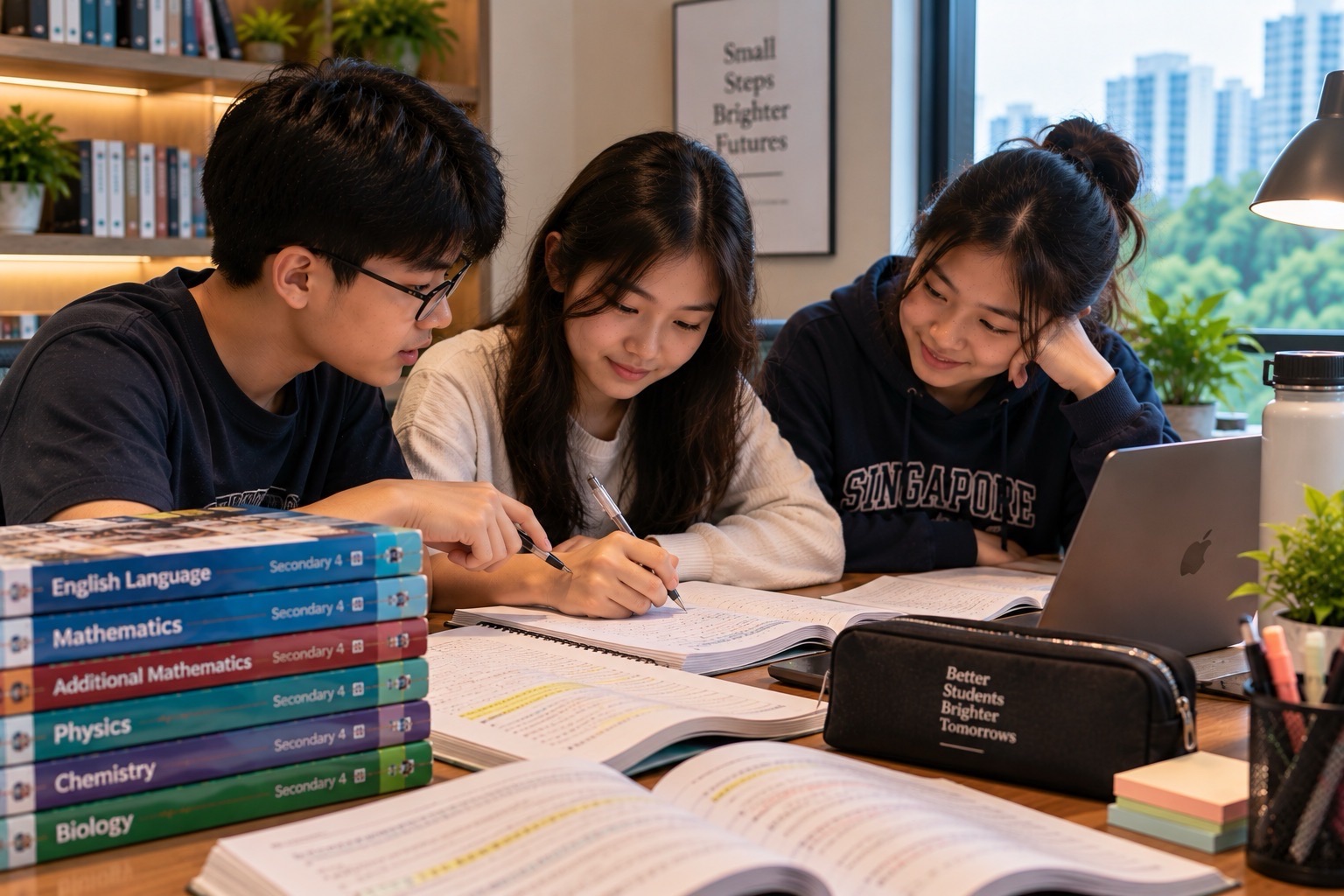
For the 2027 Singapore-Cambridge Secondary Education Certificate (SEC), Full Subject-Based Banding (Full SBB) Computing has three distinct school-candidate syllabuses: G1 K127, G2 K237 and G3 K349. They do not all assess the same software, use the same paper weighting or require the same programming approach. In particular, G2 K237 is a new Computing syllabus, and its practical tasks differ from G3 K349, which uses Python and spreadsheets.
This guide helps families identify the correct syllabus, understand the theoretical and lab-based examinations, recognise what a student must actually practise and avoid buying the wrong Computing materials. It also explains why cybersecurity, data handling, debugging and responsible use of technology matter well beyond school. Students do not need to become professional software engineers to benefit from computing literacy.
Quick facts for 2027:
- G1 Computing K127: Paper 1 e-Examination, 1 h 15 min, 60 marks, 40%; Paper 2 lab-based, 2 h, 90 marks, 60%.
- G2 Computing K237: Paper 1 e-Examination, 1 h 30 min, 70 marks, 50%; Paper 2 lab-based, 2 h 15 min, 80 marks, 50%.
- G3 Computing K349: Paper 1 written, 2 h, 80 marks, 60%; Paper 2 lab-based, 2 h 30 min, 70 marks, 40%.
- G1 K127 includes document processing, spreadsheets, media software and programming practical skills.
- G2 K237 includes spreadsheets, media software and programming; its published software context includes Excel, PowerPoint and Scratch.
- G3 K349 includes Python, JupyterLab and spreadsheet work. Do not revise a G3 Python paper with only Scratch games.
- Check SEAB’s official 2027 SEC syllabus directory before choosing a book, device or course.
2027 SEC Computing paper comparison
| Syllabus | Paper 1 | Paper 2 |
| G1 K127 | e-Exam; 1 h 15 min; 60 marks; 40% | Lab-based; 2 h; 90 marks; 60% |
| G2 K237 | e-Exam; 1 h 30 min; 70 marks; 50% | Lab-based; 2 h 15 min; 80 marks; 50% |
| G3 K349 | Written; 2 h; 80 marks; 60% | Lab-based; 2 h 30 min; 70 marks; 40% |
The distinctions above come from the official G1 K127, G2 K237 and G3 K349 2027 syllabuses. All candidates enter both compulsory papers in their subject. The lab-based duration includes time to save files as instructed, so the student needs time-management and file-organisation skills as well as subject knowledge.
One important insight is that a higher G-level does not simply mean ‘more of everything’. At G1 the practical paper carries 60%; at G2 the two papers carry equal weight; at G3 the written paper carries 60%. A preparation timetable based on the wrong level may seriously misallocate effort. The student’s examination entry and school teaching plan should guide practice.
Full SBB Computing and subject-level choice
Full SBB allows eligible secondary students to study academic subjects at different levels according to their strengths and school offers. Posting Group is primarily a school-posting arrangement, while the actual Computing subject level is recorded separately. A student taking G2 Computing might take other subjects at different approved levels. A high-interest technology learner should not assume that an online national syllabus listing guarantees the subject is offered by every school.
Computing can appeal to students who enjoy designing games, organising data, solving puzzles or understanding why devices behave as they do. But liking games is not the same as enjoying systematic debugging or precise file management. Before a Secondary 3 combination is chosen, ask the student what they have actually made, tested, improved and explained independently.
Parents should also consider the weekly workload. Computing can require access to appropriate software, practice outside class and careful preparation for a computer-based examination. A learner with limited access or technical difficulties should speak to the school early about facilities and support instead of assuming a personal expensive device is a national requirement.
G1 Computing K127: seven learning modules
- Computer fundamentals: components, data storage, devices and measurements.
- Networking: how systems communicate and the basic ideas behind connected computers.
- Impact of computing: safe, responsible and ethical technology use.
- Document processing: producing and editing documents purposefully.
- Spreadsheets: working with tabular data and calculations.
- Media software: producing visual or multimedia artefacts.
- Programming: reasoning through steps, conditions and debugging.
G1 K127 assesses knowledge and application through Paper 1, then practical skills through Paper 2. The G1 lab paper contains tasks involving media software, document processing and spreadsheets, and programming. Students should practise performing actual tasks within their approved school software environment—not only identify buttons in a printed screenshot.
An authentic G1 practice task might involve creating a neat school activity announcement, recording attendance in a spreadsheet, calculating a total with a formula, and designing a simple animated explanation of a safety message. It is an example of transferable computing literacy, not a reconstruction of a national examination paper. Students should also explain why particular file formats or layout choices help the audience.
G2 Computing K237: why the new syllabus matters
G2 K237 has six modules: computing fundamentals, networking, impact of computing, spreadsheets, media software and programming. Paper 1 is an e-Examination containing 20 multiple-choice marks and 50 marks of short structured questions. Paper 2 is a lab-based examination with tasks in media software, spreadsheets and programming. The exam description allocates approximately 30, 25 and 25 of its 80 marks to these three practical areas.
The 2027 G2 Computing syllabus is a new subject in the SEAB listing, unlike some syllabuses whose older code can be used as a historical reference. Families should look for current specimen papers and the school’s teaching guidance rather than rely on old materials for a different qualification. In particular, the software environment associated with K237 differs from the G3 Python-and-JupyterLab setup.
G3 Computing K349: five modules and more demanding analysis
G3 K349 has five modules: computing fundamentals, algorithms and programming, spreadsheets, networking and impact of computing. Paper 1 is a two-hour written paper assessing knowledge and application across all five modules. It includes different question forms, such as multiple choice, matching, cloze and structured items. Paper 2 is a 2-hour-30-minute lab-based examination assessing spreadsheet and programming work.
G3 Paper 2 includes one spreadsheet question and several programming questions; candidates have access to Python and JupyterLab software in the examination setting. Students must submit the required softcopy files for marking. They should learn to test a program, verify output against examples, manage file names and ensure that the submitted version is the one they actually want assessed.
A computer science topic may be understood conceptually yet still be difficult to implement within a time limit. Debugging practice is therefore not a decorative extra. It is a core component of the student’s ability to produce correct work and explain why it functions.
Computer fundamentals: what students really need to know
Students should be able to distinguish processing, memory, storage and input/output rather than treat the entire computer as an undifferentiated ‘CPU’. A device can have a powerful processor but insufficient memory or storage for a particular task. A student who understands the roles of these components can better interpret technology specifications without assuming that the most expensive machine is always necessary.
Data storage and representation also matter. A file-size unit, a bit pattern and a text encoding answer different questions. For example, a binary value can represent a number, while encoding rules allow patterns of bits to stand for characters. Higher-level content may include number-base conversions and logic. Use the exact K127, K237 or K349 syllabus to decide which details are assessed.
Spreadsheets: formulas are not the same as formatted tables
A spreadsheet becomes useful when it stores consistent data and uses formulas that recalculate reliably. A student who types final sums manually into a cell has not demonstrated the same skill as someone who uses an appropriate formula to calculate from source values. At the same time, an impressive chart can be misleading if the underlying range, categories or units are incorrect.
Original spreadsheet exercise: canteen budgeting
Imagine a student records four items with a unit price and quantity. They use a formula for line cost, copy it correctly to all rows and calculate the final total. The key skill is recognising which references should change as the formula is filled. A simple check is to alter one quantity and see whether the relevant line total and grand total update automatically.
The learner should also distinguish an empty cell from a zero, a text label from a numeric entry and a percentage format from a percentage calculation. If charts are requested, ask which chart type helps the intended reader compare values accurately, and whether the visual labels are clear.
Programming: plan, implement, test, debug
A program is not complete merely because its code runs once. Start with a clear input, expected output and set of conditions. Break the problem into smaller operations, choose data representations and test both ordinary and boundary cases. If the result is unexpected, inspect the program’s state instead of repeatedly pressing Run without changes.
Original algorithm example: a simple queue counter
Suppose a community event records how many visitors entered and left. A counter begins at zero, increases by one for each valid entry and decreases by one for each departure, but it must never fall below zero. A sound algorithm describes these rules and what happens if a departure is recorded when the counter is already zero. The task teaches state, conditions, error handling and validation.
For younger learners, a block-based representation may make the sequence visible. For students using Python, the same logic can be implemented through variables and conditional statements. Do not transfer specific programming-language syntax between exam levels without checking the school software requirements.
Media creation: purposeful design, not decoration
A media task assesses the ability to create a usable artefact with appropriate software. Clear hierarchy, legible text, sound timing and accurate content matter more than adding every available transition or effect. Ask who the audience is, what action or understanding the artefact should support and whether the exported file works on the intended platform.
The educational value is broader than design skills. Students learn to combine technical constraints, communication and user needs. They should also learn to use images, audio and source material responsibly, including appropriate permissions and attribution.
Cybersecurity and digital responsibility
Computing education should help students recognise suspicious links, protect account access and handle other people’s data appropriately. A strong password practice includes avoiding password reuse; where available, multi-factor authentication adds protection. In school work, private class records and personal identifiers should not be copied into public tools simply because doing so appears convenient.
Students should understand that using generative AI or downloading a piece of code is not the same as understanding its behaviour. The appropriate workflow is to verify claims, inspect inputs and outputs, test code in a suitable environment and follow school rules about acceptable assistance. Security, privacy and academic integrity are part of computing competence.
A 12-week Full SBB Computing study plan
Weeks 1–2: confirm syllabus and access
Identify K127, K237 or K349, check school software, inspect past marked work and confirm access to a suitable practice environment. A mismatch in software should be resolved before buying courses or rushing into revision.
Weeks 3–4: strengthen computing concepts
Revise key components, data concepts, networking and computing’s impact through short explanations. Test whether a student can choose an appropriate concept in a practical scenario rather than repeat a definition.
Weeks 5–6: practise spreadsheets and data
Create formulas, verify changes, inspect data types, produce a clear chart and detect incorrect totals. The learner should document a test that proves their work updates correctly.
Weeks 7–8: build programming and media skills
Implement small level-appropriate problems, predict output, test boundary cases and fix deliberate errors. For G1/G2, include the relevant media-software tasks rather than practising only spreadsheets.
Weeks 9–10: practise the actual paper structure
Use the correct paper durations and the school’s exam environment. Leave time in lab exercises for saving, confirming file names and submitting all required softcopies.
Weeks 11–12: retest and plan next steps
Use fresh tasks to compare independence, accuracy and debugging skills. Seek teacher feedback on recurring conceptual errors and practical problems; do not infer subject-level readiness from one exciting project alone.
Common mistakes and repairs
- Buying a Python-only course for a student entered for G1 or G2 without checking the syllabus.
- Practising only definitions and ignoring the lab examination.
- Losing work because files were not saved in the required location.
- Copying spreadsheet results as values instead of developing correct formulas.
- Testing only the happy path and ignoring zero, empty or unexpected inputs.
- Treating code that runs as necessarily correct without checking outputs.
- Sharing private information in public projects or unapproved tools.
- Ignoring the mark weighting and duration differences between K127, K237 and K349.
Frequently asked questions about SEC Computing
Are all SEC Computing papers the same?
No. G1 K127, G2 K237 and G3 K349 have different modules, practical formats, paper durations and weightings.
Is G2 Computing new for 2027?
SEAB lists K237 as a new G2 Computing syllabus, with specimen papers available.
Is Python needed for G3 Computing?
Yes. The published K349 practical-paper setup includes Python and JupyterLab, alongside spreadsheet software.
Does G1 Computing have a practical examination?
Yes. K127 Paper 2 is a lab-based paper worth 60%.
Does G2 Computing have a practical examination?
Yes. K237 Paper 2 is lab-based and worth 50%.
Can a student choose any Computing G level?
Students take the levels and subjects the school offers and approves under Full SBB. Not all schools necessarily offer every option.
Do parents need to buy an expensive computer?
Not necessarily. The school should advise on software, access and examination preparation requirements.
Can a student use AI to write all the required code?
School rules determine acceptable assistance. Students still need to understand, test and independently demonstrate the assessed skills.
Is Computing only for future programmers?
No. The concepts support data literacy, communication, safe technology use and many non-programming careers.
What is the most important last-minute lab habit?
Check that the correct required files are saved, named and submitted within the allotted examination time.
Computing practical clinic: eleven original problem-solving scenarios
These exercises use invented data and simplified situations. They are designed to show how a student can reason through the types of concepts found in school Computing without pretending that the exercises are official SEC specimen papers. A learner should work at the actual G1, G2 or G3 syllabus level and follow the school’s authorised software setup.
Scenario 1: why a spreadsheet total fails to update
A student types ’45’ into a grand-total cell after calculating three rows by hand. The numbers are initially correct, but changing one quantity leaves the total unchanged. The problem is not presentation; the cell contains a hard-coded value rather than a formula. A more reliable design references the relevant subtotal cells and automatically recalculates when an input changes.
Ask the student to test the model deliberately. Change one quantity, predict how the total should move, and compare the observed result with the prediction. If it does not change as expected, inspect the formula’s references. This demonstrates why an electronic spreadsheet is more than a decorative table.
Scenario 2: relative and fixed references
Imagine a column of prices and a separate cell containing a common tax rate. When copying a tax calculation down the table, the price reference should change by row but the common rate reference should stay fixed. Students need to distinguish relative and absolute references where they are part of the syllabus and software. A formula that moves both references can silently produce wrong totals.
Teach students to verify a copied formula in the last row as well as the first. A spreadsheet can look polished while hiding errors that propagate through many rows. Careful testing is therefore a computing skill and a quantitative-literacy skill.
Scenario 3: an empty cell is not the number zero
An attendance sheet has a blank entry for a child who has not yet submitted information. Someone replaces all blanks with zero and then calculates an average. That may misrepresent the data if a blank means unknown rather than none. Students must define what each value signifies before creating formulas or charts.
This is also a data-ethics question. A numerical system can turn uncertainty into a false fact if its designer fails to specify the meaning of missing values. Good spreadsheet practice includes clear labels, validation and explicit treatment of incomplete records.
Scenario 4: a misleading chart
A class compares the time required for three routes to school. The chart’s vertical axis starts close to the smallest value, making a difference of two minutes appear enormous. Ask the student to inspect the axis and explain what the chart actually shows. The graph may be mathematically based on genuine numbers yet visually exaggerate the contrast.
A useful correction is to display the values clearly, choose an appropriate scale, label units and explain the practical difference in ordinary language. Data presentation is about helping readers understand, not making a conclusion appear dramatic.
Scenario 5: debugging a counter that becomes negative
A simple check-in program records how many visitors are currently inside a room. Each valid entry adds one; each valid exit subtracts one. If an exit is recorded when the count is zero, the counter becomes negative unless the program checks the condition. The student should define how invalid exits are handled, then test both a normal sequence and this boundary case.
The underlying principle is that programs must handle unusual but possible inputs. A solution that works for three happy-path examples is not necessarily correct. Testing should include zero values, empty inputs, repeated actions and limits relevant to the task.
Scenario 6: choosing a representation for a repeating instruction
Suppose a program must display ten numbered labels. Writing ten almost identical commands may work, but a repetition structure may be clearer and easier to maintain when the number changes. Ask students to recognise the repeated operation and the varying value. The algorithmic idea is broader than any one language: identify a pattern and represent it once.
For a block-based environment, the learner might use a repeat block and counter. For Python, an iteration construct may be appropriate if taught at that level. The examination method must match the actual syllabus; the problem-solving concept can be discussed across levels.
Scenario 7: why a program gives the wrong average
A hypothetical program sums five scores correctly but divides by four. The syntax may be valid and the program may run without crashing; the logic is still wrong. Testing should compare an easily checked sample—such as five scores of 10, which must average 10—with the program output. A discrepancy reveals a problem in the divisor or the count of observations.
The repair is to make the intended calculation explicit, check the source data and test a small known case before using large real datasets. Students learn to separate a syntax error, which often stops execution, from a logical error, which can quietly produce plausible but incorrect output.
Scenario 8: selecting between a word processor and a spreadsheet
A student is preparing a letter to parents and a separate table of camp expenses. A word processor may be the better place to produce a clear letter, while a spreadsheet can manage calculations and structured records. Choosing software means matching features to tasks rather than assuming every problem should be solved in a favourite application.
An integrated output can use the results of one tool in another document, but the student should understand the source of the numbers and how updates are handled. This is an everyday office skill as much as an examination skill.
Scenario 9: saving the right version before submission
A candidate completes a media file and a spreadsheet but saves the spreadsheet under an ambiguous temporary name and leaves a revised version unsaved. The work may be correct on screen yet not present in the submitted files. A practical-paper routine should include an early save, sensible file naming, saving after major changes and a final check against the task’s required filenames and locations.
Students should practise this routine in a timed exercise. Leave enough minutes to inspect all required deliverables. A technically sophisticated program is of little use to the examiner if it is missing from the required submission folder.
Scenario 10: misleading claims about digital safety
A message tells a student that an account must be verified immediately through an unfamiliar link. The message uses a logo and a threatening deadline. Ask which details can be verified independently, whether the sender address matches the claimed organisation and whether the recipient should open the link. A safer response is to use a known official channel rather than the link supplied in the suspicious message.
Computing literacy includes recognising social engineering, not only knowing hardware. Students should learn not to paste passwords, recovery codes or personal identifiers into unknown forms. In Singapore, suspected scams can be checked using official government guidance and the ScamShield resources; emergencies and active financial loss require appropriate immediate support.
Scenario 11: a generated answer that looks correct but is not
A student asks an AI system to explain a sorting algorithm and receives a convincing paragraph containing an inaccurate claim. Before using it as a study note, the learner compares it with the school syllabus and tests the example on a small dataset. The discrepancy becomes a reason to question the explanation, not proof that all automated tools are useless.
A useful school activity is to ask students to identify one verifiable claim in a generated response, find an authoritative source and reproduce the process independently. This trains verification and academic integrity rather than passive copying.
Comparing Computing theory and lab examination readiness
The theory component asks students to recognise and explain concepts and apply them to unfamiliar situations. The lab component asks them to produce a working artefact or solution using the specified environment. These forms of evidence are related but cannot replace one another. A student who can recite the definition of a spreadsheet formula may still be unable to build one; another who can click through a familiar program may be unable to explain why its results are valid.
Use two complementary checks. First, ask the learner to explain a concept without the computer: for example, what is the difference between primary memory and persistent storage, or why a loop needs a stopping condition? Second, ask the learner to perform a level-appropriate task on a computer with no step-by-step prompt. The gap between the two performances guides the next lesson.
A lab assessment preparation checklist
One week before an internal timed practical, the student should verify the permitted software and versions used at school, know how to open the starter files, understand the expected output formats and practise organising work within the allotted time. The school examination coordinator—not a third-party article—provides authoritative instructions about device settings, file storage and examination restrictions.
During practice, reserve time near the end for testing and submission. Check whether a spreadsheet recalculates, whether a multimedia output opens, whether a program handles a representative test input and whether every required file exists. Do not add last-minute features that make a previously working solution unstable. Completeness and reliability matter.
A parent’s guide to supporting Computing at home
Parents do not need to know Python or Scratch to ask useful questions. Ask the child what problem the program solves, what input it expects, how it responds to an unusual input and what they changed after discovering a bug. Ask for a demonstration of the final result and a brief explanation of the design choice. A learner who can explain a solution is less likely to rely on blind copying.
If home-device access is limited, speak with the school about supervised practice options rather than buying costly equipment on an assumption. A consistent device, a quiet period for practice and appropriate software are often more useful than maximum hardware specifications. Also protect time for other subjects and rest.
Computing, careers and the student’s next choices
Computing study can support interests in engineering, data analysis, multimedia design, business, logistics, science and information security. However, course pathways do not follow a single rule. Some programmes require particular Mathematics or Science subjects, while others evaluate a broader combination. Check current course entry criteria and distinguish an interest in technology from a binding promise to enter one career.
Students who are enthusiastic about software development can build small original projects outside the examination curriculum, provided that school duties and safety rules are respected. A clear explanation of a modest working project is often more educational than a large copied application whose design is not understood.
What a 30-minute targeted Computing tutorial looks like
Spend five minutes asking the student to explain the failed task or error. Reconstruct the smallest example that reproduces the problem. Take ten minutes to trace the logic or inspect the relevant formula, and let the learner propose a correction. Use ten minutes to test the corrected version on different inputs. Reserve the final five minutes for an independent summary and a saved record of the lesson’s key learning.
The important difference from unstructured screen time is that every action serves a testable purpose. A student should leave knowing why the error occurred and how to recognise it in a new task. That method supports both theoretical understanding and practical confidence.
What makes a Computing portfolio a useful record of learning?
An independent project can show learning if the student documents the problem, constraints, design, testing and revision. A portfolio that contains only a final screenshot does not show how the program or media artefact was developed. Encourage a brief explanation of one difficult decision, the test that exposed an error and the final correction. This evidence can support self-reflection even when it is not part of the national examination.
For example, a student may build a simple expense tracker in a spreadsheet and record how they repaired an incorrect total when the input range expanded. Another may create a small game and explain how the program handles repeated button presses or unexpected inputs. The important part is authentic ownership of the solution, not the apparent sophistication of the final screen.
Five questions for evaluating a student’s Computing project
What precise problem does it solve? What inputs does it accept, and what output should result? Which software and data were used with permission? What test demonstrates that it works? What limitation would the student address next? These questions encourage responsible design and reveal whether the learner can explain their own work.
A responsible project also records what material was created by the student and what was obtained from another source. Images, sounds, datasets and generated code can carry rights, privacy or accuracy issues. Academic integrity is easier to practise when students learn attribution and verification from the beginning rather than being asked to reconstruct their sources after completing a project.
Why strong examination preparation must include practical rehearsal
The 2027 Computing lab papers require students to produce and save softcopy work. A learner who has only watched tutorials may struggle when the interface is slightly different or a file cannot be found. Rehearsal should include opening the correct resources, editing a working copy, testing the result, saving under the expected name and checking the final folder. These operational habits protect the value of the student’s actual computing knowledge.
For G1 and G2, ensure the school-approved software tasks are practised, including media creation where required. For G3, reserve meaningful time for spreadsheet and Python work. In every case, seek the school’s official assessment rules rather than guessing from an online demonstration of another level’s paper.
Official SEAB and eduKateSG reading
- SEAB G1 Computing K127 2027 syllabus.
- SEAB G2 Computing K237 2027 syllabus.
- SEAB G3 Computing K349 2027 syllabus.
- eduKateSG: Secondary 4 Computing G1 K127 G2 K237 G3 K349.
- eduKateSG: Full SBB Mathematics and problem-solving foundations.
- eduKateSG: small-group learning approach.
Reviewed 11 November 2026. Examination codes, paper durations, weights and software descriptions are from SEAB’s published 2027 syllabus documents. Sample activities and revision advice are original guidance and are not official specimen questions.