
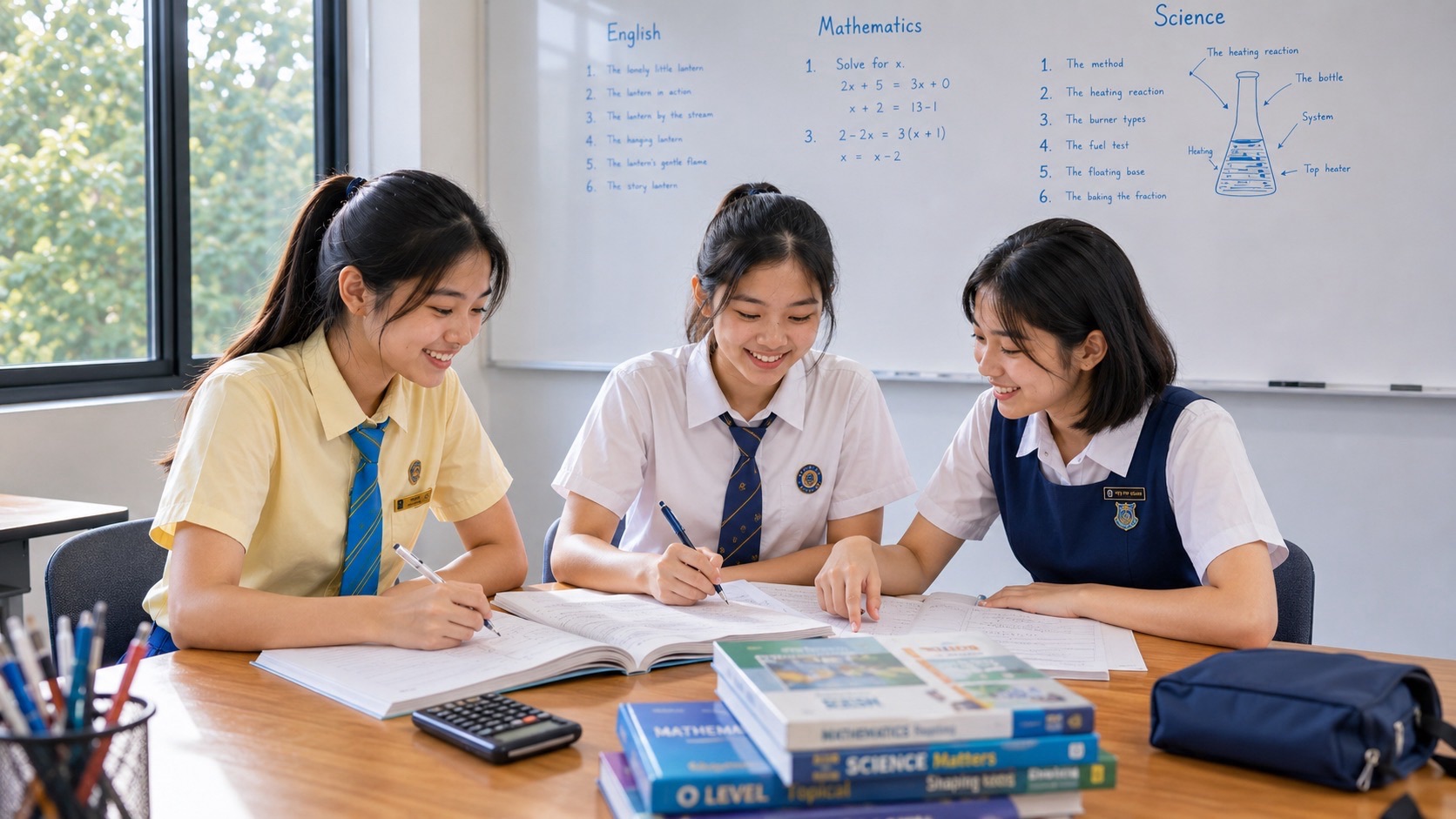
Top G2 Computing small groups tutorials at eduKateSG help Singapore secondary students understand what computers do, how information moves and how to create reliable practical work using spreadsheets, media tools and visual programming. Computing is not simply playing computer games, using generative AI or typing code rapidly. A well-designed tutorial checks whether the child understands a problem, chooses suitable software and can create, test, correct and save a working solution independently. In a three-student group, the tutor can observe mistakes in each student’s files and explanations instead of trusting a completed screen to prove understanding.
The official 2027 Singapore–Cambridge Secondary Education Certificate (SEC) subject is the new G2 Computing K237 syllabus, combining a 1-hour-30-minute e-examination Paper 1 worth 50% with a 2-hour-15-minute lab-based Paper 2 worth 50%. The six modules cover computer fundamentals, networking, computing’s impact, spreadsheets, media software and programming. The practical paper tests spreadsheet, media and programming tasks and requires submission of saved digital files. eduKateSG’s 3-pax, 1.5-hour weekly tuition format can support problem-solving, careful feedback and practice with suitable school-approved tools. Parents should confirm that K237 is offered at the child’s school and ask what software environment will actually be used.
- Correct code: 2027 SEC G2 Computing K237, listed as a new subject; availability depends on the school, not merely the national index.
- Paper 1: 1 hour 30 minutes, 70 marks, 50%; 20 multiple-choice questions (20 marks) and short structured questions (50 marks), covering all six modules.
- Paper 2: 2 hours 15 minutes, 80 marks, 50%; three lab-based tasks—media software approximately 30 marks, spreadsheets approximately 25 marks and programming approximately 25 marks.
- Important syllabus boundary: microcontroller concepts and MakeCode content are assessed in Paper 1 only; the practical game-programming tasks use Scratch.
- Critical practical habit: candidates must produce and save the requested softcopy files; the allocated examination time includes saving work.
- Parent’s first action: confirm the school offering, approved applications, file-handling rules and whether the child is weak in understanding, practical execution or digital workflow.
Why G2 Computing is not just another computer-literacy course
Many students can navigate a mobile phone fluently and still struggle to explain how a network operates, why a spreadsheet formula produces the wrong result or how a program makes decisions. Device familiarity is not the same as computational understanding. G2 Computing is deliberately practical, but those practical tasks depend on concepts and transferable reasoning.
The official syllabus states that learners should understand computing systems and networks, make responsible decisions about technology, and use applications to produce solutions. It includes creating graphics, videos and games, analysing and debugging programs, and presenting data with spreadsheets and charts. It is broad rather than restricted to professional software development.
Parents should also distinguish Posting Group 2 from G2 subject level. A child’s Posting Group influences initial secondary admission arrangements, while Computing at G2 refers to the level of the individual subject. Elective availability and subject-level changes depend on school policies and readiness. Not every school must offer this new subject to every student, and a tuition centre cannot guarantee access.
Two papers, two different types of performance
Paper 1 is a computer-based e-examination lasting 1 hour 30 minutes, marked out of 70 and weighted at 50%. Section A contains 20 multiple-choice questions; Section B has a varying number of short structured questions. The paper assesses knowledge and the application of concepts across all six modules.
Paper 2 is lab-based, lasting 2 hours 15 minutes, with 80 marks and the other 50% of the grade. It comprises three practical tasks. Approximate marks are 30 for media software, 25 for spreadsheets and 25 for programming. The candidate must submit the required digital files; the time allocation explicitly includes the time needed to save them.
The theory paper’s assessment-objective weightings correspond to approximately 20% knowledge and understanding and 30% application of the total qualification. The practical paper contributes the remaining 50% through application of skills. This does not mean the tutor should ignore conceptual understanding when teaching practical work: a student who memorises clicks without knowing why a result should appear will be fragile when the task changes.
A sensible revision programme should test two things separately. Can the learner explain what a tool or concept does? Can the learner complete a fresh task within a realistic workflow and save the correct output? Both are necessary.
Module 1: understanding the computer as a system
The first module covers computer fundamentals, including the central processing unit, graphics processing unit, memory, storage and input/output devices. Students should learn what each component does rather than memorise product advertisements. A laptop with a faster processor is not automatically better at every task; software, memory, workload and other constraints matter.
Students should distinguish main memory from secondary storage. Main memory helps support active processing, while secondary storage retains files and applications for later use. A child who treats them as the same quantity may misinterpret computer specifications. Teach the difference using everyday examples such as an open application versus a saved project file.
The syllabus also discusses integrated and dedicated graphics and magnetic versus solid-state storage. These comparisons should be made in terms of function, durability, capacity, cost and typical performance, according to the task. A tutor should not insist that one technology is universally superior without considering the context.
Bits, bytes and digital quantity: learn the meaning before converting
A bit is a binary digit; a byte conventionally consists of eight bits. Larger units describe data amounts. Students should distinguish bits from bytes and read the symbols carefully, especially when comparing network rates and storage capacities.
An original practice question states that a file has a size of 8,000 bytes. At eight bits per byte, it contains 64,000 bits. This is an exercise in unit reasoning, not a prediction of the file’s transmission time. Network overhead, throughput and other conditions could affect real transfer.
Another student may know the unit names but confuse storage with processing speed. A tutor can ask what it means for a device to have more secondary storage but less main memory. The child should explain what each quantity helps a computer do, rather than conclude that “more gigabytes always means faster”.
Module 2: networks, the internet and cloud services
Computer networking covers local and wide area networks, wired and wireless communications, and devices such as routers, modems and network interface cards. Students should recognise that networks allow computers to share information and services, but that the internet is a much larger interconnection of networks.
A home wireless network is often a useful conceptual example of a LAN. The internet involves connections extending far beyond the home. This does not mean the home Wi-Fi name is itself the internet. A child who can draw the relationship among a device, a local router and a wider connection has a more accurate model.
The syllabus also distinguishes MAC addresses and IP addresses according to their networking purposes. Students need to understand that addresses operate in different contexts rather than memorise that every address has exactly the same function. They do not need to discover or publish the family’s own addresses to learn the concept.
Cloud computing is included because files and applications may be accessed through services over the internet. A sensible comparison considers availability, connectivity, control, sharing and the risks of relying on a remote service. “Cloud files are always safer” or “local files are always safer” are both oversimplifications.
Module 3: the impact of computing and artificial intelligence
K237 explicitly covers computing’s influence on communication, education, transport and retail. It also introduces artificial intelligence and examples of tasks such as image or voice recognition, spam filtering, classification and content generation. The learning objective is to describe capabilities and implications, not assume that every AI-produced answer is correct.
An original classroom example compares two ways of obtaining information: a search result that links to an identifiable source and a generated paragraph without visible evidence. The student should decide what needs verification before relying on either. A convincing style is not proof of truth. In Computing, technical literacy includes the ability to evaluate outputs.
AI also raises ethical issues around privacy, fairness, intellectual property and reliability. The syllabus’s responsible-use outcomes include copyright, privacy settings, scams, malware and backups. A responsible tutor should emphasise safe behaviour rather than encourage students to use automated tools to complete assessed work deceptively.
A learner might ask whether AI will replace programming. For this SEC subject, the immediate examination demand remains the ability to understand, create and debug specified programs and files independently. An AI-generated solution that the student cannot explain is weak preparation for a supervised lab-based paper.
Responsible digital behaviour: a practical learning goal
Students should recognise suspicious requests for passwords, common scam tactics and the concept of malware. The syllabus names viruses, worms, trojans, spyware and ransomware as examples. A good educational lesson explains risk and prevention without supplying instructions to create or distribute malicious software.
Practical protective habits include strong unique passwords, appropriate multi-factor authentication where available, keeping software updated, and making backups. The student should know why an unexpected attachment, misleading link or request for sensitive information deserves caution. Parents can support this through normal family digital-safety rules.
Copyright literacy is important in media tasks. Finding an image online does not automatically grant permission to reuse it in a video or presentation. Students should use self-created, properly licensed or authorised material, respect attribution and follow the examination’s permitted resource arrangements.
Module 4: spreadsheets are models, not coloured tables
Spreadsheet skills include formatting, charts, formulas, functions, sorting, filtering and data validation. The central idea is that cells can contain data and relationships that update when inputs change. A spreadsheet used only for typing a static table has not demonstrated all of these capabilities.
Consider a fictional school fair that sells notebooks. Column B records the quantity sold and column C the price per notebook. In D2, the student might enter **=B2*C2** to calculate revenue for the first row. If the quantity changes, the formula recalculates automatically. The student should know why a formula is preferable to manually replacing the result.
A good tutor checks whether the child has chosen the correct cell references. A visually plausible answer may be wrong if it points to another row or omits part of the range. Correcting this requires reading the formula’s structure, not guessing which ribbon button to click.
Relative and absolute cell references: an essential contrast
A relative reference changes when a formula is copied to another location; an absolute reference can remain fixed. Suppose a fictional spreadsheet stores a common multiplier in F1. A formula such as **=B2*$F$1 multiplies the value in B2 by the fixed multiplier. When copied down one row, B2 becomes B3 but $F$1** remains unchanged.
Without dollar signs, **=B2*F1 copied down may become =B3*F2**, which may be incorrect if the multiplier is only in F1. The difference is structural. Students need to understand why a shared rate is held constant while individual row values change.
A useful exercise gives the learner two formulas and asks for the predicted result after copying, before using any software. This separates conceptual understanding from button familiarity. Then the child checks the prediction in an actual spreadsheet and explains any discrepancy.
Functions: using the right calculation for the question
The syllabus includes conditional functions such as IF, logical functions such as AND and OR, and summary functions including SUM, AVERAGE, COUNTIF, SUMIF and others. Students should know what each does, when it is appropriate and how its arguments relate to the data.
For example, suppose B2 contains a score and a fictional club awards a certificate for scores of 60 or more. A practice formula might be =IF(B2>=60,”Certificate”,”Try again”). The learner should test values of 59, 60 and 61 and explain why the boundary matters. This is more useful than copying the formula without knowing the comparison.
A different question might ask for the number of entries meeting a condition. That calls for a counting operation, not the sum of their values. The tutor can present several similar tasks and ask students to choose which function matches the output requested.
Lookup functions and data validation: prevent confident mistakes
The syllabus includes lookup functions such as VLOOKUP, HLOOKUP, INDEX and MATCH within its specified scope. Students should recognise that a lookup retrieves information from structured data using a key or position. A misaligned range can produce an answer that looks plausible but belongs to the wrong person or item.
Data validation can restrict what users enter into a cell. For an original classroom task, a spreadsheet collecting a rating from 1 to 5 could be configured to accept only values in that range and display an error for others. This does not guarantee all entries are meaningful, but it can prevent particular invalid inputs.
A good tutor asks what the rule prevents, what it fails to prevent and why the restriction matches the purpose. Students should not confuse data validation with a guarantee that every underlying fact is true.
Charts: choose a representation that does not mislead
K237 includes bar, column, pie and line charts and combinations of line and column charts. A chart is a way to communicate a relationship. The appropriate type depends on whether values are categories, a time series, a part-to-whole comparison or a combination with different kinds of measures.
An original example shows total visits to a fictional library across four months: 120, 140, 135 and 170. A line or column chart could communicate the pattern. The student should label axes accurately, use a readable scale and avoid claiming that the final increase will continue indefinitely. The graph establishes what the four observations show, not what will happen next year.
Changing a chart’s source data should update the chart when properly linked. This demonstrates why charts are connected to structured information rather than pasted decorations. A practical exam task may ask for specific labels, legends or formatting, so students need accuracy as well as aesthetic judgement.
Module 5: vector graphics and the meaning of paths
Vector graphics use geometric objects, nodes and paths to represent shapes. They can be resized without the same pixel-based quality loss that often affects raster images. Students should understand the difference before selecting tools or exports for a task.
A simple vector illustration can combine circles, lines and text. The student may adjust layering, grouping, fill, transparency and node handles. These are not merely buttons to memorise; each operation changes how the design is constructed and displayed.
In a small-group exercise, students might recreate a simple fictional sign using their own shapes and explain why grouping objects makes later movement easier. The tutor should check whether the learner can reproduce the technique on a different layout rather than a pixel-perfect imitation of a rehearsed diagram.
Raster graphics: pixels, image quality and formats
Raster graphics consist of pixels. Their quality can be affected when images are enlarged beyond the available pixel detail. The syllabus includes file formats such as PNG, GIF, TIFF, BMP and JPEG, along with resizing, cropping, brightness, contrast and sharpness.
One common misconception is that increasing the number displayed in a resolution setting automatically creates missing image detail. Enlarging a small image cannot reliably restore information never captured. A student should know why a vector graphic is often suitable for a scalable logo, while a photograph is usually represented as raster pixels.
A tutor can give students two fictional tasks—one requiring a sharp icon at different sizes, the other requiring a photographic image—and ask which representation is suitable. The answer should include the reason, not simply a file extension.
Presentations and video: clarity, sequence and responsible media
The media software module includes using a slide master, creating presentations from storyboards and assembling videos from images and clips with text, transitions and sound. Students should understand that individual frames form video, and that frame rate can affect smoothness and file size.
A storyboard helps plan what appears, in what order and why. Suppose a task asks for a short informational sequence about safe cycling. A learner might organise an opening, three steps and a closing reminder. The objective is effective communication, not adding every available transition.
Respect copyright and privacy. Do not use classmates’ images or personal information without appropriate consent. Use authorised or self-created media in practice tasks, and follow examination resource restrictions when sitting the official assessment.
Paper 2 saving discipline: a highly practical difference
The 2-hour-15-minute lab examination includes time for saving and submitting required work. A student can lose the benefit of correct practical skills if they save a project in the wrong format, location or filename. The tutor should therefore teach a simple habit: read instructions, build a working file, save regularly, verify the result and reserve time to submit the requested outputs.
The specific approved software, file names, folders and examination environment are determined by official instructions and the school. Parents should not assume that the student’s favourite home application is identical to the version used during examination. Ask the school what familiarisation is provided and which tools candidates will have.
A useful practice exercise asks the student to reopen an earlier saved file and confirm that formulas, media and code still function. A screenshot of an application window is not necessarily a valid substitute for a required editable project. Understanding the requested output is part of solving the task.
Module 6: programming begins with logic, not special effects
K237 uses visual programming and includes variables, conditions, loops, operators, lists, functions and debugging. The examined blocks refer to Scratch and MakeCode within specified parts of the syllabus. Students should learn what the program does and why, not merely drag blocks until something moves.
A variable stores a value that can be changed. A conditional makes a decision based on a test. A loop repeats actions. An event can cause code to run. These ideas recur across many programming environments, which is why conceptual explanation matters even if the examination uses a particular visual interface.
An original practice task might define a score variable starting at zero. When an event occurs, the score increases by one. A second rule checks whether the score has reached five and then displays a message. The important question is the logic: what event changes the variable, when is the condition tested and what happens after the threshold is reached?
Debugging: explain the first wrong step
A student who knows where to click may still struggle when a program behaves unexpectedly. Debugging means examining what the program is intended to do, what it actually does and which instruction causes the discrepancy. Randomly moving blocks often hides the underlying cause.
Suppose a character in an original simple game should move five steps each time a key is pressed, but it moves continuously. The tutor should ask what event starts the movement and whether the loop repeats without the intended trigger. The correction depends on the program’s actual structure, not a universal command to “delete the forever block”.
Testing should include boundary cases. If a condition checks whether a score is greater than 5, it behaves differently from greater than or equal to 5 at exactly 5. A student can predict the difference before running the program. This strengthens logic and reduces trial-and-error dependence.
Sprites, coordinates and game programming
The syllabus includes positioning sprites with coordinates, changing costumes and backdrops, reacting to keyboard or mouse events, sending messages and responding to contact between objects. These are concepts for building interactive programs; a game is a useful context, not proof that the student only needs entertainment skills.
For a coordinate example, moving a sprite from (0, 0) to (30, 0) changes its horizontal position while keeping the vertical coordinate the same. A learner should be able to distinguish x and y, negative and positive directions, and how a different stage position affects movement.
An original classroom challenge might require a character to stop before touching a designated boundary. The tutor can ask what condition would detect the boundary and how the script should respond. The child needs to select a suitable event or test, not copy a prebuilt game someone else wrote.
Lists and custom blocks: organising larger programs
Lists allow a program to store multiple related items. The syllabus includes operations such as creating a list, inserting and deleting items, accessing positions and checking membership. Students should understand order and indexing within the chosen programming environment rather than assume every interface numbers positions identically.
An original practice scenario might store three fictional club activities in a list. The student adds a fourth, removes an unavailable activity and checks whether a particular name remains. A tutor should ask what the program does when an item does not exist and what a safe test should report.
Custom blocks or functions can group a sequence of instructions for reuse. The advantage is not simply making a program look shorter; it can improve clarity and reduce repeated logic. A student who can explain why repeated behaviour belongs in a reusable block is showing abstraction rather than button familiarity.
Microcontrollers: know the Paper 1-only boundary
The syllabus includes microcontroller concepts using MakeCode, such as input from sensors and output to displays or other components. Crucially, the document states that the microcontroller section is assessed in Paper 1 only. Parents should not assume that a lab-based Paper 2 task requires building a physical circuit.
Students should understand the relationship between sensor input, processing rules and output. An original conceptual example is a classroom temperature monitor: a sensor supplies readings, code compares them to a threshold, and an indicator responds. The learner can describe the logic without making unsafe hardware connections.
The tutor should follow school-approved equipment and supervised practical arrangements. Basic microcontroller concepts do not justify unsupervised experiments involving mains electricity, improvised wiring or devices connected to private networks. Paper-based diagrams and authorised simulations can be useful for understanding.
An engineered three-pax Computing tutorial
In a three-student group, one learner might understand spreadsheets but struggle with programming; another may draw appealing graphics but forget to save correct files; a third may explain networking well but make errors in conditional formulas. The tutor should observe these distinct bottlenecks rather than supply one generic worksheet.
A typical 90-minute lesson could begin with a retrieval question, introduce one core concept, demonstrate an example, assign each student a controlled variation and finish with an independent transfer task. A practical session should include checking the actual saved output, not merely viewing a screenshot from the middle of the task.
Small-group discussion can expose different approaches, but each student must be able to perform the required steps without another person driving the keyboard. A tutor should not produce the assessed work or let a learner present someone else’s file as their own.
A twelve-week illustrative progression
Weeks 1–2: confirm K237, approved school software and the child’s starting skills. Test core computer concepts, files, simple formulas and basic visual logic.
Weeks 3–4: build spreadsheet formulas, cell references and functions. Use small datasets and test how outputs change when inputs change.
Weeks 5–6: practise charts, validation and clear data presentation. Check correct ranges, labels and saved output formats.
Weeks 7–8: work on vector and raster media, storyboards, presentations and video tasks using original or authorised material.
Weeks 9–10: train visual programming, variables, conditions, loops and debugging, followed by Paper 1 concepts in networking, ethics and microcontrollers.
Weeks 11–12: use timed mini-tasks, independent file saving and unfamiliar problems. Compare the results with baseline work and identify the next priority.
This is an illustrative teaching cycle, not the official school sequence. A child with strong practical skills but weak concepts may need different emphasis from someone who knows definitions but cannot finish a lab task.
What parents should look for in improvement
An improving student can explain a computing concept in plain language, build a spreadsheet that recalculates correctly, create media with intentional structure, debug a simple program and save the required files independently. Confidence with the mouse is not enough if the learner cannot explain the underlying logic.
Ask the child to show how changing one input affects a spreadsheet or program. If the answer changes unexpectedly, can the learner locate the reason? Ask why one chart was chosen rather than another. Ask what personal data should be kept private. These questions test understanding without requiring parents to become programming experts.
Keep practice ethical. Do not encourage children to copy ready-made projects or paste generated code they cannot understand. The objective is independent capability at the syllabus’s actual level, not producing a sophisticated-looking application unrelated to the national assessment.
How to choose a suitable G2 Computing class
Start by checking whether the school offers K237 and which approved software students use. Ask a tutor whether they understand the two-paper design, can teach spreadsheet functions, media operations and Scratch-based programming, and know that microcontrollers are Paper 1-only in the national assessment.
Ask how the three-student group will be matched, whether learners work on their own devices where appropriate, what happens when a file fails to save and how progress will be demonstrated. Check costs, travel, availability and time alongside the child’s wider commitments. Extra tuition may be unnecessary when school teaching and independent practice already meet the need.
The word “Top” in a tuition title is not a national ranking. Meaningful quality lies in accurate syllabus alignment, safe and responsible use of technology, honest feedback, and evidence that the child can solve a new task without relying on another person’s screen.
Frequently asked questions
Is K237 a new G2 subject in 2027?
Yes. The SEAB 2027 G2 index lists Computing K237 as new, with specimen papers. The existence of a national syllabus does not mean every school offers it; confirm the actual school combination.
Is the Computing examination only theoretical?
No. Paper 1 is a 50% e-examination and Paper 2 is a 50% lab-based examination requiring saved spreadsheet, media and programming outputs.
Does Paper 2 require a physical microcontroller project?
The 2027 syllabus states that microcontroller content is assessed in Paper 1 only. Paper 2 assesses spreadsheets, media software and programming practical tasks.
Must students learn a particular professional text-based programming language?
The K237 specification focuses on visual programming and lists Scratch and MakeCode blocks for the relevant assessed outcomes. Parents should follow the official syllabus and the school’s approved teaching environment rather than buy an unrelated professional coding course.
Can a child use AI to generate all the practical examination files?
Candidates are expected to complete the prescribed tasks within supervised examination conditions. Using an external tool or somebody else’s files is not a substitute for understanding and independent execution, and examination rules must be followed.
How can parents measure progress?
Use unseen practice tasks. Can the student explain the algorithm, correct a broken reference, produce a clear chart and save the right files without prompts? Those are meaningful indicators alongside school marks.
Official sources and next steps for families
The six modules, Paper 1 and Paper 2 arrangements, approximate practical task allocations, Scratch and MakeCode scope, and Paper 1-only microcontroller requirement come from the SEAB 2027 G2 Computing K237 syllabus. The 2027 SEC G2 subject directory confirms the new code and provides specimen-paper links. The SEC overview gives the national qualification context. All spreadsheet and programming scenarios here are original instructional illustrations, not actual specimen-paper reproductions.
The eduKateSG Clementi three-student tutorial reference explains the approach of close observation and correction that informs our Computing lessons. For a useful first conversation, confirm the school offering and practical software, bring one marked theory question and a simple practice file, and identify the first task the student cannot complete independently. The right next lesson should teach that missing step, then test it with a different file or problem.
Other G2 elective tutorial guides
Parents comparing elective choices can read these separate syllabus-specific guides: G2 Principles of Accounts; G2 Design and Technology; G2 Nutrition and Food Science. Confirm which electives are available at the child’s own school and compare the nature of each subject, assessment and workload. These are related learning guides, not claims that every elective is suitable or offered everywhere.