
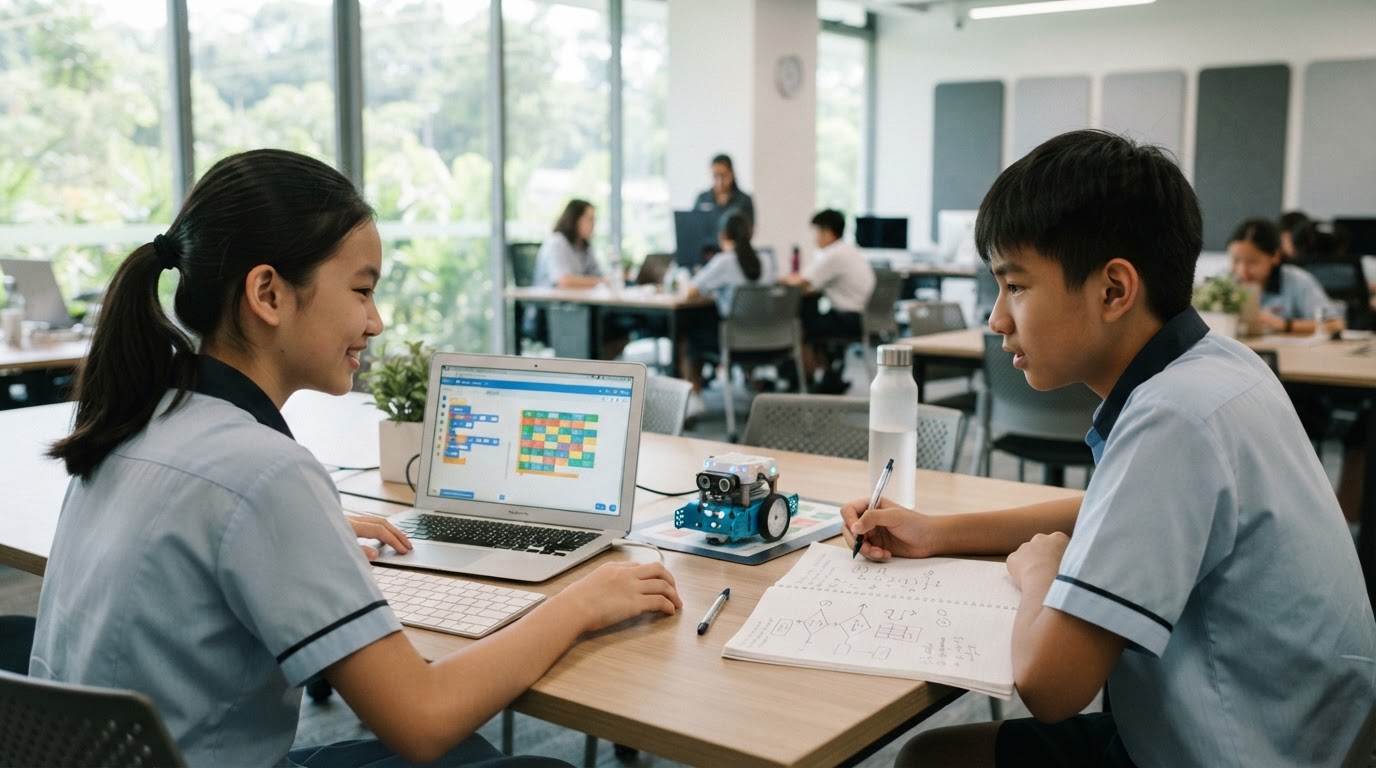
Secondary school students use digital tools for learning, communication and school administration, but access to a device does not automatically create good study habits. PG2 students need to learn how to manage school platforms, protect personal information, check online information and avoid distractions while completing G2 work.
Parents can help by agreeing on practical device routines rather than trying to monitor every click. The aim is to help the child become a safer, more independent digital learner who knows when to use technology, when to put it away and where to ask for help if something online feels wrong.
- Confirm the school’s approved devices, apps, accounts and acceptable-use rules.
- Keep passwords private and enable appropriate account security.
- Teach the child not to share personal details, private images or school login information.
- Use devices for a clear learning task, then close unrelated tabs and notifications.
- Check AI-generated answers, facts and citations rather than copying them.
- Discuss cyberbullying, scams, harmful content and how to report concerns.
What does digital learning involve?
Digital learning may include accessing lesson materials, submitting assignments, reading online resources, collaborating on documents or using subject-specific software. The exact tools depend on the school. Parents should not assume that every student uses the same platform or that a personal device is always required for every task. Follow the school’s device and account instructions.
Digital skills also include judgement. Students must decide whether a website is trustworthy, whether a message is appropriate to forward, whether an image can be shared and whether an online answer actually addresses the question. These are learning habits, not merely technical skills.
Build a safe device routine at home
Use a clear study purpose
Before opening a device, ask the child to name the task: read a school document, research a topic, complete an assignment or revise a concept. When the task is done, close unrelated pages. A simple purpose reduces aimless browsing.
Protect accounts and personal information
Teach students not to share passwords, verification codes, home addresses, phone numbers or private school information with strangers. Use strong, unique passwords where possible and keep devices updated according to school or family guidance. If a suspicious login or message appears, do not respond impulsively; tell a trusted adult.
Keep private images private
Do not send or forward images that could embarrass, expose or harm another student. Once shared, content may be copied or redistributed. A child should know they can ask for help if someone pressures them to send a private image or threatens to share one.
Cyber wellness and online relationships
Students should understand that online behaviour affects real people. A joke in a group chat can become hurtful when it targets a classmate repeatedly. Forwarding rumours, posting humiliating photographs or excluding someone from a group can cause genuine harm even when it happens outside school hours.
Parents can discuss how to pause before posting: Is it true? Is it kind? Is it necessary? Would the student be comfortable if a teacher or family member saw it? If a child is targeted, save relevant evidence where safe, avoid escalating the argument and report the issue through the school’s stated channels. Serious threats or immediate safety concerns require prompt adult action.
Using AI tools responsibly for G2 learning
AI tools can explain a concept in another way, generate practice questions or help a student organise ideas. They can also make mistakes, invent sources, provide incomplete explanations or produce work that does not reflect the student’s understanding. Students must follow school rules about permitted tools and disclosure.
Teach the child to use AI as a study assistant rather than a substitute for thinking. Ask it to explain a Mathematics method, then solve a new question independently. For English, use suggestions to review clarity but preserve the student’s own ideas and voice. For Science or Humanities, verify factual statements against reliable material and class notes.
A simple check before relying on an AI answer
- Can I explain the answer in my own words?
- Does it match the teacher’s notes and syllabus?
- Can I verify the important facts from a reliable source?
- Did the school permit this tool for this assignment?
- Have I acknowledged assistance if the teacher requires it?
Protect concentration and sleep
Notifications and entertainment apps can interrupt a student during homework. Agree on a study setting with necessary school resources available and non-essential notifications silenced. Set a reasonable time to stop recreational screen use before sleep. Keep the routine practical and consistent rather than relying on repeated arguments about minutes of screen time.
If the child repeatedly switches away from school tasks, ask what is happening. The work may be too difficult, the instructions unclear, or the child may be using the device to avoid an uncomfortable task. Support the underlying problem instead of assuming the device is the only cause.
Common parent concerns
“My child says the device is needed for everything.”
Check the school’s actual requirements. Ask which tasks require a device and which can be completed offline. A student should not be pressured into buying additional equipment or subscriptions without a clear school instruction.
“My child copies answers from the internet.”
Ask them to explain the answer without looking at the screen. Set a simple rule: read, close the source, explain in your own words, then verify. Help them distinguish research from copying.
“My child is involved in an upsetting group chat.”
Listen without blaming the child for telling you. Ask whether there are threats, repeated harassment or sharing of private material. Preserve evidence if safe, use platform reporting tools and contact the school when students or school relationships are involved. Do not retaliate or circulate the content further.
A parent–child digital agreement
Agree on a few visible rules: use school-approved accounts, keep passwords private, do not share others’ images, report uncomfortable messages, complete school tasks before entertainment and put devices away at the agreed time. Revisit the agreement as the child becomes more independent. Rules should be clear enough to follow and proportionate to the child’s age and responsibility.
How this supports G2 learning
Technology should help the student access and practise the G2 curriculum, not replace subject understanding. The student still needs to read carefully, show mathematical working, interpret evidence in Science and Humanities and communicate in their own words. School instructions and the relevant subject syllabus remain the reference for what must be learned.
Official reading: MOE Full Subject-Based Banding; MOE support for students with special educational needs; MOE SchoolFinder; SEAB 2027 G2 SEC syllabuses for school candidates.
Digital independence develops through repeated practice and calm conversations. Help your child use devices with a purpose, protect their privacy and seek adult help when needed. The goal is not a child who never makes an online mistake, but one who knows how to make safer decisions and recover responsibly.