
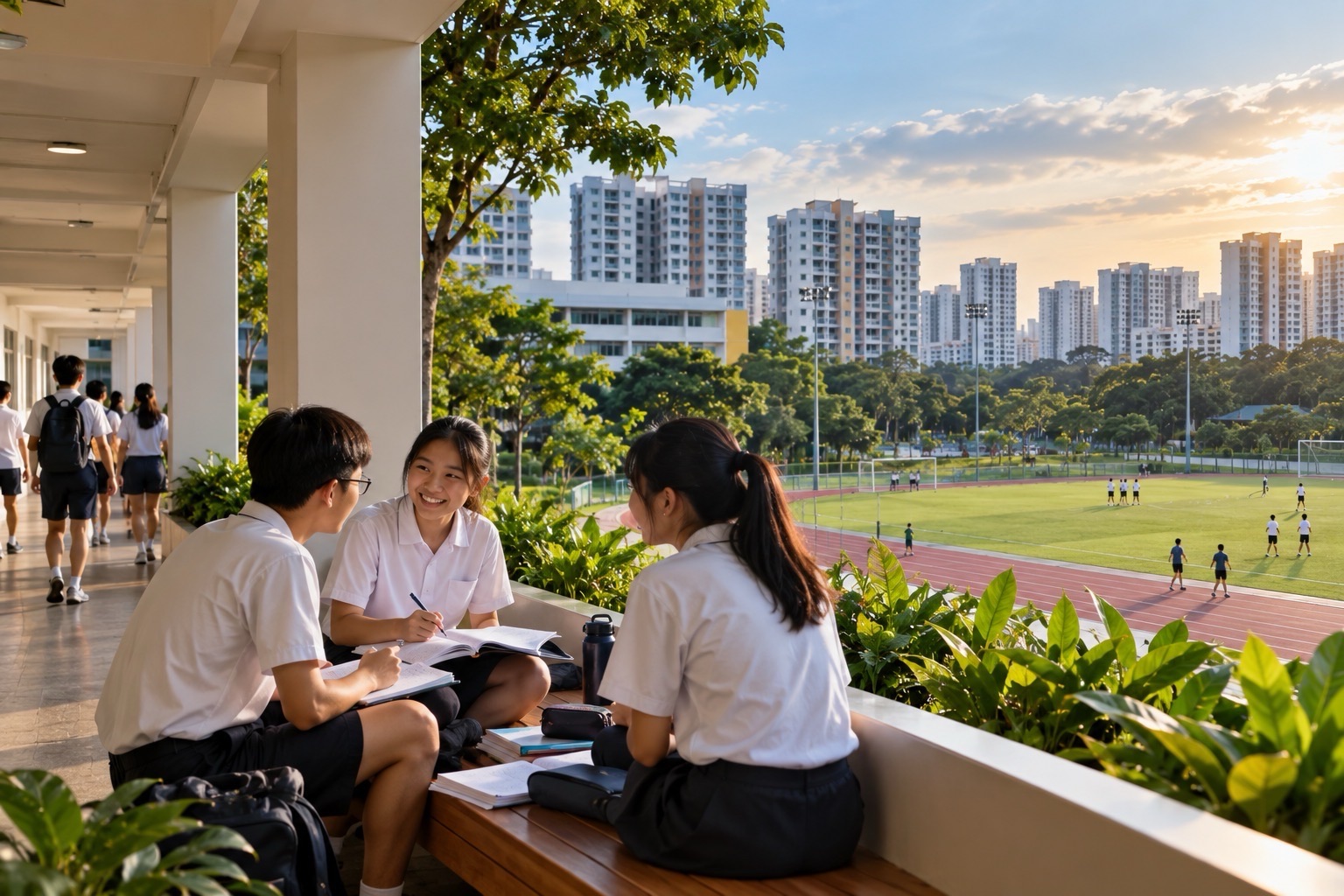
iNaturalist for students helps turn a biodiversity observation into a public scientific record. A child might photograph an insect visiting a flower, notice a bird near a park path or record a tree in a suitable outdoor learning area. The first question is often the species name, but stronger Science requires describing what was observed, examining the evidence and recognising what remains uncertain.
Parents searching for iNaturalist for students, iNaturalist Singapore, iNaturalist school projects, iNaturalist Research Grade, or iNaturalist versus Seek need to understand an essential difference: ordinary iNaturalist observations are public, including information about time and location unless privacy settings limit parts of that information.
Quick answer: iNaturalist is a free online biodiversity community where users share actual observations of organisms and receive possible identifications from computer vision and other contributors. The official iNaturalist educator guide warns schools that every uploaded observation is publicly viewable. Users under thirteen require a special parent-approval process; Seek by iNaturalist is usually more suitable for younger pupils who do not need to publish their observations. A good field-learning process is observe → document the real organism → check privacy → upload only when authorised → respond to identification feedback → interpret the record carefully.
What Is iNaturalist?
iNaturalist is a citizen-science platform for recording organisms encountered in nature.
Users can submit observations that include photographs or sounds, the observation date and location, and a proposed identification. Other members may help improve or correct the identification.
The official comparison with Seek describes iNaturalist as a collaborative public-observation service supporting biodiversity and conservation research.
The main educational advantage is connecting a student’s direct experience with broader scientific information.
But a published observation needs to be honest. A photograph downloaded from Google Images does not become a genuine field observation because the pupil gives it a location.
iNaturalist records may be used by researchers and others, so the quality of information matters beyond a classroom score.
Students should understand that contributing data comes with responsibilities.
Is iNaturalist Free?
The official iNaturalist help says the service and its companion Seek app are free.
Users do not need to buy a premium plan simply to create authorised biodiversity observations.
However, account creation and sharing have privacy implications, especially for minors.
The official guide for children under thirteen describes a parent-created account process involving a US$1 verification donation to confirm adult consent.
That is not a general monthly subscription or a fee for observing nature. It is an identity-verification step for the specific under-thirteen account procedure.
Do not encourage a child to enter a false date of birth to bypass it.
Where no public upload is needed, families can use Seek or a private notebook instead.
iNaturalist and Seek Are Not the Same
Seek is designed for private nature exploration and instant AI-supported identification.
iNaturalist is designed to share observations with other people, support community identification and contribute to biodiversity records.
The official comparison makes this distinction explicit.
In Seek, an ordinary account-free observation remains local to the device. In iNaturalist, an uploaded observation becomes a public record, although location visibility can be changed.
A Primary pupil may not need a publicly shared record to learn how a leaf differs from another leaf.
An older Secondary learner completing a properly planned citizen-science project may have a stronger reason to use iNaturalist under school guidance.
Select the platform according to the research objective, age and privacy requirements.
Do not treat public posting as automatically more advanced learning.
Who Can Create an Account?
iNaturalist generally requires users to be at least thirteen for ordinary independent account creation.
For children twelve and younger, the provider has a parent or guardian authorisation process rather than an ordinary self-registration route.
The under-thirteen account help explains the verification procedure and warns that unapproved accounts may be suspended.
A teacher should not register underage pupils as adults simply because a class task has a short deadline.
The educator guide suggests carefully managed educator arrangements and often recommends Seek as an alternative for younger learners.
Local school ICT and student-data rules also apply.
If school policy does not permit the platform, use an offline biodiversity observation exercise instead.
Meaningful Science does not depend on creating another account.
Every Uploaded Observation Is Public
This is the most important privacy point.
The official help on private observations says that uploaded observations are publicly viewable.
A user can restrict how much geographic information other people see, but cannot make the entire observation record a private, invisible notebook entry.
This matters if a child’s photograph contains a recognisable school fence, home entrance, name badge or other identifying feature.
Even when coordinates are obscured, the picture itself or its notes can reveal a location.
Students should inspect the observation carefully before uploading, not only after it has appeared online.
For ordinary classroom work, a private field journal may be safer and sufficient.
The educational objective should determine whether publishing is actually necessary.
Location Visibility: Open, Obscured and Private
iNaturalist provides location-privacy settings.
Under Open, geographic coordinates are generally visible publicly. Under Obscured, the visible map point is placed within a broader area rather than revealing the exact original coordinate. Under Private, precise geographic information is not shown publicly.
The official geoprivacy guide explains how these options work.
The provider also warns that obscuring a point is not a perfect anonymity guarantee. Nearby observations, image landmarks and descriptive text may still reveal clues.
A child photographing near home should not assume that tapping Obscured eliminates all risk.
Teachers should decide whether the observation needs a precise location at all.
The best privacy decision considers the photo, text, time, linked accounts and map settings together.
Default Location Privacy Is Open
An easily missed feature is that iNaturalist does not offer a universal default for new observations other than Open.
The official default-geoprivacy help confirms that users must change location visibility for individual observations when they want greater restriction.
A parent should not assume the app remembers an earlier private choice as the default for every future upload.
Before publishing, inspect the location-visibility setting for that particular observation.
If a child is learning near their school or residence, the teacher may decide that no public upload is appropriate.
Publishing later is not an adequate substitute for checking the data beforehand.
Teach students that default settings are part of the risk assessment.
The correct action depends on what the observation reveals and who needs access.
What Counts as an Observation?
An iNaturalist observation is evidence that an organism was encountered at a particular place and time.
The media guidance says attached photographs or sounds should represent the actual organism the observer encountered.
A stock photograph of a butterfly is not suitable evidence for a butterfly supposedly seen in a Singapore park.
An image of a tree taken last month can be used only with the correct historical date and location, not presented as something observed this morning.
The platform distinguishes fresh observations from merely illustrating a species.
A student can prepare a school slide using appropriately licensed reference photographs, but that is different from publishing an original field observation.
This distinction teaches academic honesty and authentic data collection.
How to Record a Useful Field Observation
Before photographing, notice the organism’s visible features and habitat.
For a plant, record leaf shape, arrangement, flower or fruit characteristics and its growth form when observable.
For an animal, note approximate size, colour, behaviour and whether a distinctive mark was visible.
Then take suitable photographs or recordings without disturbing the organism.
Verify the date and broad location. Phones can sometimes attach incorrect metadata, particularly when files are transferred or edited.
A student should not upload unnecessary photographs of classmates or private school information.
If the organism cannot be identified to species, use a broader classification rather than inventing a precise name.
A careful record can be scientifically useful even with genuine uncertainty.
Worked Example 1: A Bird Near a Singapore Park
Imagine a pupil photographs a dark-coloured bird near a sheltered walkway.
The pupil first describes observable details: body colour, bill, eye area, tail and posture.
The image may resemble a myna, but several species can have similar general appearances.
Compare the photograph with suitable local information from NParks Garden Bird Watch or an authorised field guide.
Do not assume that every black-looking urban bird is one particular species.
A meaningful written conclusion might be: The observed bird has features consistent with a myna, but the photograph does not show enough detail for confident species identification.
If the photo reveals the child’s exact home location, keep it offline or adjust the field activity.
The ability to justify uncertainty is part of Biology learning.
Worked Example 2: A Flowering Plant
Suppose a child sees a small flowering plant in a public garden.
The learner records the flower colour, number and arrangement of visible petals, leaf structure and whether the plant is growing in soil or a container.
An automated suggestion may identify a species, but the child should check whether the diagnostic features match a credible reference.
For Singapore, NParks Flora & FaunaWeb can provide local descriptions for many organisms.
If the species is a cultivated ornamental plant, iNaturalist’s wild-versus-cultivated distinction may also matter for its data quality grade.
Do not mark a planted garden specimen as naturally occurring without considering how it came to be there.
The field record should distinguish appearance, identification and ecological context.
Worked Example 3: One Organism, Several Photographs
A learner photographs the leaves, flower and stem of the same plant during one observation.
These images can generally support one observation because they document the same organism at the same time and place.
The educator guide encourages different angles of the same subject to improve identification.
Creating three separate observations for those three photographs could misrepresent the number of organisms observed.
By contrast, a plant photographed on a different day may require a separate observation record because the date has changed.
The underlying lesson is that number of photographs is not necessarily number of organisms or number of independent sightings.
This is a useful introduction to research data structures.
Accurate records avoid double-counting.
What Is Computer Vision Identification?
iNaturalist can suggest classifications using computer vision trained on observation imagery.
The model may give a possible species or broader group based on the image and relevant context.
These suggestions are helpful but fallible. Different organisms may look alike, and the model may lack sufficient examples.
The official iNaturalist and Seek comparison explains that human identifiers can later improve a public iNaturalist observation.
A student should not treat the first automated suggestion as an independently verified fact.
Compare visible diagnostic features and community responses.
When the evidence supports only a family or genus, preserve that broader identification.
The aim is accurate representation of what is known.
Community Identification and Disagreement
An uploaded observation can receive identifications from multiple community members.
The updated community-taxon explanation describes how iNaturalist selects a community-supported classification, generally using agreement above two thirds under its algorithm.
If contributors disagree about the exact species, the community identification may remain at a broader taxonomic level.
This is not necessarily failure. The available evidence may genuinely be insufficient for a narrower conclusion.
Students should read disagreement as a reason to inspect distinguishing features and clarify any missing evidence.
Do not pressure volunteer experts to agree with an unsupported species name.
The learning opportunity is understanding how observations are evaluated collaboratively.
A popular suggestion is not automatically correct.
What Does Research Grade Mean?
iNaturalist uses Data Quality Assessment criteria to distinguish different observation records.
The official Research Grade guide describes conditions involving appropriate evidence, date, location, community identification and data-quality checks.
A verifiable observation commonly needs a credible date and location, photographic or audio evidence, and a wild or naturally occurring subject.
Research Grade generally requires an appropriate community-supported classification and additional conditions, with detailed exceptions.
A student’s photograph does not become Research Grade simply because the child presses Save or chooses a species label.
Nor is the Research Grade badge a guarantee that the biological identification can never be revised.
The criteria support data sharing and quality control, not the end of scientific uncertainty.
Teach pupils to read the actual assessment information rather than chase the label.
Research Grade Versus Needs ID
A verifiable observation that still lacks the required agreement may remain in Needs ID status.
Other records may be categorised as Casual because of missing evidence, cultivated subjects or other suitability issues.
The official assessment documentation explains these distinctions.
A child should not assume that Needs ID means the observation is scientifically worthless.
It may simply need additional expert attention or clearer evidence.
Conversely, a record marked Research Grade is not proof that the student understands the species’ ecology or can explain a relevant biological principle.
The label concerns the observation’s current data-quality status.
Learning should be assessed through the pupil’s reasoning and field notes.
Worked Mathematics Example 1: Biodiversity Counts
Imagine a fictional class notebook containing 12 bird sightings, 8 insect sightings and 10 plant observations.
There are 30 recorded observations.
Bird sightings account for 12/30 = 40% of the recorded entries.
This does not prove that birds constitute 40% of all organisms living in the park.
Plants, insects and birds are detected in very different ways, and some entries may involve repeated observations of the same individual.
Ask pupils to state what the denominator represents.
The mathematically accurate phrase is 40% of the recorded entries in this fictional notebook were bird sightings.
That wording is far stronger than claiming a 40% real-world population share.
Worked Mathematics Example 2: Field Observation Rates
Suppose a class records 18 observations in 30 minutes.
The observed rate is 18 ÷ 30 = 0.6 observations per minute.
A second class records 12 observations in 20 minutes, also averaging 0.6 per minute.
The rates are equal in the simplified example, but the true number of organisms may still differ because of habitat, weather and observer methods.
If a pupil extrapolates the rate to an hour, the result is 36 observations under a constant-rate assumption.
The class did not actually observe 36 entries for a full hour.
Ask the student to distinguish direct measurement from a mathematical projection.
This supports data literacy in Science investigations.
Worked Mathematics Example 3: Identification Agreement
Imagine ten observers independently assess the same fictional photograph.
Seven choose species A, two choose species B, and one selects a broader genus.
The proportion choosing species A is 7/10 = 70%.
That does not prove species A is actually present. All seven may share the same mistaken interpretation.
Nor does a simple 70% calculation reproduce the full iNaturalist community-taxon algorithm, which considers taxonomic relationships and several rules.
The teacher should state that the classroom calculation illustrates agreement proportions, not an implementation of the provider’s algorithm.
Ask what further physical or expert evidence could resolve the disagreement.
A student who separates agreement from truth is developing responsible scientific thinking.
Sampling Bias and Observer Effort
A class may find many garden plants but few insects because plants remain visible while animals move or hide.
Another class visiting in the morning may observe different animal activity from one visiting at noon.
Raw counts therefore reflect observation conditions as well as organism occurrence.
Ask students to record duration, broad habitat, weather and how the observations were collected.
A short walk near a pathway is not a random sample of every habitat in a park.
Do not claim an organism is absent merely because the class did not notice it.
The goal is describing the method and limitations honestly.
This is a useful connection between fieldwork, probability and statistical reasoning.
Wild Organisms Versus Cultivated Ones
iNaturalist’s data-quality criteria distinguish organisms that are wild or naturalised from those kept, cultivated or planted under human care.
A shrub deliberately placed in a managed garden is not equivalent, for this purpose, to a naturally established wild specimen.
The distinction depends on the organism and its particular circumstances, not just whether it grows outdoors.
A pupil should not automatically call every park tree wild.
When uncertain, record the setting and consider whether the plant was intentionally cultivated.
This helps researchers interpret ecological records correctly.
The child is learning to report context rather than attach a label blindly.
Sensitive Species and Location Protection
Some organisms are vulnerable to disturbance, collection or poaching if their exact location is publicly revealed.
The official sensitive-species guidance explains automatic restrictions for selected taxa.
Observers should still review their own notes and imagery. A public picture of a rare plant beside a recognisable landmark may disclose more than intended.
Do not encourage classmates to search for or approach a sensitive organism simply to earn an observation record.
For any school field activity, follow NParks rules and avoid disturbing wildlife.
A privately documented observation can sometimes serve the learning objective better than a public location record.
Conservation and safety take priority over increasing a tally.
Wildlife Ethics in Singapore
Do not chase a bird, handle an unknown insect, pull apart an unfamiliar plant or enter a restricted natural area for a photograph.
Maintain a respectful distance and follow the instructions of supervising adults.
An AI suggestion should never be used as proof that a mushroom is edible or an animal is harmless.
School visits near roads, water or forested areas require normal safety planning.
For reference, NParks Garden Bird Watch shows ways to observe common species responsibly.
A good field record can be produced without touching the organism.
Learning to protect living things is part of learning about them.
Photograph Rights and Authentic Evidence
The official media rules prohibit using unrelated internet photographs as if they document a personal sighting.
A child should photograph the organism actually encountered, not choose a prettier image online.
A photo that has been substantially altered to add or remove the subject can undermine scientific reliability.
The current Data Quality Assessment rules also address media manipulation and whether the evidence accurately represents the organism and scene.
A school presentation using an illustrative reference photograph is a different task and should be labelled and attributed appropriately.
Public biodiversity records should preserve authentic observation evidence.
The scientific and copyright principles reinforce one another.
Teachers Should Read the Educator Guide First
iNaturalist’s educator guidance warns against treating the platform as a simple tool for forcing large numbers of student uploads.
Poorly planned projects can generate incorrect observations, copyright problems and excessive work for volunteer identifiers.
The provider recommends teaching the platform, supporting students and supervising the quality of submissions.
Teachers should not set arbitrary contests that reward the most species names regardless of accuracy.
For younger pupils, Seek or an offline field notebook may be more appropriate.
A well-designed project emphasises observation skill and responsible participation.
The number of posts should be an outcome of meaningful fieldwork, not the primary goal.
Class Projects and Bioblitzes
Schools sometimes organise biodiversity recording activities or bioblitzes using iNaturalist.
These can be valuable when students understand the purpose, account eligibility and location privacy.
Creating certain kinds of projects has eligibility and participation requirements described in the educator guide.
A teacher should not assume a brand-new account can immediately create every kind of collection or local place.
Before launching a class event, confirm the actual platform workflow and whether the school authorises public posting.
It may be simpler to share a teacher-created map or discuss anonymised observations without creating student accounts.
The educational plan should be proportionate to the age and research objective.
A Three-Student Field Team
Give three pupils rotating responsibilities.
The observer records the organism’s visible features without opening the identification tool. The evidence checker compares the suggested identification with a reliable source. The recorder documents the date, broad habitat and uncertainty.
After one observation, rotate the roles.
Do not let a single confident pupil hold the phone and make every decision.
Ask each student to explain which features supported the proposed identification.
If the group disagrees, preserve the disagreement until better evidence is available.
A meaningful field lesson develops independent reasoning, communication and respect for wildlife.
Singapore Primary Science Applications
Primary pupils can practise observing plant parts, comparing animals and recognising the role of habitat.
However, public uploading is not necessary to meet those basic objectives.
A teacher may choose Seek, printed photographs, classroom specimens or a private notebook.
If older Primary pupils participate through an approved adult-managed arrangement, protect identifiable information and follow the school’s policies.
The student should describe the observed features and explain one related Science concept.
Do not equate the number of species labels with PSLE Science mastery.
For more, see How Primary Science Works.
Singapore Secondary Biology and Geography
Older learners may study biodiversity distribution, habitat comparisons and limitations of citizen-science datasets.
A Secondary class could compare observations from two suitable broad habitats while documenting duration and detection conditions.
But one class’s raw count cannot establish a population trend across Singapore.
Advanced learners can discuss sampling bias, identification reliability, geoprivacy and how datasets are used by researchers.
The activity should be aligned with the actual subject level and school requirements.
The platform is a resource for genuine observation, not a substitute for every formal Biology or Geography practical.
The most useful outcome is a defensible explanation supported by carefully recorded data.
iNaturalist Compared With Merlin Bird ID
Merlin Bird ID for Students specialises in identifying birds using visual features and supported sound recognition.
iNaturalist covers a broader range of organism observations and public community identification.
A bird seen in Singapore may be investigated with Merlin and NParks sources before a decision is made about publishing an iNaturalist record.
The tools serve different roles and have different privacy consequences.
Do not assume that two AI suggestions agreeing establishes scientific certainty.
The original evidence and diagnostic features remain important.
Choose the tool according to organism, student age and research purpose.
iNaturalist Compared With Zooniverse
Zooniverse for Students often asks volunteers to classify research data supplied by existing projects.
iNaturalist typically asks users to contribute genuine new field observations.
The distinction matters because a child in Zooniverse may inspect a camera-trap photograph taken far away, while an iNaturalist user may publish a photo taken near their own school.
The location and privacy implications differ.
Both activities can support citizen science when the data are accurate and the student understands the context.
A younger learner may be able to participate in a supervised anonymous Zooniverse classification without creating an iNaturalist public profile.
The best choice depends on what the lesson actually requires.
A Twenty-Five-Minute Biodiversity Routine
- Minutes 1–4: State the question, explain wildlife safety and decide whether public posting is needed.
- Minutes 5–11: Observe one organism and document its real visible features.
- Minutes 12–15: Check possible identifications against an appropriate local source.
- Minutes 16–19: If authorised to publish, verify account, date, media and location privacy.
- Minutes 20–23: Record the supported identification or explicit uncertainty.
- Minutes 24–25: Explain one related biological concept or limitation without the app.
Do not disturb organisms to meet a timetable.
For young students, complete the activity offline without uploading.
The success of the lesson is accurate observation and reasoning, not the number of public posts.
Common iNaturalist Problems and Repairs
An under-thirteen child tries to create an ordinary account. Use the proper parent-authorisation route or private Seek.
A teacher thinks observations are fully private. Remember that uploaded records are public even if coordinates are hidden.
A map exposes the child’s home area. Consider whether uploading was necessary and review all location and image clues.
The AI suggests the wrong species. Check diagnostic features and community responses instead of blindly accepting the name.
Research Grade is mistaken for certain truth. Read the actual data-quality criteria and retain scientific uncertainty.
The same organism is counted several times. Distinguish separate observations from unique individuals.
A student uploads a photo from the internet. Use genuine field evidence and respect copyright.
The class rushes to maximise a species list. Shift the emphasis toward accurate descriptions and responsible observation.
The first repair should correct the real data or safety issue.
Frequently Asked Questions
Is iNaturalist free?
Yes. The core platform and its Seek companion are free.
Can Primary children make an iNaturalist account?
Children under thirteen need the provider’s special parent or guardian authorisation procedure. Seek is generally simpler for private learning.
Are iNaturalist observations private?
No. Uploaded observations are public records, though certain location details can be obscured or made private.
Can exact locations be hidden?
Location visibility can be changed to Obscured or Private, but photos and other information may still reveal clues.
What is Research Grade?
It is a data-quality status involving evidence, date, location, community identification and other criteria—not an absolute guarantee of correctness.
Do students need a photograph?
Observations without suitable media evidence can be recorded, but may not qualify for the same verifiable or Research Grade categories.
Is iNaturalist the same as Seek?
No. Seek is mainly a private identification app, while iNaturalist is a public collaborative biodiversity database.
Can Singapore schools use it for Biology?
Yes, under suitable age, account, privacy, field-safety and school policies, while matching the actual syllabus.
How do teachers verify learning?
Ask for authentic observation notes, supported classification and a clear explanation of uncertainty and research limitations.
Official Sources and eduKateSG Learning Routes
- iNaturalist — Official Biodiversity Platform
- iNaturalist — Difference Between Seek and iNaturalist
- iNaturalist — Under-Thirteen Accounts and Parent Consent
- iNaturalist — Educator Guide and Classroom Warnings
- iNaturalist — Public Observations and Privacy
- iNaturalist — Geographic Privacy
- iNaturalist — Research Grade Criteria
- iNaturalist — Community Identification System
- iNaturalist — Valid Photographs and Audio
- NParks Singapore — Flora & FaunaWeb
- NParks Singapore — Garden Bird Watch
- eduKateSG — Seek by iNaturalist
- eduKateSG — Merlin Bird ID
- eduKateSG — Zooniverse for Students
- eduKateSG — How Primary Science Works
The lasting lesson: iNaturalist can help students contribute meaningful biodiversity records. The learning succeeds when observations are authentic, identifications are carefully checked and the child’s privacy and wildlife welfare are protected.