
For Punggol families, Singapore Student Learning Space (SLS) is a learning platform, while home-based learning (HBL) describes a learning arrangement. They are not interchangeable: follow your child’s school instructions for the day’s tasks, deadlines and materials, and use the official SLS website for platform guidance.
If your child is stuck, first identify the obstacle: getting into the account, finding the assigned work, understanding the question, or completing it independently. Each needs a different response. A login problem is not evidence of a Mathematics weakness; an unfinished task is not automatically a motivation problem.
This guide connects the photographed Northshore school entrance with the less visible part of student life: learning at a home table, sharing a device, asking for help and returning to class with an honest record of what was understood. The routines below are eduKate suggestions, not a timetable or policy issued by a Punggol school.
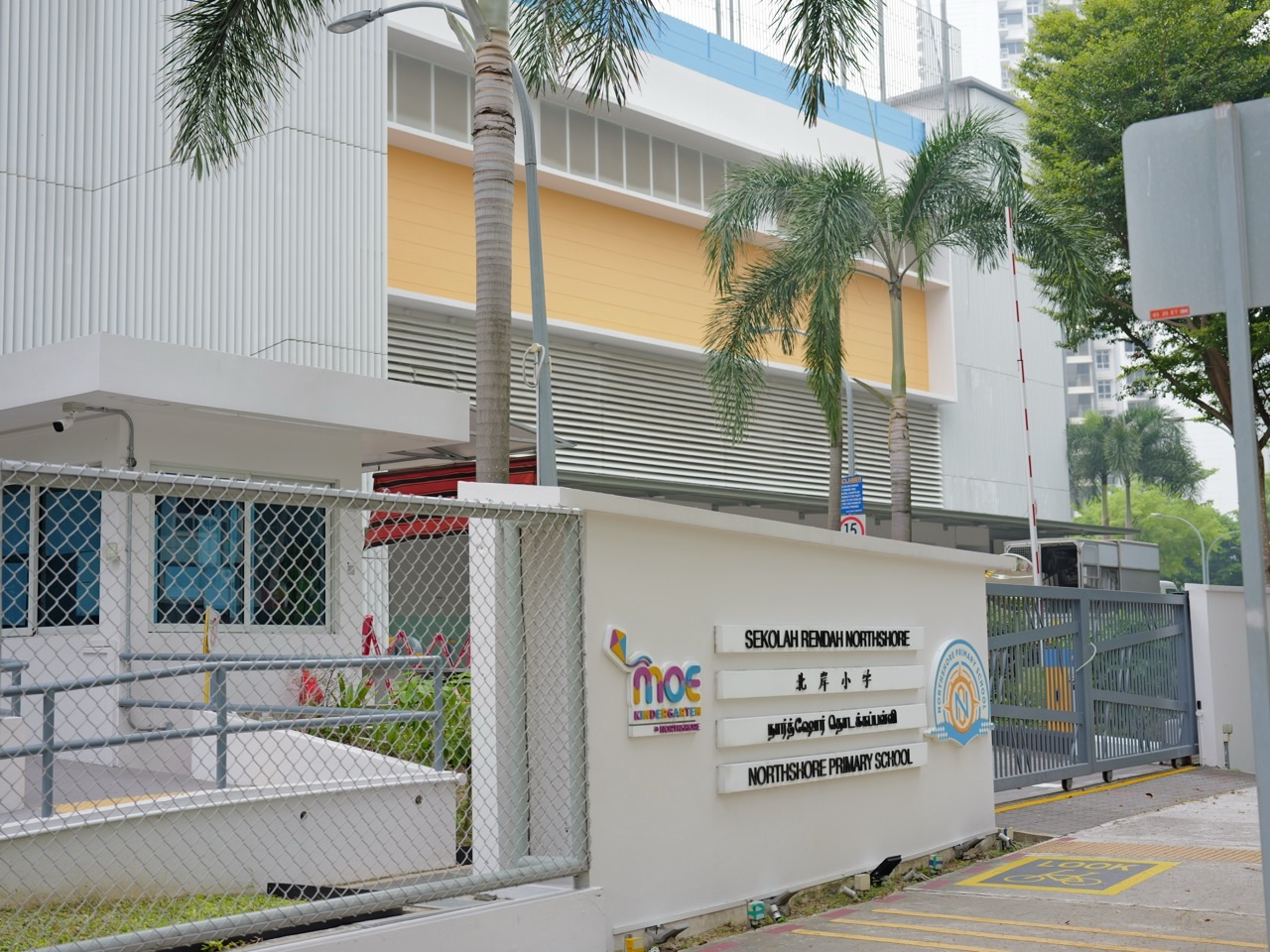
Uploaded photograph: the entrance, school-name signage, guardhouse and palm-lined exterior of Northshore Primary School. It locates this guide in Punggol; it does not show an SLS lesson or establish any student's experience.
Choose your reading route
Understand the setting · Try a practical activity · Find the next useful support
Article contents
Sections 1–3
1. What SLS does—and what your school decides
2. SLS, Parents Gateway and school notices are different routes
Sections 4–6
4. Help without replacing the student's thinking
GovTech describes SLS as a Ministry of Education platform developed in collaboration with GovTech, with curriculum-aligned resources and tools for teacher-led, self-directed and collaborative learning. Start from the official SLS information site, which links to the login service and current guidance. You do not need an eduKate account to follow that public information link.
The existence of an online platform does not tell you which activities your child must complete today. The school or teacher’s instructions settle that question. Keep the assignment name, required materials and deadline together, rather than piecing them together from classmates’ recollections or an old parent-group screenshot.
The photograph shows a physical school boundary, but learning responsibilities continue beyond it. At home, a useful boundary is equally clear: the child attempts the work; an adult helps organise access and asks questions; the teacher receives an accurate picture of the child’s understanding.
Use SLS for the learning work your teacher directs you to there. For school-family communications and administrative matters, follow the school’s stated communication channel. Our companion Parents Gateway guide explains that separate role. A school announcement may explain an HBL day without containing the lesson itself.
Northshore Primary’s public homepage links to an HBL information page. At our review, that linked page displayed a work-in-progress notice rather than a complete current timetable. We therefore do not reproduce a Northshore HBL schedule here. Parents should use the latest instructions provided directly by the school, not infer arrangements from a generic public heading.
For another Punggol school, make the same check independently. A neighbour’s child may have a different task sequence, subject lesson or submission requirement. Put the relevant notice beside the student’s work plan; there is no need to make every family’s screen look the same.
| What you need | Where to begin | What to check |
|---|---|---|
| Today's assigned learning | Teacher's instructions and the platform named there | Task name, materials and deadline |
| An administrative announcement | School's official family communication channel | Which class or cohort it concerns |
| An account or technical problem | Official SLS student support guidance | Exact error and approved support route |
| Help understanding a question | Own attempt, then teacher or appropriate learning support | The step or word causing difficulty |
A workable setup can be modest: a charged device, the necessary connection, paper, writing tools and the school’s instructions. Check that the student can reach the required lesson before the planned work period. A quieter table is useful, but an elaborate study room is not a prerequisite for starting.
Where siblings share a device, write down who needs it and when before work begins. Separate tasks that actually require a screen from any paper-based work the teacher has assigned. Do not assume every task is digital, or promise a particular device-loan arrangement: if access is a barrier, tell the school promptly and ask what support is available in your circumstances.
For younger children, rehearse one small action—opening the correct resource or locating the instructions—then let them try it themselves. For older students, ask them to explain their plan rather than supervise every click. Agree on a check-in point and follow the school’s requirements for any timed or live activity.
If home is unsuitable for a particular independent study session, our Punggol study-place guide compares options. A public study space is not automatically suitable for a live lesson, private discussion or a young child studying without supervision.
Try three questions before giving an explanation: What is the task asking? What have you tried? Where did it stop making sense? These questions distinguish a reading difficulty from a method difficulty and give the child language for asking a teacher for help.
For example, if a child can calculate a sum but cannot interpret a word problem, adding more sums may miss the obstacle. Ask the child to retell the situation, identify what is known and say what must be found. Our vocabulary resources offer a separate route for language practice; use a relevant word or phrase rather than an unrelated long list.
If the issue is a Mathematics concept, retain the original attempt and revisit the missing step. The Primary Mathematics learning-continuity guide helps parents think about foundations across the primary years. It is supplementary reading, not a replacement for the assigned lesson.
Avoid typing a polished answer on the child’s behalf. A completed screen with adult answers gives the teacher less useful evidence than a genuine attempt and a precise question. Follow the teacher’s directions about collaboration and permitted assistance, especially for assessed work.
The official SLS Students page provides routes for password and technical support, help from school, and account-management guidance. Use the instructions relevant to the student’s situation rather than guessing account formats or repeatedly trying possible credentials.
Record the task name, approximate time and error message when a problem prevents progress. If a screenshot is needed for an authorised support channel, keep it focused on the problem and avoid including passwords or unnecessary personal details. Never put account credentials into a public parent group or send them to a tutor.
For platform assistance, the official SLS contact page gives current helpdesk details and login-troubleshooting links. For an unclear assignment or a deadline affected by access trouble, contact the school through its approved route. A technical helpdesk cannot decide your child’s lesson expectations.
If you cannot confirm that work was submitted, tell the teacher what happened rather than assuming either success or failure. Keep the completed work available and request the appropriate next step. This is a practical reporting habit, not a promise that a late submission will be accepted.
At the end of a session, ask for one thing understood, one thing still uncertain and the next action. That short recap is more useful than asking only whether every box is complete. It also makes the return to classroom learning easier to discuss: the student has a question ready, not just a vague feeling of being stuck.
Keep the day connected to ordinary family life. Pack the next school day’s materials, agree on tomorrow’s device arrangement if needed, and leave room for meals, conversation and an appropriate break. Learning from home does not need to become an endless extension of the school day.
When the same conceptual difficulty appears repeatedly despite a genuine attempt and clarification, focused supplementary support may be worth considering. Bring a few examples of the work and the child’s explanation to an eduKate learning discussion. Begin with the actual obstacle; tuition is not the solution to a forgotten password or an unclear school notice.
For the wider neighbourhood context, continue to A Student’s Life in Punggol or our Northshore Primary School profile. The school gate in the photograph is a starting point for understanding the place, while the student’s own work tells us what support is needed. eduKate’s independent resources do not imply an affiliation with Northshore Primary, MOE or SLS.
Sources and review
Reviewed 11 October 2026. Official sources support the place and policy facts; activities and illustrative calculations are eduKate suggestions. Follow current official visitor, transport and school instructions for a particular visit.
MOE: official SLS information site
GovTech: Student Learning Space overview
MOE SLS: student support and account guidance