
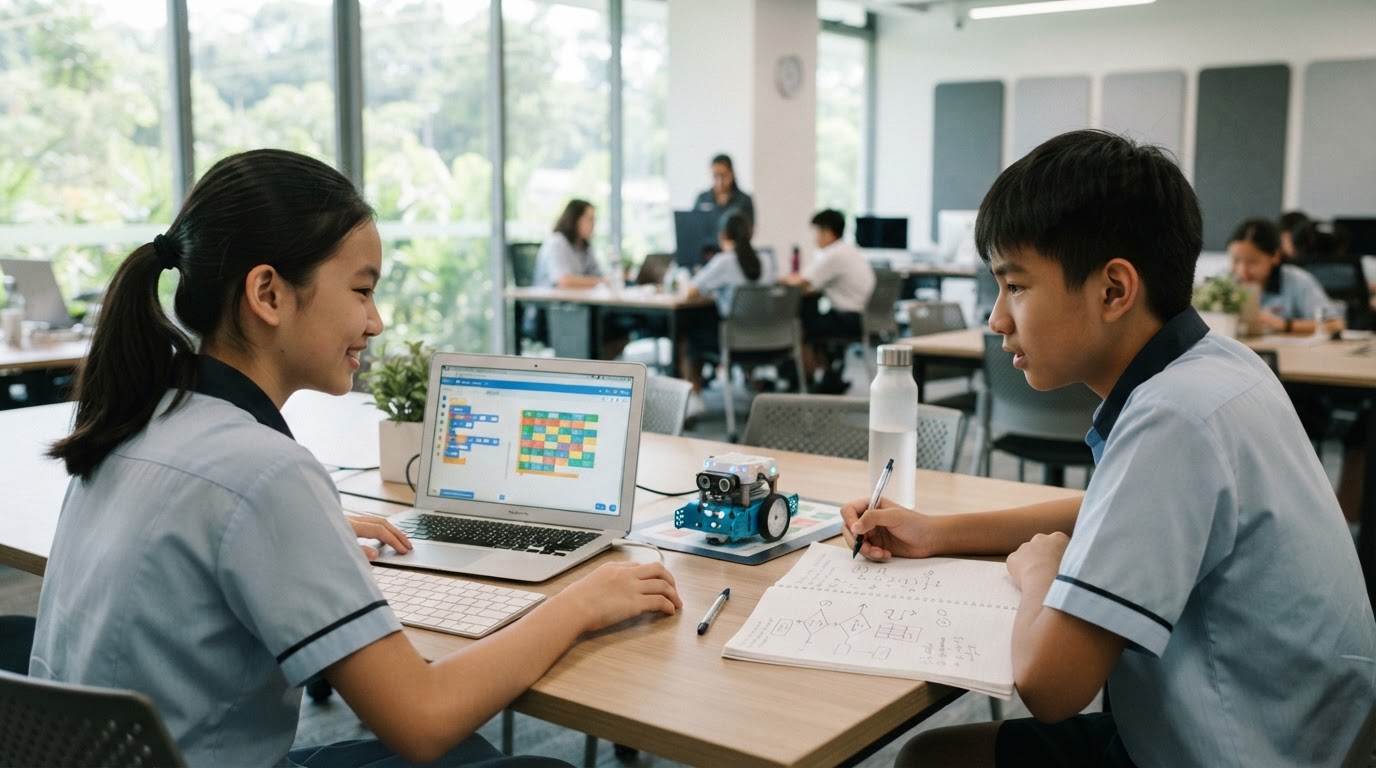
A Secondary 1 student does not need to arrive at school already knowing how to code to become a capable computing learner. Under Full SBB, Computing at G2 is a later examinable subject only where it is offered and selected; it is not a compulsory G2 examination paper for every Posting Group 2 child in Secondary 1. Early preparation should concentrate on clear instructions, logical sequencing, testing, everyday data and responsible digital behaviour.
The 2027 SEAB G2 SEC subject list introduces Computing K237, and MOE’s G2 Computing syllabus includes computer systems, networking, digital impacts, spreadsheets, media software and programming, with tools such as Scratch. These describe the later examined course, not a universal Secondary 1 timetable. Ask the school which digital literacy, Code for Fun, Applied Learning or elective experiences are actually available to your child before paying for a demanding programming course.
- Do not mistake the 2027 G2 SEC Computing K237 entry for a compulsory Secondary 1 subject.
- Check what your child’s school teaches now and whether it offers later G2 Computing.
- Start with algorithms in plain language: sequence, condition, repetition and a testable outcome.
- Use age-appropriate visual programming only when it matches the child’s interest and equipment access.
- Practise spreadsheet concepts with meaningful data, labels and checking, not rote clicking.
- Teach privacy, cyber wellness, source verification and safe AI use alongside practical skills.
- Treat errors as information for debugging; a program that fails on the first run can teach useful reasoning.
What G2 and SEC actually mean for a Secondary 1 family
Full SBB has applied to Secondary 1 entrants since 2024. Posting Groups are used in posting, while G1, G2 and G3 designate subject levels. Some lower-secondary classes are taught as common curriculum rather than separate subject levels. This matters: parents can accidentally buy a graduated-level syllabus or choose the wrong book if they interpret every Secondary 1 lesson as G2 national-exam preparation.
For Computing, the 2027 SEC code K237 belongs to a later examinable G2 course, not a standard examination automatically taken by a Secondary 1 student. The family’s school may offer introductory digital experiences, but course availability and future subjects depend on school provisions and student choices. Ask before assuming a purchase or tuition is needed.
The first SEC examinations are in 2027, replacing the separate N- and O-Level national examination certificates for graduating students. An incoming Secondary 1 student does not sit the SEC that year. A child who enters Secondary 1 in 2027 would normally approach the examination later, and national syllabuses can be revised. Always check the correct examination-year version when choosing a final course or registering for an exam.
A sensible starting folder contains the actual school timetable, present textbook or resource list, the last marked task, the teacher’s explanation of the task, and one honest independent reattempt. These documents give a better picture of need than an expensive collection of advanced papers or speculative online rankings.
What the real MOE learning framework says about Computing
The MOE G2 Computing syllabus (2026) specifies modules including computer fundamentals, networking, the impact of computing, spreadsheets, media software and programming. The listed software includes Microsoft Excel, PowerPoint, Scratch and MakeCode for micro:bit among specified uses. The official 2027 school-candidate SEC directory identifies G2 Computing K237 as a new syllabus. These details describe a future elective course at the examination stage, not proof that every Secondary 1 student must learn all those packages immediately. Schools differ in local opportunities and approved software.
- Computer systems: distinguish the roles of input, processing, storage, output and the difference between hardware and software.
- Networks and online services: understand how devices exchange information and why sharing and privacy choices matter.
- Algorithms: give precise instructions with sequence, conditions, repetition and an intended result.
- Spreadsheets and data: identify rows, columns, cells, formulas, labels and how an error propagates.
- Media production: communicate with readable layouts, clear labels, relevant visuals and source attribution.
- Programming and debugging: test a rule on more than one case, notice what failed and explain a revision.
- Ethics and cyber wellness: judge accuracy, permission, security and appropriate use of automated tools.
A national syllabus can identify worthwhile long-term ideas while still being too broad for a single school term. Teachers choose task sequence, practice and assessment criteria in context. Ask for the relevant unit objectives, not an imaginary demand to master the entire examination directory in the first six months.
Why a capable student can still struggle during the transition
Primary-school success may have depended on clear models, familiar question types and one classroom routine. Secondary school brings more independent time management, several subject teachers, new vocabulary, a different social group and CCAs. Students may be hesitant to ask questions precisely when a task introduces unfamiliar conventions. A difficult first assessment is information to investigate, not a permanent label.
The parent can separate three possible causes in Computing: a missing prerequisite, misunderstanding of what the task asks, or inconsistent independent execution. The remedy is different in each case. If the child does not understand an idea, explain the principle. If they know it but misread an instruction, teach task interpretation. If they can perform it only with an adult leading every step, build gradual independence.
Talk about observable work rather than personality. ‘The journal has only the final image’, ‘the label used two different serving sizes’ or ‘the program did not reset at the start’ are constructive observations. ‘Lazy’, ‘no talent’ and ‘never good at this’ make it harder to discover what can actually improve.
Eight practical difficulties in Secondary 1 Computing, and how parents can respond
These are possible patterns rather than a checklist that every student must match. Observe one recent school task and select the single relevant difficulty. Ask the child to show their first attempt before teaching. New, independent work is needed to determine whether an explanation has transferred.
1. The child believes coding equals typing complicated commands
What parents may notice: A pupil avoids Computing because friends already use Python while the child has not programmed.
A short diagnostic activity: Ask the child to write instructions for sorting three books or making a simple decision tree.
How to repair the underlying skill: Explain algorithmic thinking with everyday steps and test the instructions. Later choose a suitable visual environment if the school or child wishes.
What counts as progress: The learner describes a procedure and notices missing cases without specialised syntax.
The helpful teacher question: Does the school have a formal Computing elective or only introductory digital literacy activities?
2. A Scratch project works once but not again
What parents may notice: The sprite responds correctly to one input but behaves unpredictably after a restart or a different input.
A short diagnostic activity: Ask the student to state what should happen, then test two inputs and write what occurred.
How to repair the underlying skill: Check event triggers, the start state, conditions and loops one piece at a time. Record the tested change.
What counts as progress: The learner can find why the behaviour differed rather than randomly moving blocks until it appears right.
The helpful teacher question: Which visual programming environment, if any, is approved for the child’s current activity?
3. Following tutorials without understanding
What parents may notice: The child finishes online lessons by copying clicks yet cannot explain what the program does.
A short diagnostic activity: Hide the demonstration and ask the learner to predict what one block, formula or command will do.
How to repair the underlying skill: Change a small parameter and ask for a prediction. Run the new version and discuss any mismatch.
What counts as progress: The child can build a similar simple procedure from a blank starting point.
The helpful teacher question: How will independent understanding be assessed?
4. Spreadsheet cells are formatted but not checked
What parents may notice: A learner creates an attractive chart from incorrect totals or mixed units.
A short diagnostic activity: Present a small table of weekly expenses with one deliberately wrong formula or label.
How to repair the underlying skill: Ask what each column represents, calculate one total by hand and trace which cells a formula references.
What counts as progress: The pupil detects an incorrect formula and fixes it without copying an image of the expected chart.
The helpful teacher question: Which spreadsheet skills are relevant to current schoolwork?
5. The project treats online content as automatically true
What parents may notice: A pupil takes a generated answer or search result as fact and includes it without checking.
A short diagnostic activity: Offer two conflicting claims from fictional posts and ask how either could be verified using reliable evidence.
How to repair the underlying skill: Teach source checking, dates, author, context and the difference between suggestion and established fact.
What counts as progress: The child can state what is known, what is uncertain and what source could resolve the disagreement.
The helpful teacher question: What are the school’s AI and academic-integrity rules?
6. The child shares passwords or private data casually
What parents may notice: The learner treats all apps as harmless and submits personal details into an unfamiliar website.
A short diagnostic activity: Discuss a scenario in which a site requests a password or full address to play a simple game.
How to repair the underlying skill: Practise refusing unnecessary permissions, recognising suspicious links and contacting a trusted adult when uncertain. Never use a real password in the activity.
What counts as progress: The student explains which information should not be shared and why.
The helpful teacher question: What cyber wellness and school device protections apply?
7. A presentation looks impressive but is hard to understand
What parents may notice: Many animations and decorative images make the intended message difficult to follow.
A short diagnostic activity: Compare a cluttered slide with a cleaner, hypothetical version and ask which communicates a finding more clearly.
How to repair the underlying skill: Use a purposeful title, one relevant visual, legible labels and accurate source attribution. Separate design from evidence.
What counts as progress: The child can revise a slide so that a viewer understands the point without narration.
The helpful teacher question: What media or presentation standards are expected at the child’s school?
8. A computer error is treated as proof of incapability
What parents may notice: One mistyped value or broken program causes frustration, repeated restarting or giving up.
A short diagnostic activity: Ask what the program was meant to do, what the last known working state was and what one part can be tested.
How to repair the underlying skill: Use a calm debugging loop: reproduce, isolate, predict, change one thing, retest and describe the result.
What counts as progress: The learner develops patience and can explain a fix and its limitation.
The helpful teacher question: Would a smaller project or more direct foundational teaching help?
Four worked examples: help the child think rather than copy
These are original illustrative teaching scenarios, not official questions, prescribed answers or predictions of an SEC paper. Use the principles while checking the child’s actual school expectations.
Worked example 1: A robot that must stop at a wall
The difficulty: In an invented robotics task, the child writes ‘move forwards ten times’ and expects the robot to stop even if an obstacle appears earlier.
The learning response: Translate the goal into a condition: continue only while the route ahead is clear, and stop when the sensor reports an obstacle. No actual robot is required; drawing a flowchart tests the reasoning. Ask what happens if the route is already blocked and whether the algorithm handles that starting state.
The next independent check: Change the map so an obstacle appears at a different point. The student should adapt the rule, not just change a memorised count.
Worked example 2: The Scratch character never resets
The difficulty: The sprite ends a game on the right side and begins the next run there, so movement logic seems broken.
The learning response: Ask which starting position the program assumes and whether that state is set at the beginning. Add an initial-position action in a learning environment if appropriate, then retest a fresh run. The educational point is state management, not a particular block screenshot.
The next independent check: Try a variable such as score that should reset between rounds. Can the student predict what must be initialised?
Worked example 3: A wrong spreadsheet average
The difficulty: The student selects cells containing numeric values plus one row of headings, or includes blank data as zero, leading to a misleading chart.
The learning response: Ask the learner to identify the set of actual observations, write the expected arithmetic in words, then inspect the formula’s range. A clearly labelled chart should show the same checked values and units. This is data reasoning, not just software familiarity.
The next independent check: Use a second dataset with a new column. Can the learner select a correct range and explain it independently?
Worked example 4: AI writes the whole answer
The difficulty: A pupil pastes a homework question into a chatbot and submits the resulting paragraph without verification or acknowledgement.
The learning response: Explain that convenient output is not evidence of understanding. Read the school’s rules, use approved tools for explanations or practice only where allowed, and ask the student to show their own reasoning and sources. Avoid entering private school or other people’s data into unapproved tools.
The next independent check: Give a short new problem offline. If the child cannot explain it without the generator, return to fundamentals rather than rewarding the polished submission.
A practical conversation with the school
A short and specific message will usually be more useful than a broad request for extra Computing worksheets. Bring an original attempt, a corrected version and a new independent try. Describe what was understood without hints, and ask what standard the task is intended to measure. Include any timetable, practical safety, school-device or learning-support constraints where relevant.
- Is my child’s present Computing lesson a common-curriculum class, general learning experience or separately leveled subject?
- Which learning outcomes are due this term, and which are later upper-secondary content?
- Could you show a strong response or piece of work appropriate for the current assignment?
- Is our main problem vocabulary, concept understanding, reasoning, practical method, or task organisation?
- What would be a manageable home activity that reinforces school teaching rather than replacing it?
- Are there materials, devices, equipment or safety procedures the school requires or prohibits?
- How should we record process, sources or student authorship appropriately?
- When might we review progress, and what evidence would show the child is working more independently?
If the school recommends support, ask what the support will change and how success will be checked. Responsible tuition or coaching should diagnose a specific difficulty and teach a method the child can use later. It should not promise a particular grade, subject allocation or post-secondary admission.
A useful household progress record
Keep a modest log with four columns: the task or idea, the child’s first difficulty, the correction or feedback, and a fresh test completed without adult prompts. Compare work across several weeks. Independence is stronger evidence than beautiful presentation, copying a model answer or achieving a perfect score on a familiar task.
For creative and practical tasks, preserve genuine drafts, process notes, safety checks and reasonable explanations of changes. For written or digital work, ask the child to explain why an operation, source, calculation or method is appropriate. Avoid rewriting submitted work so extensively that the result no longer belongs to the student.
Review conditions as well as marks. A long journey, heavy CCA demands, shared devices or stressful deadlines can alter performance. A child may need a quiet twenty-minute attempt and some sleep rather than another complete workbook. Adjust routines realistically, especially in a family with several children.
What not to do because of an anxious first-year result
- Do not assume Posting Group 2 means every common-curriculum lesson has a separate G2 national paper.
- Do not spend money on upper-secondary examination materials until the school confirms the subject and level.
- Do not compare students’ projects, access to resources or grades without knowing the specific task criteria.
- Do not use one weak assignment to predict the child’s ability for the next four years.
- Do not rescue an assessed task by doing the child’s work or hiding use of external tools and references.
- Do not turn short practical learning into unsafe experiments, cooking or unsupervised equipment use.
- Do not treat an initial error as a personal flaw when it can be explained and retested.
- Do not trade away sleep, school attendance or emotional wellbeing for extra pages of practice.
If a student is persistently distressed by the subject, refuses school or experiences wider anxiety, talk with the form teacher, subject teacher or school pastoral staff. An educational plan should take the child’s overall functioning seriously, not view every difficulty as a reason to add more tuition.
A six-week plan to stabilise learning before chasing marks
The sequence is a parent-friendly example, not a required MOE schedule, a tuition promise or a replacement for school instructions. Choose only the steps appropriate to the child’s actual current topic and circumstances.
Week 1: Check actual school opportunities
Identify whether the school provides Computing, Code for Fun, digital learning or an applied module. Do not assume there is an S1 G2 Computing paper.
Week 2: Write instructions that can be tested
Use a household sorting or movement puzzle. Include a starting state, decisions and a stopping condition in plain language.
Week 3: Debug an everyday algorithm
Introduce a wrong or missing step, predict the failure, change one thing and test again. Write down the reason.
Week 4: Work with small data
Create a simple school-appropriate table using pseudodata. Add labels, make one calculation and verify it independently.
Week 5: Communicate and verify
Prepare a one-slide summary or short explanation based on sourced facts, discussing readable visual design and online reliability.
Week 6: Build or explain a simple solution
Choose a small school-approved visual programming exercise or flowchart and test two different cases. The child explains the steps without a tutorial.
What improvement can look like before a grade changes
The child begins a task with a clear plan, states what information is missing, checks the most likely error, or makes a revision that follows from a test result. Those changes are observable and teachable. Mark them in the progress record. A grade may move slowly because other unfamiliar tasks and assessment criteria are still developing.
If the pupil can explain a concept during a guided discussion but not use it on a new task, the next lesson should be a smaller independent transfer exercise. If the pupil can perform the new task but rushes through the final check, teach one targeted review habit. If the pupil seems unable to start anything without prompting, ask the school whether prerequisite work or a different support format would help.
A parent does not need to become an expert in every subject. It is enough to help gather evidence, ask clear questions, provide realistic time and encourage the student to work honestly. Use the teacher’s actual expectations where specialised marking or equipment is involved.
Frequently asked questions
1. Does every Secondary 1 PG2 student study Computing at G2?
No. The 2027 G2 Computing K237 entry is a national graduating syllabus for students who register for that subject. Secondary 1 offerings and school digital literacy vary.
2. Is Python required before entering Secondary 1?
No. The G2 Computing syllabus lists introductory visual programming tools including Scratch; do not confuse it with a later G3 Computing syllabus or adult coding courses.
3. Does SEAB K237 exist in 2027?
Yes. The 2027 G2 SEC school-candidate directory lists the new Computing K237 subject. Check whether the student’s eventual school offers it and what year-specific version applies.
4. Can a student learn without owning a powerful laptop?
Many algorithm exercises use paper and small datasets; schools provide facilities for their approved curriculum. Ask about required devices before buying equipment.
5. Should we use AI to do homework faster?
Follow the school’s academic integrity rules. A tool may help explain concepts where allowed, but submitting generated work as personal understanding can hide learning gaps.
6. What if my child gets frustrated by errors?
Make debugging predictable: observe, isolate, test, explain. Praise accurate diagnosis rather than a lucky working result.
7. Will high Mathematics marks guarantee success in Computing?
No. Mathematical reasoning may help, but Computing also requires careful instructions, testing, data handling and responsible digital behaviour.
8. Should my child start with G3 Python lessons?
Usually not as a remedy for anxiety. Confirm interests, current school provision and the relevant G2 curriculum; overly advanced work may discourage a beginner.
9. What about the Code for Fun programme in 2027?
MOE announced an update to Code for Fun to strengthen AI skills, available to all schools in 2027. Local implementation is not a promise of an identical Computing syllabus for every child.
10. How do we know the child is learning?
Give a fresh problem with a different starting condition. A student who can predict, test, correct and explain the solution independently is showing progress.
Official sources and parent resources
Official MOE and SEAB documents were checked against the available November 2026 information. The 2027 SEC codes in this article belong to the published graduating examination directory, which is distinct from the school-based Secondary 1 curriculum. Parents should revisit the official documents for their child’s actual year of national examination.
MOE 2026 G2 Computing syllabus K237
SEAB 2027 G2 school-candidate syllabuses
MOE 2026 announcements on AI literacy and Code for Fun
SEAB — Singapore-Cambridge Secondary Education Certificate overview
MOE — Background to Full Subject-Based Banding and common curriculum
eduKateSG — Parent guide to G2 in Secondary 1 and 2
Secondary 1 G2 Mathematics: symbolic reasoning and negative numbers
The next useful step for your family
Take a current Computing school task, ask the child to explain their first decision, then identify just one missing concept or unclear requirement. Practise a different small example, compare it without prompts and contact the teacher if the same problem persists. The goal is a child who can make decisions, explain them and learn from evidence—not merely produce an impressive answer after someone else has supplied the thinking.
eduKateSG’s approach to small-group teaching is to identify the precise difficulty and rebuild understanding before demanding speed or complexity. Consultation should help a parent understand what a child actually needs; no honest provider can guarantee a grade or pathway.
Contact eduKate Singapore about a parent–student consultation
Properly taught kids shine a bright light into the future.