
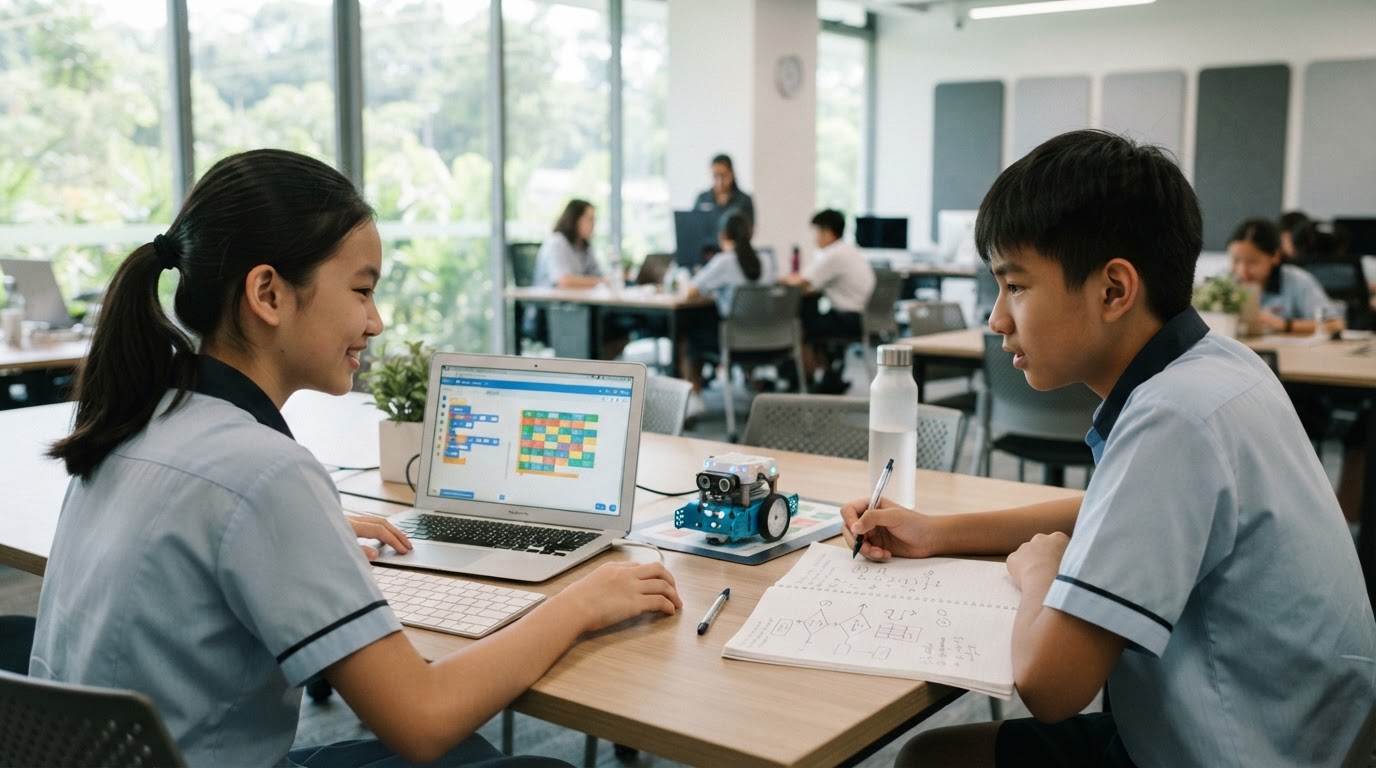
Secondary 2 G2 Computing is not the same skill as using a phone quickly, gaming or making a presentation with attractive effects. If your child can navigate apps confidently but cannot repair a Scratch project or explain a spreadsheet formula, begin with the underlying logic. Ask what the task requires, what each instruction is supposed to do, what result should appear, which step is wrong and how to test a correction. Good computing is about building and checking a working solution, not clicking faster.
Under Full Subject-Based Banding (Full SBB), Computing K237 is a new G2 upper-secondary SEC subject for the 2027 graduating examination cohort, where offered by the school. Its 2027 scheme has a 1 hour 30 minute e-Examination worth 50% and a 2 hour 15 minute practical laboratory paper worth 50%; the G2 practical areas include spreadsheets, media software and Scratch programming. A Secondary 2 pupil in 2026 would ordinarily graduate in 2028, so check the correct later examination-year syllabus and the school’s actual subject options rather than assuming national K237 is already a Secondary 2 paper.
- Confirm whether the school offers upper-secondary G2 Computing K237 and its entry guidance.
- Separate general digital confidence from algorithms, formulas, debugging and practical file handling.
- Practise Scratch conditions, loops and variables with small original projects, not copied games.
- Use spreadsheet formulas that the learner can explain, test and interpret.
- Check chart choice, axes, units, relative or fixed references and saved-file requirements.
- Protect privacy, follow school AI and software rules, and avoid unapproved systems.
- Remember the 2027 e-exam/lab structure is a future reference—not the current Secondary 2 school test.
What parents should do first: use one real piece of school feedback and agree on a small, observable skill to improve. This guide is independent parent advice, not an MOE or SEAB examination directive.
Understanding the subject level and syllabus year
SEAB’s 2027 school-candidate directory marks G2 Computing K237 as a new syllabus for that first graduating cohort. Its six broad learning modules cover Computer Fundamentals, Networking, Impact of Computing, Spreadsheets, Media Software and Programming. Under the 2027 scheme, Paper 1 is a 1 hour 30 minute e-Examination worth 50% and Paper 2 is a 2 hour 15 minute laboratory examination worth 50%. G2 practical skills use approved spreadsheet and media software, with Scratch for programming. G3 Computing K349 instead includes Python and JupyterLab at a different demand level. For the present Secondary 2 learner, the school curriculum, lab arrangements and actual 2028 syllabus remain decisive.
The SEAB 2027 G2 syllabus directory confirms that K237 is a national upper-secondary G2 SEC subject for 2027 school candidates. The MOE Full Subject-Based Banding guidance explains mixed subject levels. A learner in Secondary 2 in 2026 would normally proceed to Secondary 3 in 2027 and a graduating SEC year in 2028. Check the 2028 syllabus when available, the child’s actual Secondary 2 class programme and school-specific subject options before selecting books, courses or tuition.
For most parents, the useful distinction is between what a child is expected to learn right now and what a later upper-secondary examination might require. A syllabus code on a national directory is not a guarantee that a school offers a class or that a young learner must attempt those examination papers already.
The key skills that can be improved at home and school
Understand instructions before choosing software
A pupil may use the right application but build the wrong result because the task’s purpose was misunderstood. Read the command carefully: what input is given, what transformation is required and what should the final output communicate? This is computational thinking before coding. Decomposing a large task into smaller steps prevents the student from trying every menu at random and hoping something matches.
Small home activity: Give a fictional after-school club attendance task. Ask which information is needed, what totals must be calculated, what result should be displayed and how someone could verify it. Make a five-step plan without opening an application.
Algorithms are precise sequences with decisions
An algorithm states how to solve a problem. It may process a value, compare it with a threshold, repeat a step or stop when a condition is satisfied. A vague instruction like ‘make the score right’ is not an algorithm. The child should explain which condition leads to which action, and test boundary cases where the outcome may change. Clear flow is more important than memorising colourful code blocks.
Small home activity: For a fictional game, propose: if an answer matches the expected value, add one point; otherwise display feedback without adding a point. Ask what happens when the answer is empty, wrong or corrected later.
Scratch variables must represent a quantity
A variable such as score or attempts should have a defined purpose, a starting value and predictable changes. If a score begins at 1 accidentally or increments every time a sprite is clicked instead of only after a correct response, the visual project may look polished but the algorithm is wrong. Ask the child what event changes each variable and whether that change is intended.
Small home activity: Use an original three-question Scratch quiz with a score initially set to zero. Trace each block or action that updates the score and test what happens after one incorrect answer. Do not import a complete online game and change only the title.
Conditions and loops must be tested at the boundaries
A condition can be wrong even when it works for the first sample. If an entry is accepted when the number of participants is less than capacity, what should happen when it equals capacity? A loop might run one time too many or not at all. Teach learners to predict the expected result for ordinary, smallest and largest permitted cases, then compare with the program’s actual output.
Small home activity: Draw a decision table for a room with capacity 20 and hypothetical counts of 0, 19, 20 and 21. Define clearly what the input represents and how the response should handle invalid or full-capacity entries.
Debugging is an evidence-based routine
Some students press random buttons until a wrong result disappears. Instead, record the expected result, reproduce the incorrect result, inspect the logic or reference causing it, change one meaningful part and retest with a new input. A computer follows the supplied instructions even when those instructions do not express what the user intended. A bug can be conceptual rather than a software malfunction.
Small home activity: Imagine a program calculates the average of three marks but divides the sum by two. The wrong output comes from the formula, not the operating system. Ask what computation is intended, correct the divisor and test a second set of numbers.
Spreadsheet formulas need mathematical meaning
Using a formula does not guarantee the result answers the question. A SUM returns a total, while AVERAGE returns an average of specified values. The student should know which cells are referenced, whether a copied formula changes references appropriately and whether zeros or missing data affect the interpretation. A plausible-looking table can conceal a wrong range.
Small home activity: With fictional session attendance 18, 22, 16 and 24, verify the total is 80 participant-visits and the average per session is 20. Explain why total visits does not necessarily mean 80 unique participants.
Charts must communicate accurately
Charts should match the data and intended comparison. A bar chart can compare categories; a line graph can show change across ordered time points; a poorly selected chart can mislead. Labels, units, ranges and titles matter. A truncated axis or inappropriate scale can exaggerate differences. A strong Computing pupil can explain both the spreadsheet calculation and what the displayed chart legitimately shows.
Small home activity: Present fictional weekly club attendance. Ask what type of chart would make the trend or category comparison clearer, and which units, title and axis labels the audience needs. Review whether the chart implies more than the data support.
Save and organise files as part of correctness
In a lab task, a technically correct design that is not saved or submitted according to instructions may be unusable for assessment. Students should practise clear filenames, selecting the correct folder, checking that a file can be reopened and following the school’s submission procedure. A learner should never assume that a visible open document has been preserved correctly. Backups should follow school rules.
Small home activity: On an authorised practice device, save a small spreadsheet using the teacher’s naming convention, close it and reopen it. Check that formulas, formatting and any required outputs remain intact.
Media software is about purpose and clarity
G2 Computing also involves creating media that communicates information to a particular audience. An artefact can be colourful but fail its brief if important information is missing or difficult to read. Select appropriate text, layout, imagery and accessible contrast. Respect copyright and data privacy when choosing materials, and avoid crowding the page with decorative effects that obscure meaning.
Small home activity: Create an original one-slide fictional school event notice with three required facts. Ask another person to identify date, place and purpose without prompting. Refine the design if any important detail is hard to locate.
Computer fundamentals and networking matter
The 2027 G2 syllabus includes topics beyond app use. Students should distinguish processing, working memory, persistent storage, input and output, and understand that networks enable devices to exchange information through appropriate connections. These concepts can explain everyday problems, such as why a file was not saved or why access permissions matter. Technical vocabulary must be connected to real functions.
Small home activity: Ask the child to explain the difference between RAM and saved storage, and between a local network and the internet. Use household devices as examples without touching private settings or other people’s accounts.
Cyber safety and AI require independent judgement
Learning Computing includes ethical and responsible use. Do not upload classmates’ personal records, passwords or school-confidential data to unfamiliar services. Do not probe school systems or third-party accounts to practise cybersecurity. AI may suggest code or explanations, but a learner must understand, test and cite permitted assistance according to school policy. Copying an answer can conceal errors and undermine assessment integrity.
Small home activity: Ask the child what information a fictional registration form genuinely needs. Replace real names with dummy entries for practice, and discuss which details should never be exposed publicly.
Choose the right Computing level and software
A pupil who enjoys Scratch does not automatically want a more demanding Python course, and a pupil comfortable with gaming does not automatically understand algorithms or data handling. G2 K237 and G3 K349 are distinct exam subjects, with different software and demands. The correct choice depends on the school’s offerings, assessment evidence, interest and the learner’s capacity to complete unfamiliar tasks independently.
Small home activity: Read the school’s official subject-options sheet. Ask what software and lab access are provided, whether Computing is available at G2, and what skills pupils are expected to possess before Secondary 3.
Original worked examples for parent–student discussion
These are invented instructional examples, not official SEAB questions or reproduced specimens. The learner should still follow their own teacher’s assessment instructions, approved software or material requirements and academic-integrity rules.
Original Scratch quiz bug
A fictional quiz shows three questions. The student notices that the score rises even when the user selects the wrong answer. The first debugging step is to locate the block that increases score and decide whether it belongs only in the correct-answer branch. After changing that condition, test one right and one wrong response before concluding the bug is fixed.
Average formula error
Fictional marks are 60, 70 and 80. Their correct arithmetic mean is (60 + 70 + 80) divided by 3, or 70. A spreadsheet formula that divides the sum by 2 produces 105, a clearly unreasonable average for these inputs. The learner should check the meaning of the calculation, not merely copy a cell formula.
Difference between total and individuals
A school club records attendance at four sessions: 18, 22, 16 and 24. The total is 80 visits and the mean is 20 visits per session, but the data do not identify how many unique students attended. Some may have come repeatedly. A Computing response should interpret what the data mean, not overclaim.
A correct-looking file in the wrong folder
A fictional pupil completes a media artefact but saves it to a temporary location and submits the wrong version. The issue is workflow reliability, not design quality. A preventative routine is to verify the required path and filename, reopen the final file and check that it contains the intended work, following teacher instructions.
Boundary test for a decision
A program should report whether a fictional 20-seat club room has spaces. If there are 19 attendees, one place remains; if there are 20, the room is full; if the input is 21, the program should flag inconsistency or handle it according to the defined rules. Testing only the case of 10 attendees is not enough.
Misleading chart interpretation
Two fictional weekly totals are 98 and 100. A chart that begins its vertical axis at 97 can make the increase look enormous. Students should be able to state that the difference is two units and consider whether the chart scale fairly communicates that difference.
Common difficulties and targeted solutions
Not every error is a sign of poor effort. Match the response to the specific problem and verify whether the child can use the correction independently after a gap.
The child is good at devices but struggles with Computing exams
Digital familiarity is not the same as algorithmic thinking, data interpretation or practical file production. Diagnose the exact missing task instead of blaming effort.
Scratch works only with the teacher’s sample input
Test boundary and alternative inputs. Ask whether variable initialisation, conditions or loop termination match the intended logic.
A spreadsheet formula returns a number but it is wrong
Inspect the cell range, mathematical operation and copied references. Use a small hand-checkable dataset to locate the first faulty step.
The learner memorises a sequence of clicks
Change the task slightly and ask why each action matters. The learner should be able to choose a suitable tool or formula rather than rely on one copied walkthrough.
The student forgets to save the lab file
Practise file naming, saving, closing, reopening and confirming submission on school-authorised devices. Build the habit early without creating fake national lab assignments.
Parents assume K237 uses Python because G3 does
The published 2027 G2 course emphasises Scratch in programming, while 2027 G3 Computing has Python and JupyterLab. Confirm the exact G-level and exam year.
The child copies AI-generated programs
Ask for a step-by-step explanation and independent testing. Follow the school’s rules for permitted assistance and attribution, and avoid submitting opaque code.
The family buys expensive software prematurely
The school should specify supported software and versions. Start with approved resources and the child’s actual class needs; additional purchases are not automatic.
Interest fades when debugging becomes frustrating
Start with a tiny bug that can be reproduced and fixed. Celebrate an accurate explanation of the cause, not just a working final screen.
A four-week plan for steady improvement
The plan is a suggested sequence rather than a compulsory schedule. Reduce or extend it according to school homework, CCA, fatigue and the child’s actual learning needs. Short, well-chosen tasks may teach more than repeated full examinations.
Week 1 — identify the kind of Computing error
Choose two school tasks: one logic or Scratch task, and one spreadsheet or media task. Identify whether the problem is reading requirements, choosing a tool, implementing logic, checking data or saving files.
Week 2 — practise one algorithm
Design a short original decision or quiz with clear input, expected output and boundary cases. Let the child build and test it in school-approved software, explaining each variable or condition.
Week 3 — check formulas and data
Use a small fictional spreadsheet with totals, averages and a chart. Calculate key values by hand, then confirm formulas, labels and interpretation. Practise saving and reopening the final file.
Week 4 — work independently and decide next steps
Give a changed task requiring the same logic and spreadsheet habits. Observe whether the learner can start without cues and fix one new error. Ask the school about the G2 K237 offering, lab access, software and suitability.
How parents can support the right decision
Posting Group and G-level are not the same
Posting Groups help determine initial secondary-school entry, while G1, G2 and G3 describe subject levels. The lower-secondary common curriculum includes several subjects that students take together, while national SEC electives are upper-secondary choices subject to school availability. The child may have a mixture of individual subject levels, so parents should consult the actual school timetable instead of relying on assumptions based on a Posting Group.
A marked task reveals the intervention
A weak answer can come from misunderstanding a question, insufficient vocabulary, missing conceptual knowledge, inability to choose an approach or difficulty checking and documenting a result. These problems require different help. Sit with the child and ask what they thought the task required. Inspect the first wrong step, rather than telling the learner merely to put in more effort. Ask the teacher which of the child’s repeated mistakes deserves attention now.
Give feedback on a small action the child can repeat
Instead of saying ‘Your project is bad’, name an observable issue such as an unclear explanation, untested idea, irrelevant visual choice or unchecked formula. Demonstrate one improved method, then ask the student to apply it to a new example. This helps the child build independence and gives parents evidence of progress beyond a single score. Avoid rewriting assignments in the adult’s language.
A sustainable routine is better than constant drilling
Short practice sessions leave room for schoolwork, CCA and sleep. A weekly routine might include one observation, one small task and a later independent retest. If the child becomes repeatedly distressed, exhausted or avoidant, ask the teacher about learning support and workload. Doubling the number of workbooks is not a diagnosis and may make the underlying problem harder to see.
Authenticity and safety protect learning
Parents should not produce assessed projects for children or present generated material as original work where school rules prohibit it. Use properly permitted resources, acknowledge source material and protect identifiable school data. Art practicals and computing labs have different safety and access requirements, so follow the teacher’s specific instructions. Build habits the pupil can demonstrate independently.
School subject selection is a fit decision
The existence of an official G2 SEC code does not ensure that every school offers that subject. Ask for the relevant school’s elective list, prerequisites, teaching resources and timetable. Consider the learner’s interest, work habits, strengths, future paths and ability to manage other subjects. No tutor can guarantee admission to a particular subject or an SEC grade.
Questions to ask the school
- Which current Secondary 2 skill or topic does my child’s last marked task actually assess?
- What is the first point where the child’s reasoning or work process becomes incorrect?
- Which school resource and feedback method should we use for the next two weeks?
- What must the child produce independently and what assistance is allowed?
- Does the school offer this upper-secondary G2 SEC subject for the relevant cohort?
- What software, materials, lab or studio resources will be available?
- When will the correct examination-year syllabus and subject-option criteria be confirmed?
Bring an example of the learner’s strong work and an example of the repeated difficulty. Ask for a small, testable next step rather than an abstract prediction of future grades. A school can explain the real course options and support arrangements much more reliably than a generic internet list.
Frequently asked questions
Is G2 Computing K237 a new 2027 SEC subject?
Yes. SEAB marks K237 as a new G2 Computing syllabus for 2027 school candidates. Availability at the student’s school must be checked.
Is the 2027 K237 assessment all theory?
No. It has a 1 hour 30 minute e-Examination worth 50% and a 2 hour 15 minute laboratory paper worth 50% for that graduating cohort.
Does G2 K237 use Scratch or Python?
The 2027 G2 course uses Scratch for programming, alongside spreadsheet and media tasks. G3 K349 includes Python and JupyterLab at a different level.
Is Computing compulsory in Secondary 2?
General digital literacy and classroom technology are not identical to enrolling in the future upper-secondary SEC Computing elective. Ask the school for the actual subject options.
Does the pupil need a powerful gaming computer?
Not necessarily. Use school-approved software and devices that meet the course requirements. Ask about lab access before making purchases.
Can AI write all the student’s code?
Only assistance permitted by the school should be used. The student must be able to explain, test and independently demonstrate the work submitted as their own.
What is the first skill to practise when the child is anxious?
Pick one tiny algorithm or formula the child can verify manually, then change one input and check the new result. A short successful debugging cycle builds a more reliable foundation than copying a large project.
Will the 2027 practical exam details automatically apply in 2028?
Not necessarily. Use the published syllabus for the student’s actual graduating year when available and follow the school’s current preparation instructions.
A useful next step for this week
Ask the child to explain one class task from start to finish, using their own words. Where the explanation becomes unclear, identify the smallest missing skill and practise it with a new, manageable example. Retest after two or three days without giving the answer. Record whether they now choose a method, check a result and explain the reason independently. If the difficulty persists, ask the teacher for targeted support before increasing the workload.
Official information and related eduKateSG articles
- MOE: Full Subject-Based Banding secondary school experience — subject-level learning arrangements.
- SEAB: 2027 G2 SEC school-candidate syllabuses — national upper-secondary codes.
- SEAB: 2027 official K237 syllabus PDF — examination scheme for the 2027 graduating cohort.
- SEAB: Singapore-Cambridge Secondary Education Certificate overview — the national SEC qualification.
- Secondary 2 Full SBB Computing course comparison: G1, G2 and G3 — related parent guidance.
- Secondary 2 G2 Mathematics: logic and algebraic modelling — related parent guidance.
Editorial scope: Prepared using official SEAB and MOE references and relevant eduKateSG subject articles on 24 November 2026. School syllabuses, coursework and originality policies, exam software and subject offerings remain authoritative for individual pupils.