
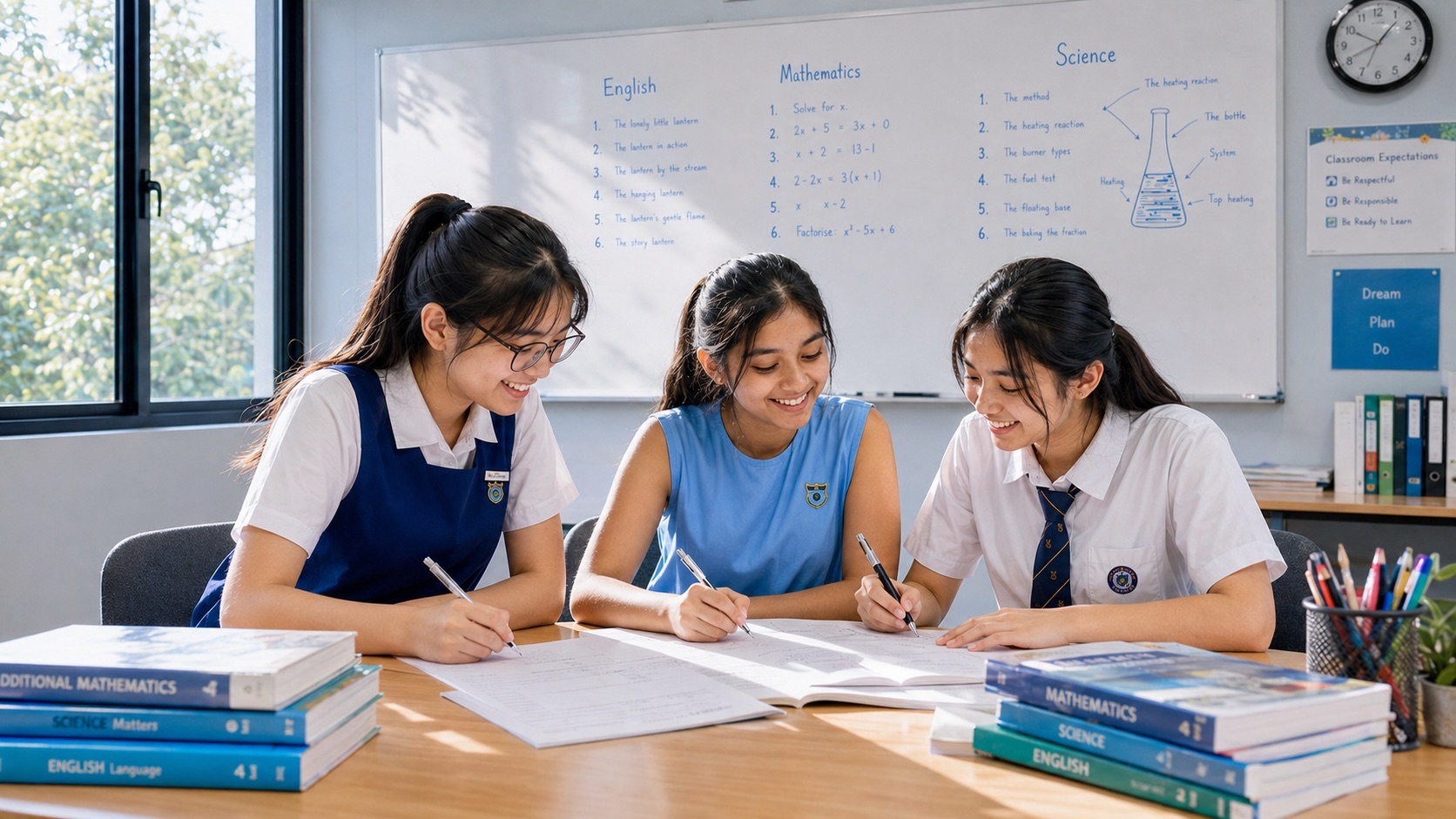
Secondary 3 G3 Mathematics Tutor Bukit Timah | Photography Mathematics: Aspect Ratios, Scaling and Cropping — Did you know? A photograph that is 3 units wide for every 2 units high cannot completely fill a 4:3 frame without some change. You can crop the edges, leave blank space or distort the picture by stretching it—but those choices are not mathematically equivalent. This Secondary 3 G3 Mathematics tutor Bukit Timah guide uses images and print sizes to make ratios, similarity, enlargement, area and unit conversion easy to see.
Quick answer: Aspect ratio = image width : image height, simplified by a common divisor. To preserve proportions, multiply both width and height by the same positive scale factor. If the width changes from 3,000 to 1,500 pixels, height must also be halved. Cropping removes a specified region instead of stretching the retained content. When both dimensions are doubled, the number of pixels in a rectangular image becomes four times as large.
The 2027 SEC G3 Mathematics K310 syllabus covers ratios, enlargement and reduction, corresponding lengths, area scales, unit conversion and interpretation of mathematical models. Photography is an original everyday-life application here, not a separately prescribed photography syllabus or a forecast of an SEC exam topic. The picture sizes below are fictional examples rather than actual files supplied by any photographer.

Quick reference: ratios, resizing and cropping
- Aspect ratio: width : height in the same units, simplified without changing their relative size.
- Proportional resizing: multiply both width and height by the same positive factor k.
- Image area or pixel count: width × height; if both dimensions scale by k, area and pixel count scale by k².
- Match a target print width: target height = original height × (target width/original width), if preserving proportions.
- Landscape versus portrait: width larger than height versus height larger than width; orientation changes which ratio is written first.
- Square centre crop: from a wider-than-tall rectangle, retain a square of side equal to height and remove excess width.
- 4:3 crop from a 3:2 image: when preserving the original height H, retain width 4H/3 and remove extra width from the sides.
- Pixels: multiplying pixel width by pixel height gives a pixel count; divide by one million for a decimal megapixel count.
- Print size from pixels per inch: inches = pixel count along a side ÷ pixels per inch; 1 inch = 2.54 cm.
- Cropping versus stretching: cropping removes image area, while unequal horizontal and vertical scaling changes shape ratios.
- Check: after proportional resizing, the width-to-height ratio must still equal the original.
Why photographs make proportion and geometry visible
Aspect ratio compares dimensions, not the number of pixels
A 3,000-by-2,000-pixel photograph has ratio 3:2. A 1,500-by-1,000-pixel version has the same ratio, even though it contains only one-quarter as many pixels. The two rectangles are similar in their width-to-height proportions.
A student should distinguish the simplified ratio from the actual image dimensions. The ratio 3:2 does not tell you whether a picture has six pixels, six million pixels or a physical print width of fifteen centimetres. Extra information is needed to recover the scale.
Both dimensions must change together to preserve shape
If a 3,000-by-2,000-pixel image is reduced to half width, the new width is 1,500 pixels and its height must be 1,000 pixels to maintain 3:2. Reducing width alone would make the image 1,500-by-2,000, changing it to a portrait rectangle.
This is an application of similarity: corresponding lengths scale by the same positive factor. A tutor can ask students to test the ratio after resizing instead of trusting that a new width number automatically implies the correct new height.
A crop and a resize solve different problems
A proportional resize changes the size of the whole image rectangle while preserving its aspect ratio. A crop discards part of that rectangle to produce a new shape, often with a different aspect ratio. Neither operation requires the retained picture to be stretched.
If a project needs a 4:3 rectangular output from a 3:2 photo, cropping can remove horizontal strips at the sides when full height is retained. A student should draw the original rectangle and shade what is removed before calculating the new width.
A centre crop uses equal removal on opposite sides
A 3,600-by-2,400 photo has aspect 3:2. Keeping full height 2,400 and choosing ratio 4:3 gives target width 2,400×4/3=3,200 pixels. The width removed is 400 pixels, or 200 from each side for a symmetric centre crop.
This makes the algebra useful: target width is determined by the desired ratio, while original width determines the excess. The split into two equal side strips is a further symmetry assumption specified by ‘centre crop’, not required by every possible crop.
Cropping a rectangle into a square
A 4,000-by-3,000-pixel image can be cropped to a 3,000-by-3,000 square when the full height is kept. One thousand pixels of width are discarded in total. A symmetric centre crop removes five hundred from the left and five hundred from the right.
The original and cropped pixel counts differ, but the retained content is not stretched. A pupil can verify the final rectangle has equal width and height and that retained plus removed pixel area equals original area in the idealised grid model.
Area ratios use the square of a length factor
Doubling an image’s pixel width and pixel height from 1,200×800 to 2,400×1,600 multiplies the pixel count from 960,000 to 3,840,000. That is four times as many pixels, not twice as many.
This is exactly the same k² rule applied to similar plane figures. A learner who says ‘I doubled the size so there are twice as many pixels’ has confused one-dimensional scale with two-dimensional area. The multiplication of both lengths reveals why.
A megapixel is a count, not a physical print dimension
A 2,400-by-1,600-pixel image contains 3,840,000 pixels, or 3.84 decimal megapixels. But the pixel count alone does not tell you how large the image is printed; a print can have different physical sizes depending on the chosen pixels-per-inch arrangement.
This is a useful distinction between an information count and a measurement of length. A problem must supply enough detail to connect the digital grid to centimetres or inches. Students should avoid confusing MP with millimetres or megapixels per inch.
Pixels per inch can connect a grid to a print width
Suppose a file has 2,400 horizontal pixels and a print layout uses 300 pixels per inch across the width. The print width is 2400/300=8 inches. At exactly 2.54 centimetres per inch, that is 20.32 cm.
This is a mathematical planning conversion, not a universal statement about print quality or printer capability. The relationship uses pixels divided by pixels per inch to leave inches, then a length conversion to centimetres.
Changing a ratio requires changing the shape
An original 3:2 rectangle is wider relative to its height than a 4:3 rectangle, since 3/2=1.5 and 4/3≈1.333. If its full height is preserved in a crop, the new width must be smaller relative to that height.
This comparison can be made without exact pixel dimensions. A simple diagram of two equal-height rectangles, one width 1.5 units and the other 1.333 units, shows which horizontal material must be removed. Ratio reasoning should precede arithmetic.
Cropping can preserve full width instead
If a target shape is wider relative to its height than the original, it may be convenient to keep full width and reduce height. For example, a 4:3 image with width 4,000 and height 3,000 can become 3:2 by keeping width 4,000 and reducing height to 4000×2/3≈2,666.67 pixels.
Actual pixel dimensions must be whole integers. A practical exercise might specify dimensions chosen to divide exactly or an integer rounding rule. When a result is fractional, the learner should not pretend fractional pixels exist; the ideal geometry may need rounding or a slightly adjusted crop.
Print framing creates a composite-area problem
A rectangular image printed 20 cm by 30 cm and surrounded by a uniform two-centimetre border has outside dimensions 24 cm by 34 cm. The full rectangle area is 816 cm²; the image occupies 600 cm², leaving 216 cm² of border.
Both dimensions increase by twice the border width, just like a path around a garden. The arithmetic compares two plane regions and should carry square-centimetre units. This example bridges photography, geometry and the composite-area lessons students already know.
Stretching changes the aspect ratio
Suppose the width of a rectangle is multiplied by two and its height by one. The original 3:2 ratio becomes 6:2, or 3:1. Shapes and angles are no longer preserved under uniform similarity because the two directions have different scale factors.
Students can distinguish an enlarged similar copy from a distorted version by calculating both horizontal and vertical scale factors. If they are not equal, the resize is nonuniform. This is a stronger test than simply deciding whether the picture looks acceptable.
Orientation changes how the ratio is written
A landscape rectangle 3,000×2,000 has ratio 3:2. Rotating it ninety degrees creates a 2,000×3,000 portrait rectangle with ratio 2:3 when width is still written first. The underlying pixel count is unchanged.
A learner should not automatically assume aspect ratio order is longest side to shortest side. In image specifications, width:height is explicit. A rotation exchanges their roles, which matters when deciding whether a chosen frame orientation matches.
Photos and school Mathematics have a useful common language
K310 includes ratios, similar figures, enlargement, scale and plane areas. A photo diagram provides a visual way to explain these ideas while keeping the mathematical rules unchanged. It need not be a special photography chapter in the syllabus.
A tutor can put a 3:2 paper rectangle next to a 4:3 frame outline and ask students which dimension must be reduced. The sketch prepares the first equation, while an independent numerical check confirms the aspect ratio afterwards.
Keep technology claims separate from mathematical models
An idealised ratio calculation may not settle printing software’s crop behaviour, actual image quality, screen scaling or physical border tolerances. Those require device-specific information. The examples here deliberately provide all needed numerical assumptions for the Mathematics alone.
The completed result should state the requested size and unit, and should distinguish an exact ideal value from any whole-pixel rounding. That restraint is part of accurate mathematical communication rather than a limitation of the topic.
50 worked examples: photo ratios, crops and print sizes
These are original constructed educational exercises, not actual image-processing instructions for a particular device, live printing offers or official examination questions. Ten families are repeated with five numerical variations. Each requires a ratio, scale, area or print-unit decision. Try the exercise independently and check the resulting width-to-height relationship before reading the worked explanation.
Simplify a landscape aspect ratio
This cluster develops simplify a landscape aspect ratio. Identify whether the question asks for a ratio, retained dimensions, removed pixels, total area or physical print size before calculating. The five changed cases test the same underlying proportional relationship.
Worked example 1. Question: A fictional image measures 3000 pixels wide and 2000 pixels high. Write width:height in simplest terms. Method: Both dimensions divide by 1000, giving 3:2=3:2. Independent check: The ratio of original dimensions is 3000/2000=1.5, equal to 3/2. Common mistake: Aspect ratio width:height is not the total pixel count.
Independent extension: State whether the dimensions are pixels, centimetres or inches before writing a ratio. Choose a new print width and predict the matching height before multiplying. Change one output dimension or target ratio, then predict what must happen to the other dimension. An independent diagram and ratio check are more valuable than repeating the same calculation from memory.
Worked example 2. Question: A fictional image measures 3600 pixels wide and 2400 pixels high. Write width:height in simplest terms. Method: Both dimensions divide by 1200, giving 3:2=3:2. Independent check: The ratio of original dimensions is 3600/2400=1.5, equal to 3/2. Common mistake: Aspect ratio width:height is not the total pixel count.
Independent extension: Reduce aspect ratios using a common factor while preserving width-first ordering. Work backwards from the cropped rectangle to determine how many pixels were discarded. Change one output dimension or target ratio, then predict what must happen to the other dimension. An independent diagram and ratio check are more valuable than repeating the same calculation from memory.
Worked example 3. Question: A fictional image measures 4200 pixels wide and 2800 pixels high. Write width:height in simplest terms. Method: Both dimensions divide by 1400, giving 3:2=3:2. Independent check: The ratio of original dimensions is 4200/2800=1.5, equal to 3/2. Common mistake: Aspect ratio width:height is not the total pixel count.
Independent extension: Compare horizontal and vertical scale factors to test whether a resize is proportional. Find the original image pixel count and compare it with the resized or cropped count. Change one output dimension or target ratio, then predict what must happen to the other dimension. An independent diagram and ratio check are more valuable than repeating the same calculation from memory.
Worked example 4. Question: A fictional image measures 4800 pixels wide and 3200 pixels high. Write width:height in simplest terms. Method: Both dimensions divide by 1600, giving 3:2=3:2. Independent check: The ratio of original dimensions is 4800/3200=1.5, equal to 3/2. Common mistake: Aspect ratio width:height is not the total pixel count.
Independent extension: Remember that pixel count is width times height, so scaling both sides affects the result by k squared. Draw both original and target aspect rectangles at a common height to visualise the difference. Change one output dimension or target ratio, then predict what must happen to the other dimension. An independent diagram and ratio check are more valuable than repeating the same calculation from memory.
Worked example 5. Question: A fictional image measures 5400 pixels wide and 3600 pixels high. Write width:height in simplest terms. Method: Both dimensions divide by 1800, giving 3:2=3:2. Independent check: The ratio of original dimensions is 5400/3600=1.5, equal to 3/2. Common mistake: Aspect ratio width:height is not the total pixel count.
Independent extension: Shade removed side strips before calculating a symmetric centre crop. Explain which additional information would be needed to assess actual printing quality. Change one output dimension or target ratio, then predict what must happen to the other dimension. An independent diagram and ratio check are more valuable than repeating the same calculation from memory.
Print height from a fixed 3:2 ratio
This cluster develops print height from a fixed 3:2 ratio. Identify whether the question asks for a ratio, retained dimensions, removed pixels, total area or physical print size before calculating. The five changed cases test the same underlying proportional relationship.
Worked example 6. Question: A photo retains its 3:2 width:height ratio when printed 15 cm wide. Find its printed height. Method: Since height/width=2/3, height=15×2/3=10 cm. Independent check: The print dimensions 15:10 simplify to 3:2. Common mistake: Do not multiply print width by 3/2 to find height; the image is landscape.
Independent extension: Do not report a fractional pixel count as an actual whole-pixel dimension unless the question specifies idealised geometry. Rotate the image on paper and show how width:height and pixel count respond. Change one output dimension or target ratio, then predict what must happen to the other dimension. An independent diagram and ratio check are more valuable than repeating the same calculation from memory.
Worked example 7. Question: A photo retains its 3:2 width:height ratio when printed 18 cm wide. Find its printed height. Method: Since height/width=2/3, height=18×2/3=12 cm. Independent check: The print dimensions 18:12 simplify to 3:2. Common mistake: Do not multiply print width by 3/2 to find height; the image is landscape.
Independent extension: Separate cropping, resizing and nonuniform stretching; they solve different shape problems. Choose a new print width and predict the matching height before multiplying. Change one output dimension or target ratio, then predict what must happen to the other dimension. An independent diagram and ratio check are more valuable than repeating the same calculation from memory.
Worked example 8. Question: A photo retains its 3:2 width:height ratio when printed 21 cm wide. Find its printed height. Method: Since height/width=2/3, height=21×2/3=14 cm. Independent check: The print dimensions 21:14 simplify to 3:2. Common mistake: Do not multiply print width by 3/2 to find height; the image is landscape.
Independent extension: Use 1 inch=2.54 cm when converting a print width from pixel density. Work backwards from the cropped rectangle to determine how many pixels were discarded. Change one output dimension or target ratio, then predict what must happen to the other dimension. An independent diagram and ratio check are more valuable than repeating the same calculation from memory.
Worked example 9. Question: A photo retains its 3:2 width:height ratio when printed 24 cm wide. Find its printed height. Method: Since height/width=2/3, height=24×2/3=16 cm. Independent check: The print dimensions 24:16 simplify to 3:2. Common mistake: Do not multiply print width by 3/2 to find height; the image is landscape.
Independent extension: Check that a square crop’s retained width equals its height. Find the original image pixel count and compare it with the resized or cropped count. Change one output dimension or target ratio, then predict what must happen to the other dimension. An independent diagram and ratio check are more valuable than repeating the same calculation from memory.
Worked example 10. Question: A photo retains its 3:2 width:height ratio when printed 27 cm wide. Find its printed height. Method: Since height/width=2/3, height=27×2/3=18 cm. Independent check: The print dimensions 27:18 simplify to 3:2. Common mistake: Do not multiply print width by 3/2 to find height; the image is landscape.
Independent extension: For an added border, change both outer dimensions by twice the border width. Draw both original and target aspect rectangles at a common height to visualise the difference. Change one output dimension or target ratio, then predict what must happen to the other dimension. An independent diagram and ratio check are more valuable than repeating the same calculation from memory.
Half-size proportional pixel resize
This cluster develops half-size proportional pixel resize. Identify whether the question asks for a ratio, retained dimensions, removed pixels, total area or physical print size before calculating. The five changed cases test the same underlying proportional relationship.
Worked example 11. Question: An image is 2400×1600 pixels. Both dimensions are reduced by factor 1/2. Find its new dimensions. Method: New width=2400/2=1200 px; new height=1600/2=800 px. Independent check: New dimensions retain ratio 3:2; the new pixel count is one-quarter of 3840000. Common mistake: Reducing only width would change the aspect ratio.
Independent extension: Return to a changed image size after two days and choose the right ratio without seeing the solution. Explain which additional information would be needed to assess actual printing quality. Change one output dimension or target ratio, then predict what must happen to the other dimension. An independent diagram and ratio check are more valuable than repeating the same calculation from memory.
Worked example 12. Question: An image is 2700×1800 pixels. Both dimensions are reduced by factor 1/2. Find its new dimensions. Method: New width=2700/2=1350 px; new height=1800/2=900 px. Independent check: New dimensions retain ratio 3:2; the new pixel count is one-quarter of 4860000. Common mistake: Reducing only width would change the aspect ratio.
Independent extension: State whether the dimensions are pixels, centimetres or inches before writing a ratio. Rotate the image on paper and show how width:height and pixel count respond. Change one output dimension or target ratio, then predict what must happen to the other dimension. An independent diagram and ratio check are more valuable than repeating the same calculation from memory.
Worked example 13. Question: An image is 3000×2000 pixels. Both dimensions are reduced by factor 1/2. Find its new dimensions. Method: New width=3000/2=1500 px; new height=2000/2=1000 px. Independent check: New dimensions retain ratio 3:2; the new pixel count is one-quarter of 6000000. Common mistake: Reducing only width would change the aspect ratio.
Independent extension: Reduce aspect ratios using a common factor while preserving width-first ordering. Choose a new print width and predict the matching height before multiplying. Change one output dimension or target ratio, then predict what must happen to the other dimension. An independent diagram and ratio check are more valuable than repeating the same calculation from memory.
Worked example 14. Question: An image is 3300×2200 pixels. Both dimensions are reduced by factor 1/2. Find its new dimensions. Method: New width=3300/2=1650 px; new height=2200/2=1100 px. Independent check: New dimensions retain ratio 3:2; the new pixel count is one-quarter of 7260000. Common mistake: Reducing only width would change the aspect ratio.
Independent extension: Compare horizontal and vertical scale factors to test whether a resize is proportional. Work backwards from the cropped rectangle to determine how many pixels were discarded. Change one output dimension or target ratio, then predict what must happen to the other dimension. An independent diagram and ratio check are more valuable than repeating the same calculation from memory.
Worked example 15. Question: An image is 3600×2400 pixels. Both dimensions are reduced by factor 1/2. Find its new dimensions. Method: New width=3600/2=1800 px; new height=2400/2=1200 px. Independent check: New dimensions retain ratio 3:2; the new pixel count is one-quarter of 8640000. Common mistake: Reducing only width would change the aspect ratio.
Independent extension: Remember that pixel count is width times height, so scaling both sides affects the result by k squared. Find the original image pixel count and compare it with the resized or cropped count. Change one output dimension or target ratio, then predict what must happen to the other dimension. An independent diagram and ratio check are more valuable than repeating the same calculation from memory.
Enlargement by the same factor along two axes
This cluster develops enlargement by the same factor along two axes. Identify whether the question asks for a ratio, retained dimensions, removed pixels, total area or physical print size before calculating. The five changed cases test the same underlying proportional relationship.
Worked example 16. Question: An image is 1200×800 pixels. An ideal proportional resize uses factor 1.5 in both directions. Find resulting dimensions and pixel-count factor. Method: New dimensions=1800×1200 px. Pixel-count factor=1.5²=2.25. Independent check: Width ratio 1800/1200=1.5 and height ratio 1200/800=1.5, confirming similarity. Common mistake: A 50% rise in both lengths gives 125% more pixels, not only 50% more.
Independent extension: Shade removed side strips before calculating a symmetric centre crop. Draw both original and target aspect rectangles at a common height to visualise the difference. Change one output dimension or target ratio, then predict what must happen to the other dimension. An independent diagram and ratio check are more valuable than repeating the same calculation from memory.
Worked example 17. Question: An image is 1400×900 pixels. An ideal proportional resize uses factor 1.5 in both directions. Find resulting dimensions and pixel-count factor. Method: New dimensions=2100×1350 px. Pixel-count factor=1.5²=2.25. Independent check: Width ratio 2100/1400=1.5 and height ratio 1350/900=1.5, confirming similarity. Common mistake: A 50% rise in both lengths gives 125% more pixels, not only 50% more.
Independent extension: Do not report a fractional pixel count as an actual whole-pixel dimension unless the question specifies idealised geometry. Explain which additional information would be needed to assess actual printing quality. Change one output dimension or target ratio, then predict what must happen to the other dimension. An independent diagram and ratio check are more valuable than repeating the same calculation from memory.
Worked example 18. Question: An image is 1600×1000 pixels. An ideal proportional resize uses factor 1.5 in both directions. Find resulting dimensions and pixel-count factor. Method: New dimensions=2400×1500 px. Pixel-count factor=1.5²=2.25. Independent check: Width ratio 2400/1600=1.5 and height ratio 1500/1000=1.5, confirming similarity. Common mistake: A 50% rise in both lengths gives 125% more pixels, not only 50% more.
Independent extension: Separate cropping, resizing and nonuniform stretching; they solve different shape problems. Rotate the image on paper and show how width:height and pixel count respond. Change one output dimension or target ratio, then predict what must happen to the other dimension. An independent diagram and ratio check are more valuable than repeating the same calculation from memory.
Worked example 19. Question: An image is 1800×1100 pixels. An ideal proportional resize uses factor 1.5 in both directions. Find resulting dimensions and pixel-count factor. Method: New dimensions=2700×1650 px. Pixel-count factor=1.5²=2.25. Independent check: Width ratio 2700/1800=1.5 and height ratio 1650/1100=1.5, confirming similarity. Common mistake: A 50% rise in both lengths gives 125% more pixels, not only 50% more.
Independent extension: Use 1 inch=2.54 cm when converting a print width from pixel density. Choose a new print width and predict the matching height before multiplying. Change one output dimension or target ratio, then predict what must happen to the other dimension. An independent diagram and ratio check are more valuable than repeating the same calculation from memory.
Worked example 20. Question: An image is 2000×1200 pixels. An ideal proportional resize uses factor 1.5 in both directions. Find resulting dimensions and pixel-count factor. Method: New dimensions=3000×1800 px. Pixel-count factor=1.5²=2.25. Independent check: Width ratio 3000/2000=1.5 and height ratio 1800/1200=1.5, confirming similarity. Common mistake: A 50% rise in both lengths gives 125% more pixels, not only 50% more.
Independent extension: Check that a square crop’s retained width equals its height. Work backwards from the cropped rectangle to determine how many pixels were discarded. Change one output dimension or target ratio, then predict what must happen to the other dimension. An independent diagram and ratio check are more valuable than repeating the same calculation from memory.
Centre crop a 3:2 photo into 4:3
This cluster develops centre crop a 3:2 photo into 4:3. Identify whether the question asks for a ratio, retained dimensions, removed pixels, total area or physical print size before calculating. The five changed cases test the same underlying proportional relationship.
Worked example 21. Question: A 3600×2400-pixel 3:2 image is centre-cropped to 4:3 while preserving its full 2400-pixel height. Find retained width and each side strip removed. Method: Target width=2400×4/3=3200 px. Total removed width=3600−3200=400 px, so 200 px is removed from each side. Independent check: Retained dimensions 3200:2400 simplify to 4:3, and the two removed strips add to 400 px. Common mistake: An equal centre crop is an additional assumption; an arbitrary crop need not remove equal sides.
Independent extension: For an added border, change both outer dimensions by twice the border width. Find the original image pixel count and compare it with the resized or cropped count. Change one output dimension or target ratio, then predict what must happen to the other dimension. An independent diagram and ratio check are more valuable than repeating the same calculation from memory.
Worked example 22. Question: A 4050×2700-pixel 3:2 image is centre-cropped to 4:3 while preserving its full 2700-pixel height. Find retained width and each side strip removed. Method: Target width=2700×4/3=3600 px. Total removed width=4050−3600=450 px, so 225 px is removed from each side. Independent check: Retained dimensions 3600:2700 simplify to 4:3, and the two removed strips add to 450 px. Common mistake: An equal centre crop is an additional assumption; an arbitrary crop need not remove equal sides.
Independent extension: Return to a changed image size after two days and choose the right ratio without seeing the solution. Draw both original and target aspect rectangles at a common height to visualise the difference. Change one output dimension or target ratio, then predict what must happen to the other dimension. An independent diagram and ratio check are more valuable than repeating the same calculation from memory.
Worked example 23. Question: A 4500×3000-pixel 3:2 image is centre-cropped to 4:3 while preserving its full 3000-pixel height. Find retained width and each side strip removed. Method: Target width=3000×4/3=4000 px. Total removed width=4500−4000=500 px, so 250 px is removed from each side. Independent check: Retained dimensions 4000:3000 simplify to 4:3, and the two removed strips add to 500 px. Common mistake: An equal centre crop is an additional assumption; an arbitrary crop need not remove equal sides.
Independent extension: State whether the dimensions are pixels, centimetres or inches before writing a ratio. Explain which additional information would be needed to assess actual printing quality. Change one output dimension or target ratio, then predict what must happen to the other dimension. An independent diagram and ratio check are more valuable than repeating the same calculation from memory.
Worked example 24. Question: A 4950×3300-pixel 3:2 image is centre-cropped to 4:3 while preserving its full 3300-pixel height. Find retained width and each side strip removed. Method: Target width=3300×4/3=4400 px. Total removed width=4950−4400=550 px, so 275 px is removed from each side. Independent check: Retained dimensions 4400:3300 simplify to 4:3, and the two removed strips add to 550 px. Common mistake: An equal centre crop is an additional assumption; an arbitrary crop need not remove equal sides.
Independent extension: Reduce aspect ratios using a common factor while preserving width-first ordering. Rotate the image on paper and show how width:height and pixel count respond. Change one output dimension or target ratio, then predict what must happen to the other dimension. An independent diagram and ratio check are more valuable than repeating the same calculation from memory.
Worked example 25. Question: A 5400×3600-pixel 3:2 image is centre-cropped to 4:3 while preserving its full 3600-pixel height. Find retained width and each side strip removed. Method: Target width=3600×4/3=4800 px. Total removed width=5400−4800=600 px, so 300 px is removed from each side. Independent check: Retained dimensions 4800:3600 simplify to 4:3, and the two removed strips add to 600 px. Common mistake: An equal centre crop is an additional assumption; an arbitrary crop need not remove equal sides.
Independent extension: Compare horizontal and vertical scale factors to test whether a resize is proportional. Choose a new print width and predict the matching height before multiplying. Change one output dimension or target ratio, then predict what must happen to the other dimension. An independent diagram and ratio check are more valuable than repeating the same calculation from memory.
Crop a 4:3 image to a square
This cluster develops crop a 4:3 image to a square. Identify whether the question asks for a ratio, retained dimensions, removed pixels, total area or physical print size before calculating. The five changed cases test the same underlying proportional relationship.
Worked example 26. Question: A 4000×3000-pixel landscape photo is cropped into a square, retaining full height and centring horizontally. Find square size and discarded width per side. Method: The square is 3000×3000 px. Width discarded=1000 px, or 500 pixels from each side. Independent check: Retained width equals height. Discarded left and right widths sum to 1000, restoring original 4000. Common mistake: A square crop removes content; it does not merely stretch the original 4:3 image.
Independent extension: Remember that pixel count is width times height, so scaling both sides affects the result by k squared. Work backwards from the cropped rectangle to determine how many pixels were discarded. Change one output dimension or target ratio, then predict what must happen to the other dimension. An independent diagram and ratio check are more valuable than repeating the same calculation from memory.
Worked example 27. Question: A 4400×3300-pixel landscape photo is cropped into a square, retaining full height and centring horizontally. Find square size and discarded width per side. Method: The square is 3300×3300 px. Width discarded=1100 px, or 550 pixels from each side. Independent check: Retained width equals height. Discarded left and right widths sum to 1100, restoring original 4400. Common mistake: A square crop removes content; it does not merely stretch the original 4:3 image.
Independent extension: Shade removed side strips before calculating a symmetric centre crop. Find the original image pixel count and compare it with the resized or cropped count. Change one output dimension or target ratio, then predict what must happen to the other dimension. An independent diagram and ratio check are more valuable than repeating the same calculation from memory.
Worked example 28. Question: A 4800×3600-pixel landscape photo is cropped into a square, retaining full height and centring horizontally. Find square size and discarded width per side. Method: The square is 3600×3600 px. Width discarded=1200 px, or 600 pixels from each side. Independent check: Retained width equals height. Discarded left and right widths sum to 1200, restoring original 4800. Common mistake: A square crop removes content; it does not merely stretch the original 4:3 image.
Independent extension: Do not report a fractional pixel count as an actual whole-pixel dimension unless the question specifies idealised geometry. Draw both original and target aspect rectangles at a common height to visualise the difference. Change one output dimension or target ratio, then predict what must happen to the other dimension. An independent diagram and ratio check are more valuable than repeating the same calculation from memory.
Worked example 29. Question: A 5200×3900-pixel landscape photo is cropped into a square, retaining full height and centring horizontally. Find square size and discarded width per side. Method: The square is 3900×3900 px. Width discarded=1300 px, or 650 pixels from each side. Independent check: Retained width equals height. Discarded left and right widths sum to 1300, restoring original 5200. Common mistake: A square crop removes content; it does not merely stretch the original 4:3 image.
Independent extension: Separate cropping, resizing and nonuniform stretching; they solve different shape problems. Explain which additional information would be needed to assess actual printing quality. Change one output dimension or target ratio, then predict what must happen to the other dimension. An independent diagram and ratio check are more valuable than repeating the same calculation from memory.
Worked example 30. Question: A 5600×4200-pixel landscape photo is cropped into a square, retaining full height and centring horizontally. Find square size and discarded width per side. Method: The square is 4200×4200 px. Width discarded=1400 px, or 700 pixels from each side. Independent check: Retained width equals height. Discarded left and right widths sum to 1400, restoring original 5600. Common mistake: A square crop removes content; it does not merely stretch the original 4:3 image.
Independent extension: Use 1 inch=2.54 cm when converting a print width from pixel density. Rotate the image on paper and show how width:height and pixel count respond. Change one output dimension or target ratio, then predict what must happen to the other dimension. An independent diagram and ratio check are more valuable than repeating the same calculation from memory.
Count pixels and convert to decimal megapixels
This cluster develops count pixels and convert to decimal megapixels. Identify whether the question asks for a ratio, retained dimensions, removed pixels, total area or physical print size before calculating. The five changed cases test the same underlying proportional relationship.
Worked example 31. Question: An image is 2400 pixels wide by 1600 pixels tall. Find its total pixels and decimal megapixels. Method: Pixel count=2400×1600=3,840,000. Decimal megapixels=3840000/1,000,000=3.84 MP. Independent check: Multiplying 3.84 by one million recovers approximately 3840000 pixels, allowing for displayed rounding. Common mistake: A megapixel is one million pixels; it is not a physical width in millimetres.
Independent extension: Check that a square crop’s retained width equals its height. Choose a new print width and predict the matching height before multiplying. Change one output dimension or target ratio, then predict what must happen to the other dimension. An independent diagram and ratio check are more valuable than repeating the same calculation from memory.
Worked example 32. Question: An image is 2600 pixels wide by 1700 pixels tall. Find its total pixels and decimal megapixels. Method: Pixel count=2600×1700=4,420,000. Decimal megapixels=4420000/1,000,000=4.42 MP. Independent check: Multiplying 4.42 by one million recovers approximately 4420000 pixels, allowing for displayed rounding. Common mistake: A megapixel is one million pixels; it is not a physical width in millimetres.
Independent extension: For an added border, change both outer dimensions by twice the border width. Work backwards from the cropped rectangle to determine how many pixels were discarded. Change one output dimension or target ratio, then predict what must happen to the other dimension. An independent diagram and ratio check are more valuable than repeating the same calculation from memory.
Worked example 33. Question: An image is 2800 pixels wide by 1800 pixels tall. Find its total pixels and decimal megapixels. Method: Pixel count=2800×1800=5,040,000. Decimal megapixels=5040000/1,000,000=5.04 MP. Independent check: Multiplying 5.04 by one million recovers approximately 5040000 pixels, allowing for displayed rounding. Common mistake: A megapixel is one million pixels; it is not a physical width in millimetres.
Independent extension: Return to a changed image size after two days and choose the right ratio without seeing the solution. Find the original image pixel count and compare it with the resized or cropped count. Change one output dimension or target ratio, then predict what must happen to the other dimension. An independent diagram and ratio check are more valuable than repeating the same calculation from memory.
Worked example 34. Question: An image is 3000 pixels wide by 1900 pixels tall. Find its total pixels and decimal megapixels. Method: Pixel count=3000×1900=5,700,000. Decimal megapixels=5700000/1,000,000=5.7 MP. Independent check: Multiplying 5.7 by one million recovers approximately 5700000 pixels, allowing for displayed rounding. Common mistake: A megapixel is one million pixels; it is not a physical width in millimetres.
Independent extension: State whether the dimensions are pixels, centimetres or inches before writing a ratio. Draw both original and target aspect rectangles at a common height to visualise the difference. Change one output dimension or target ratio, then predict what must happen to the other dimension. An independent diagram and ratio check are more valuable than repeating the same calculation from memory.
Worked example 35. Question: An image is 3200 pixels wide by 2000 pixels tall. Find its total pixels and decimal megapixels. Method: Pixel count=3200×2000=6,400,000. Decimal megapixels=6400000/1,000,000=6.4 MP. Independent check: Multiplying 6.4 by one million recovers approximately 6400000 pixels, allowing for displayed rounding. Common mistake: A megapixel is one million pixels; it is not a physical width in millimetres.
Independent extension: Reduce aspect ratios using a common factor while preserving width-first ordering. Explain which additional information would be needed to assess actual printing quality. Change one output dimension or target ratio, then predict what must happen to the other dimension. An independent diagram and ratio check are more valuable than repeating the same calculation from memory.
Convert pixel width to physical print width
This cluster develops convert pixel width to physical print width. Identify whether the question asks for a ratio, retained dimensions, removed pixels, total area or physical print size before calculating. The five changed cases test the same underlying proportional relationship.
Worked example 36. Question: A fictional image is 2400 horizontal pixels. A layout chooses exactly 300 pixels per inch. Find width in inches and centimetres. Method: Width=2400/300=8 inches. In cm, 8×2.54=20.32 cm. Independent check: Dividing the centimetre result by 2.54 returns 8 inches, matching the pixel calculation. Common mistake: Pixels per inch is a specified layout rate here, not a guarantee of physical print quality.
Independent extension: Compare horizontal and vertical scale factors to test whether a resize is proportional. Rotate the image on paper and show how width:height and pixel count respond. Change one output dimension or target ratio, then predict what must happen to the other dimension. An independent diagram and ratio check are more valuable than repeating the same calculation from memory.
Worked example 37. Question: A fictional image is 2700 horizontal pixels. A layout chooses exactly 300 pixels per inch. Find width in inches and centimetres. Method: Width=2700/300=9 inches. In cm, 9×2.54=22.86 cm. Independent check: Dividing the centimetre result by 2.54 returns 9 inches, matching the pixel calculation. Common mistake: Pixels per inch is a specified layout rate here, not a guarantee of physical print quality.
Independent extension: Remember that pixel count is width times height, so scaling both sides affects the result by k squared. Choose a new print width and predict the matching height before multiplying. Change one output dimension or target ratio, then predict what must happen to the other dimension. An independent diagram and ratio check are more valuable than repeating the same calculation from memory.
Worked example 38. Question: A fictional image is 3000 horizontal pixels. A layout chooses exactly 300 pixels per inch. Find width in inches and centimetres. Method: Width=3000/300=10 inches. In cm, 10×2.54=25.40 cm. Independent check: Dividing the centimetre result by 2.54 returns 10 inches, matching the pixel calculation. Common mistake: Pixels per inch is a specified layout rate here, not a guarantee of physical print quality.
Independent extension: Shade removed side strips before calculating a symmetric centre crop. Work backwards from the cropped rectangle to determine how many pixels were discarded. Change one output dimension or target ratio, then predict what must happen to the other dimension. An independent diagram and ratio check are more valuable than repeating the same calculation from memory.
Worked example 39. Question: A fictional image is 3300 horizontal pixels. A layout chooses exactly 300 pixels per inch. Find width in inches and centimetres. Method: Width=3300/300=11 inches. In cm, 11×2.54=27.94 cm. Independent check: Dividing the centimetre result by 2.54 returns 11 inches, matching the pixel calculation. Common mistake: Pixels per inch is a specified layout rate here, not a guarantee of physical print quality.
Independent extension: Do not report a fractional pixel count as an actual whole-pixel dimension unless the question specifies idealised geometry. Find the original image pixel count and compare it with the resized or cropped count. Change one output dimension or target ratio, then predict what must happen to the other dimension. An independent diagram and ratio check are more valuable than repeating the same calculation from memory.
Worked example 40. Question: A fictional image is 3600 horizontal pixels. A layout chooses exactly 300 pixels per inch. Find width in inches and centimetres. Method: Width=3600/300=12 inches. In cm, 12×2.54=30.48 cm. Independent check: Dividing the centimetre result by 2.54 returns 12 inches, matching the pixel calculation. Common mistake: Pixels per inch is a specified layout rate here, not a guarantee of physical print quality.
Independent extension: Separate cropping, resizing and nonuniform stretching; they solve different shape problems. Draw both original and target aspect rectangles at a common height to visualise the difference. Change one output dimension or target ratio, then predict what must happen to the other dimension. An independent diagram and ratio check are more valuable than repeating the same calculation from memory.
Doubling both image dimensions quadruples pixel count
This cluster develops doubling both image dimensions quadruples pixel count. Identify whether the question asks for a ratio, retained dimensions, removed pixels, total area or physical print size before calculating. The five changed cases test the same underlying proportional relationship.
Worked example 41. Question: An image contains 1200×800 pixels. Both dimensions are doubled. Find the new pixel count and factor compared with original. Method: Original=960,000 px. New dimensions=2400×1600, giving 3,840,000 px, factor 4. Independent check: Both lengths doubled, so the two-dimensional pixel count must scale by 2²=4. Common mistake: A factor-two enlargement in each direction does not merely double the area.
Independent extension: Use 1 inch=2.54 cm when converting a print width from pixel density. Explain which additional information would be needed to assess actual printing quality. Change one output dimension or target ratio, then predict what must happen to the other dimension. An independent diagram and ratio check are more valuable than repeating the same calculation from memory.
Worked example 42. Question: An image contains 1300×900 pixels. Both dimensions are doubled. Find the new pixel count and factor compared with original. Method: Original=1,170,000 px. New dimensions=2600×1800, giving 4,680,000 px, factor 4. Independent check: Both lengths doubled, so the two-dimensional pixel count must scale by 2²=4. Common mistake: A factor-two enlargement in each direction does not merely double the area.
Independent extension: Check that a square crop’s retained width equals its height. Rotate the image on paper and show how width:height and pixel count respond. Change one output dimension or target ratio, then predict what must happen to the other dimension. An independent diagram and ratio check are more valuable than repeating the same calculation from memory.
Worked example 43. Question: An image contains 1400×1000 pixels. Both dimensions are doubled. Find the new pixel count and factor compared with original. Method: Original=1,400,000 px. New dimensions=2800×2000, giving 5,600,000 px, factor 4. Independent check: Both lengths doubled, so the two-dimensional pixel count must scale by 2²=4. Common mistake: A factor-two enlargement in each direction does not merely double the area.
Independent extension: For an added border, change both outer dimensions by twice the border width. Choose a new print width and predict the matching height before multiplying. Change one output dimension or target ratio, then predict what must happen to the other dimension. An independent diagram and ratio check are more valuable than repeating the same calculation from memory.
Worked example 44. Question: An image contains 1500×1100 pixels. Both dimensions are doubled. Find the new pixel count and factor compared with original. Method: Original=1,650,000 px. New dimensions=3000×2200, giving 6,600,000 px, factor 4. Independent check: Both lengths doubled, so the two-dimensional pixel count must scale by 2²=4. Common mistake: A factor-two enlargement in each direction does not merely double the area.
Independent extension: Return to a changed image size after two days and choose the right ratio without seeing the solution. Work backwards from the cropped rectangle to determine how many pixels were discarded. Change one output dimension or target ratio, then predict what must happen to the other dimension. An independent diagram and ratio check are more valuable than repeating the same calculation from memory.
Worked example 45. Question: An image contains 1600×1200 pixels. Both dimensions are doubled. Find the new pixel count and factor compared with original. Method: Original=1,920,000 px. New dimensions=3200×2400, giving 7,680,000 px, factor 4. Independent check: Both lengths doubled, so the two-dimensional pixel count must scale by 2²=4. Common mistake: A factor-two enlargement in each direction does not merely double the area.
Independent extension: State whether the dimensions are pixels, centimetres or inches before writing a ratio. Find the original image pixel count and compare it with the resized or cropped count. Change one output dimension or target ratio, then predict what must happen to the other dimension. An independent diagram and ratio check are more valuable than repeating the same calculation from memory.
Printed photograph with an outer frame border
This cluster develops printed photograph with an outer frame border. Identify whether the question asks for a ratio, retained dimensions, removed pixels, total area or physical print size before calculating. The five changed cases test the same underlying proportional relationship.
Worked example 46. Question: A rectangular photo measures 20 cm by 30 cm. A uniform 2 cm border surrounds it outside. Find outer dimensions and border area. Method: Outer dimensions=24×34 cm. Border area=816−600=216 cm². Independent check: Original area plus border area equals full outer rectangle area 816 cm². Common mistake: A 2 cm border adds 4 cm to each overall dimension because it appears on both opposing sides.
Independent extension: Reduce aspect ratios using a common factor while preserving width-first ordering. Draw both original and target aspect rectangles at a common height to visualise the difference. Change one output dimension or target ratio, then predict what must happen to the other dimension. An independent diagram and ratio check are more valuable than repeating the same calculation from memory.
Worked example 47. Question: A rectangular photo measures 24 cm by 34 cm. A uniform 2 cm border surrounds it outside. Find outer dimensions and border area. Method: Outer dimensions=28×38 cm. Border area=1064−816=248 cm². Independent check: Original area plus border area equals full outer rectangle area 1064 cm². Common mistake: A 2 cm border adds 4 cm to each overall dimension because it appears on both opposing sides.
Independent extension: Compare horizontal and vertical scale factors to test whether a resize is proportional. Explain which additional information would be needed to assess actual printing quality. Change one output dimension or target ratio, then predict what must happen to the other dimension. An independent diagram and ratio check are more valuable than repeating the same calculation from memory.
Worked example 48. Question: A rectangular photo measures 28 cm by 38 cm. A uniform 2 cm border surrounds it outside. Find outer dimensions and border area. Method: Outer dimensions=32×42 cm. Border area=1344−1064=280 cm². Independent check: Original area plus border area equals full outer rectangle area 1344 cm². Common mistake: A 2 cm border adds 4 cm to each overall dimension because it appears on both opposing sides.
Independent extension: Remember that pixel count is width times height, so scaling both sides affects the result by k squared. Rotate the image on paper and show how width:height and pixel count respond. Change one output dimension or target ratio, then predict what must happen to the other dimension. An independent diagram and ratio check are more valuable than repeating the same calculation from memory.
Worked example 49. Question: A rectangular photo measures 32 cm by 42 cm. A uniform 2 cm border surrounds it outside. Find outer dimensions and border area. Method: Outer dimensions=36×46 cm. Border area=1656−1344=312 cm². Independent check: Original area plus border area equals full outer rectangle area 1656 cm². Common mistake: A 2 cm border adds 4 cm to each overall dimension because it appears on both opposing sides.
Independent extension: Shade removed side strips before calculating a symmetric centre crop. Choose a new print width and predict the matching height before multiplying. Change one output dimension or target ratio, then predict what must happen to the other dimension. An independent diagram and ratio check are more valuable than repeating the same calculation from memory.
Worked example 50. Question: A rectangular photo measures 36 cm by 46 cm. A uniform 2 cm border surrounds it outside. Find outer dimensions and border area. Method: Outer dimensions=40×50 cm. Border area=2000−1656=344 cm². Independent check: Original area plus border area equals full outer rectangle area 2000 cm². Common mistake: A 2 cm border adds 4 cm to each overall dimension because it appears on both opposing sides.
Independent extension: Do not report a fractional pixel count as an actual whole-pixel dimension unless the question specifies idealised geometry. Work backwards from the cropped rectangle to determine how many pixels were discarded. Change one output dimension or target ratio, then predict what must happen to the other dimension. An independent diagram and ratio check are more valuable than repeating the same calculation from memory.
Six photo-ratio mistakes worth repairing
Changing only one dimension in a proportional resize
Multiply both dimensions by the same positive factor if the image is intended to remain similar. Find the first incorrect ratio or shape assumption, draw the original and target rectangles and solve one changed numerical example without hints.
Confusing 3:2 with 2:3
Always identify the orientation and write width first when the specification says width:height. Find the first incorrect ratio or shape assumption, draw the original and target rectangles and solve one changed numerical example without hints.
Using a length factor for pixel count
Pixel count is width times height and therefore scales by the square of a common length factor. Find the first incorrect ratio or shape assumption, draw the original and target rectangles and solve one changed numerical example without hints.
Stretching when the task asks for a crop
A crop retains a region while discarding another; nonuniform stretching changes proportions. Find the first incorrect ratio or shape assumption, draw the original and target rectangles and solve one changed numerical example without hints.
Accepting a fractional pixel as an exact grid dimension
Pixel dimensions are discrete; any noninteger ideal crop needs a specified rounding or adjustment. Find the first incorrect ratio or shape assumption, draw the original and target rectangles and solve one changed numerical example without hints.
Adding one border width rather than two
A uniform exterior border adds width on both left and right, and height at top and bottom. Find the first incorrect ratio or shape assumption, draw the original and target rectangles and solve one changed numerical example without hints.
How a Bukit Timah Maths tutor can use aspect-ratio drawings
A Secondary 3 G3 Mathematics tutor in Bukit Timah can cut simple paper rectangles labelled 3:2 and 4:3, then ask students whether one can fit the other without cropping or blank margins. The model lets learners see why a common scale factor preserves shape and why changing the target ratio forces a different geometric choice.
Next, a digital photo with exact integer pixel dimensions can be centre-cropped using width and height calculations. Each pupil labels the retained rectangle, computes the removed strips and checks the final aspect ratio. A follow-up print question converts pixels per inch to centimetres, reinforcing proportional unit rates.
The unchanged Clementi Secondary 1 Mathematics small-group guide illustrates the foundational approach at another year level. For age-specific context use the Secondary 3 G3 Mathematics Bukit Timah overview. The models do not describe actual printing equipment, photo editing software or guaranteed class availability.
A six-week aspect-ratio and scaling routine
Week 1 — identify the ratio and orientation
Simplify width-to-height ratios and compare landscape with portrait rectangles. Save an original attempt and a later new dimension set. Progress appears when the learner recognises whether resizing, cropping or area scaling is required without a prompt.
Week 2 — practise uniform resizing
Calculate proportional target dimensions and verify both horizontal and vertical scale factors match. Save an original attempt and a later new dimension set. Progress appears when the learner recognises whether resizing, cropping or area scaling is required without a prompt.
Week 3 — solve ideal centre crops
Crop 3:2 into 4:3 and landscape rectangles into squares with whole-pixel examples. Save an original attempt and a later new dimension set. Progress appears when the learner recognises whether resizing, cropping or area scaling is required without a prompt.
Week 4 — compare areas and megapixels
Use k² to determine how pixel count changes when both dimensions are resized. Save an original attempt and a later new dimension set. Progress appears when the learner recognises whether resizing, cropping or area scaling is required without a prompt.
Week 5 — apply print and border calculations
Convert pixels per inch into physical lengths, then calculate outer-border area. Save an original attempt and a later new dimension set. Progress appears when the learner recognises whether resizing, cropping or area scaling is required without a prompt.
Week 6 — solve mixed unfamiliar image problems
Hide the topic headings, draw original and target shapes and check ratios and integer pixel restrictions. Save an original attempt and a later new dimension set. Progress appears when the learner recognises whether resizing, cropping or area scaling is required without a prompt.
Frequently asked questions
What does a 3:2 image ratio mean?
The width is three parts for every two parts of height. Test a new original and target size to confirm the relationship rather than memorise one pixel example.
Does a 3000×2000 image have the same ratio as 1500×1000?
Yes. Both simplify to 3:2. Test a new original and target size to confirm the relationship rather than memorise one pixel example.
What happens to height when a photo is reduced to half width?
To preserve its aspect ratio, height must also be halved. Test a new original and target size to confirm the relationship rather than memorise one pixel example.
Why does doubling both dimensions quadruple pixel count?
Because the rectangular pixel count is width × height, giving a squared scale factor. Test a new original and target size to confirm the relationship rather than memorise one pixel example.
How is cropping different from stretching?
Cropping removes image content; stretching can alter width and height by different factors. Test a new original and target size to confirm the relationship rather than memorise one pixel example.
How do I make a landscape image square?
A common method keeps the original height and removes equal portions of excess width for a centred square crop. Test a new original and target size to confirm the relationship rather than memorise one pixel example.
What is a decimal megapixel?
One million pixels in a digital image’s width-by-height grid. Test a new original and target size to confirm the relationship rather than memorise one pixel example.
How do I convert horizontal pixels to print centimetres?
Divide horizontal pixels by pixels per inch, then multiply the inches by 2.54. Test a new original and target size to confirm the relationship rather than memorise one pixel example.
Will matching pixel dimensions guarantee print quality?
No. Quality depends on additional source, printer and viewing factors beyond the simplified mathematical rate. Test a new original and target size to confirm the relationship rather than memorise one pixel example.
Does K310 Mathematics directly require photography?
Not as a separate topic. These examples apply K310 ratio, similar figures, scale and area to images. Test a new original and target size to confirm the relationship rather than memorise one pixel example.
Related Mathematics reading and the official syllabus
- Home Electricity Mathematics: Kilowatt-Hours, Appliance Power and Bills
- Science Laboratory Mathematics: Density, Mass, Volume and Units
- Recycling Data Mathematics: Tables, Percentages and Targets
- Enlargement and Reduction: Centres, Scale Factors and Areas
- Map Scales, Actual Distance and Area Ratios
- Quadrilaterals, symmetry and diagonals
- Composite plane figure areas
Official reference: 2027 SEC G3 Mathematics K310, with SEAB’s G3 syllabuses index. Image sizes, pixel dimensions and print layouts here are original mathematical examples, not guaranteed results from a particular editing or printing service.
The takeaway
Did you know? Ratios are what make one photograph’s shape recognisably similar to another. Scale both dimensions together to preserve a ratio, crop only when the target shape requires it, and square the scale factor to understand pixel count or area. A labelled rectangle and an independent ratio check often reveal the answer before a complicated calculation begins.