
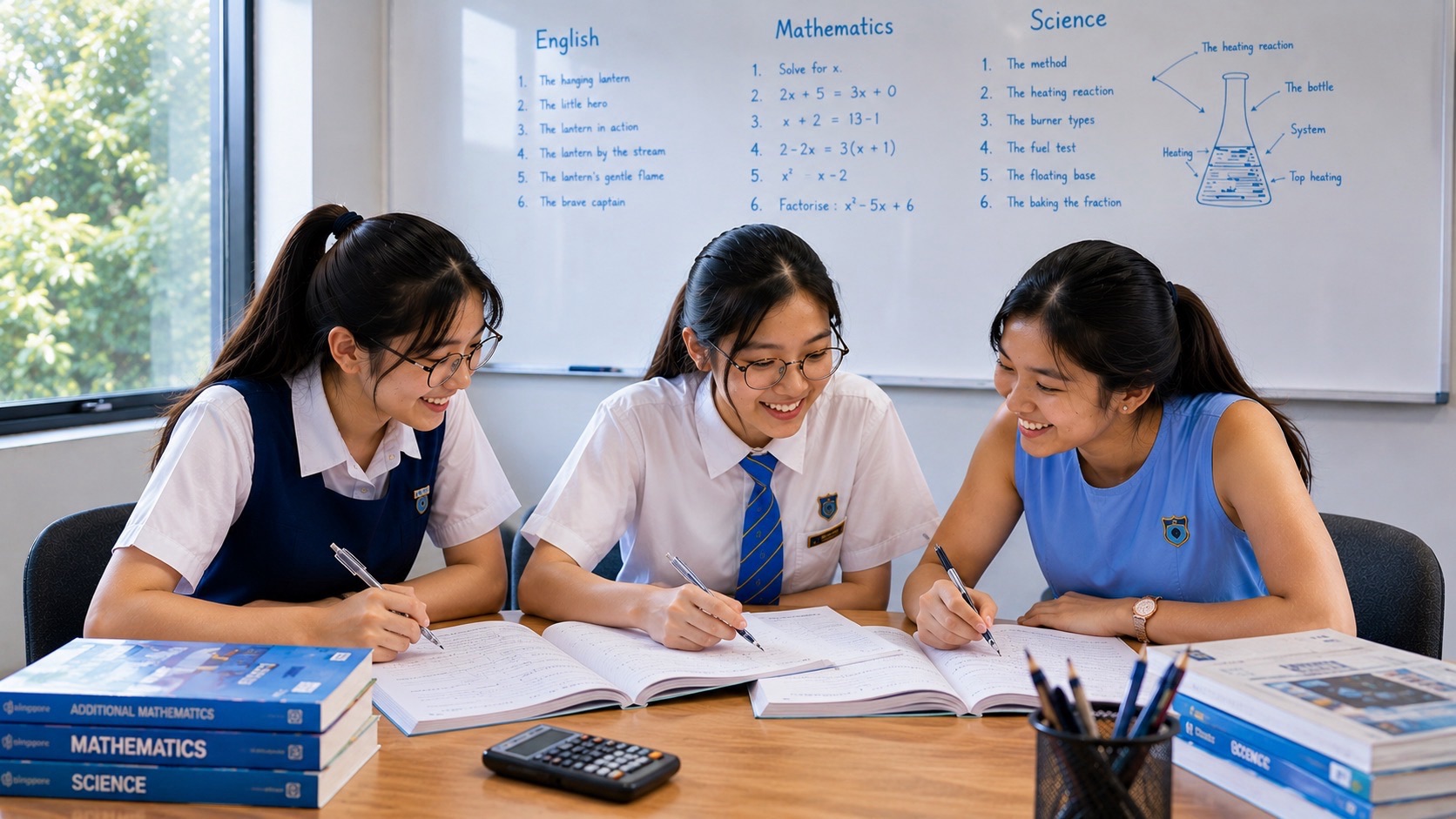
Secondary 3 SEC FullSBB G1 Computing follows the new 2027 SEAB K127 syllabus. If your child is comfortable with games, phones and office apps but cannot explain a Scratch loop, debug a program, produce a spreadsheet result or save the right practical-exam file, the problem is not necessarily a lack of computer ability. Everyday technology use and independent computational problem-solving are different skills. Start with one exact task and ask the child to explain each action rather than clicking through it.
G1 Computing K127 has a 1-hour-15-minute e-examination worth 40% and a two-hour lab-based examination worth 60%. The lab paper covers media software, document processing, spreadsheets and programming, with work submitted digitally. The seven syllabus modules also include computer fundamentals, networking and the impact of computing. A Secondary 3 family should confirm which modules have been taught, ensure school-approved software is accessible, and build reliable habits for reasoning, debugging and saving files before chasing advanced coding courses.
- Confirm K127; it is a new G1 Computing syllabus for the first SEC examination in 2027.
- Paper 1: e-exam, 1 hour 15 minutes, 60 marks, weighted 40%, covering all seven modules.
- Paper 2: two-hour lab exam, 90 marks, weighted 60%, using Modules 4–7.
- Practical tasks involve media software, documents/spreadsheets, and Scratch-style programming.
- Ask whether the actual difficulty is understanding the instructions, software use, logic, testing or file management.
- Use school-provided devices and approved applications; do not use unfamiliar paid software as the default solution.
What Secondary 3 G1 Computing means for a family
Full Subject-Based Banding (Full SBB) lets eligible Singapore secondary students take different subjects at G1, G2 or G3 levels, according to their learning needs and school arrangements. A student’s Posting Group is not automatically the level of every subject. Parents should look at their child’s actual registered Computing level, school teaching plan and individual progress before buying papers or deciding that the student must change levels. The G1 label describes the course, not the teenager’s intelligence, character or potential.
The Singapore-Cambridge Secondary Education Certificate (SEC) starts in 2027. The 2027 G1 Computing syllabus code is K127; some older N(T)-Level textbooks use a different reference code, so the cover may not match the examination-year requirements. A Secondary 3 student in 2026 would ordinarily be planning for Secondary 4 in 2027, but families in later cohorts should always check the corresponding year’s current syllabus. A subject being examined nationally in 2027 does not mean every component is taught or tested during Secondary 3.
When marks fall, work backwards from the actual marked item. Was the child’s understanding of the question wrong, the skill incomplete, the explanation unclear, the time allocation unrealistic or the equipment unfamiliar? A weakness in one category needs a different response from a weakness in another. A useful parent does not need to act as the examiner; a useful parent helps collect reliable evidence, creates an undistracted time for a short practice and asks the school for the next achievable learning target.
A good opening conversation with your child is: ‘Show me one part you could complete on your own, and one part where you had to guess.’ This is not lowering standards. It is replacing a vague fear of SEC with an observable next action. The right target is the first step the student cannot yet perform independently, not the hardest page available on the internet.
The official 2027 SEAB G1 Computing syllabus K127: paper format and expectations
The structure below concerns the published national examination for school candidates, not a promise that your child’s Secondary 3 weighted assessment uses identical paper durations or weightings. School assessments often reflect the particular units already taught. Use SEAB’s current document and the subject teacher’s assessment brief together before scheduling full-paper practice.
- Paper 1: e-Examination of 60 marks, 40% overall, 1 hour 15 minutes. Section A comprises 20 multiple-choice questions; Section B has 40 marks of short structured questions. All seven syllabus modules can be examined.
- Paper 2: Lab-based Examination of 90 marks, 60% overall, two hours. It includes three tasks: media software approximately 30 marks; document processing and spreadsheets approximately 35 marks; programming approximately 25 marks.
- Modules 1–3 cover computing fundamentals, networking and the impact of computing, including responsible digital behaviour and cyber awareness.
- Modules 4–7 cover document processing, spreadsheets, media software and programming. The 2027 specification includes Scratch constructs such as events, variables, conditions, loops and sprites.
- Candidates submit softcopies of practical output in the lab paper. The two-hour timing includes saving the required work; approved software is installed and managed by the examination centre.
- Approved calculators may be used in both papers where permitted, but the examination still tests understanding and hands-on skills.
A child can open a spreadsheet and type numbers without understanding what a formula does. A game can look correct on screen while its event logic fails when a player tries a different action. G1 Computing asks students to reason about instructions, software behaviour, networks and responsible technology use—not simply demonstrate familiarity with a device. Useful revision begins with a precise example of the first decision that went wrong.
The official code is important because neighbouring G2 and G3 syllabuses can share the same subject name while assessing different tasks. Confirm the precise year, level, software or media rules and submission conditions before using a commercial workbook, video tutorial or older school’s notes. Do not use a guide about one subject’s coursework as a substitute for another subject’s authenticated requirements.
Common Secondary 3 G1 Computing problems and useful parent responses
The following examples are learning situations to investigate, not labels or diagnoses. Many teenagers will recognise only two or three of them. Pick the patterns visible in actual work and ignore the rest; trying to correct every possible weakness at once can create more anxiety than improvement.
1. The student calls all storage ‘memory’
What parents may notice: A child knows what a laptop is but confuses main memory, flash storage and hard drives.
Why it happens: Computer fundamentals distinguish volatile and non-volatile memory and different data-storage functions. The actual cause should still be checked against the task, teacher’s marking and the student’s explanation rather than guessed from a single grade.
A practical next move: Sketch a simple system showing processor, main memory and secondary storage, then explain what may happen to information after power is removed. Model the first small step only if necessary, then let the student try a different example without prompting.
Evidence of improvement: The student correctly distinguishes functions in a new computer scenario. Revisit the skill after a gap and record whether it transfers to a new context; copying a corrected model immediately is not strong evidence of mastery.
2. The network diagram is memorised without relationships
What parents may notice: The child can name a router but cannot identify how devices connect or why internet access may fail.
Why it happens: A diagram is a model of information moving between devices and network components. Memorised labels are not enough. The actual cause should still be checked against the task, teacher’s marking and the student’s explanation rather than guessed from a single grade.
A practical next move: Use a fictional school network diagram. Trace a request from device to network connection and identify which link is relevant to the fault. Model the first small step only if necessary, then let the student try a different example without prompting.
Evidence of improvement: The student can explain one cause of a realistic network problem in plain language. Revisit the skill after a gap and record whether it transfers to a new context; copying a corrected model immediately is not strong evidence of mastery.
3. Phishing recognition fails when a message seems urgent
What parents may notice: The learner knows the word ‘cybersecurity’ yet clicks a realistic-looking ‘account locked’ link in a practice scenario.
Why it happens: Online safety demands checking source, requested action and suspicious pressure, not only recalling definitions. The actual cause should still be checked against the task, teacher’s marking and the student’s explanation rather than guessed from a single grade.
A practical next move: Use a safe fictional email and list three checks before acting. Never ask a child to test a real suspicious link. Model the first small step only if necessary, then let the student try a different example without prompting.
Evidence of improvement: The student can state a safer response and why the message needs verification. Revisit the skill after a gap and record whether it transfers to a new context; copying a corrected model immediately is not strong evidence of mastery.
4. Document formatting is changed with spaces
What parents may notice: The child manually inserts spaces to align a report, causing the layout to break after editing.
Why it happens: Document-processing tools have structured features for alignment, paragraphs, tables and consistent formatting. The actual cause should still be checked against the task, teacher’s marking and the student’s explanation rather than guessed from a single grade.
A practical next move: Use an unrelated practice notice. Set headings, alignment and spacing using software controls rather than repeated spacebar presses. Model the first small step only if necessary, then let the student try a different example without prompting.
Evidence of improvement: The document stays readable after a sentence is added or removed. Revisit the skill after a gap and record whether it transfers to a new context; copying a corrected model immediately is not strong evidence of mastery.
5. A spreadsheet total is correct only for the first row
What parents may notice: The first formula works, but copying it changes references incorrectly or leaves some values excluded.
Why it happens: Spreadsheet formulas refer to cells and ranges; understanding references and formula structure is essential. The actual cause should still be checked against the task, teacher’s marking and the student’s explanation rather than guessed from a single grade.
A practical next move: Make a tiny fictitious expense table. Explain which cell each formula uses, copy it deliberately and compare the result with hand calculation. Model the first small step only if necessary, then let the student try a different example without prompting.
Evidence of improvement: A new row produces a sensible result without manual retyping of every total. Revisit the skill after a gap and record whether it transfers to a new context; copying a corrected model immediately is not strong evidence of mastery.
6. A chart looks attractive but does not represent the data
What parents may notice: The pupil chooses the wrong chart or omits axis labels and units.
Why it happens: Visual display must match the type of information and communicate meaning accurately. The actual cause should still be checked against the task, teacher’s marking and the student’s explanation rather than guessed from a single grade.
A practical next move: Use a small invented table of monthly quantities. Make a simple chart, label the units and state one valid interpretation. Model the first small step only if necessary, then let the student try a different example without prompting.
Evidence of improvement: An independent reader can tell what is being compared and avoid a false conclusion. Revisit the skill after a gap and record whether it transfers to a new context; copying a corrected model immediately is not strong evidence of mastery.
7. A presentation is animated but the message is missing
What parents may notice: The student invests time in transitions but the slides do not respond to the task.
Why it happens: Media software is a communication tool; purpose, hierarchy and audience matter more than effects. The actual cause should still be checked against the task, teacher’s marking and the student’s explanation rather than guessed from a single grade.
A practical next move: For a fictional school announcement, decide on three essential points and give each a clear visual role before adding any transition. Model the first small step only if necessary, then let the student try a different example without prompting.
Evidence of improvement: The presentation remains understandable even with animation turned off. Revisit the skill after a gap and record whether it transfers to a new context; copying a corrected model immediately is not strong evidence of mastery.
8. File naming causes practical work to disappear
What parents may notice: The student completes the task but saves to the wrong location, closes without saving or exports an unsuitable format.
Why it happens: File management is part of practical exam fluency, not an optional administrative detail. The actual cause should still be checked against the task, teacher’s marking and the student’s explanation rather than guessed from a single grade.
A practical next move: Using a non-assessed practice folder, rehearse save, rename, reopen, export and confirm the correct file version. Model the first small step only if necessary, then let the student try a different example without prompting.
Evidence of improvement: The learner can locate and reopen the final file without adult help. Revisit the skill after a gap and record whether it transfers to a new context; copying a corrected model immediately is not strong evidence of mastery.
9. Scratch scripts are copied without understanding the event
What parents may notice: A sprite moves during the demonstration but not when a different control is pressed.
Why it happens: Program execution depends on event triggers and sequencing, not on how colourful a block stack looks. The actual cause should still be checked against the task, teacher’s marking and the student’s explanation rather than guessed from a single grade.
A practical next move: Make a small original Scratch example using one event and two actions. Predict exactly when it will run, then test the prediction. Model the first small step only if necessary, then let the student try a different example without prompting.
Evidence of improvement: The student explains the trigger before running the program. Revisit the skill after a gap and record whether it transfers to a new context; copying a corrected model immediately is not strong evidence of mastery.
10. A loop runs forever when it should stop
What parents may notice: The child copies a repeat block but does not describe the condition or count.
Why it happens: Loops model repeated instructions; correct selection depends on when repetition should end. The actual cause should still be checked against the task, teacher’s marking and the student’s explanation rather than guessed from a single grade.
A practical next move: With a paper flowchart, compare a fixed-count loop, a forever loop and a repeat-until condition using everyday actions. Model the first small step only if necessary, then let the student try a different example without prompting.
Evidence of improvement: The student chooses a suitable loop and can identify a possible stopping condition. Revisit the skill after a gap and record whether it transfers to a new context; copying a corrected model immediately is not strong evidence of mastery.
11. A variable is mistaken for a fixed label
What parents may notice: A Scratch score is displayed but does not update correctly after an action.
Why it happens: Variables store changing values, so the student needs to trace each operation that changes or reads the variable. The actual cause should still be checked against the task, teacher’s marking and the student’s explanation rather than guessed from a single grade.
A practical next move: Trace a simple score from zero through three events on paper, then reproduce the logic in a tiny independent game. Model the first small step only if necessary, then let the student try a different example without prompting.
Evidence of improvement: The predicted score matches the observed program output across more than one test. Revisit the skill after a gap and record whether it transfers to a new context; copying a corrected model immediately is not strong evidence of mastery.
12. Debugging means randomly changing blocks
What parents may notice: The learner moves blocks repeatedly until the game works once, then cannot explain why it failed.
Why it happens: Debugging requires a reproducible problem, a predicted result, a test and one justified change at a time. The actual cause should still be checked against the task, teacher’s marking and the student’s explanation rather than guessed from a single grade.
A practical next move: Write three lines: expected behaviour, actual behaviour, and one test. Change one part, rerun, and record the result. Model the first small step only if necessary, then let the student try a different example without prompting.
Evidence of improvement: The child can explain the cause of the bug and demonstrate that the fix works again. Revisit the skill after a gap and record whether it transfers to a new context; copying a corrected model immediately is not strong evidence of mastery.
13. The lab examination feels faster than home practice
What parents may notice: Tasks are left half-finished even when the student understands each tool in isolation.
Why it happens: The lab paper combines reading, application use, checking and saving in a limited two-hour window. The actual cause should still be checked against the task, teacher’s marking and the student’s explanation rather than guessed from a single grade.
A practical next move: Practise three short separate tasks first, then one mixed set with planned checks. Follow the school’s software and access rules. Model the first small step only if necessary, then let the student try a different example without prompting.
Evidence of improvement: Completion rates improve without relying on frantic last-minute clicks. Revisit the skill after a gap and record whether it transfers to a new context; copying a corrected model immediately is not strong evidence of mastery.
Eight short Computing practice routines at home
These routines are examples of non-assessed home learning, not SEAB examination coursework. When a school requires supervised submissions, the candidate’s actual assessed work must stay within the school’s rules. Keep sessions short enough for a student to complete thoughtfully alongside homework, co-curricular commitments and rest.
Routine 1: Describe before clicking
For one new task, ask the learner to say the desired output, inputs and next software action before touching the keyboard.
This separates conceptual confusion from interface confusion.
Routine 2: One-folder file rescue
Create a practice folder with fictional documents. Save, close, reopen and export, then identify which version is final.
The child should be able to recover work independently.
Routine 3: Spreadsheet reasoning ladder
Read a cell range, calculate a simple total, copy a formula and explain how its references behave.
Check with manual arithmetic on a tiny dataset.
Routine 4: Chart critique
Show two charts of the same small invented dataset, one with missing labels. Ask which is more accurate and why.
The student learns to evaluate visual communication, not just insert a graphic.
Routine 5: Scratch prediction log
For one small block stack, write what will happen before clicking the green flag or pressing a key.
Compare prediction and result and diagnose the first mismatch.
Routine 6: Debug one thing
For a safe classroom-level Scratch example, isolate one misbehaviour, change one construct and test multiple inputs.
Avoid replacing the whole project with downloaded code.
Routine 7: Cyber-safety response
Use fictional messages to practise checking domain, sender claims, unusual requests and safer reporting steps.
Never open a suspicious real link for practice.
Routine 8: Mini lab rehearsal
Combine a tiny document, spreadsheet and Scratch task; reserve a final step for saving and checking files.
The point is a reliable workflow, not a full stressful mock examination every weekend.
A ten-week Secondary 3 Computing improvement plan
This is an adjustable parent-support sequence, not an MOE timetable or a prediction of which national examination questions will appear. The current subject teacher’s order of teaching takes priority. If the learner is not ready for a step, spend longer on the prerequisite and reduce the number of activities rather than compressing several weeks into a stressful weekend.
Week 1
Collect one school task and identify whether the issue is theory, software functions, programming logic or saved outputs.
Week 2
Review computer components, data storage and the distinction between hardware and software.
Week 3
Explain small networks and practise responsible technology and scam recognition with fictional scenarios.
Week 4
Make one structured document using headings, alignment and tables rather than manual spacing.
Week 5
Use a spreadsheet with formulas, copied references and a basic accuracy check.
Week 6
Create a clearly labelled chart and a short media presentation from a fictitious data set.
Week 7
Build tiny Scratch scripts using events, sequence and variables; predict the behaviour.
Week 8
Practise conditions, loops and debugging in a new Scratch scenario.
Week 9
Rehearse saving, exporting and reopening files in a short school-like lab sequence.
Week 10
Compare independent practical work with Week 1 and ask the teacher which module should come next.
At the end of every two weeks, compare one fresh independent attempt with a dated earlier attempt. Ask whether the child can explain the choice, complete the task with fewer prompts and recognise a similar problem in a new context. Repetition without feedback is busywork. When the same error persists, send the example to the subject teacher and request a specific next target.
What parents can do without creating more examination anxiety
Begin with a school script, rubric or practical task. Ask what was expected, what the child actually did and where the first wrong decision occurred. Try not to describe the student as lazy or ‘not academic’; those labels do not explain what to teach. Distinguish a concept gap from an error in reading instructions, using tools, managing time or communicating an answer. They are not interchangeable.
There is no universal number of practice hours that guarantees a SEC grade. In many families, fifteen focused minutes followed by an independent retest teaches more than a long, exhausted session. Protect sleep and ask the teenager to describe the improvement in their own words. If an otherwise diligent child becomes persistently distressed or avoids school, discuss the wider situation with school staff instead of raising the workload automatically.
Consider school-based remediation or subject-teacher consultation first. Additional small-group or individual tuition can help when it addresses a clearly diagnosed gap and the learner benefits from guided correction. Ask what the provider will actually teach, how progress will be checked and whether school-specific software, music, art or coursework boundaries will be respected. Tutoring cannot legitimately replace a candidate’s authenticated national-assessment submissions and must not be sold as a guaranteed distinction.
Questions to take to the subject teacher
- Which K127 topics or practical skills are being taught and assessed in Secondary 3 this month?
- What is the first wrong decision in one recent response, and what prerequisite does it reveal?
- Can we see a suitable worked or model example at the correct subject level?
- Which practice tasks can be completed independently at home, and which are school-supervised?
- How can the child retest the skill without repeating the same memorised example?
- Are there equipment, accessibility, supervision or safety requirements the family should know?
- How will we review progress after four weeks, and when should subject-level options be discussed?
Frequently asked questions from Secondary 3 G1 Computing parents
Is K127 the same as an old G1 computing examination?
K127 is identified by SEAB as a new G1 subject for the first 2027 SEC examination. Do not invent an older examination code or assume an unrelated coding course follows its assessment.
Does Paper 2 require Python programming?
The 2027 G1 K127 syllabus specifies Scratch-based programming skills and other software modules; do not buy a Python-focused examination course by default.
Is Computing mainly theory?
No. Paper 2 is a two-hour lab examination carrying 60% of the total, so hands-on creation, checking and file submission are vital.
Does my child need an expensive computer at home?
Not necessarily. Check school access and approved software first. Many foundational concepts can be practised with modest hardware or in school.
Can a parent complete a practical file and let the child copy it?
That hides the child’s real difficulty. Show one step and have the student recreate the logic and output independently on a new task.
What if the student is nervous about the software interface?
Separately practise ordinary actions such as saving, reopening and switching tools until those actions take less attention, then add the computing task.
Are gamers automatically good at G1 Computing?
No. Gaming experience may build interest but does not replace explaining variables, formulas, network behaviour or digital problem-solving.
Should we enrol in advanced coding classes immediately?
Begin with the student’s actual K127 goals and school feedback. Advanced programming may be enjoyable, but it should not displace essential document, spreadsheet or Scratch skills.
Official SEAB references and reliable further reading
These details are anchored to the SEAB 2027 G1 school-candidate list and the subject-specific K127 syllabus. The government’s publication sets the authoritative paper descriptions, weightings and supervised assessment rules; school teaching plans explain the child’s immediate sequence. Check for later syllabus amendments if the student is registered for a different SEC year.
SEAB — 2027 SEC G1 syllabuses for school candidates
SEAB — Singapore-Cambridge Secondary Education Certificate
Official 2027 SEAB G1 Computing K127 syllabus
MOE — G1 Computing curriculum implemented from Secondary 3 (2026)
eduKateSG — G1 Computing Word, Excel, PowerPoint and Scratch lab paper
Parent checklist for this week
- Confirm the school’s G1 Computing subject level and 2027 examination code K127.
- Collect one marked answer or independent practice task; find the exact step that failed.
- Choose one small corrective routine from this article and practise it calmly.
- Try a fresh example after several days and compare the reasoning rather than only the marks.
- Ask the school for help early if the same obstacle repeats, especially around supervised coursework.
The strongest change a parent can make is to replace ‘Do more’ with ‘Know what to improve next’. When a teenager learns to recognise an error, understand the relevant principle and solve a fresh problem independently, they gain both confidence and a stronger foundation for Computing in the SEC. Keep the evidence honest, the assessment work authentic and the workload sustainable.