
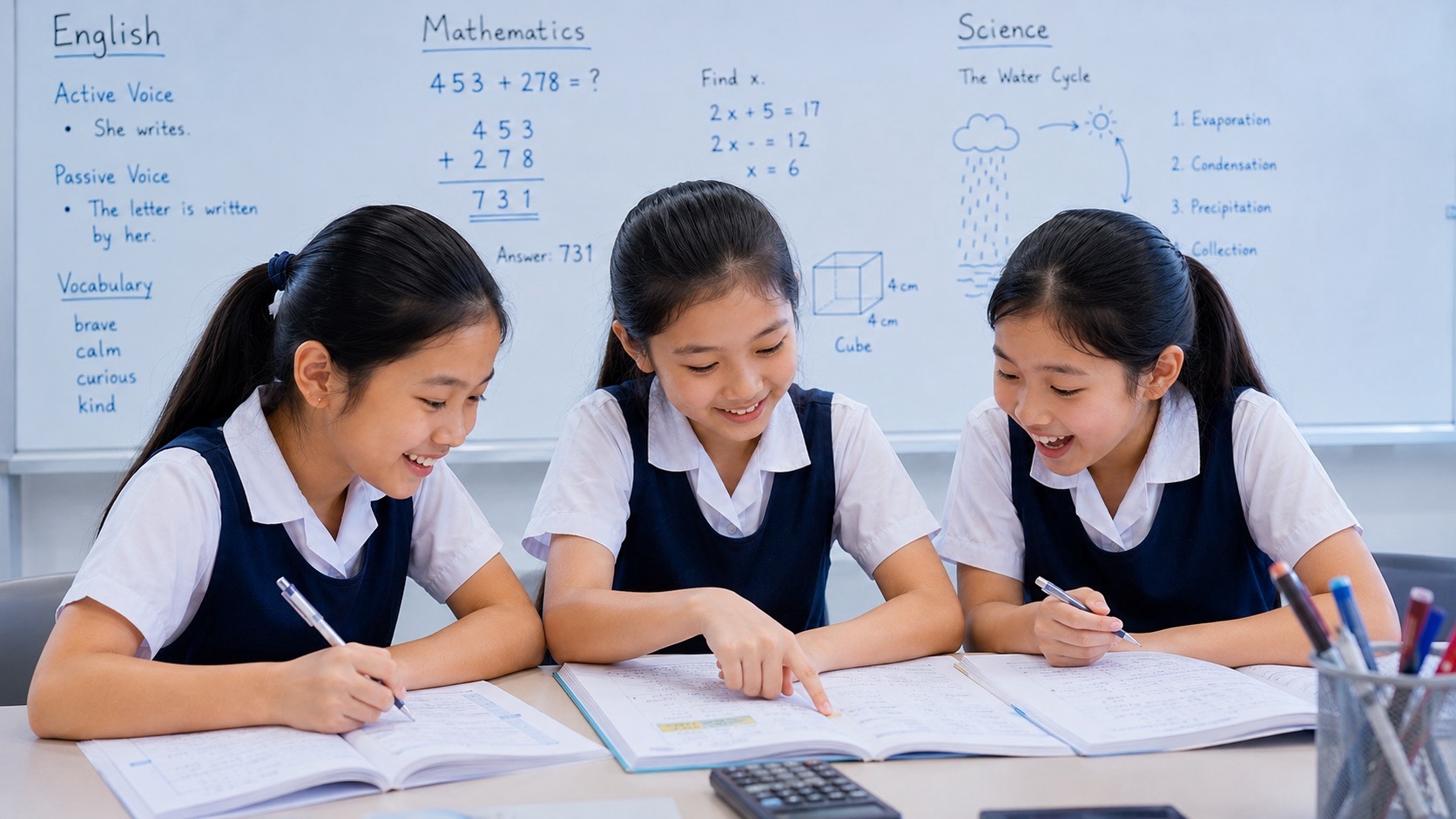
TED-Ed for students can transform a short animated video into a meaningful learning conversation. A child may watch an explanation about Science, language, history or mathematical thinking, then answer questions and explore links that help connect the topic to a wider body of knowledge.
The difficulty is that watching a good video can feel like learning even when the student cannot explain the idea independently. A lively animation is not a guarantee of a correct school answer, and a fascinating lesson may not match the exact Singapore syllabus topic that needs revision.
Parents searching for TED-Ed for students, TED-Ed animated lessons, TED-Ed Watch Think Dig Deeper Discuss, is TED-Ed free, or how to create TED-Ed lessons need a practical guide that separates curiosity, reading, retrieval and real understanding.
Quick answer: TED-Ed offers educational animations, lessons and activities. Many lesson pages organise learning through Watch, Think, Dig Deeper and Discuss, with some including And Finally. Teachers can customise lessons around suitable videos. TED-Ed’s current sign-in page says student accounts can be created only by learners aged 13 or older. For younger children, parents and teachers should guide appropriate viewing without asking them to register independently.
What Is TED-Ed?
TED-Ed is TED’s educational learning platform, known especially for short animated lessons that introduce scientific questions, historical stories, language concepts and ideas worth investigating.
Its official lesson site also provides collections and ways for educators to create or customise activities around video content.
The appeal is understandable. A short animation can make an invisible physical process or an abstract problem feel memorable. It may provide a concrete example that a student would not readily imagine from a page of text.
But the video does not necessarily reveal whether the viewer understood. The child may remember the story, music or visuals without being able to reconstruct the underlying explanation.
A strong TED-Ed activity therefore includes a prediction before watching, an explanation after watching and an independent question that changes the context.
The platform should prompt inquiry, not replace a student’s own reasoning.
Is TED-Ed Free for Students?
TED-Ed provides publicly accessible educational lesson content, with free account registration for eligible users and various features for learning or creating lessons.
A student can often view public lesson material without needing a private school subscription. Participation in certain personalised activities, saving progress, collections or publishing a custom lesson can require signing in.
TED-Ed’s registration page specifically states that only students aged thirteen or older can create a TED-Ed account.
Parents should not infer that every feature is available without logging in or that pupils below the account age threshold may bypass it. A teacher or parent can select an age-appropriate lesson, present it in a supervised setting and ask the child to answer questions using ordinary paper.
Learning from the material does not depend on every Primary pupil maintaining an independent online profile.
The TED-Ed Learning Sequence: Watch, Think, Dig Deeper, Discuss
Many TED-Ed lessons display tabs labelled Watch, Think, Dig Deeper, Discuss and sometimes And Finally.
These sections serve different purposes. Watch introduces a video. Think provides questions to check understanding. Dig Deeper offers supporting context, sources or further reading. Discuss invites conversation under the lesson’s participation rules.
An example is TED-Ed’s public lesson on how clouds got their names, which includes those learning sections and additional exploration of weather-related phenomena.
The exact activities vary between lessons. A teacher-created lesson may contain a different number of questions or supporting resources.
The structure is educationally useful when each step builds on the previous one. Do not simply watch, click several answers and assume that all the relevant subject knowledge has been mastered.
A final independent explanation should tell us what the student can use without the platform.
Before Watching: Begin With a Prediction
An efficient learning session starts before the video plays.
For a Science topic, ask what the child already thinks happens during a process. For a Mathematics concept, ask the learner to attempt a basic example. For English, ask what a key word in the lesson title seems to mean.
Recording an initial answer has two benefits. It shows the student their current understanding and makes later correction meaningful.
If the learner predicts that water vapour becomes visible as white gas when heated, a video about clouds may offer useful ideas to discuss. The teacher must still clarify that invisible water vapour is different from tiny visible water droplets or ice crystals in a cloud.
Without the initial prediction, the child may simply agree with the narrator and never notice their original misconception.
Do not demand a confident answer. I am not sure because… can be an excellent starting point for inquiry.
Worked Science Example: Water Vapour and Condensation
Imagine a TED-Ed video introduces clouds or weather. Use it as a starting point for a school Science question.
Ask: Why do droplets form on the outside of a cold cup in humid air?
A suitable explanation is that water vapour in the surrounding air cools sufficiently near the cold surface and condenses into liquid droplets. In an ordinary intact cup, the outside droplets do not originate from liquid travelling through the cup wall.
A student may respond because it is cold. That describes a condition but leaves out the source of the water and the change of state.
After the video, ask the learner to draw arrows and label the relevant process correctly. Then use a fresh scenario: a bathroom mirror becomes misty during a hot shower.
The child should explain the mirror case without replaying the video. That is stronger evidence of learning than correctly selecting one option during the lesson.
For broader Science reasoning, see How Primary Science Works.
Worked Mathematics Example: Equivalent Fractions
A Mathematics-related video can introduce a visual idea, but the learner still needs to make the relationship precise.
Consider 3/4 and 6/8. These are equivalent because multiplying numerator and denominator of 3/4 by two gives 6/8.
Using equally sized wholes, shading three of four equal parts and six of eight equal parts represents the same portion.
Do not confuse this with 3/8, which represents a smaller portion of the same whole than 3/4.
After watching a relevant lesson, ask the child to explain what changes and what remains the same when a fraction is rewritten with an equivalent numerator and denominator.
A new question is 2/3 = 4/6, while 2/3 is not equal to 2/6. The pupil should explain why before checking an answer.
Video is valuable when it clarifies the representation that supports such independent reasoning.
Worked Mathematics Example: Area Versus Perimeter
A short animation about shape or measurement might help a learner distinguish the inside of a figure from its boundary.
For a rectangle 6 cm by 4 cm, the area is 24 cm². Its perimeter is 20 cm.
Now compare a rectangle 8 cm by 3 cm. Its area remains 24 cm², but its perimeter becomes 22 cm.
The learner should be able to explain why multiplying length by width measures a surface and why adding all four sides measures a boundary.
A video may make the distinction visually memorable. But if the student still chooses the perimeter formula in a new area question, the concept needs more repair.
Use a ruler, grid paper or physical tiles where appropriate instead of relying on the animation alone.
The goal is a stable mathematical model, not a dramatic visual moment.
Worked English Example: The Danger of One Interpretation
Some TED-Ed lessons use storytelling or commentary to examine interpretation. A useful classroom exercise is distinguishing what a text states from what a reader infers.
Consider an invented sentence: Maya read the invitation twice, put it beneath her notebook and changed the subject.
The text explicitly states those actions. A reader may reasonably infer that Maya is reluctant to discuss the invitation.
The sentence does not establish that Maya is angry, that the invitation contains bad news or that she will refuse it.
If a lesson raises multiple perspectives, ask pupils which details support each interpretation. A reasonable interpretation should still be limited to what the text allows.
After discussion, provide a fresh short passage and ask students to identify one fact, one inference and one unsupported guess.
This supports comprehension and analytical reading beyond the video.
What Does the “Think” Section Actually Check?
TED-Ed’s Think section can include questions based on the lesson. Such questions may help a viewer retrieve details or examine an idea.
However, a correct answer immediately after watching may still depend on short-term memory and cues from the video.
Look at the type of question. Does it ask only for a fact stated moments earlier? Does it require explaining a mechanism? Does it ask the learner to apply the principle to a new example?
A strong teacher uses the built-in question as a first checkpoint, then creates a changed question without the original prompts.
For example, identifying the word condensation from four options is easier than explaining why mist appears on a mirror.
The student’s later independent explanation matters more than whether an online answer was highlighted green.
Dig Deeper: Useful Sources, But Check Them
A lesson’s Dig Deeper section may offer supporting reading, related resources and broader context. This is an opportunity for students to practise research literacy.
Ask who created the source, how current it is and whether it directly supports the lesson’s claim.
A webpage updated recently may repeat evidence collected much earlier. A source may explain a similar scientific process while omitting the conditions that matter in the child’s actual question.
Students should learn to distinguish an original source, a later summary and a commentary piece. Multiple websites repeating one claim do not necessarily provide independent confirmation.
For historical topics, check dates and perspectives. For Science, inspect the experiment or authoritative explanation where practical.
A video can spark curiosity; the source trail should determine whether a factual claim is well founded.
For research guidance, see Google Scholar for Students.
Discuss: Conversation Must Produce Reasons
A discussion area is useful when students compare explanations or consider different interpretations. But an exchange of unsupported opinions does not necessarily improve understanding.
Use simple rules: state a claim, give a reason and consider what evidence would change your mind.
For English, pupils might discuss which action supports an inference. For Mathematics, they can compare two correct methods. For Science, they can distinguish a direct observation from a proposed mechanism.
Ask students to respond to ideas respectfully rather than treat disagreement as a personal attack.
For younger pupils, discussion can occur as an adult-guided conversation offline, especially where the child is not eligible for an account.
The educational value appears when students refine a conclusion after considering evidence, not simply when a discussion thread becomes long.
Student Accounts and the Age-Thirteen Rule
TED-Ed’s current sign-in and registration page states that student account creation is restricted to students aged thirteen and older.
This is especially relevant to Singapore Primary learners. Parents should not create an account under a false age so that a younger pupil can save or submit activities independently.
Teachers can still use suitable publicly accessible material in an adult-led setting. A video does not need to be attached to a personal child account before the lesson can generate useful questions and discussion.
Older students should follow the school’s consent, safeguarding and acceptable-use rules. Do not share private student contact information in public discussions.
The distinction is between viewing suitable educational media and registering for account-specific activities.
Age requirements remain important even when the subject matter is educational.
How Teachers Can Customise a TED-Ed Lesson
The TED-Ed platform advertises the ability for eligible educators to create or customise lessons around TED-Ed animations, TED Talks or selected YouTube videos.
A teacher could choose a relevant short video, add questions that address the class’s actual misconceptions and direct pupils to appropriate supporting sources.
Do not make a lesson longer simply because a tool allows additional questions. Each question should have a purpose: reveal prior knowledge, diagnose a mistake or test a new application.
For a lesson on the distributive property, a useful question may ask why 3(x + 2) is not 3x + 2. The correct expansion is 3x + 6.
A changed equation such as 4(x + 3) = 28 can provide the final independent check, with solution x = 4.
A customised lesson becomes valuable when its questions correspond to the students’ actual understanding rather than simply repeat a narrator’s words.
TED-Ed Versus Edpuzzle and Nearpod
Edpuzzle for Students focuses on questions placed within videos at selected moments.
Nearpod for Students combines presentation material with interactive assessments and activities.
TED-Ed offers a large collection of educational lessons, animations and a familiar Watch–Think–Dig Deeper–Discuss structure.
These tools have different instructional strengths. TED-Ed may be useful when the aim is to introduce a striking idea with supporting questions. Edpuzzle may suit a teacher who wants to interrupt a specific instructional video. Nearpod may suit a broader interactive live lesson.
No product is universally better. Choose the tool that addresses the child’s next learning problem with minimal distraction.
Match the Topic to Singapore’s Curriculum
TED-Ed is international. Its subjects, illustrations and educational vocabulary do not automatically follow Singapore’s Primary, Secondary G1, G2 or G3 syllabus sequence.
A video about algebra may be suitable for a Secondary learner only if the relevant operations and notation match their stage. A sophisticated Biology animation may be interesting without being appropriate for the next school test.
Parents should consult the teacher’s current instructions and official syllabus before treating a TED-Ed collection as a complete revision programme.
Use the video to strengthen an appropriate concept, then practise actual school question types.
For English, make sure pupils still work on reading comprehension and original composition. For Mathematics, require written working. For Science, require accurate cause-and-effect explanations based on the given conditions.
The goal is curriculum-relevant transfer, not collecting watched-video counts.
A Twenty-Minute TED-Ed Learning Routine
Use a compact sequence rather than endless autoplay:
- Minutes 1–3: Define the learning question and write an initial prediction.
- Minutes 4–9: Watch one suitable short lesson attentively.
- Minutes 10–12: Attempt the Think questions or an equivalent teacher-prepared check.
- Minutes 13–15: Read one relevant Dig Deeper source and check an important factual claim.
- Minutes 16–18: Explain the concept in the learner’s own words.
- Minutes 19–20: Solve a changed problem or answer a fresh question with the screen closed.
For a three-student group, rotate predictor, source checker and explainer. All learners should make their own initial attempts before comparing answers.
If the child cannot explain the main principle, pause the next video and revisit the missing foundation.
A well-spent twenty minutes improves capability, not merely curiosity.
Parents: How to Check What Was Actually Learnt
After a lesson, ask the child to tell you the most important idea without reading the video title or notes.
Then ask Why do you think that is true? or What evidence in the video or source supports that claim?
For Science, request a fresh everyday example. For Mathematics, change the numbers. For English, provide a different short text for the same reading skill.
A child may remember an animated story but not the underlying relationship. That is a sign to revisit the explanation, not a reason to play five unrelated videos.
Do not judge a lesson only by its view count or popularity. The best educational video for a particular student is the one that helps repair the actual gap.
Common Mistakes and First Repairs
The student watches without answering. Ask for a prediction and a post-video explanation.
A video is interesting but unrelated to the syllabus. Keep it as enrichment; use aligned materials for assessed revision.
A correct quiz answer does not transfer. Ask a changed question without the same options.
The lesson oversimplifies a complex process. Consult the original supporting source and clarify missing conditions.
A younger pupil wants an independent TED-Ed account. Follow the age-thirteen registration rule and use adult-guided viewing instead.
The child copies from Dig Deeper. Require accurate citation and an original explanation of the source.
A discussion becomes a popularity contest. Ask each learner to give evidence and respect uncertainty.
Autoplay takes over revision time. Choose one precise learning objective and stop after independent practice.
The first repair should target the true problem: attention, relevance, understanding, evidence or account eligibility.
Frequently Asked Questions
Is TED-Ed free for students?
TED-Ed provides publicly accessible educational lessons and free account registration for eligible users. Some participation or saved-work features require signing in.
Is TED-Ed the same as TED Talks?
TED-Ed includes original educational animations and lessons built around TED Talks or other selected videos. The wider TED ecosystem includes additional talk and event formats.
What do Watch, Think and Dig Deeper mean?
They guide video viewing, comprehension questions and further exploration. Discuss and And Finally may appear as additional lesson sections.
Can Primary students use TED-Ed?
Suitable content can be used with adult guidance. Independent student account creation is restricted to learners aged thirteen or older under the current TED-Ed registration rule.
Can a teacher make a custom TED-Ed lesson?
The platform supports creating or customising lessons around suitable videos for eligible users, subject to the service’s current terms and interface.
Does a completed TED-Ed quiz prove mastery?
No. Independent explanation and a changed question give stronger evidence that the concept was learnt.
Is TED-Ed good for PSLE Science?
It can provide supplementary explanations when relevant, but it is not a replacement for MOE-aligned concepts, teacher instructions or exam-style practice.
Is TED-Ed better than Edpuzzle?
They have different roles. TED-Ed is especially known for its lesson library and learning structure; Edpuzzle focuses on teacher-embedded video questions.
What should a parent ask after watching?
Ask the child to state the main idea, identify one supporting piece of evidence and apply the principle to a fresh situation.
Official Sources and eduKateSG Learning Routes
- TED-Ed — Official Lessons and Learning
- TED-Ed — Registration and Account Age Rule
- TED-Ed — Example: Clouds and Weather
- TED-Ed — Example: The Danger of a Single Story
- TED-Ed — Example: Growth Mindset
- eduKateSG — Edpuzzle for Students
- eduKateSG — Nearpod for Students
- eduKateSG — How Primary Science Works
- eduKateSG — How Vocabulary Really Works
- eduKateSG — How PSLE English Composition Really Works
- eduKateSG — Google Scholar for Students
The lasting lesson: a good animated lesson invites curiosity, but understanding appears when the learner can explain the idea, check its evidence and apply it without replaying the video.