
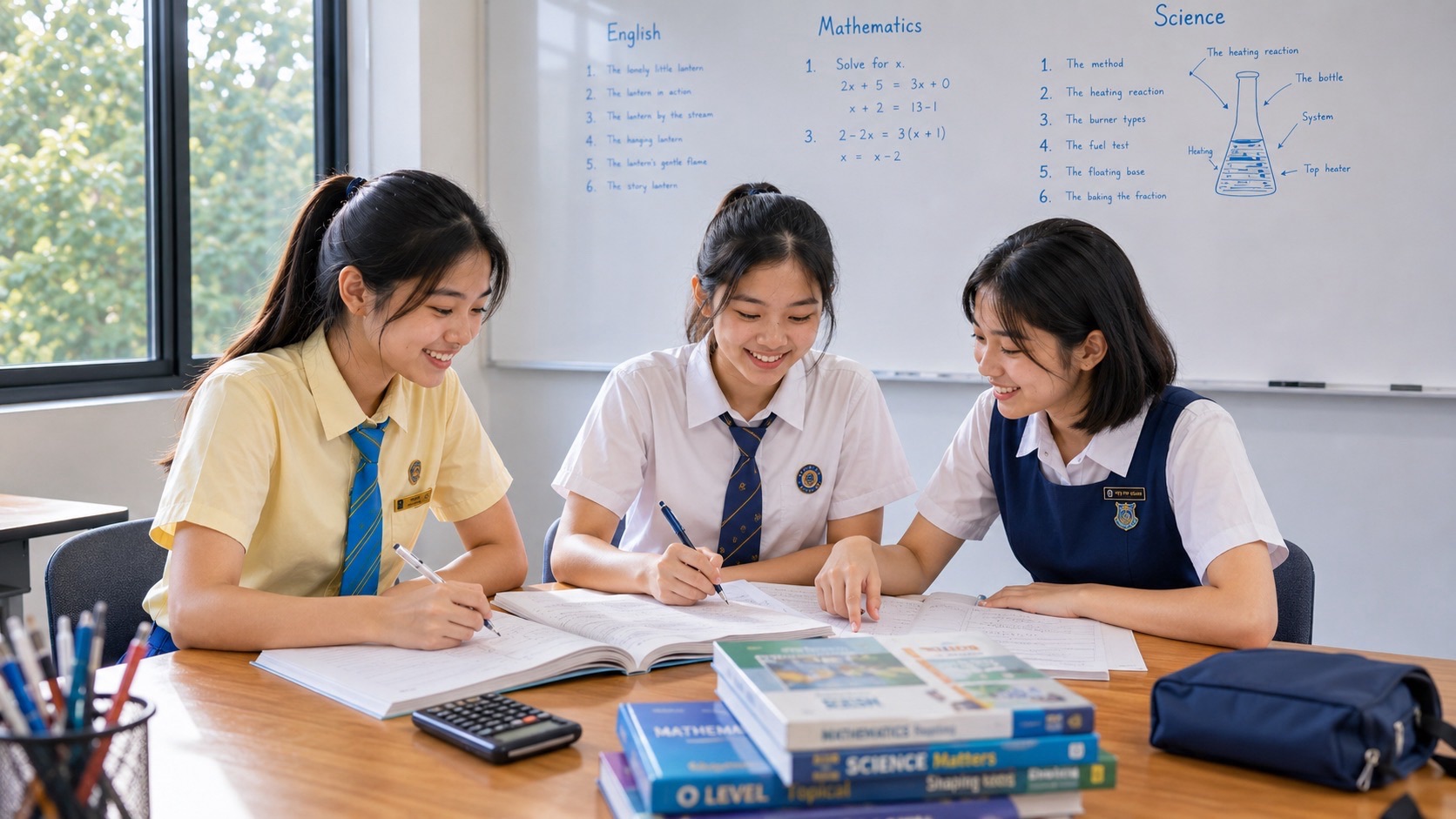
The best G2 Computing tutor prepares a student for both the theoretical and practical demands of the 2027 Singapore-Cambridge Secondary Education Certificate, not merely for a generic coding course. G2 Computing is the new SEC syllabus K237, with six modules covering computer fundamentals, networking, the impact of computing, spreadsheets, media software and programming. Half of the examination grade is based on a computer-based laboratory paper. Parents should look for a tutor who can explain concepts, show how to build and save digital work accurately, and test whether the student can complete unfamiliar tasks independently.
At eduKateSG, the small-group teaching philosophy is to make each student’s thinking visible through explanation, deliberate practice and focused correction. For Computing, that means the learner should understand why a formula returns a value, why a program behaves unexpectedly, how a file must be exported, and which security decisions protect personal data. A 3-pax tutorial can support that work when appropriate devices and software are available, but parents should verify specialist class availability and practical facilities before enrolling. ‘Precise distinction’ describes reliable learning, not an official G2 award or promised examination grade.
- 2027 syllabus: G2 Computing K237, a new SEC subject; there is no earlier equivalent subject code in the SEAB directory.
- Paper 1 e-examination: 1 hour 30 minutes, 70 marks, 50%; 20 MCQs and 50 marks of short structured questions across all six modules.
- Paper 2 laboratory examination: 2 hours 15 minutes, 80 marks, 50%; media software about 30 marks, spreadsheets 25 and programming 25.
- Students submit digital files for Paper 2, so file organisation, naming, saving, verification and time management are assessed in practice.
- Learn spreadsheets, vector and raster graphics, video, block programming, Scratch and the specified microcontroller concepts in their correct assessed scope.
- Choose a tutor who diagnoses conceptual and practical errors, uses authorised software and retests independent work.
- Official K237 details take priority over older Computing course descriptions or marketing materials.
Why K237 Needs a Different Tutor From a Generic Coding Class
Some enrichment courses focus on Python, robotics competitions or making a game quickly. Those can be enjoyable, but they do not by themselves cover the 2027 K237 syllabus. The examination also tests hardware, networks, responsible technology use, practical spreadsheets, graphics and media production. Families should not assume that a child who can assemble a Scratch animation is ready for the laboratory paper.
A suitable tutor knows the six official modules and the difference between the two exam papers. A programming-only teacher may be strong in algorithms while unfamiliar with exact-match lookups or vector editing. A multimedia tutor may be comfortable with video production but unable to explain program state and loops. Parents should ask which modules the programme covers, which software it uses and what assessed work the pupil produces.
Under Full Subject-Based Banding, G2 identifies a particular subject level. Posting Group 2 is a school admission grouping, not a fixed description of every subject a student offers. Availability of Computing may vary by school; parents should confirm the school’s actual subject choices, current software and examination arrangements before buying tuition.
Paper 1: Concepts and Application in an E-Examination
Paper 1 is a 90-minute e-examination worth 70 marks and 50% of the final K237 result. Section A contains 20 multiple-choice questions, each with four options, for 20 marks. Section B has variable numbers of short structured questions worth 50 marks. The paper can assess knowledge and application across all six modules, including areas that are not practical laboratory tasks in Paper 2.
A student may be asked to distinguish CPU and GPU roles, compare local and cloud storage, interpret a network scenario, discuss a cybersecurity risk, reason about a spreadsheet function or analyse a block program. Preparation should therefore include precise vocabulary, short explanations and practice choosing a concept from a scenario. A pupil who memorises definitions but cannot use them in context is not fully prepared.
The e-examination format also makes reading and managing time important. The learner should practise relevant official specimen items and be familiar with school guidance for the interface. A tutor can simulate computer-based answering but should not claim an ordinary web quiz is identical to the SEAB system.
Paper 2: The Laboratory Paper Is Half the Qualification
Paper 2 is a 2-hour-15-minute lab-based examination worth 80 marks and 50% of K237. It assesses practical skills in spreadsheets, media software and programming. The indicative task allocation is about 30 marks for media, 25 for spreadsheets and 25 for programming. The allotted time includes saving the work required for submission.
This has direct implications for parents. A student who knows the correct answer verbally can still lose time when files are missing, incorrectly exported or saved to the wrong location. A practical tutor should teach a repeatable workflow: read the instructions, identify the required artefacts, create them, verify quality and save the specified files before the examination ends.
The syllabus states that examination centres must provide appropriate hardware and approved software and that each candidate should have sole use of a laptop. Parents should use their school’s current arrangements for software versions and computer access. A tuition provider should be transparent about which practical facilities it can actually offer.
- Media software: approximately 30 of the 80 laboratory marks.
- Spreadsheets: approximately 25 of the 80 laboratory marks.
- Programming: approximately 25 of the 80 laboratory marks.
- All tasks are compulsory; practical preparation needs all three components.
- Saving and exporting correctly are part of working effectively within the allotted time.
Module 1: Computer Fundamentals Without Hardware Myths
The first module examines the functions of a CPU, GPU, memory, storage and input and output devices. Students also compare magnetic and solid-state storage, understand data units and discuss specifications. Parents should look for explanations that connect each component to the task it performs, rather than memorised marketing claims about computer speed.
For example, a pupil may believe a powerful graphics card always makes every program faster. A more precise explanation distinguishes workloads that benefit from graphics processing from those constrained by other components. The student should also understand that primary memory and secondary storage have different purposes. A computer with substantial storage is not necessarily the same as one with sufficient RAM.
Ask the child to compare two fictitious school laptops and justify which suits a stated task. The best answer checks requirements, likely performance and cost, and acknowledges what information is not supplied. This is technological judgement, not brand loyalty.
Module 2: Networking, Devices and Cloud Services
K237 requires understanding local and wide area networks, clients and servers, wired and wireless communication, network hardware, home networks, IP and MAC addresses, and cloud computing. A student should be able to explain how devices exchange information and why a particular connection is suitable.
Begin with a home-network diagram and trace the relationship between devices, router, modem and the wider internet. Ask what changes when a device cannot connect locally versus when the whole household cannot reach an internet service. This builds a meaningful network model before adding technical vocabulary.
Cloud services should be discussed with trade-offs. Remote access and collaboration may be convenient, but access depends on service and connectivity conditions, privacy controls and suitable accounts. A tutor should avoid promising that cloud storage is automatically safer or cheaper in every situation. Digital literacy includes recognising limits.
Module 3: Cybersecurity, Privacy and Responsible Computing
The impact of computing module includes everyday uses of technology, examples of AI, malware, scams, passwords, backups, copyrighted materials and privacy settings. These topics matter for examination answers and the student’s ordinary life. A good tutor explains a risk and the mechanism by which a precaution addresses it, rather than asking pupils to memorise a list of slogans.
Students should distinguish common malware categories at the level required by SEAB and know why updates, strong authentication practices, backups and careful handling of suspicious messages matter. A useful exercise is to inspect a fictional scam message and identify the warning signs without opening suspicious links. This is safer and more educational than working with actual malicious software.
The syllabus also introduces AI as a technology capable of complex tasks without constant human guidance. Pupils should understand applications and limitations, including the need to check outputs, respect privacy and avoid presenting generated work as their independent examination performance. AI may support explanation at home, but it cannot replace the child’s own skills.
Module 4: Spreadsheets Are a Reasoning System
Spreadsheets are more than tables filled with numbers. They store data, apply rules, update calculations and communicate patterns through charts. K237 requires cell formatting, charts, formulas, functions, sorting, filtering and validation. A suitable tutor should teach what a model means before the child enters a long formula.
Begin with a simple fictional class-event budget. The student can calculate costs, format currency, create a chart and test what happens when an input changes. This introduces automatic recalculation and the difference between fixed and varying values. The learner should then describe why one chart suits a comparison better than another.
A reliable practical habit is to use meaningful labels, consistent data types and a final check of numerical reasonableness. A spreadsheet can produce a polished-looking result based on the wrong reference. Accuracy requires inspecting both the formula and what it is intended to measure.
Relative and Absolute References: A Small Symbol With a Big Effect
Many pupils use spreadsheet formulas correctly in one row but fail when copying them down a column. The issue may be a misunderstanding of relative and absolute cell references. Teach what should change when a formula is copied and what must remain fixed. A $ symbol is not magic punctuation; it expresses a modelling decision.
For example, a spreadsheet may calculate total costs using unit prices and one fixed tax or discount rate. Each row must refer to its own quantity and price, but the common rate may be stored in one cell that should not move when formulas are copied. A child who can explain this distinction will make fewer errors on unfamiliar tasks.
After the example, remove the tutor’s prompts. Ask the student to build another model from scratch and use the formula view to inspect every relevant reference. Independent reconstruction is a stronger indication of learning than copying an already completed file.
Functions: Choose the Correct Tool for the Data
The syllabus specifies a range of mathematical, statistical, logical, text, lookup and date functions. Examples include IF, AND, OR, SUMIF, AVERAGEIF, COUNTIF, VLOOKUP, HLOOKUP, INDEX, MATCH, TODAY and DAYS. Their names can be memorised, but effective use depends on understanding what result is being requested.
Ask the child what question the spreadsheet must answer. Does it need to count records meeting a condition, return a value from a lookup table, calculate a rank or manipulate part of a text string? The function follows the question. The pupil should also recognise exact-match lookup requirements where the syllabus specifies them.
A tutor should teach how to debug a formula: verify data types, cell ranges, separators, references and the logic of the condition. A result that looks reasonable is not automatically correct. A second test case with known inputs is often an efficient way to reveal a hidden error.
Charts, Sorting and Data Validation
K237 includes common bar, column, pie and line charts and a line-and-column combination chart. The choice of chart should match the data: a comparison across groups is not the same as a change across time. Students should label axes appropriately and understand how data-table changes affect the chart.
Sorting and filtering are different operations. Sorting changes order; filtering controls which records are displayed under specified conditions. A student must know when each is appropriate and avoid accidentally excluding data needed for a conclusion. A tutor can provide a small dataset and ask the learner to produce and explain two different views.
Data validation adds a further layer of quality by restricting or warning about unacceptable inputs. The syllabus includes setting validation criteria and custom error messages. The deeper lesson is that a system should prevent predictable errors rather than merely discover them after an incorrect report has been produced.
Module 5: Vector Graphics and Raster Graphics
Media software distinguishes vector graphics built from paths and nodes from raster images composed of pixels. A student should understand why resizing a vector object generally preserves its geometric quality while enlarging a low-resolution raster image can reveal pixels or reduce apparent sharpness.
Practical vector skills include creating shapes and text, manipulating nodes, aligning objects, arranging layers, changing fills and transparency, combining shapes and exporting as raster graphics. Raster skills include dimensions, crop, brightness, contrast and sharpness. The teaching goal is accuracy in meeting a brief, not decoration for its own sake.
Ask students to create a clean original school-event graphic under a short set of specifications. They should demonstrate that every required element is present, appropriate visual hierarchy is maintained and the correct format is exported. A tutor should review both the editable source and final output when those are required.
Presentations, Storyboards and Video Production
The media module also includes slide masters, presentation consistency, storyboards and video production from still images and footage with text, transitions and sound. Pupils should be able to explain why a storyboard helps control sequence and how frame rate relates to smoothness and file size.
An effective lesson separates communication from software operation. The student should first decide what a short video must communicate, then organise scenes, apply restrained transitions, ensure legibility and export the required deliverable. Fancy effects can undermine clarity when they distract from the instruction or message.
Copyright and consent matter when using media. Encourage original assets or properly licensed materials and avoid uploading classmates’ images or voices without appropriate permission. A technically correct file can still be created irresponsibly; the syllabus explicitly values responsible computing.
Module 6: Programming in Blocks With Clear Logic
K237 includes variables, conditions, loops, logical and relational operators, lists, functions or custom blocks and program debugging. These are foundational programming ideas, even when expressed visually. A student should understand program state: what value a variable holds, when it changes and why a condition is true or false.
Use a simple score-counter game. The score must be initialised, updated when a defined event occurs and displayed appropriately. Ask what happens if the initialisation block is missing, or if the condition is tested at the wrong point. This makes debugging an exercise in tracing logic rather than randomly moving blocks.
Good tutoring uses prediction before running the program. Ask students to explain what the block sequence should do, then compare it with the actual result and locate the discrepancy. This habit helps with unfamiliar structured questions as well as practical work.
Scratch and the Exam Scope
The official syllabus provides specific examinable Scratch blocks for programming basics and games. These include sprites, stages, coordinates, broadcasts, backdrops, input, motion, conditions and other defined features. Students should learn the function of blocks and how they interact, not only reproduce a tutorial’s exact game.
Game programming introduces parallel scripts and messages, which can create surprising behaviour when multiple events occur. A student should be able to reason about order and timing. If a sprite moves when it should wait, the tutor can ask which event triggered the movement and where a control block belongs.
Parents should be careful about spending most of revision on elaborate entertainment features outside the assessed scope. Enrichment projects are enjoyable, but core exam preparation should prioritise the operations and problem-solving patterns that SEAB actually specifies.
Microcontrollers: Important, But Note the Paper Boundary
Module 6 also includes microcontroller concepts such as built-in sensors, LEDs, external inputs and outputs, and creating prototypes with technology. The K237 document explicitly states that the microcontroller section is assessed in Paper 1 only. This is a valuable detail: students need to understand the concepts but should not assume that every workshop activity will appear as a Paper 2 practical task.
Explain inputs and outputs through safe examples such as a temperature-triggered display or light-sensitive indicator. The learner should be able to describe what sensor data mean, which condition is tested and what output should occur. The connection to a user need is part of sound technological reasoning.
Practical microcontroller work should use safe equipment and school-approved resources where available. Parents should not be persuaded that purchasing expensive hardware is mandatory for every K237 pupil. Understanding the syllabus and the school’s arrangements is the better starting point.
How to Debug a Student Who Says ‘My Code Doesn’t Work’
The phrase ‘doesn’t work’ can refer to syntax or block selection, sequence, initial values, loop conditions, event triggers or a misunderstanding of the required output. A tutor should identify the category before fixing the artefact. If the teacher silently repairs it, the child may finish the assignment without learning anything reusable.
A useful debugging cycle is to describe the intended behaviour, reproduce the error, isolate a small part of the program, inspect relevant values or events, change one element and retest. When the defect disappears, the student should explain why the modification solved it. That explanation is evidence of understanding.
Afterward, introduce a similar but unfamiliar fault. If the pupil can locate the new problem independently, the lesson has transferred. This is better than repeated copying of a tutor’s fixed program or memorising a particular game sequence.
Practical Exam Readiness Includes File Discipline
Computing is unusual because the final deliverable is often a file rather than a written answer. In the laboratory examination, candidates submit specified digital work for marking. Saving a file in the wrong format or failing to preserve the required version can waste the effort spent building it.
Teach students to read filenames and extension requirements carefully, save regularly in the designated location and verify the final artefacts. A mock practical can include an explicit end-of-task checklist: files present, contents correct, sources and exports distinguished, and no unintended copies submitted. The student should be able to complete the workflow without a tutor reminding them.
Do not assume the actual examination uses the same directory or submission interface as a home laptop. SEAB and the school supply authoritative instructions. Practising the habit of deliberate verification, however, remains valuable under any permitted setup.
A Three-Student Computing Tutorial Must Have Real Resources
Three-pax teaching offers opportunities for the tutor to inspect each learner’s formula, artboard or code sequence and question how they reached an outcome. Peer discussion can be useful for comparing approaches, but every child needs access to suitable software and time to construct their own work.
Parents should ask whether students share a device or have independent working access during practical sessions, what programs are supported and whether the tutor understands both e-examination concepts and laboratory artefacts. A group that merely watches one teacher operate a computer may not build the individual fluency the practical paper tests.
eduKateSG’s small-group model values direct attention and detailed correction. Any specialised K237 offering should be confirmed, including available equipment and software. The fact that a tuition centre teaches Mathematics or Science well does not automatically establish practical Computing facilities.
A Twelve-Week Foundation and Transfer Plan
Weeks 1–2 can assess the student’s baseline across six modules with a short theory quiz and three small practical tasks. Weeks 3–5 might repair spreadsheet logic and programming basics while covering weak conceptual areas in hardware or networks. Weeks 6–8 can integrate media and application tasks with new instructions that require independent decisions.
Weeks 9–10 can use timed Paper 1 questions and partial Paper 2 simulations. The tutor should watch not only task completion but also file handling, troubleshooting and management of limited time. Weeks 11–12 should retest unfamiliar tasks and compare results with the original baseline. This sequence is illustrative; some pupils will need more time on one practical module.
Progress should show in fewer repeated mistakes, clearer explanations of code and spreadsheet logic, and the ability to deliver correct files without prompts. A polished game or chart assembled while the tutor directs every click is not yet evidence of examination independence.
What Parents Can Do at Home
Parents can support Computing with short practical activities on a suitable device: create a spending table with formulas, make a chart from a small dataset, explain a safe password practice or trace a simple Scratch project. Ask the student to describe the purpose of each action before the result is shown.
Set privacy boundaries. Use fictional names and data for practice rather than sensitive financial or identity information. Do not ask children to probe real networks, bypass security controls or download suspicious programs. Cybersecurity education should increase safety and respect for others.
A sustainable schedule includes theory review, small practical creation and a check of earlier errors. Avoid turning every evening into screen time under the label of tuition. Adequate rest and other school commitments remain part of responsible learning.
How to Choose a G2 Computing Tutor
Ask for a sample of a Paper 1 explanation and a Paper 2 practical task in each of the three assessed software areas. The tutor should be able to explain why a spreadsheet formula fails, how a vector file differs from a raster export, and how a program’s event and loop logic produce behaviour. A single impressive portfolio item may show the tutor’s skill but does not reveal how they teach a beginner.
Check the software environment, equipment, group size, feedback process and file-handling practice. Ask how errors are retested on new problems. Compare travel, scheduling and homework load with school requirements. Confirm whether the subject is actually offered at your child’s school and whether a specialist tutor has available places.
A responsible provider should not guarantee grade 1, imply SEAB endorsement or insist that costly equipment is indispensable without reference to the syllabus and school arrangements. Good preparation is accurate, accessible and measured by independent skill.
- Can the tutor name all six K237 modules and both paper formats?
- Will the child practise and save their own spreadsheet, media and programming files?
- Are Scratch and microcontroller content taught in the correct paper scope?
- Does the teacher use official specimen tasks and school software guidance?
- How is improvement measured without copying a completed artefact?
Frequently Asked Parent Questions
Is G2 Computing new in the 2027 SEC? Yes. The official directory marks K237 as a new subject with no earlier equivalent code.
How much is hands-on work worth? Paper 2 is 50% of the examination grade, and it requires practical computer-based submissions.
Does the subject mean learning only programming? No. Hardware, networks, technology impact, spreadsheets and media software are also assessed.
Must microcontrollers appear in the practical paper? The syllabus notes that the microcontroller learning outcomes are assessed in Paper 1 only.
Is Scratch useful for the exam? Yes. Scratch programming concepts and specified blocks are part of the syllabus, including Paper 2 programming.
Can any tutor promise a grade 1? No. A tutor can help build competence and test preparedness, but the examination outcome is not guaranteed.
Parent Decision and Official References
Begin with the school’s K237 teaching sequence and actual approved software. Ask the pupil to complete a small formula task and explain a simple block program, then inspect the mistakes. Select one conceptual and one practical priority rather than labelling the child ‘weak at computers’. A good tutor can show the next independent task that would demonstrate genuine improvement.
Families interested in eduKateSG’s three-student tutorial approach may request a parent–student consultation and check whether specialised G2 Computing is currently offered with appropriate facilities.
Official sources: SEAB 2027 G2 syllabus directory; SEAB/MOE 2027 G2 Computing K237 syllabus; and SEAB SEC overview.
This original guide reflects published material accessed in November 2026. Follow the latest syllabus and school instructions if they change. eduKateSG is an independent tuition provider, not an examination authority.