
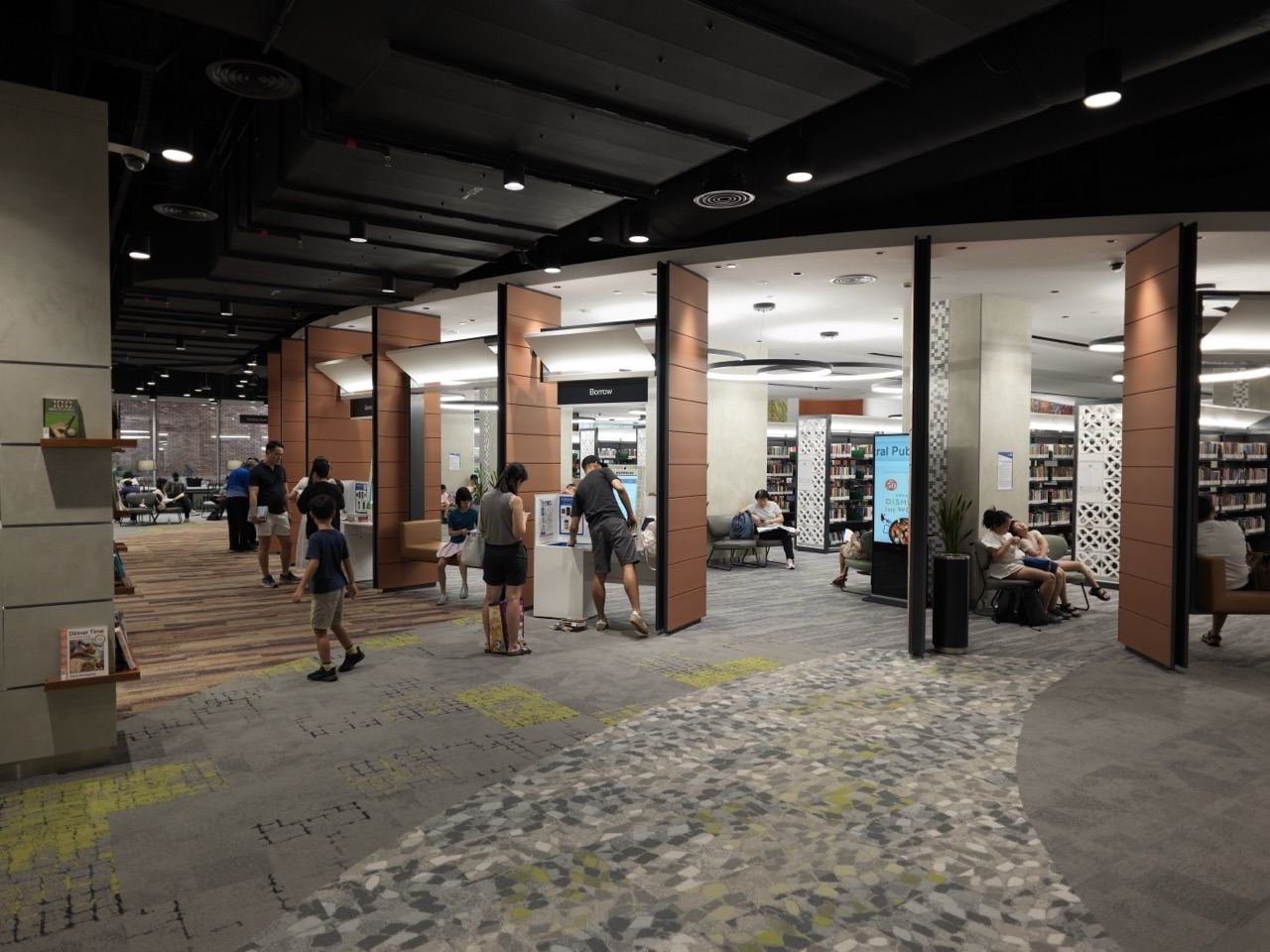
An accessible kiosk should let people approach, understand and complete the intended self-service task through supported methods, with appropriate privacy and recovery. The gold standard is not a large touchscreen or one passing software report: it is independent access from the physical location through the final transaction and receipt.
This guide uses Bayside Reading Centre, a fictional Singapore library whose modern touchscreen returns system works poorly for people requiring alternative access. It connects Singapore’s current BCA Code 2025, universal design and WCAG-EM 2.0 digital-product evaluation without confusing their different scopes.
The Digital Accessibility Testing Services guide covers the method of evaluating software. Accessibility Remediation Services covers fixing identified barriers, while Assistive Technology Support addresses individual tools and training. This article owns the installed public kiosk and the complete service it delivers.
The client should define four outcomes before purchasing
- **Physical access:** Can people approach and operate the installed equipment safely?
- **Interaction:** Can the whole task be completed through the declared input and output modes?
- **Privacy:** Can patrons understand and confirm sensitive transactions without unwanted disclosure?
- **Recovery:** What happens when payment, network, printer or software fails?
Choose a practical reading route
21-chapter kiosk design index
Purpose, physical approach and controls · chapters 1–7
- The kiosk is accessible only when a real transaction can be completed
- Define exactly which transactions the kiosk promises
- Consider the approach route before the touchscreen
- Use universal-design principles beyond baseline compliance
- Choose a control layout users can understand from the start
- Provide a route beyond direct touch interaction
- Make spoken output useful and privately available
Information, privacy and transaction · chapters 8–14
- Keep captions and visual alternatives for audio messages
- Plan magnification, contrast and readability as real tasks
- Make language selection honest and maintainable
- Design authentication without unnecessary exclusion
- Protect privacy while keeping the kiosk accessible
- Make payment and receipt actions independently understandable
- Design errors that users can recover from safely
Evaluation, recovery and staff · chapters 15–19
Maintenance, measurement and public trust · chapters 20–21
1. The kiosk is accessible only when a real transaction can be completed
A fictional Singapore library, Bayside Reading Centre, replaces its service counter with touchscreen kiosks that let patrons borrow or return books, pay charges and print receipts. The new screens look clear and responsive in the showroom. In the lobby, one patron using a wheelchair cannot comfortably reach the payment control, another cannot use the touchscreen without spoken navigation, and a third loses the entire return transaction when the printer runs out of paper.
The gold standard of accessible kiosk design is independent, safe and understandable service from approach through confirmation and recovery. It joins physical installation, interface controls, sensory alternatives, transaction privacy and realistic maintenance. A highly rated screen layout is not enough when the terminal is unreachable or fails at the last step. Bayside Reading Centre and its scenarios are fictional; the case shows why a kiosk is both a digital product and a physical service in a real environment.
Back to chapter index · Next chapter
2. Define exactly which transactions the kiosk promises
A kiosk may issue tickets, accept payments, provide directions, check in visitors, manage reservations or process documents. Different tasks involve different input, output, privacy and physical requirements. A procurement brief should identify what the person must accomplish and which parts are optional, not simply request a 32-inch interactive display.
At Bayside, the critical journeys are borrowing, returning, paying an eligible charge and receiving confirmation. A system may offer a video welcome screen, but those core actions must work through supported access methods. Clarify which tasks can be completed at the kiosk and which legitimately require staff or a separate service. The advertised capability should match the functions actually available during normal operation.
Back to chapter index · Next chapter
3. Consider the approach route before the touchscreen
A terminal can have excellent software but be positioned where a person cannot safely reach it, turn toward it or access it through a barrier-free route. Physical approach includes floor space, obstruction, queue management, height, reach and the surrounding building. The relevant specifications depend on the site, building work and governing rules.
Singapore’s BCA Code on Accessibility in the Built Environment 2025 sets applicable baseline requirements for new building works and relevant additions or alterations. It is not a universal product certificate for every kiosk. The venue should involve qualified building and accessibility professionals to assess approach, location and installation against the actual project, rather than install hardware based only on a manufacturer’s marketing dimensions.
Back to chapter index · Next chapter
4. Use universal-design principles beyond baseline compliance
Legal minimum requirements are important, but a usable service also considers variety in age, height, mobility, dexterity, vision, hearing and experience. Clear orientation, tolerance of mistakes, appropriate effort and meaningful choice can improve use for many patrons. Design should avoid implying that one body position or interaction style is normal and all others are exceptions.
BCA’s Universal Design Guides describe flexibility, perceptible information, low physical effort and sufficient size and space among core principles. The companion guidance is not identical to the mandatory Code. A kiosk designer can use these principles to go beyond a pass/fail view of the building and consider the complete patron experience, including someone carrying books, using mobility support or needing assistance with the interface.
Back to chapter index · Next chapter
5. Choose a control layout users can understand from the start
Large touch controls and clear visual hierarchy may help many patrons, but size alone does not solve interaction problems. Buttons need meaningful labels, understandable grouping, adequate distinction and predictable actions. A user should not have to decode ambiguous icons or discover the only available Help control after an error occurs.
For the fictional library, separate Borrow, Return and Pay Charges clearly, and explain the first step of each service. Avoid placing irreversible actions immediately beside navigation controls without a suitable opportunity for review. The touchscreen should communicate its state and provide a simple route to restart without abandoning legitimate saved progress accidentally. A clear information architecture is often more valuable than elaborate animated decoration.
Back to chapter index · Next chapter
6. Provide a route beyond direct touch interaction
Some users cannot precisely touch a screen, cannot reach it or use alternative input methods. The product should define supported ways to operate controls and complete necessary tasks. Depending on context these may include appropriate tactile keys, accessible external input, voice-supported modes or another legitimate accessible interface.
Do not assume that increasing button size alone creates independent access for blind patrons or those with limited hand control. Verify the actual functions, control identity and error recovery through each offered route. The US Access Board’s ADA Standards for ATMs, section 707, provide a useful example of detailed tactile input and speech requirements for that specific US device category. They are not automatically the law for every Singapore library kiosk.
Back to chapter index · Next chapter
7. Make spoken output useful and privately available
A visual-only self-service kiosk can prevent independent access for people who cannot use the screen. Spoken prompts may need to convey orientation, choices, input confirmation, errors and final results. The method must be usable and appropriately private, particularly where account balances or personal details are involved.
Bayside’s spoken mode should identify Borrow, Return and other options without reading every background decoration. Patrons should understand the relevant input methods, how to repeat an instruction and whether sensitive information will be spoken aloud in the public lobby. The design may need a compatible private listening route and secure volume behaviour. A voice that announces account details through the kiosk’s open speakers is not an accessibility success just because speech synthesis is functioning.
Back to chapter index · Next chapter
8. Keep captions and visual alternatives for audio messages
Audio instructions can be valuable for some users, but others cannot hear them or prefer reading. Any essential information carried through sound should also be available in an appropriate visual or text mode. The kiosk should not rely on a spoken error announcement while showing only an unexplained blinking icon.
If a return transaction fails, the system needs a meaningful visible explanation and a usable next action. Where a video demonstration includes speech, apply relevant media-accessibility requirements within the actual digital product. W3C’s accessible media guidance distinguishes captions, descriptions and transcripts. The same substantive instruction should not contradict itself across sound and text.
Back to chapter index · Next chapter
9. Plan magnification, contrast and readability as real tasks
Public kiosks encounter different lighting, glare, viewing angles and distances. A clean design in a studio may be hard to read in a sunlit lobby. Important text should remain legible within the supported physical and software constraints, without hiding essential controls when displayed larger.
Test meaningful error messages, instructions and transaction summaries in realistic room light. Check what happens if a user enlarges text or uses any provided zoom feature. The BCA building guidance addresses surrounding accessibility, while WCAG 2.2 provides relevant digital-content criteria within its scope. The kiosk’s actual controls and hardware create additional considerations beyond a generic responsive webpage preview.
Back to chapter index · Next chapter
10. Make language selection honest and maintainable
A kiosk may offer multiple languages, but partial translations can mislead if the first menu is translated while payment or error messages revert to another language. Language choice is especially consequential for consent, charges and transaction finality. The available languages and modes should be described accurately.
For Bayside, a patron selecting Mandarin should encounter the same correctly explained borrowing conditions and receipt details as someone using English, subject to the published language scope. Glossaries and reviewed source messages help consistency. Media Localisation Services covers the wider workflow. Kiosk operators should not claim ‘fully multilingual’ after translating only the start screen.
Back to chapter index · Next chapter
11. Design authentication without unnecessary exclusion
Patrons may need to scan a library card, enter a PIN, use a one-time code or choose a supported identity method. Authentication should protect legitimate accounts while remaining understandable and usable for the intended population. Some users may have difficulty with memory-dependent challenges or devices that lack the expected feature.
Consider the actual WCAG 2.2 Accessible Authentication criteria where applicable and balance them with security requirements. Do not demand that users reveal passwords to library staff as the routine accessible alternative. Plan legitimate recovery routes and clear session timeouts. The specific method requires security and accessibility review; an attractive login screen cannot prove the authentication journey is available to everyone.
Back to chapter index · Next chapter
12. Protect privacy while keeping the kiosk accessible
Shared terminals may show account names, borrowing histories, payments and receipts. Spoken support, large text and accessible focus states must not expose unnecessary personal details to nearby visitors. Privacy should be designed into the service, not used as a reason to deny an accessible route.
Provide reasonable discretion through screen placement, appropriate timeouts, limited data retention and private listening options where needed. A patron should be able to end the session confidently and know whether their information remains visible. A library helpdesk may assist when requested, but should not automatically receive private borrowing data merely because the patron uses accessibility features. Data collection must follow applicable privacy duties and real operational needs.
Back to chapter index · Next chapter
13. Make payment and receipt actions independently understandable
A payment terminal, card reader, printer and touchscreen may be supplied by different manufacturers. A patron can complete every menu step correctly and still fail when a card reader is unreachable or the receipt contains information unavailable in the chosen access mode. End-to-end design must include physical and digital outputs.
Test the complete payment and receipt path with supported methods, not just the cashless interface animation. The US Access Board’s ATM examples illustrate the value of accessible input and spoken transaction information within their defined scope. Singapore product, building, payment and consumer obligations must be checked separately. A kiosk should explain whether a receipt is optional, what confirms completion and what happens when paper is unavailable.
Back to chapter index · Next chapter
14. Design errors that users can recover from safely
Ordinary kiosk failures include unreadable cards, connection loss, unavailable printers, full return bins and accidental selection. A user should understand what happened, whether the transaction was accepted and what authorised step comes next. A generic red screen or silent restart is especially harmful when money or valuable property is involved.
In the fictional library, a printer jam should not erase a successfully registered book return or make the patron uncertain whether a fine was paid. Provide a comprehensible result through the available access modes and avoid charging twice after a retry. Error states need proper system design and incident logging, not blame assigned to users for pressing a button again. Recovery is part of the service promise.
Back to chapter index · Next chapter
15. Test kiosks as complete digital products under WCAG-EM
Conformance evaluation can include the digital interface and its important user journeys. The July 2026 WCAG Evaluation Methodology 2.0 supports applications, kiosks and other digital products, with five stages covering scope, exploration, sampling, evaluation and reporting. This is supporting methodology, not an automatic certification or a replacement for physical accessibility standards.
For Bayside, include the entire Borrow and Return journeys, including authentication, error states and confirmation. Because a kiosk can have relatively few views, evaluating the whole interface may be practical. State the tested hardware, input and output modes, languages and known limitations. Digital conformance alone does not prove that the terminal is physically reachable or that the printer and card reader are usable.
Back to chapter index · Next chapter
16. Test physical access and software operation together
Separate teams may check the floor plan and software, but an accessible product requires both to work together. A tactile button could be designed correctly yet mounted beyond a patron’s reach. A perfectly placed screen might use controls that cannot be operated without precise touch. Integration testing should reflect those combinations.
Include realistic approach, seated or standing operation as appropriate, safe clearance, readability and actual transaction completion in the evaluation plan. Involve suitable qualified building professionals for physical decisions and competent digital accessibility evaluators for the interface. W3C’s guidance on involving users with disabilities can inform task-based evaluations, but no small test group represents every person. Record what was tested and by whom.
Back to chapter index · Next chapter
17. Protect service continuity when the network or machine fails
A self-service kiosk depends on network connectivity, identity services, databases, payment systems and local hardware. A backup network alone cannot guarantee service if the return slot is jammed or the application crashes. An outage plan should identify the functions affected and how patrons can obtain trustworthy information.
At Bayside, staff should know whether a return has been recorded before asking a patron to place the same book into another terminal. Distinguish a temporarily unavailable function from a completed transaction. Provide accessible outage notices in more than one relevant mode, and maintain a genuine help route. A sign saying ‘ask staff’ can be useful as a recovery option but should not replace planned independent access whenever the system is otherwise operational.
Back to chapter index · Next chapter
18. Train staff to assist without taking control unnecessarily
Some patrons will want help, while others prefer independent interaction. Staff training should explain supported access modes, how to maintain privacy, how to recognise transaction errors and when technical issues require escalation. Assistance should respect the person’s chosen communication method and not presume incompetence because of a disability.
If a patron asks for audio guidance, staff can explain how to activate the supported mode while allowing the person to complete the transaction. Do not read private PINs aloud or demand that the patron disclose an account password. Provide accessible help information near the machine as appropriate. A customer-service desk should know the limitations of the terminal and how to arrange an authorised remedy when it fails.
Back to chapter index · Next chapter
19. Plan cleaning, updates and maintenance around accessibility
Public terminals need maintenance, software updates, consumables and physical cleaning. These tasks can accidentally disable accessibility settings, block connectors or move tactile instructions. A kiosk that was accessible at commissioning may become unusable when a new payment widget is installed or a protective panel covers a control.
Maintain a supported configuration and test critical access modes after changes. Replenishing printer paper is ordinary maintenance, but the team should also verify receipt status messages and accessible controls after servicing. Keep a record of relevant software versions and repair ownership. Accessibility needs a continuing operations budget, not one inspection before the ribbon-cutting ceremony.
Back to chapter index · Next chapter
20. Measure access through successful transactions, not touch counts
A kiosk dashboard may count screen taps, sessions started or total transactions. These measures can hide people who repeatedly abandon a step, request staff assistance or receive unclear confirmation. Quality review should examine completion, errors, privacy, access-mode reliability and support outcomes without gathering intrusive information about disability.
For Bayside, a stronger review asks whether a patron can return a book, understand the result and leave without accidental duplicate processing. Test the essential paths with different supported inputs and appropriate users. Do not claim all wheelchair users or all blind patrons are satisfied based on one convenient demonstration. Document limitations and plan corrections in terms of real tasks rather than a single success percentage.
Back to chapter index · Next chapter
21. The gold standard is a service completed with dignity
The fictional library’s kiosk is now located and designed for appropriate physical access, offers workable non-touch and private spoken routes, shows accurate transaction states and recovers responsibly when printers or networks fail. Its staff and maintainers know which versions and access methods were actually verified.
Accessible Kiosk Design Services earn their gold standard when different people can approach, understand, operate and complete legitimate self-service tasks independently wherever practicable. The achievement is not an attractive screen or an accessibility label on the hardware. It is a trustworthy public service that treats physical access, digital usability, privacy and maintenance as one connected obligation.
Worked case: a successful touch demo, an incomplete real service
Bayside Reading Centre is fictional; the failures show how physical, digital, transactional and operational responsibilities interact.
| User step | Showroom success | Actual barrier | Acceptance evidence |
|---|---|---|---|
| Approach terminal | Touchscreen is attractive | Card reader cannot be reached comfortably | Site-specific physical access assessment |
| Choose service | Large visual menu | No workable non-visual control route | Supported spoken / alternative input path |
| View account | Balance displayed | Information spoken publicly | Private and understandable access mode |
| Return book | Transaction starts | Printer failure obscures completion | Clear confirmation and safe recovery |
| Next software update | Patch installed | Audio control mode stops responding | Regressed user journey retested |
Kiosk buyer’s responsibility matrix
Different professional responsibilities should be kept visible even when one supplier offers a single turnkey package.
| Part of service | Appropriate owner | Evidence |
|---|---|---|
| Location, approach and built works | Owner + qualified built-environment professional | Applicable BCA and site access review |
| Interface / control modes | Digital product design and development team | Defined access paths tested against product scope |
| Hardware, payment and peripherals | Kiosk integrator / relevant suppliers | Usable reader, output and failure states |
| Privacy, rights and account access | Service operator / security owner | Protected transaction and valid recovery |
| Maintenance and public support | Operations team | Training, tests and incident procedures |
Accessible self-service acceptance checklist
- Confirm the actual user tasks and legal scope before hardware selection.
- Review the installed approach, physical controls and building responsibilities.
- Provide usable alternatives to touch and sight where required or promised.
- Make visual, spoken and tactile information coherent and appropriately private.
- Test authentication, payment, receipts, errors and timeouts end to end.
- Verify languages and accessible media through actual terminal playback.
- Involve qualified accessibility evaluators and relevant users.
- Prepare real maintenance, security, support and outage procedures.
- Report the actual supported methods and limitations honestly.
Frequently asked questions
These questions separate building accessibility, digital conformance, transaction security and public usability so buyers do not accept one in place of the others.
1. Does a kiosk pass because its touchscreen website meets WCAG 2.2?
Not automatically. WCAG addresses digital content and interactions within its stated scope, while a physical kiosk also requires usable approach, reach, installed controls, receipt devices and other environmental conditions. WCAG-EM 2.0 can evaluate kiosk software, but does not certify the physical installation. The product owner should coordinate appropriate digital evaluation with applicable building, hardware and service requirements.
2. What is Singapore’s current building-accessibility reference?
BCA’s Code on Accessibility in the Built Environment 2025 is the current Code listed on the official BCA site and applies to covered new building and addition/alteration works. It supports baseline built-environment accessibility; not every provision is a product-specific kiosk instruction. The actual project, site and relevant duties need review by qualified professionals. BCA’s Universal Design companion guidance provides additional user-centred considerations.
3. Must every kiosk have the same height, keypad or audio socket?
No universal configuration can be assumed without considering the actual device category, jurisdiction, task and applicable standard. Physical reach, accessible input, sensory output and privacy need task-specific assessment. US ATM technical requirements are useful examples of detailed obligations for covered ATMs, not proof that every library kiosk in Singapore must copy each one. Buyers should specify functions and request verifiable compliance with their real requirements.
4. Can a staff member complete a transaction on behalf of every patron who cannot reach the screen?
Staff assistance can be an important fallback or requested support, but it is not always an equivalent substitute for independent service, particularly for private payments or personal library history. The design should enable genuine independent access where practical and required, while maintaining respectful alternative service routes. A procurement should not market a kiosk as universally accessible solely because employees are willing to help.
5. How should a blind patron know the kiosk’s controls and transaction state?
A suitable supported audio or tactile interface needs to convey orientation, choices, input results, errors and final confirmation without relying on visual location. Important speech output should be available through an appropriate private route where the transaction contains sensitive information. Test real steps rather than one welcome message. The specific hardware must be evaluated under applicable technical and legal requirements.
6. Why are captions useful on kiosks that already show text?
Some kiosks include explanatory videos, spoken instructions or alerts whose meaningful content is not otherwise displayed. Those elements may need caption or visual alternatives depending on the media and product requirements. Not every ordinary text screen needs a duplicate caption track. The key question is whether information essential to a transaction is available through the user’s supported access method.
7. How should a kiosk support language choice?
State which languages and interaction modes are genuinely available, then test the entire task in each promised language. Translating the first menu is insufficient if payment conditions, error messages and receipts revert to an unfamiliar language. Use reviewed terminology and source versions. When a language is not supported, the service should describe that limitation accurately instead of displaying an unverified language-selection badge.
8. How should privacy work with spoken output?
Do not make sensitive account or payment information audible to everyone around the machine. Provide suitable private listening and carefully designed spoken information in accordance with relevant requirements and the device’s supported methods. Consider screen placement, timeouts and how a user can end a session. Accessibility must not depend on surrendering privacy or asking staff to handle a personal PIN.
9. Can an automated kiosk accessibility test prove the whole service works?
No. Automated checks can identify some digital issues, but they do not measure physical approach or verify all keyboard, tactile and spoken interactions, printer failures and transaction recovery. Use a defined scope, relevant manual and assistive-technology tests, and real user tasks. WCAG-EM 2.0 offers a structured evaluation methodology, not automatic certification or universal proof of all product and building obligations.
10. What happens when a receipt printer fails after payment?
The system should distinguish whether the transaction succeeded from whether the paper receipt printed. A user needs a trustworthy status and an accessible route to obtain or verify required information. Avoid encouraging duplicate payment merely because paper was unavailable. Reconcile financial and transaction records under the operator’s actual rules, and provide a suitable help or recovery process.
11. What should happen when a kiosk is inaccessible during an outage or update?
The organisation needs a realistic alternative service route and understandable notice in the relevant access modes. Document what is unavailable, whether in-progress transactions are saved and whom patrons can contact. Do not promise a restoration time without operational evidence. After updating the kiosk, retest critical interaction modes; security and accessibility should be managed together.
12. What should procurement require beyond a vendor’s brochure?
Request a task-by-task scope, physical installation and building-accessibility responsibilities, supported input/output modes, privacy and language design, performance tests, maintenance procedures, accessibility conformance evidence where applicable and defect-remediation ownership. Include representative patron tasks from approach to final confirmation. The supplier’s successful showroom demonstration is only one input, not proof of actual installed service quality.
Current official sources and connected eduKate reading
- Singapore BCA Code on Accessibility 2025 (current page)
- Singapore BCA Universal Design Guides
- W3C WCAG-EM 2.0, including kiosks
- WCAG 2.2 Success Criteria
- US Access Board ATM device requirements (category-specific)
- W3C How People with Disabilities Use the Web
- W3C Involving Users in Accessibility Evaluation
- W3C Accessible Media Guidance
- eduKate — Digital Accessibility Testing Services
- eduKate — Accessibility Remediation Services
- eduKate — Assistive Technology Support Services
- Gold Standard Sectors & Services Directory
Standards note, October 2026: BCA’s Code on Accessibility in the Built Environment 2025 governs specified building work in Singapore; its companion Universal Design guidance adds nonmandatory design considerations. WCAG-EM 2.0 is a digital-product evaluation method that can cover kiosks, not a product or building certificate. US ADA ATM rules apply to their defined US category and cannot be imposed automatically on Singapore libraries. Professional site and service reviews remain necessary.