
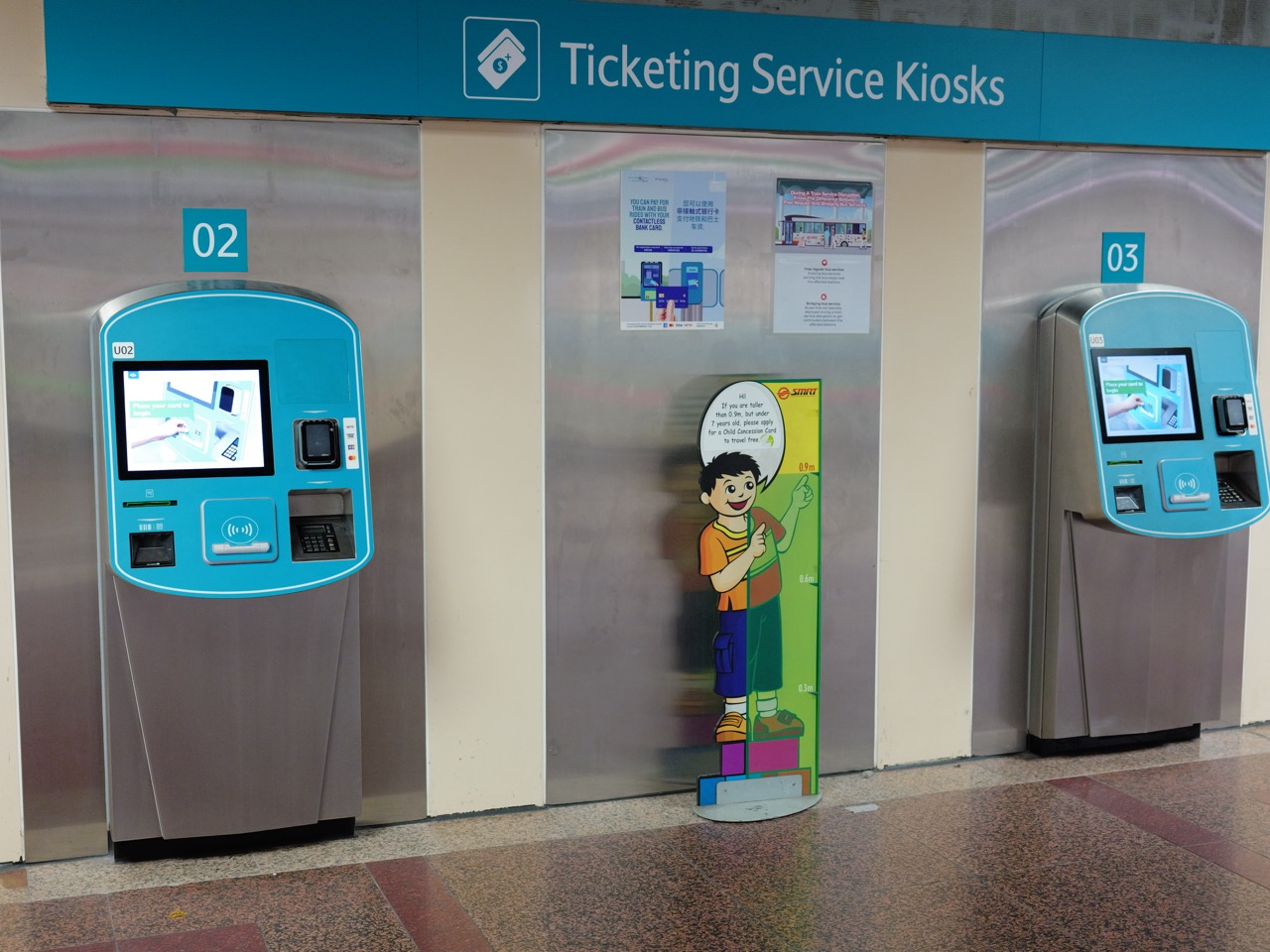
You tap a button. Nothing appears to happen. You tap it again. Now you wonder whether you have booked twice. That small moment contains an interaction-design problem: the action, system response and person’s understanding have drifted apart.
The gold standard of interaction design is an experience in which people can understand what is possible, act with reasonable confidence, recognise the result and recover when something goes wrong. Appearance supports that experience, alongside language, behaviour and evidence.
This guide connects eduKate’s teaching, human–computer interaction, accessibility, form design and product-study branches. It extends The Gold Standard of Education through observation, prototypes and fictional worked cases. The aim is to explain a usable interaction, then test whether it works for the people concerned.
THE GOLD STANDARD · INTERACTION DESIGN
Find your next practical step
Choose the question closest to your purpose, then continue through the explanation, worked cases and specialist reading routes.
Chapter index · Practical check · Education and learning transfer
Chapter index
Understand the subject · Chapters 1–4
Apply and inspect · Chapters 5–8
Practise and continue · Chapters 9–12
Interaction design shapes how people act with a product or service and understand its responses. The product may be digital or physical. A booking form, a ticket machine and a classroom control panel each connect an intention with a sequence of actions.
Describe the task in the person’s language. Book a place at an appropriate session is more useful than click through three screens. The first describes an outcome; the second prescribes a route before the problem is understood.
Observe the setting. Time pressure, interruptions, device size, prior experience and available assistance can change what a person needs. A design that works calmly on a large monitor may create difficulty on a phone in a busy place.
Write a task statement with a starting condition and observable completion. It gives later design choices a purpose and prevents a polished screen from becoming the only evidence of success.
A journey connects the stages the person experiences. States describe conditions the system can be in: no session selected, details entered, request processing, booking confirmed or request unsuccessful.
The interface needs to make important distinctions understandable. A saved draft is different from a submitted request. A received request is different from a confirmed place. If both are described as done, the person may act on a promise the service has not made.
Map the normal sequence and the likely interruptions. What happens after a timeout, a return to the previous step or a change of mind? The design should have a coherent answer rather than leaving these conditions outside the drawing.
A simple paper state map can expose missing decisions before programming begins. It also helps a team agree which messages and actions belong at each point.
A person needs to recognise a control and understand what it will do. Use labels that describe the action or destination. Continue may be adequate within a clear sequence, while a consequential action benefits from more specific wording.
Keep the relationship between a control and its effect clear. If selecting a date changes available sessions, the updated choices should be understandable. Do not require the person to infer a hidden dependency from an unexplained empty list.
Consistency helps people transfer what they have learned. Similar controls should behave similarly unless there is a useful reason for a difference. Explain an important difference where it affects the next decision.
Inspect the design without narrating it. If a reviewer needs to explain which shape is clickable or what the button means, record that dependency. It may point to a clearer control, label or sequence.
Feedback tells the person that an action was received and what happened next. It can include a changed state, a progress message, a confirmation reference or an explanation of a problem.
Distinguish processing from success. While a request is being handled, say what is happening without implying completion. Once the outcome is known, communicate the result and any useful next step.
Feedback must be available to the people using the interface. A visual change alone may be missed by someone who does not see it or whose attention is elsewhere. The implementation should provide appropriate perceivable status information.
Test delayed and unsuccessful responses, as well as the fast successful case. A system that feels clear only when everything happens immediately may become confusing under ordinary variations in connection or service response.
Errors can arise from unclear instructions, accidental actions, missing information or system failures. The useful design question is how the person recognises the situation and moves forward.
Explain what needs attention in language connected to the task. Invalid input is less helpful than a message identifying the field, expected format and repair. Preserve valid information when possible so correction does not require restarting the whole journey.
Where an action has a serious consequence, offer a proportionate chance to review it. For a reversible action, an understandable undo may be useful. Choose the arrangement according to the consequence and actual system capability.
Recovery includes contact or escalation when self-service cannot resolve the issue. Explain what information the person should keep and what response they can reasonably expect. A cheerful error illustration cannot replace a usable route forward.
W3C WAI’s guidance on involving users recommends including people with disabilities early and throughout projects, alongside evaluating relevant accessibility requirements. Participation and technical evaluation contribute different evidence.
Plan for varied ways of perceiving information and operating controls. Keyboard use, screen reading, magnification and other approaches should be considered in the actual design and implementation, rather than added as an afterthought.
W3C’s explanation of accessibility, usability and inclusion distinguishes these related ideas. A generally popular interface can still exclude people, and user testing alone cannot establish that all accessibility requirements have been met.
Ask participants about their own strategies and needs respectfully. One person’s experience is valuable evidence about that experience; it should not be treated as a complete representation of everyone with the same disability.
A fictional workshop page shows a button labelled Submit. After activation, the page looks unchanged for several seconds. The person presses it again. A later message says Request received but gives no session, reference or explanation of whether a place is confirmed.
Begin by clarifying the service states. The person needs to know that the first action was received, that processing is underway and what the final result means. The design needs separate messages for these conditions.
A revised prototype names the selected session and action, shows an understandable processing state and then displays the supported outcome with a reference and next step. The underlying service must also handle repeated requests safely; interface wording alone cannot prevent every duplicate transaction.
Test the design with success, delay and failure scenarios. Ask the person what they believe has happened at each point. The important result is whether that understanding agrees with the system’s actual state.
A fictional classroom team compares two prototypes for choosing a session and finding the cancellation instructions. Eight participants try each version with the same stated task. In the first version, five complete it without help; in the second, seven do.
The observed completion proportions are 5/8, or 62.5%, and 7/8, or 87.5%. The difference is twenty-five percentage points. These describe the observed trial, not the whole population.
Record the trial conditions. If the same participants try the first version before the second, practice may contribute to the later result. Different tasks, assistance or devices can also affect a comparison.
Look at behaviour as well as the proportions. Which label was misunderstood? Where did someone need help? A small trial can expose a specific problem without supporting a broad claim that one version is universally better.
| Prototype | Unassisted completion | Observed proportion |
|---|---|---|
| First version | 5 of 8 | 62.5% |
| Revised version | 7 of 8 | 87.5% |
| Observed difference | 2 additional completions | 25 percentage points |
Choose a prototype that can answer the current question. Paper screens can explore sequence and wording. An interactive prototype can examine navigation and state changes. A working implementation is needed to inspect behaviours the prototype does not reproduce.
State what is real and what is simulated. If a person always receives a successful result because the prototype has no failure path, the session cannot establish whether recovery works.
Give a realistic task without revealing the intended route. Observe where the person pauses, makes a different assumption or takes an unexpected action. Ask neutral questions rather than explaining the interface into apparent success.
Connect each proposed revision with evidence and a design intention. Then check the revised behaviour. Testing becomes useful when it changes an identifiable part of the experience and provides a way to judge the change.
Choose a fictional booking, search or registration flow. Write the person’s goal, then list the important states, available actions, feedback and recovery routes. Keep personal data out of the exercise.
Pick one uncertain interaction and make two simple alternatives. Explain what differs and what observation would help compare them. Include an appropriate plan for varied users and technical accessibility checks.
Practical check: in a small fictional trial, six of ten participants identify whether their booking is confirmed. A revision raises this to eight of ten. Calculate the observed proportions and percentage-point difference. What should the team inspect beyond the numbers?
Checking answer: the observed proportions are 60% and 80%, a twenty-percentage-point difference. Inspect the participants, task, assistance, order effects and actual misunderstandings. The numbers alone do not establish the cause or guarantee the same result elsewhere.
Is interaction design just making screens attractive? It concerns behaviour, actions, states, feedback and recovery. Visual design can make those relationships easier to perceive and understand.
Does a prototype prove the service works? It supports conclusions about the behaviours it represents. Simulated payments, confirmations or error paths still need verification in the actual service.
Can a successful usability session prove accessibility? No. User involvement and appropriate technical evaluation provide complementary evidence. Neither one participant nor one task represents every relevant situation.
Does fewer clicks always mean a better interaction? No. A shorter path can be confusing or omit a useful review. Assess task success, clarity, effort and consequences together.
Begin with teaching interaction design if you want a learning sequence. Human–computer interaction offers a broader view of people and interactive systems. Form design, accessibility research and accessible visualisation focus on specific kinds of interaction and evidence.
Product-design study routes can help connect these ideas with wider design work. Keep a record of the task, observation, decision and revision: that is how a design becomes explainable to someone who did not attend the original discussion.
Learn the design process
Accessible interactions and specific interfaces
- The Gold Standard of Accessibility User Research Services | Real Tasks and Respectful Evidence
- The Gold Standard of Accessible Data Visualisation Services | Charts with Equivalent Meaning and Trustworthy Decisions
- The Gold Standard Of Public Sector Form Design
- The Gold Standard of Accessibility Training and Competency Services | Demonstrated Skills and Reliable Practice
Visual communication and further study
Return to The Gold Standard of Education to connect subject knowledge with observation, evidence and decisions in everyday life.