
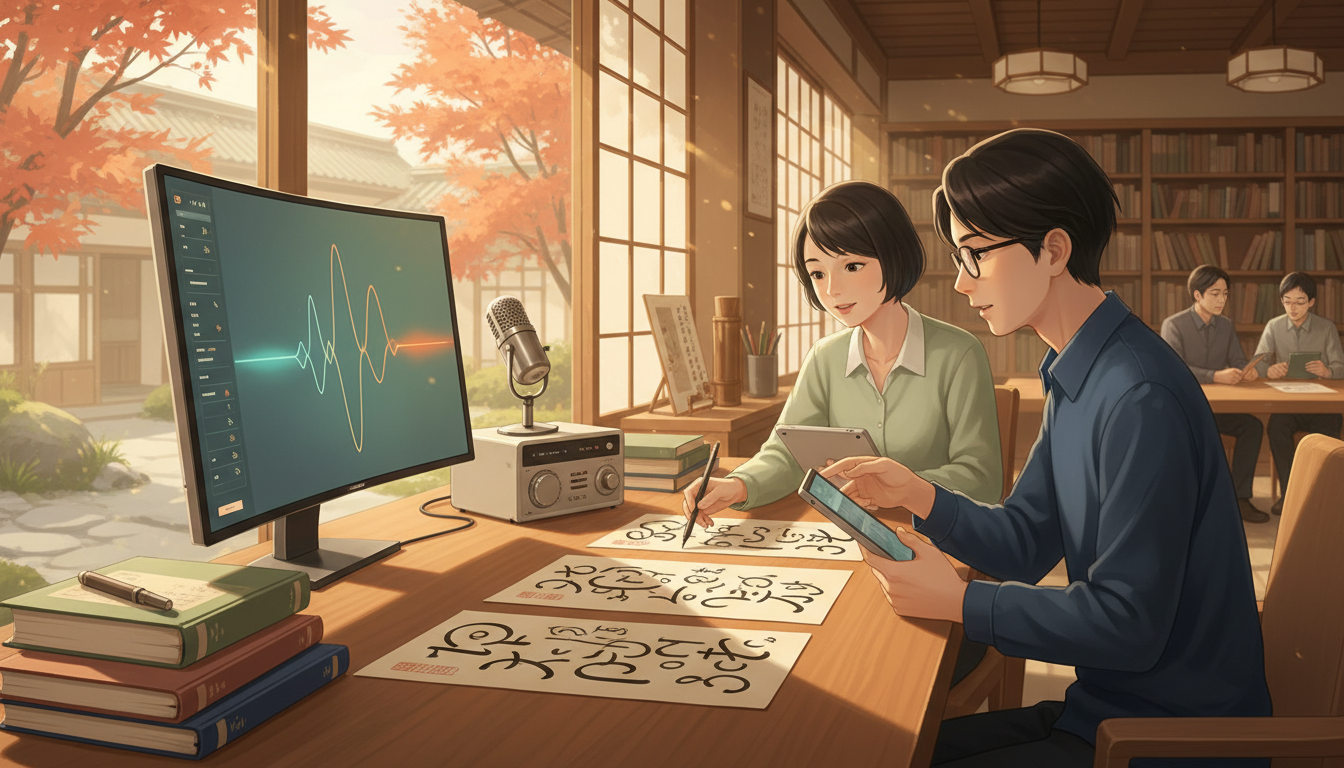
A Japanese page has more to solve than font size. Kanji, hiragana, katakana, Latin names, numbers and pronunciation notes must stay readable as text moves from a printed book to a phone or from horizontal lines into vertical columns.
The Gold Standard of Japanese Typography asks whether the text remains correct, well organised, accessible and faithful to Japanese composition conventions. I examine the writing system, fonts, punctuation and layout together rather than treating beautiful glyph samples as a finished publishing design.
This 45-chapter guide draws on W3C’s Japanese layout requirements, its March 2026 Japanese Script Resources draft and Unicode guidance. It includes three explicitly illustrative layout and font-coverage calculations, not proprietary font files or prescriptive designs.
Chapter index
Scripts, writing modes, punctuation and ruby · Chapters 1–15
- Japanese typography is the design of readable relationships
- Distinguish language, characters, glyphs and typography
- Kanji, hiragana and katakana form one writing ecology
- Square character frames are a starting model, not every shape
- History includes manuscripts, print and modern digital text
- Horizontal and vertical modes communicate differently
- Vertical composition has its own glyph orientations
- Use semantic content before applying vertical styling
- Worked example: a nominal line-capacity calculation
- Kinsoku shori prevents inappropriate line breaks
- Punctuation has spacing and placement conventions
- Use character classes rather than dozens of private hacks
- Ruby annotations explain reading without rewriting a word
- HTML ruby structure can preserve relationships
- Ruby must not cause accidental collisions
Mixed text, fonts, encoding and line geometry · Chapters 16–29
- Furigana needs an actual educational purpose
- Tate-chū-yoko handles short horizontal runs in vertical text
- Worked example: four digits need a deliberate style choice
- Mixed Japanese and Latin words require explicit conventions
- Japanese typefaces have regional glyph preferences
- Minchō and gothic styles serve different contexts
- Font coverage means more than a name on a menu
- Worked example: a character test set reveals a gap
- Font fallback can change line endings
- Unicode encoding does not describe page width
- Variation selectors and compatibility forms need care
- Line width matters to sustained reading
- Leading and line gaps should account for ruby and emphasis
- Emphasis can use points, weight or other conventions
Digital layout, accessibility and reproducible publication · Chapters 30–45
- Numbers, currency and scientific notation demand tests
- Tables behave differently from running paragraphs
- Layout must survive responsive screens
- CSS writing mode should not break document semantics
- Print and e-book typography need distinct acceptance tests
- Accessibility includes navigation as well as larger type
- Captions and alternative text require accurate descriptions
- Editorial consistency is a quality control process
- Test specimens beyond a few beautiful sample characters
- Worked example: nominal page positions are not words
- Check source text, fonts and rendered output independently
- Avoid treating all East Asian typography as identical
- Typography has a life after the publication date
- Use a practical Japanese typography audit
- Frequently asked questions about Japanese typography
- Continue through related Gold Standard roots
Quick information: four questions before typesetting
| Decision | What to verify |
|---|---|
| Writing mode | Horizontal or vertical, with suitable reading order |
| Character rendering | Japanese language forms and safe fallback |
| Line composition | Punctuation restrictions, spacing and ruby |
| Delivery | Readable print, web, e-book and assistive output |
1. Japanese typography is the design of readable relationships
Japanese typography organises kanji, hiragana, katakana, numerals, Latin text, punctuation and annotations into readable pages or screens. Its design can be horizontal or vertical and may change with literary, educational, interface and commercial contexts. The challenge is not merely choosing a beautiful Japanese font.
The gold standard is text that communicates accurately, preserves the writer’s intended structure, remains accessible and survives different devices and publishing formats. I begin by asking who must read the information, in what situation and with which writing conventions.
2. Distinguish language, characters, glyphs and typography
Japanese writing combines character systems, but characters are abstract units of text, whereas glyphs are visible representations chosen by a font or rendering process. Two glyph designs can represent the same encoded character and convey different stylistic or regional expectations.
Typography arranges and renders those units: sizing, spacing, line breaks, emphasis and orientation. Language questions such as vocabulary and pronunciation matter, yet a correct sentence can still be badly typeset. For language foundations see Japanese Linguistics.
3. Kanji, hiragana and katakana form one writing ecology
Kanji express many lexical and morphemic distinctions, while hiragana and katakana play important grammatical and lexical roles. Their usage is mixed in ordinary Japanese publications, alongside punctuation, Arabic numerals and foreign-language strings.
The W3C Requirements for Japanese Text Layout describes kanji, hiragana and katakana as central character groups, with additional punctuation and Western characters. A layout engine must handle those combinations rather than treat the page as a uniform block of square marks.
4. Square character frames are a starting model, not every shape
Japanese composition traditionally treats many full-width characters as occupying nominal square character frames. Actual inked shapes vary within those frames, and punctuation or Latin characters can use different metrics or positioning.
A page measured in nominal full-width character positions may therefore not correspond to a simple count of visible shapes. Kerned text, proportional fonts, ruby and layout adjustments can change placement. Use the frame model to understand line construction, not to assert universal fixed spacing.
5. History includes manuscripts, print and modern digital text
Woodblock print, manuscript practice, movable type, photographic composition and digital fonts each brought different material capabilities and constraints. A historic literary page can use layouts inappropriate for a modern smartphone, while some vertical conventions remain valuable in contemporary books.
Study a dated artefact and its production process before declaring a layout ‘traditional Japanese’. The arrival of digital composition did not remove regional conventions or readers’ familiarity with both horizontal and vertical modes.
6. Horizontal and vertical modes communicate differently
Horizontal Japanese usually flows left to right across lines, with subsequent lines below. Traditional vertical Japanese flows from top to bottom, with columns progressing from right to left. Writing orientation influences how Latin text, numbers, punctuation, images and notes fit the page.
The W3C CSS Writing Modes Level 4 describes these directions and their layout effects. A designer should select a mode for actual content and device use, not simply rotate the entire image of a horizontal page.
7. Vertical composition has its own glyph orientations
Some Japanese characters remain upright in vertical text, while certain punctuation marks change orientation or position. Runs of Western text may be rotated or composed differently according to context. A font and browser need suitable glyph and layout support.
The Unicode FAQ on writing direction explains that vertical Japanese is principally a formatting mode, not a use of the Unicode bidirectional algorithm to turn characters one by one. Test real text rather than assuming a generic rotation solves composition.
8. Use semantic content before applying vertical styling
Store Japanese text in the correct reading order and apply writing mode through layout. If words are hard-coded in visual column order for a screenshot, copying, screen readers, search and responsive rendering can fail.
Keep headings, paragraphs and annotations in meaningful document structure. On the web, CSS such as writing-mode: vertical-rl can control visual flow, but semantic reading order and accessible alternatives need independent testing.
9. Worked example: a nominal line-capacity calculation
Imagine a fictional printed page 148 mm wide, with left and right margins of 20 mm. Available content width is 148 − 20 − 20 = 108 mm. Under an intentionally simplified horizontal model using a 3 mm full-width character frame, 108 ÷ 3 = 36 nominal character positions fit on a line.
This is a layout estimate, not a recommendation for actual type size or a guarantee of 36 displayed characters. Punctuation spacing, ruby, proportional forms, line-breaking restrictions and software rounding can change the result. The method is to state your page geometry and assumptions.
10. Kinsoku shori prevents inappropriate line breaks
Japanese composition contains restrictions concerning which punctuation or characters should appear at the beginning or end of a line. A simple algorithm that wraps every fixed number of code points may leave a closing bracket stranded at a line start or an opening bracket isolated at a line end.
The W3C JLReq covers Japanese line composition and prohibited line-break positions. Test short and long lines with actual punctuation pairs; a page may need controlled spacing adjustment to keep the reading natural.
11. Punctuation has spacing and placement conventions
Japanese commas, full stops, brackets and other punctuation marks may occupy defined character classes with characteristic positioning and spacing treatment. Their visual placement can differ in horizontal and vertical writing. Simply swapping a Latin period for a Japanese full stop does not settle the whole issue.
Check consecutive punctuation, start/end of line, bracket pairs and mixed-script contexts using representative material. A typography system should not force every punctuation mark into an assumed centre position.
12. Use character classes rather than dozens of private hacks
JLReq defines character classes to describe how specific groups of signs behave during composition. This permits systematic rules for spacing, breaking and positioning rather than a growing list of exceptions added whenever a page looks odd.
Follow documented requirements and test suites where practical. Individual font shapes and software implementations still differ. A class system improves consistency but cannot replace visual and accessibility checks on real content.
13. Ruby annotations explain reading without rewriting a word
Ruby text supplies small phonetic or explanatory annotations alongside base characters, often helping readers with unfamiliar kanji. Placement differs by writing mode and annotation length. A pronunciation aid should relate clearly to the right base expression.
The JLReq ruby chapters discuss alignment, overhang and spacing. A reader may need those annotations for comprehension, so treating them as expendable decoration can damage the educational meaning of the page.
14. HTML ruby structure can preserve relationships
The web supports semantic ruby markup, where base text and annotation are structurally linked. A visual imitation made from separately positioned plain text can lose that connection when the page resizes or a screen reader navigates it.
Use appropriate HTML constructs, such as ruby and rt, where supported. Test assistive technology and fallback presentation. A screenshot proving the annotation looked attractive on one computer is not enough.
15. Ruby must not cause accidental collisions
Annotations can be longer than the associated base text and extend beyond its character frame. Adjacent annotations or punctuation may then compete for space. Typesetting requirements specify where overhang is acceptable and when separation is needed.
Avoid manually shrinking ruby until it becomes illegible. Review both short and long annotated terms, line endings and vertical settings. Readability is more important than filling every theoretical character position.
16. Furigana needs an actual educational purpose
Furigana can make specialised vocabulary and proper names accessible to learners or readers unfamiliar with a kanji reading. But annotating everything may create visual clutter and change the reading experience for proficient readers.
Define the intended age, language background and purpose of the publication. Offer appropriate annotation density or reader-selectable options where feasible. The best support helps readers understand the meaning without overwhelming the underlying sentence.
17. Tate-chū-yoko handles short horizontal runs in vertical text
Short numbers or other brief strings may be set upright horizontally inside a vertical line, a practice called tate-chū-yoko. Without it, digits may rotate or stack in a way unsuited to the publication’s conventions.
CSS Writing Modes Level 4 describes text-combine-upright and its use for short digit sequences. Apply the rule to the right spans and test rendering rather than forcing every number in a vertical document into the same shape.
18. Worked example: four digits need a deliberate style choice
A vertical Japanese document contains the year ‘2026’. A designer may choose four upright combined digits in one typographic unit, or use another convention suited to the text. A CSS rule targeting only two-digit runs does not necessarily produce the intended four-digit rendering.
Test the actual date, adjacent Japanese punctuation and the chosen font on supported devices. The example is about visual composition, not number conversion. Blindly applying a rule to all digits can break longer amounts or formatted dates.
19. Mixed Japanese and Latin words require explicit conventions
Brand names, scientific units, web addresses and borrowed English phrases can appear within Japanese text. Letter orientation, spacing, capitalization and line breaks must be handled without corrupting the content.
A technical manual may need horizontally oriented expressions inside a vertical passage, or may use a horizontal layout for clarity. Choose conventions consistently and avoid rotating a complex URL into unreadable segments merely to preserve a decorative page format.
20. Japanese typefaces have regional glyph preferences
Characters shared with Chinese or Korean may be encoded similarly while their preferred glyph forms differ by language and locale. A generic CJK font can therefore produce shapes that feel inappropriate or inconsistent for Japanese readers.
The Unicode CJK FAQ recommends language-appropriate font design for optimal results. Set Japanese language metadata and choose a font with suitable Japanese glyph forms; one Unicode code point does not imply one universal regional appearance.
21. Minchō and gothic styles serve different contexts
Japanese serif-like Minchō faces and sans-serif-like gothic faces offer contrasting texture and use. Formal continuous reading, interfaces, diagrams and signage can benefit from different weights and forms, but no style is universally superior.
Test Japanese kana, complex kanji, numerals and punctuation together. Typeface marketing images may feature only a handful of highly curated characters and conceal missing glyphs or uneven weight in ordinary text.
22. Font coverage means more than a name on a menu
A font can render common Japanese samples and still miss less frequent kanji, symbols or annotation characters. Software may silently substitute glyphs from another font, creating mixed strokes, spacing or regional forms.
Build a representative test corpus for the actual publication, including names, technical terms, punctuation and mixed scripts. Record which glyphs were covered and what fallback occurred. Do not distribute or embed proprietary font files without appropriate rights.
23. Worked example: a character test set reveals a gap
Suppose an illustrative corpus contains 1,600 distinct required characters and a chosen font handles 1,500 without fallback. Simple set coverage is 1,500 ÷ 1,600 = 93.75%, leaving 100 distinct characters unsupported.
This rate says nothing about the frequency or importance of the missing characters. One unsupported kanji in a person’s legal name may be more consequential than dozens of unused signs. Test real passages and critical terms rather than celebrating a single coverage percentage.
24. Font fallback can change line endings
When a fallback font supplies a missing glyph, its metrics or visual weight may differ from the main typeface. This can change perceived balance, line breaks or accessibility. Mixed fallback becomes especially visible in headings and ruby.
Observe rendered pages on supported browsers and devices, including environments without a locally installed preferred typeface. A design that depends on one author’s private workstation font is not yet a robust publishing system.
25. Unicode encoding does not describe page width
Unicode code points identify text characters; the display width depends on rendering rules, fonts and context. In UTF-8, the Latin letter A occupies one byte, while hiragana あ (U+3042) occupies three bytes; neither byte count alone determines the visual width.
Do not enforce Japanese layout by slicing a string after a fixed number of bytes. Such manipulation can corrupt characters or split text at inappropriate locations. Correct typography requires a text-aware layout system and suitable break rules.
26. Variation selectors and compatibility forms need care
Some East Asian characters can have alternate glyph presentations, and historical or compatibility mappings complicate text normalisation. A normalisation operation may be useful for one search workflow but inappropriate if it erases a distinction required by a personal name or archival source.
Keep an unaltered reference form where identity or provenance matters. Record the software policy used to normalise searchable copies. Text matching and visual representation solve different problems.
27. Line width matters to sustained reading
A densely packed page may feel efficient but can make it hard to follow lines, distinguish punctuation or navigate ruby. JLReq discusses line length and line spacing as part of planned page geometry, rather than prescribing one format for every device.
Test comfortable reading in a real sample at expected viewing distance and with the intended type size. Long text may benefit from columns or other layout adjustments, but breakpoints should protect sentence and annotation integrity.
28. Leading and line gaps should account for ruby and emphasis
Interline space may need room for pronunciation notes or emphasis marks without causing collisions. Changing the gap randomly from paragraph to paragraph can disrupt page rhythm and make document structure harder to perceive.
Plan line spacing for the content actually present, including the longest annotations. A fixed gap that works for unannotated sample text may fail when a classroom edition adds frequent ruby.
29. Emphasis can use points, weight or other conventions
Japanese composition may use emphasis dots, strokes, typeface changes and other means to distinguish important text. Imported Western italics are not automatically the clearest choice for mixed Japanese passages.
Choose emphasis with attention to semantic meaning and accessibility. Do not rely only on colour or a decorative marker that a screen reader or monochrome print may not convey. A consistent hierarchy helps the reader know what matters.
30. Numbers, currency and scientific notation demand tests
Technical Japanese publications may mix Arabic numerals, kanji numerals, signs, exponents, decimal separators and measurement units. Vertical layout can complicate how longer numeric expressions are presented.
Prioritise unambiguous quantities and correct unit relationships over stylistic uniformity. A calculation should retain its mathematical meaning when copied into plain text or read by assistive technology. For complex data tables, horizontal text may be the better choice.
31. Tables behave differently from running paragraphs
A table’s column headers, values and alignment often assume horizontal organisation. Rotating it to fit a vertical page may produce confusing numeric comparison or inaccessible reading order.
Define each cell’s semantic label and relation to other cells. Test keyboard and assistive navigation as well as visual appearance. Where a table cannot be read comfortably, consider a separate horizontally composed region or alternative representation.
32. Layout must survive responsive screens
An attractive fixed-size vertical print page can become difficult to scroll and navigate on a narrow phone. Responsive design must account for viewport size, input method, zoom, orientation and the reader’s ability to find the next part of the text.
Test horizontal and vertical options across supported devices. Avoid placing meaningful words inside raster images merely to reproduce a print design; selectable text is easier to search, scale and translate.
33. CSS writing mode should not break document semantics
Modern CSS provides properties for writing direction and vertical orientation, but a browser’s visual result must be checked against the document’s logical order. Headings, navigation links, ruby and tables should remain accessible.
Use CSS Writing Modes and the W3C Japanese Script Resources to understand current implementation topics. The March 2026 resource is a Group Note draft, not a guarantee that every browser implements every desired behaviour identically.
34. Print and e-book typography need distinct acceptance tests
Printed pages have a fixed trim size and production constraints, while e-books may reflow under user-selected font size and screen orientation. A print composition can deliberately balance line endings; the same fixed positions may be inappropriate for reflowable content.
Test reflow, copying, navigation and annotations in representative reading environments. Provide a clear style policy but permit necessary platform differences where they improve actual comprehension.
35. Accessibility includes navigation as well as larger type
Readers may use screen readers, browser zoom, text selection, reading aids or alternative input methods. A page whose text has been converted into an image may deny those capabilities even if visually elegant.
Use semantic headings, meaningful reading order, selectable text and accessible ruby behaviour. Test real assistive technology where feasible rather than claiming universal support based only on valid HTML markup.
36. Captions and alternative text require accurate descriptions
Images of kanji, signage or historical documents can provide cultural evidence, but the adjacent text and alternative description should say what the image shows without inventing readings or dates. The same visual motif can have different meaning in different publication contexts.
Keep decorative images separate from essential linguistic material. When an image contains text important to understanding, provide an appropriate textual equivalent so the reader is not forced to decode a low-resolution picture.
37. Editorial consistency is a quality control process
A style guide should define writing direction, heading hierarchy, chosen glyph conventions, treatment of mixed scripts, ruby density, punctuation, numerals and fallback policy. Consistency reduces avoidable confusion across a long educational series.
Treat the guide as versioned and reviewable. A single unexpected edge case can expose a problem with a rule, especially in personal names or multilingual technical material. Do not silently alter source text to make the layout pass.
38. Test specimens beyond a few beautiful sample characters
A font and layout test should contain common kana, high-stroke kanji, rare names, mixed Western terms, punctuation sequences, long ruby, numeric expressions, headings and tables. Include short and long line lengths in both writing modes where supported.
Record platform, font choice, language settings and the defects observed. A design system is ready when representative content survives its intended contexts, not when a five-character poster looks attractive on one monitor.
39. Worked example: nominal page positions are not words
Imagine a fictional vertical design whose base grid accommodates 28 nominal characters per column across 34 columns. The theoretical grid has 28 × 34 = 952 full-width positions before headings, punctuation adjustment, illustrations, ruby or paragraph spacing.
That 952 is a grid count, not 952 Japanese words, a guaranteed visible glyph count or a reading-speed prediction. The example demonstrates why layout capacity and semantic content must be tracked separately in publication planning.
40. Check source text, fonts and rendered output independently
A good production audit distinguishes original encoded text, the chosen typeface, the layout engine and the final displayed or printed output. An error might come from the source, a missing glyph, incorrect markup or a printing and rendering configuration.
Investigate at the layer where the defect occurred. Replacing the font will not correct the wrong kanji chosen in the source, while revising text will not necessarily fix a line-break engine mishandling Japanese punctuation.
41. Avoid treating all East Asian typography as identical
Japanese, Korean and Chinese scripts share some historical and encoded resources, but preferred glyph forms, punctuation, reading direction and typographic conventions differ. A universal CJK font or layout rule should not erase these distinctions.
Use the language’s actual specification and readers when making decisions. The Unicode CJK FAQ explicitly notes the importance of Japanese-specific glyph conventions, reinforcing the need for tested locale-aware output.
42. Typography has a life after the publication date
A website’s fonts, CSS and browsers change; an e-book may be opened years later on a new reader. Store source text and design decisions so that future production teams can identify why a line, annotation or glyph appeared as it did.
Preserve appropriate editable files and version history while respecting licensing restrictions. Reproducibility does not require exposing proprietary font binaries; it requires identifying the lawful typeface and the relevant text and layout settings.
43. Use a practical Japanese typography audit
Choose a real text passage with kana, kanji, punctuation, numerals, a proper name and optional ruby. Verify the source and meaning, then render it horizontally and vertically where appropriate. Examine line starts and ends, annotation collisions, font fallback and accessible reading order.
Repeat at different sizes and on representative devices. Record defects and corrections with a clear owner. The gold standard is a reading experience that remains accurate and useful outside the designer’s own computer.
44. Frequently asked questions about Japanese typography
Is Japanese always written vertically? No. Do all Japanese characters have exactly equal visible widths? No. Is UTF-8 byte count equivalent to line capacity? No. Can one generic CJK font display every glyph in the preferred Japanese form? Not necessarily.
Is ruby merely decorative? No; it can be important for pronunciation and comprehension. Does CSS vertical writing simply rotate the whole page? No. Are attractive screenshots proof of accessibility? No. Should complex numeric tables always be vertical? No; select the form that keeps meaning clear.
45. Continue through related Gold Standard roots
Read Japanese Linguistics, Japanese Literature, Information Architecture, Information Quality, Education and Culture.
Primary references: W3C Requirements for Japanese Text Layout, W3C Japanese Script Resources (March 2026 draft), CSS Writing Modes, Unicode CJK FAQ and Unicode writing-direction FAQ. All numeric exercises are fictional layout calculations, not universal typographic specifications. The existing conceptual cover illustrates Japanese text study and is not a specimen of a licensed typeface.