
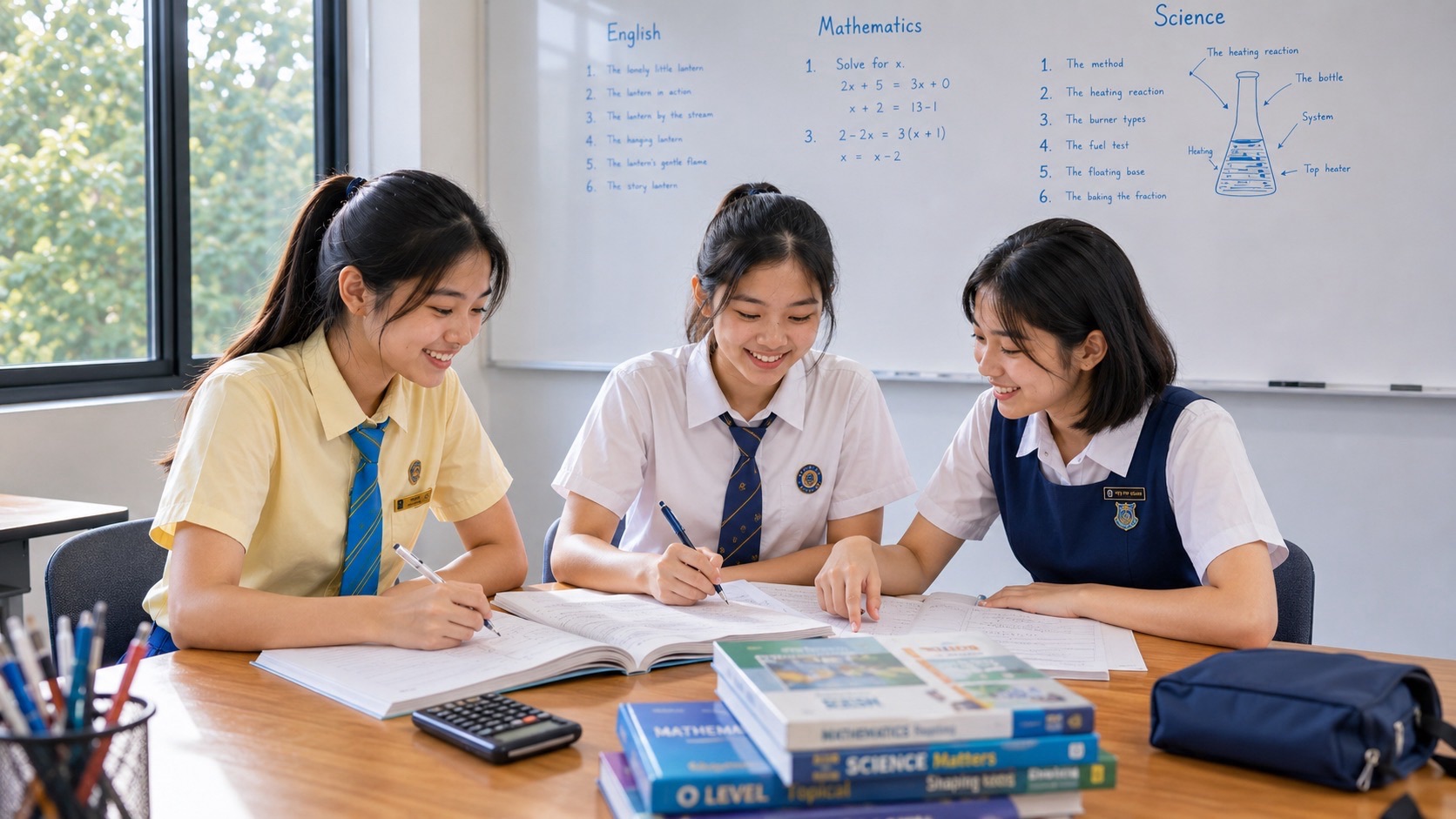
A Secondary 2 student admitted through Posting Group 3 (PG3) who is interested in Computing should begin with age-appropriate computational thinking, digital literacy, simple algorithms, precise problem-solving, spreadsheets and introductory programming activities actually available at school. Computing is a possible upper-secondary examination option, not a national Secondary 2 SEC paper. Parents should check the school’s subject offerings and existing digital-learning programme before buying programming courses, software or an examination workbook.
The Singapore-Cambridge Secondary Education Certificate (SEC) begins in 2027 for graduating students. In the 2027 directory, G3 Computing is K349, distinct from G1 Computing K127 and G2 Computing K237. The K349 examination includes a written paper and a computer-based practical paper, and its syllabus covers data and information, systems and communications, abstraction and algorithms, and programming. A student now in Secondary 2 normally takes national exams later; the actual school and future examination-year documents control what is needed.
- Verify course availability: PG3 admission alone does not mean Computing is on the student’s current timetable or that the school offers K349 later.
- Build general digital literacy: use documents, spreadsheets and online sources responsibly; recognise the difference between using an app and designing a computing solution.
- Think before coding: define inputs, outputs, decisions, repetition and the conditions that make a solution correct.
- Practise safely: use original small data sets and permitted programming environments; never collect passwords or real sensitive information.
- Keep examination levels distinct: the 2027 K349 G3 syllabus differs from G1 K127, G2 K237 and discontinued lower-secondary Computer Applications.
- Measure learning by transfer: ask whether the student can explain, test and debug a small unfamiliar problem independently.
1. PG3 does not guarantee a Secondary 2 Computing class
Under Full Subject-Based Banding, Posting Groups guide admission while individual subject offerings and levels are determined by school arrangements and eligibility. Digital competencies are developed throughout school programmes, but Computing as a separate upper-secondary option is not automatically available to every learner. Some schools offer an introductory computer science exposure programme, code club or applied digital project; others integrate digital literacy into existing subjects.
Check your child’s current subjects, elective information and CCA opportunities. A student who is confident with a phone or online games is not automatically proficient in algorithms or programming. Equally, a child who has never coded may enjoy logical problem-solving when given an accessible activity. Do not judge suitability from access to expensive devices or prior private coding lessons.
2. The current stage is digital literacy plus appropriate enrichment
MOE’s Full SBB common curriculum and wider digital-literacy initiatives are not the same as a national Secondary 2 Computing examination. Lower-secondary Computer Applications, previously tied to an old course arrangement, has been discontinued and digital competencies incorporated into other subjects and programmes. A parent should not search for a mandatory new PG3 Computer Applications textbook and assume it governs all schools.
MOE’s 2026 education announcements also describe continuing AI-literacy development through curriculum, co-curriculum and self-directed resources, an updated Code for Fun programme available to all schools in 2027, and cyber-wellness lessons on validating generative AI information and identifying deepfakes. These developments support responsible digital competence, but specific school implementation and timing still matter.
3. What the national 2027 G3 Computing K349 syllabus contains
The 2027 SEC G3 Computing syllabus groups learning into Data and Information, Systems and Communications, Abstraction and Algorithms, and Programming. Students learn about data handling, representation, computing systems, communication, algorithmic analysis, software design, program development, testing, and related ethical issues. The subject combines conceptual reasoning and applied problem-solving; it is not an examination in merely using a laptop quickly.
In its 2027 form, the national assessment uses a two-hour written paper worth 60% and a two-and-a-half-hour laboratory-based paper worth 40%. These are graduating-year specifications, not instructions that a present Secondary 2 child should immediately take a full K349 practice exam. Consult 2027 SEC G3 Computing K349 syllabus and SEAB’s official 2027 G3 SEC syllabus list; check the relevant future year again before applying exact formats.
4. G1 K127, G2 K237 and G3 K349 serve different levels
SEAB’s 2027 SEC system lists Computing at G1, G2 and G3 using distinct subject codes and syllabuses. They are not the same tasks with a different label. G1 and G2 Computing include their own mix of software, media, spreadsheets and programming appropriate to those levels. G3 K349 uses deeper computational foundations including Python and computer-based practical problem-solving.
A parent should not assume a Scratch project proves mastery of G3 Python, or that an Excel activity is irrelevant to a more advanced computing path. Each tool can teach a different skill at the right stage. Actual subject offers depend on the school and eligibility rules. The best material is the one that develops the learner’s specific next capability, not automatically the most advanced syllabus available.
5. Computational thinking begins with breaking down a problem
Decomposition means dividing a large task into manageable components. Suppose a school club wants a simple programme that records attendance and reports a total. The learner first identifies the input, which is a list of attendance entries; the required output, which is a count; and the rule, which determines what counts as present. Only then does choosing a programming language become useful.
Ask the student to describe the steps on paper before opening a computer. What happens if no entries exist? What if the same student is recorded twice? Are names needed at all for a simple total? A clear specification reveals problems that copying ten lines of code might conceal. This is a transferable computing habit suited to Secondary 2 exploration.
6. Inputs, processing and outputs clarify solutions
An algorithm receives information, applies rules and produces a result. A parent can practise this with an ordinary situation such as calculating the total cost of several school supplies. The inputs are prices and quantities; the processing involves multiplication and addition; the output is a total. This is not an advanced computer program, but it establishes a mental model that applies across spreadsheets and Python.
Original example: two notebooks at S$3 each and one pen at S$2 give a total of S$8. Ask what the output should do if one notebook is removed. A system that still reports S$8 has failed to reflect a changed input. Students should be able to explain how to test a rule rather than simply write the last correct answer into the output.
7. Sequence: why the order of instructions matters
An algorithm’s steps must occur in a meaningful order. A simple programme that tries to calculate a discount before the price is known has a dependency problem. Students may write a series of plausible instructions that cannot be executed coherently because one stage requires information from a later stage.
Ask the child to write instructions for sorting three fictional exam scores from smallest to largest. Then act out the algorithm using number cards. Does every set work, or only the example used to create it? A student who can explain why a step must occur before another is showing understanding. The goal is not to memorise a code template but to learn how a process produces a result.
8. Decisions: a condition needs a true and false case
Selection enables an algorithm to choose between actions based on a condition. A simple rule could be: if the library is open, return a message that borrowing is possible; otherwise, return a message that it is unavailable. A correct solution must specify the condition clearly enough for a computer or spreadsheet to evaluate it. Vague human words such as ‘quite late’ may need an exact definition.
Have the learner make a two-branch flowchart for a fictional permission rule, then test a case that satisfies the condition and one that does not. Ask what happens exactly at the boundary. This prepares the student for formal programming without demanding that they master every language syntax detail immediately.
9. Repetition: when instructions should run again
Iteration allows a set of actions to repeat. A task such as adding marks for every student in a fictional list is cumbersome if the same calculation is written out separately for each entry. A loop can process multiple items according to a controlled rule. Students should understand when repetition stops and how to avoid a process that runs indefinitely.
Give a paper task: count the number of entries greater than 50 in a list of six invented scores. Ask the student to describe a repeated decision and a counter that changes when the condition is met. Then vary the list, including an empty one. This is more helpful than copying a loop from an online answer without understanding its purpose.
10. Variables store changing information during processing
A variable can hold a value that a program uses or updates. For example, a running total may start at zero and increase as prices are processed. A student may incorrectly imagine that a variable name is a fixed mathematical unknown rather than a reference to information that can change during execution. An age-appropriate comparison with algebra can clarify the distinction.
Write a table with columns step, new price and running total. Start with zero; add S$3, then S$2, then S$4 to obtain S$9. Ask the child what the total contains after each step and whether the order of adding these simple prices changes the final total. Then discuss how the idea would differ if the operation were subtraction. A variable’s role should be understood through behaviour.
11. Data types and representations are purposeful choices
Numbers, text, logical values and collections are different forms of information in a program. A phone number may look numerical but should generally be treated as an identifier rather than a quantity to add. A postal code with a leading zero can lose its meaning if stored carelessly as an integer. Choosing an appropriate representation helps avoid subtle errors.
Ask the student how to store a fictional student’s name, a quantity of books, a price and an attendance status. Which can be sensibly added, sorted or compared? Discuss whether missing data should be guessed. Data representation is an early opportunity to show that computing solutions can affect accuracy and people’s real experiences.
12. Binary data is about representation, not a secret language
Computers represent information using bits, commonly described as binary digits. A student can understand that a sequence of ones and zeros may represent a number, a symbol or part of a picture depending on the encoding. Merely seeing the same bit sequence does not prove it represents the same kind of information in every system.
Original exercise: convert the small positive integer five to binary, obtaining 101. Explain that this is a base-two representation of the number, not a complete text character encoding. Then ask what changes when a data format is interpreted differently. The full 2027 K349 syllabus develops data representation further; a Secondary 2 learner needs an accessible foundation before advanced detail.
13. Algorithms should be explained in plain language first
A child who can run a copied Python script might not understand how it processes input. Encourage a brief plain-language or pseudocode plan that identifies steps and conditions. The plan should be specific enough to test, yet not dependent on one programming language’s punctuation. Once the algorithm is understood, translate it into school-approved syntax.
Suppose a task asks for the largest of three numbers. Describe comparing values and keeping track of the largest found so far. Test it with all different values, equal values and negative numbers. Ask whether the method works for any three numbers rather than only the original example. Clear reasoning precedes fluency in a particular editor.
14. Flowcharts can reveal missing cases
A flowchart visualises steps and decisions. Its value is not that it looks neat; it helps a learner notice an unhandled branch or a loop without a stopping condition. Students should label conditions precisely and show what happens for each outcome. A drawing with arrows that lead nowhere may reveal an algorithm that has not been fully specified.
Use an original flowchart for checking whether a number is positive, zero or negative. Ask whether the condition ‘greater than zero’ alone handles all possibilities. Add the zero case explicitly. When a student can explain each path, implementing it becomes more reliable. The school may use different diagram conventions; follow those when submitting assessed work.
15. Python: start with small correct programs
Python is among the tools used in the 2027 G3 Computing practical context. A beginner can learn input, variables, arithmetic and controlled output with very small exercises. The parent should not assume a Secondary 2 learner must already know advanced libraries or object-oriented programming. The teacher’s current exposure programme determines which coding environment is appropriate.
Original starter example: set `price = 3`, set `quantity = 2`, and calculate `total = price * quantity`. The intended result is 6, representing the fictional total before any additional fees. Ask the child to change the quantity to four and explain why the result changes. Then test a quantity of zero. This demonstrates variables and basic calculations without downloading questionable software.
16. Debugging: the first wrong line matters more than the final message
A program can fail because of syntax, a wrong condition, an incorrect variable value or a mistaken problem specification. Students sometimes press Run repeatedly and alter random lines until the output looks plausible. Teach them to reproduce the issue, inspect values and find the earliest place where actual behaviour differs from intended behaviour.
Use an intentionally incorrect fictional spreadsheet formula or short program that adds the price once rather than multiplying by quantity. Ask what the expected output is and which processing step must change. Then test another quantity. A successful correction should work for new inputs rather than hard-code the answer from the first example. This is a direct parallel with examining the first invalid step in Mathematics.
17. Testing: include boundaries and unusual but valid inputs
Testing means checking a solution against defined expectations. One correct example is insufficient. A program that processes a list should be tested with an empty list if permitted, one item, several items and values near any rule boundaries. A discount rule might fail exactly at the threshold because the student used greater than instead of greater than or equal to.
Create a small test table with input, expected output, actual output and result. Ask the student to explain why each test matters. If the programme crashes, note the conditions rather than hiding the error. This habit is useful in the K349 syllabus, but can be practised with paper algorithms before a Secondary 2 student has formal Computing lessons.
18. Functions and modular thinking reduce unnecessary repetition
A function packages a well-defined task so that it can be used repeatedly. Even before learning formal Python function syntax, a student can recognise that calculating a total and formatting a receipt are different responsibilities. Separating them can make a program easier to understand and test. Too many unrelated tasks in one block of code may conceal errors.
Ask the student to describe an imaginary function `calculate_total(prices)` and what it should return. What happens if the list is empty? What if one entry is not a valid price? The goal is to think about inputs, outputs and error conditions, not memorise a complex implementation. More advanced design follows when foundations are secure.
19. Spreadsheets teach formulas, data checking and modelling
Spreadsheets can organise, calculate and visualise data. A student should understand the distinction between a value typed into a cell and a formula that calculates a result from other cells. A chart can be misleading if it uses the wrong range, labels or units. School-based spreadsheet activities are a practical foundation for digital literacy and later K349 learning.
Original exercise: enter fictional item prices and quantities in separate columns and calculate each line total. Then calculate a grand total using appropriate formulas. Change a price and verify that the dependent result updates. Ask whether the total includes delivery costs or taxes if the task mentions them. The child should be able to explain the assumptions made by the spreadsheet.
20. Data cleaning: a neat chart cannot fix wrong information
Before analysing data, students should check missing entries, inconsistent units, duplicate records and unsuitable categories. A chart made from incorrect data may look professional but support a false conclusion. For example, combining minutes and seconds without conversion can distort a comparison of task times. Data handling includes checking what the numbers actually represent.
Give the learner an original fictional table with times recorded as 60, 90 and 2, but explain that one entry is in minutes while the others are in seconds. Ask why calculating an average directly would be misleading. Convert units and document the rule before making a chart. This teaches data integrity without requiring real students’ grades or personal information.
21. Networks and systems: understand what is connected
The upper-secondary Computing curriculum includes systems and communications. Students should be able to distinguish a device, a network connection, a server or service and information transmitted between them at the level taught. A web page loading successfully involves more than the visible screen. However, a child should not be expected to configure complex security infrastructure without a legitimate educational context.
Draw a conceptual diagram of a school laptop communicating with a permitted online service. Label the device, local connection and remote service. Ask what might happen if the network is unavailable and which functions could still work offline. Encourage a high-level explanation rather than using real network credentials or attempting to access systems without permission.
22. Cybersecurity and cyber wellness belong together
Good digital practice includes password safety, recognising suspicious requests, respecting privacy, verifying sources and responding appropriately to online harm. Students should never disclose passwords, account-recovery codes or real private records for a school project. Programming skill does not excuse unauthorised access to systems. The parent should model safe behaviour and know the school’s rules on devices and online activity.
Use a fictional phishing email as a reading exercise. Ask which features warrant caution, such as urgency, a suspicious link or a request for credentials. Do not click unknown links to test curiosity. The student can explain how to verify a message using an official channel and how to report a concerning event to a trusted adult or school. Responsible computing is as important as technical correctness.
23. AI literacy: distinguish generated answers from verified knowledge
Generative AI can suggest explanations or starter code, but it can also produce incorrect algorithms, fabricated sources or unsafe assumptions. MOE’s 2026 initiatives emphasise broader AI literacy, source validation and deepfake awareness. Students should learn to understand and check a tool’s output rather than submit text or code they cannot explain. The school determines what AI support is permitted in assessed work.
Original exercise: ask the learner to inspect a short generated solution to a simple arithmetic problem and construct two test cases to verify it. If the algorithm fails one case, describe the reason. This is more valuable than asking whether an AI answer ‘looks right’. A learner remains responsible for the final work, especially when privacy, fairness and academic integrity are involved.
24. Ethics: software choices can affect people
Computing systems use data and rules that may create mistakes or unfair outcomes. A school club’s automated allocation rule might inadvertently disadvantage pupils with conflicting schedules, for example. A responsible designer should ask whether input data are appropriate, whether the rule serves the intended purpose and how someone can challenge an incorrect result.
Use a fictional club-allocation problem with two competing criteria and no real personal records. Ask which group might be affected differently and what information is missing. A good response does not assume computers are impartial simply because they follow programmed rules. Ethical reasoning should be grounded in the specific system and potential consequences.
25. Computing is not the same thing as using office software
Being comfortable with presentation slides or spreadsheets is useful, but G3 Computing also emphasises data structures, algorithms, programming, systems and problem-solving. Conversely, an enthusiastic coder who ignores documentation, communication and testing may struggle with formal assessment. Families should not reduce the subject to one skill or assume that game-playing experience automatically transfers into software development.
Ask the student which tasks they enjoy: constructing rules, solving problems, working with data, building interfaces or understanding computer systems. Then discuss whether the school’s actual Computing course offers suitable opportunities. There are many routes to digital competence beyond one national examination subject.
26. An eight-week Secondary 2 Computing-readiness programme
Week 1: confirm what digital learning the school offers and discuss the student’s goals. Week 2: break an everyday problem into inputs, processing and outputs. Week 3: write a sequence and a decision as a paper flowchart. Week 4: practise repetition and test an algorithm using different input cases. Keep tasks original, small and suitable to the available equipment.
Week 5: use an approved spreadsheet to calculate from a fictional table and check data consistency. Week 6: try basic Python statements or a teacher-approved visual environment, with an explanation of each step. Week 7: debug a small program and document expected versus actual outcomes. Week 8: present a complete simple solution, its limitations and two test cases. This is a parent learning plan, not a national Secondary 2 Computing syllabus.
27. A fifteen-minute family routine that does not require expert coding
On one evening, ask the child to explain a real-world decision as a flowchart. On another, check a spreadsheet with three invented items and a clear total. Over the weekend, have the student describe one program bug and how they tested its correction. A parent can ask ‘What input did you expect?’ or ‘What happens at the boundary?’ without knowing every Python command.
The student should be able to explain the result without reading a model solution. If a task is too difficult, simplify the inputs and focus on the principle. Do not sign up for costly subscriptions or equipment before confirming the school environment and whether the child genuinely wants further work.
28. Should a beginner start with Scratch or Python?
Visual programming can be an accessible way to learn sequence, selection and repetition; text programming such as Python develops those same concepts while introducing syntax and more flexible program organisation. The correct choice depends on the student’s experience and the current school programme. A beginner who needs to understand conditions can learn with a visual flow before writing Python. A student who is ready for text coding may benefit from short Python projects.
Do not claim the 2027 G3 K349 syllabus is simply a Scratch examination. It specifically includes Python-based practical problem-solving and other computing tasks. Lower-secondary preparation can be broader and more accessible than that future national format. If the school does not offer Computing, families can still cultivate digital literacy and mathematical reasoning without pretending they have formal K349 enrolment.
29. A beginner’s first project: a transparent spending calculator
An age-appropriate original project could calculate total costs for fictional school supplies. The learner writes down inputs (quantity and unit price), processing (multiply and add), and output (total cost). They can first build a spreadsheet, then write a short approved program that performs the same calculation. The project is successful when the student can change inputs and get the expected new result.
Test zero items, several items and a price with decimals. Ask whether values are rounded appropriately and whether negative quantities should be accepted. The child should state the assumptions and limitations. This project uses no real financial records or passwords and demonstrates useful computing reasoning without dangerous access to any external system.
30. What if my child is interested in gaming or AI?
Interest in games, robotics or generative AI can motivate Computing learning, but enjoying a product is different from understanding how to design one. Ask what the child wants to build or investigate. A simple game prototype might use conditions and loops; an AI-literacy project might compare generated answers against verified sources. Both can be educational if they remain age-appropriate and follow school rules.
Encourage an original small idea with clear objectives rather than a grand project that requires advanced tools and constant adult intervention. Where the child uses artwork, sounds or sample code from elsewhere, discuss licensing and attribution. Students should not attempt to reproduce commercial games or access restricted systems. Creativity and ethics can develop together.
31. School selection and future G3 Computing K349
Ask the secondary school whether G3 Computing is actually offered, how students are selected, what the prerequisites are and how the course fits the full subject combination. K349’s practical work and written computing concepts require different kinds of preparation. A child who has strong Mathematics and problem-solving habits may be interested, but the school must confirm eligibility and availability.
Do not assume every PG3 school provides the same Computing pathway. Some schools may instead offer other subjects or computing-related CCAs. Check the student’s workload, ability to work independently and willingness to debug persistent problems. A thoughtful choice uses actual school policy and sustained interest, not a claim that all future jobs require K349.
32. Computing careers and post-secondary pathways need precision
Computing knowledge can contribute to later study in software, data, engineering, design and many other disciplines, but no one Secondary 2 choice guarantees a specific career. Polytechnic diplomas, ITE programmes, JC routes and university courses have different admissions and subject prerequisites. Some pathways value Mathematics or other subjects even when Computing is not explicitly required. Check programme-specific official criteria in the year of application.
A parent can preserve flexibility by supporting strong Mathematics, reading comprehension, logical reasoning and responsible digital habits now. If the child has a clear interest in programming, explore appropriate school activities without crowding out health, CCAs and other learning. Sustainable curiosity is a better long-term asset than a rushed examination shortcut.
33. When tutoring may help—and when it is premature
Start with school digital-literacy resources, teacher advice and suitable beginner projects. Extra tutoring may help if a child repeatedly cannot translate problems into algorithms or needs guidance debugging, provided lessons encourage independent work. A tutor should ask the student to explain each step, produce a small original solution and test it with changed inputs. A polished copied project is not evidence of learning.
The immutable Clementi small-group diagnostic teaching benchmark illustrates an eduKate Mathematics small-group diagnostic method; it is not proof that a G3 Computing class, a particular Python tutor or a guaranteed result is available. Compare actual subject fit, safe use of devices, cost, schedule and whether the student is becoming more independent. Stop escalating complexity when the prerequisite concept remains unclear.
34. Five original Computing self-check tasks and solutions
Task A: calculate the total for three items costing S$2 each; answer S$6. B: explain why a list of prices may need a loop rather than one hard-coded addition. C: choose an appropriate data representation for a postal code beginning with zero; text may preserve the leading zero. D: identify one boundary test for a rule allowing entry at age 13 or above; test 12, 13 and 14. E: explain why a programme that reports the right answer for one input may still be incorrect.
Checking points: A uses quantity multiplied by unit price. B recognises repeated processing. C distinguishes identifiers from quantities. D checks the condition exactly at the threshold. E recognises the need to test varied inputs and investigate algorithm logic. These are original preparatory exercises, not official 2027 K349 questions. Parents should ask how the learner reached each answer and whether a new case changes it.
35. Parent FAQs and the next right action
Is there a national Secondary 2 PG3 Computing paper? No. Is G3 Computing K349 compulsory for PG3? No; availability and eligibility depend on the school. Is G3 K349 the same as G2 K237? No. Do I need to buy a powerful laptop? Confirm school-provided equipment and task requirements first. Is Python required immediately in Secondary 2? Follow the school programme; Python belongs to the later G3 Computing curriculum. Can AI write the student’s project? Follow school rules and require genuine understanding, attribution and independent work.
Use MOE 2026 education announcements on AI and digital literacy, SEAB’s official 2027 G3 SEC syllabus list, 2027 SEC G3 Computing K349 syllabus, eduKate’s Secondary 2 Computing and digital literacy FSBB explainer and MOE Full SBB overview and curriculum arrangements for the official and eduKate reading route. Today, ask the student to describe a simple problem in terms of inputs, decisions and outputs, then test two changed examples. If they enjoy the process, request the school’s actual Secondary 3 Computing options and prerequisites. Details reflect public MOE and SEAB information checked on 19 November 2026; verify the student’s future examination year before national preparation.