
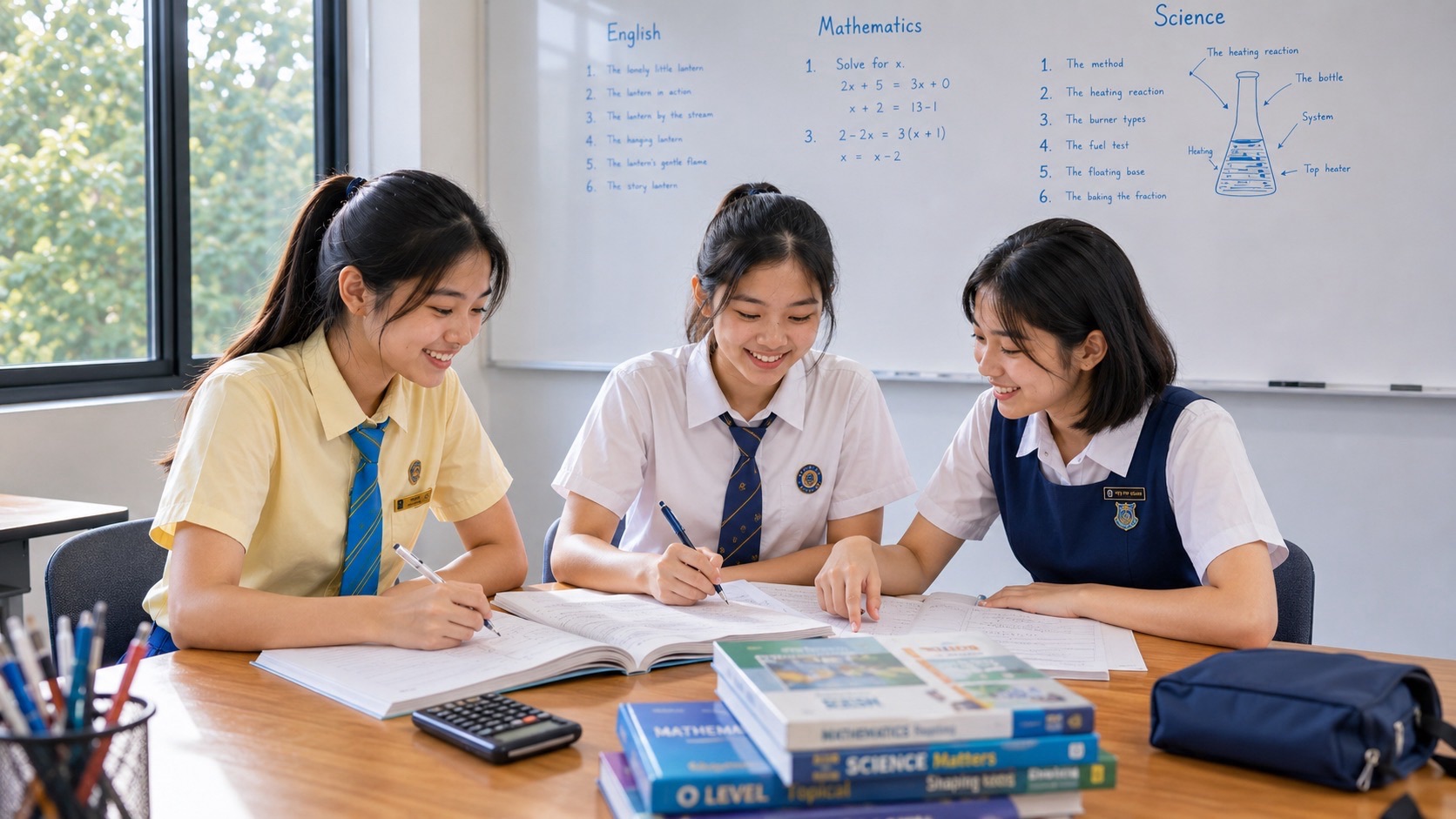
Secondary 3 PG1 Computing becomes easier when students learn to read a digital task carefully, build the required result and verify the actual saved file. Under Full Subject-Based Banding (FSBB), PG1 is the Posting Group originally used for secondary-school admission, while G1 is an individual subject level. The published 2027 Singapore–Cambridge Secondary Education Certificate (SEC) G1 Computing syllabus is K127, a newly introduced subject with a 40% electronic written paper and a 60% computer-laboratory practical. The practical examines document processing, spreadsheets, media software and programming, including Scratch. Using a phone confidently does not mean the teenager can complete these tasks independently.
The first step for parents is to ask the Computing teacher which software and modules the class currently uses, then have the child demonstrate one small school-appropriate task without assistance. Ask the learner to enter data in a spreadsheet, explain a formula, predict the behaviour of a simple Scratch script, save files to the specified folder and reopen them. The 2027 national practical is two hours long and worth 90 marks; Paper 1 is 1 hour 15 minutes and worth 60 marks. These are final national assessment specifications, not necessarily the current Secondary 3 school test. A student entering Secondary 3 in 2027 would usually sit SEC in 2028, so parents should verify the syllabus for that year when available.
- Subject check: G1 Computing K127 in the school record; do not equate PG1 with every subject being taken at G1.
- 2027 Paper 1: electronic exam, 1 hour 15 minutes, 60 marks, 40%, covering all seven modules.
- 2027 Paper 2: computer-lab exam, 2 hours, 90 marks, 60%, with document/spreadsheet, media and programming work.
- Core competencies: cell references and formulas, accurate tables and charts, Scratch conditions and loops, media editing, file organisation and independent debugging.
- Parent action: ask the student to predict the result, test it, explain a mismatch and verify the submitted version.
- Safety and integrity: use school-approved applications, original or permitted media and independent practical work; no unauthorised access to accounts or personal data.
Why finishing the correct task matters
A computer task can fail even when the student seems comfortable with technology. The spreadsheet may look right but contain typed numbers instead of formulas. The Scratch program may work in one situation but fail when an input changes. A video may play correctly inside the editing application but have no usable exported file.
The important habit is specification → implementation → test → save → reopen. Reading prevents omission of required details; implementation creates the output; testing reveals mistakes; saving preserves the work; reopening confirms that a teacher receives what the student intended.
Parents should observe the exact stage that is failing. More typing practice will not repair a misunderstood formula. More programming blocks will not help a student who keeps saving the wrong final file. Use the first recurring bottleneck to determine the week’s work.
PG1 and G1 Computing are different concepts
Full SBB distinguishes school posting groups from subject levels. A learner who originally entered through PG1 may study a mixture of G1, G2 and G3 subjects when eligible and supported by school arrangements. K127 is the 2027 code for G1 Computing, not a generic label for every secondary Computing programme.
Computing may not be offered by every school or in every subject combination. Ask whether your teenager is enrolled and which software environment is provided. The school also determines what Secondary 3 practical exercises students cover before the final examination year.
Do not buy premium software, a gaming computer or a generic coding course without checking requirements. Thinking logically, naming files, interpreting data and writing simple programs can often be learned using approved applications and ordinary computer access.
The seven-module map
The published syllabus includes Computer Fundamentals, Networking, Impact of Computing, Document Processing, Spreadsheets, Media Software and Programming. Paper 1 covers all modules, while Paper 2 assesses practical application from the final four modules.
This is more than coding. Students must understand what computers do, how files and networks work, how digital choices affect people, and how to produce documents, calculations, media assets and logical programs.
A useful parent question is, “Why did the software produce that result?” A child who can explain a spreadsheet calculation or condition can adapt more readily when the input or task changes.
What Paper 2 requires
Paper 2 lasts two hours and contributes 60% of the 2027 final result. SEAB describes three task areas: media software around 30 raw marks, document processing and spreadsheets together around 35, and programming around 25. These are approximate allocations in the syllabus, not a promise for every school test.
Candidates submit digital files for marking, and the allotted time includes saving them. This makes file handling part of practical competence. A finished task left in an unnamed working folder may not be the correct submission.
The child should not focus entirely on Scratch while neglecting spreadsheets and media, nor should a polished document conceal a missing programming task. Follow the school’s current task briefs and instructions.
Spreadsheet foundations: data and cell references
A spreadsheet is organised into rows and columns. Each cell has a reference such as B3, and a range such as B3:B8 describes several cells. Students should know which cells hold input data and which show calculated outputs.
Begin with a fictional class-event budget. Put the item name in Column A, quantity in B and unit price in C. Column D can calculate the total cost. Ask the child to describe the meaning of each column before typing any formula.
If a student cannot explain the meaning of a cell, a correct-looking formula may be copied without understanding. Let the learner test the inputs with easy numbers before adding formatting.
Worked formula example
Imagine three rows: notebooks with quantity 3 and price $4, folders with quantity 2 and price $5, and markers with quantity 4 and price $2. If B2 contains quantity 3 and C2 contains price 4, the subtotal in D2 can use the formula =B2*C2.
The three subtotals are $12, $10 and $8, for a total of $30. If the notebook quantity changes to 5, the first subtotal should update to $20 and the grand total to $38 without manually retyping the calculated values.
Ask your teenager to predict the new total before changing the number. This confirms that they understand the formula and the relationship between input and output.
Relative and absolute references
When a spreadsheet formula is copied down a column, cell references may adjust to the new row. That is relative referencing. An absolute reference fixes a specified cell reference, useful when several rows depend on one constant such as an approved tax or discount rate in a fictional example.
If a copied formula produces unexpected values, inspect the references in the new location. Students should not repeatedly retype the answers to hide the mistake. They should identify whether the rule or the reference is wrong.
The K127 syllabus includes both relative and absolute references. Short practice with changed values helps more than memorising one answer sheet.
Formulas and functions are different
A formula calculates a result using values and operators, while a function is a named operation such as SUM, AVERAGE or COUNTIF. The student should choose a function because it matches the task, not because its name looks familiar.
The published 2027 K127 syllabus includes functions such as SUM, AVERAGE, MEDIAN, MIN, MAX, ROUND, COUNT, COUNTA, COUNTIF and non-nested IF. Practise these with small data sets. A total, mean, median, condition count and rounding request ask for different operations.
A strong learner can tell the parent what a result means. A computed average is not automatically a suitable measure of every situation; data interpretation matters.
IF functions and conditions
A basic IF function selects between two outcomes according to a condition. A fictional class tracker may display “Complete” when a count reaches a target and “Review” otherwise.
Test the condition using a number below the target, exactly equal to it and above it. The learner should predict the output in each case. If the displayed result differs, inspect the comparison symbol and the input cell.
The official K127 spreadsheet IF requirement is limited to a non-nested IF. Advanced nested formulas may be enrichment, but do not substitute them for the published G1 outcomes.
Formatting should communicate information
Numbers may need to be shown as currency, percentages or dates. Text should be legible, and tables should be organised with appropriate alignment and wrapping. The syllabus also includes conditional formatting within specified simple comparison operations.
Ask whether a viewer can interpret the table without guessing. If a column called “Amount” mixes quantities and dollars, label it more accurately. If a chart uses a different unit from the underlying data, the result is misleading.
Formatting is useful only when it helps the reader understand correct information. Bright colours cannot rescue a flawed formula.
Charts: choose the right visual explanation
Bar and column charts can compare categories; a line chart may show a changing quantity; a pie chart represents meaningful parts of a whole. K127 also includes a specified combination of line and column charts.
Before creating any chart, ask, “What do we want the reader to notice?” Check the data range, title, axes, units and legend. A chart that leaves out rows may look professional while concealing information.
After the chart is created, change one data value. A properly connected chart should update to reflect the data. This demonstrates understanding of the visual output as part of a larger calculation system.
Scratch: from events to controlled actions
Scratch uses visual blocks to create programs. A program can begin with an event, follow a sequence, repeat steps and choose an action when a condition is met.
Start with a sprite that moves when a key is pressed. Ask the learner to predict what happens before running it. Then change one step and observe the difference. A small working program explained clearly is more useful than a complicated game copied from a tutorial.
The student should learn the official blocks and behaviours taught by the school, not assume that every advanced Scratch feature is required for G1 Computing.
Conditions: when a rule becomes true
A conditional block checks a statement and makes a decision. A sprite might respond when it touches an edge or when a score reaches a specified value.
Ask what is being tested and what should happen if the statement is false. Give two situations, one satisfying the condition and one not, then compare the predicted and actual results.
This is closely related to spreadsheet IF logic. When teenagers recognise a shared idea across applications, they are learning computing rather than merely remembering the colour of a block.
Loops and repetition
A loop repeats instructions either a set number of times or according to a continuing condition. Students should understand what repeats, when repetition stops and how repeated instructions affect the program.
For a simple example, a sprite might move a short distance three times. Ask how the outcome differs from moving once, and what might happen if the entire sequence repeated indefinitely.
A common error is placing an action inside the wrong loop or failing to update the relevant condition. Debug the smallest relevant section rather than rewriting all the code.
Variables: keep track of changing information
A variable stores a value that can change, such as a simple game score. The learner should know the initial value, the condition that changes it and the result after a few actions.
If a score increases twice when it should rise once, investigate which events or repeated instructions caused the extra change. The issue may be program logic rather than the display.
Ask your teenager to trace values with a simple table before running the code. Predicting state is a transferable form of reasoning.
A reliable debugging method
Use predict → run → observe → change one thing. First write what should happen. Then run the program. Note the precise mismatch. Change one relevant instruction and retest.
If the student changes several unrelated blocks simultaneously, it becomes difficult to know which change fixed or caused the problem. Encourage small tests and an honest error log.
A useful log entry contains the expected behaviour, the observed behaviour, the suspected cause and the evidence from the next test. “It works now” is not as informative as explaining why.
Documents: read a brief rather than just typing
Document processing may require clear headings, tables, paragraphs, lists and formatting. A strong result follows the actual requested content, not the student’s favourite design style.
Create a fictional one-page school-event notice with a heading, date, venue, short description and schedule table. Ask the teenager to match the result against each requirement and reopen the saved file.
Students often lose accuracy by forgetting one requested detail or using inconsistent formatting. A checklist is more useful than randomly adding decorative fonts.
Media software and responsible source use
Media tasks may require creating, arranging or editing visual or audiovisual assets. A student should plan the audience, message, timing and output format before beginning. The final exported result must be checked independently.
Use only permitted, original or appropriately licensed material. Photos of other people, copyrighted music and downloaded artwork can create privacy or rights problems. The school should explain the current task’s asset and attribution rules.
A teenager who can plan a message, make a short edit, export correctly and explain their choices is developing practical competence. More filters do not automatically make a result better.
Files and folders: the neglected exam skill
A student may do everything else correctly and still submit the wrong version. Practise with source, working and final folders. Ask the learner to name each file clearly, save it to the requested location, close the application and reopen the final file.
Check what opens, not just the filename. Does the spreadsheet recalculate? Does the media file play? Does the document contain the correct final details? Does the Scratch project run without the editor’s previous temporary settings?
Because the 2027 practical includes time for saving outputs, this habit is directly relevant. The school’s examination instructions determine the actual required formats and locations.
A reusable final-file checklist
Before submission, the learner should confirm the brief, count the required files, verify the filenames and locations, inspect the output and reopen each file. If one item is missing, fix it before declaring the task complete.
For spreadsheets, check formulas, references and chart data. For Scratch, test both positive and negative conditions. For media, play the exported file. For a document, check that the requested text and tables remain intact.
Do not let a parent do the final checking every time. Gradually transfer the responsibility to the student so the process becomes independent.
Computing theory and digital safety
Paper 1 also includes hardware, software, memory, storage, networking and the impact of computing. A child should understand the difference between a storage device and an application, or between access to a file and permission to share it.
Discuss safe online behaviour, account security, personal information, responsible digital decisions and source attribution. Use fictional or authorised examples; never attempt to bypass accounts or inspect someone else’s private data.
Digital responsibility is part of computing competence. A correct program created using misappropriated data is not a responsible outcome.
An independent first-week diagnostic
Ask the child to create a small spreadsheet with two formulas, format a total, make a suitable chart and check the effect of a changed input. Then request a Scratch script triggered by an event with one condition or loop.
Add a short document and file-saving check. Observe whether the child reads all requirements, tests the output and remembers where the actual file is stored.
Classify errors as understanding, procedure, logic, formatting or delivery. Choose just two recurrent weaknesses for the first month.
Twelve weeks of Secondary 3 Computing improvement
Weeks 1–2: confirm G1 K127 and the school’s approved software. Save a baseline task and diagnose formulas, programming and file organisation.
Weeks 3–4: practise spreadsheet cell references, arithmetic formulas, SUM and simple functions. Change inputs and check recalculation.
Weeks 5–6: work on number formats, appropriate charts and the relationship between a chart and its underlying data.
Weeks 7–8: practise Scratch events, sequences, loops and conditions with small independent exercises and deliberate debugging.
Weeks 9–10: integrate document and media tasks, including ethical asset use, export and final-file verification.
Weeks 11–12: complete a new mixed task under a manageable time limit, compare it with the baseline and ask the teacher which module needs further attention.
This is a family learning suggestion, not the official sequence or a promise about examination questions.
Practical support without unnecessary spending
Ask the school about existing computer-lab access and approved application versions. A reliable keyboard, screen and ordinary computer may be more useful than a premium gaming laptop or expensive editing subscription.
Where home equipment is limited, school practice access or other suitable arrangements may help. Avoid sharing passwords with outside tutors or uploading schoolmates’ personal data to practice platforms.
Start with school materials, then buy only what addresses a verified need.
When an external tutor is appropriate
Ask the Computing teacher for the main problem. A student who has difficulty reading task instructions needs different help from someone who struggles with formulas or Scratch conditions.
A suitable tutor should know the actual G1 K127 syllabus and teach through new tasks the student must complete independently. Request evidence of better reasoning and final-file accuracy after four weeks.
Do not pay for a provider to submit polished digital work on the student’s behalf. That undermines learning and may breach school assessment rules.
Future pathways and realistic expectations
Computing supports digital literacy relevant to business, design, administration, media and technical careers. It does not guarantee admission to a specific ITE or polytechnic course.
Post-secondary eligibility depends on the eventual subject combination, actual G-levels and prevailing admissions criteria. The 2028 post-secondary arrangements should be checked for the child’s graduating cohort.
The immediate goal is a teenager who can read a specification, build a correct result, troubleshoot and deliver a working file honestly.
Parent questions
Is K127 the official subject for every PG1 student?
No. PG1 is a posting group; K127 is G1 Computing for an enrolled student.
Does the practical assess only Scratch?
No. The 2027 practical covers document processing, spreadsheets, media and programming.
Are advanced programming languages required?
The published K127 programming content uses Scratch visual programming. Follow the official level and school material.
Why is my child’s spreadsheet result correct but the task still wrong?
They may have typed the result rather than using a formula, referenced the wrong cells or failed to meet formatting requirements.
Must we purchase a new laptop?
Not automatically. Check the school’s approved software, equipment and access arrangements first.
Why practise reopening files?
Because completing a task is different from delivering a correct saved output. The final practical requires submitted softcopies for marking.
Official syllabus and eduKate references
- SEAB: 2027 SEC G1 school-candidate directory
- SEAB: 2027 G1 Computing K127 official syllabus PDF
- SEAB: 2027 G1 Computing private-candidate software information
- eduKate: complete Secondary 3 PG1 Computing K127 syllabus guide
- eduKate: Secondary 3 G1 Computing tuition and syllabus support
- eduKate: Secondary 3 PG1 2027–2028 syllabus and parent pathways
Editorial accuracy note — 19 November 2026: The seven modules, national examination durations and weightings are from SEAB’s published 2027 G1 Computing K127 syllabus. The actual 2028 specification and school’s current scope should be checked. This is independent parent guidance, not official examination software instructions.