
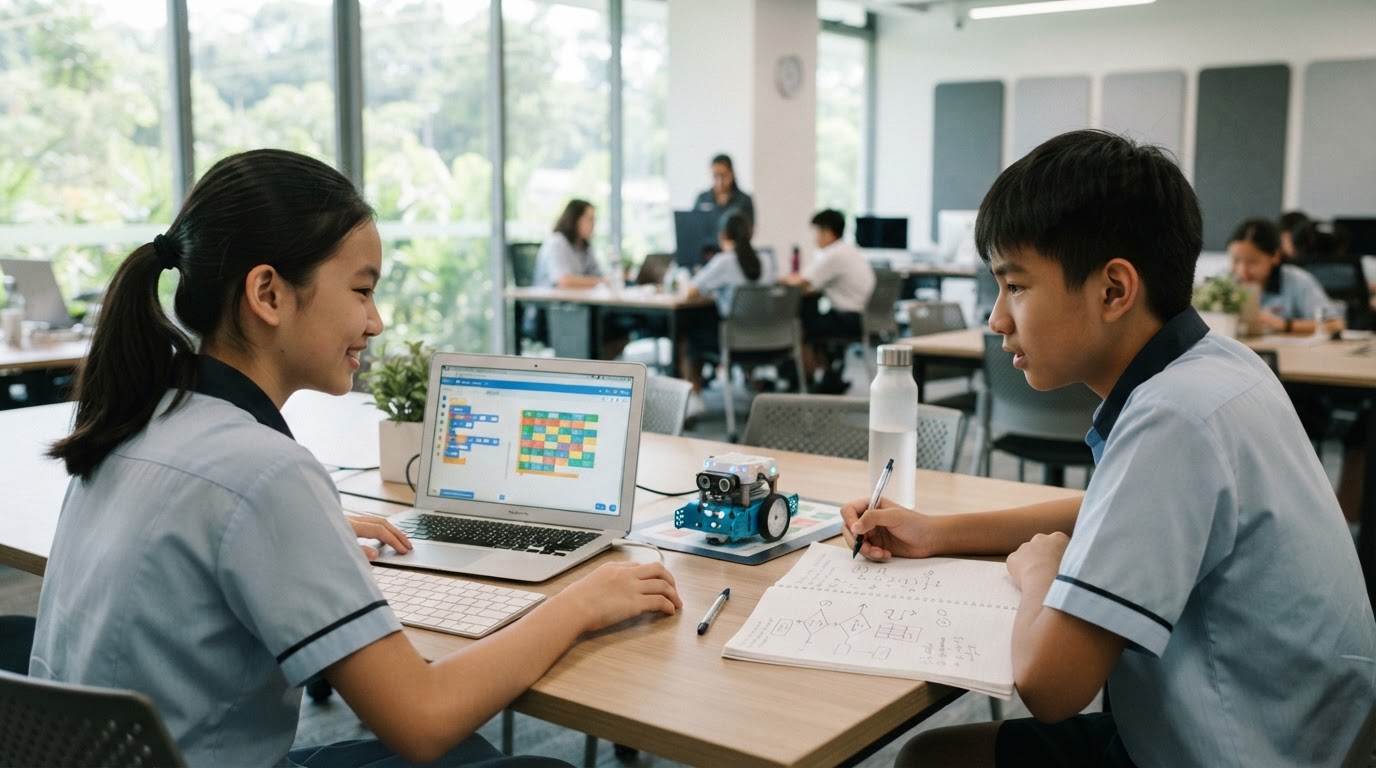
SEAB MOE SEC 2027 G1 Computing K127 is a seven-module subject covering computer fundamentals, networking, the impact of computing, document processing, spreadsheets, media software and programming. A pupil who enjoys slides, videos or Scratch games may still struggle with practical work that specifies exact document layouts, functioning spreadsheet formulas, correct game behaviour and saved deliverables. Parents should distinguish creativity from task completion, check the earliest missing requirement and teach the student to plan, test and submit independently.
The official 2027 G1 Computing assessment has two compulsory papers: Paper 1 is a 1-hour-15-minute e-examination worth 40% (60 marks); Paper 2 is a two-hour lab-based examination worth 60% (90 marks). Paper 2 combines media software, document processing and spreadsheets, and programming. Its time includes saving all required softcopy work. A practical learning plan must therefore cover correct operations, checking and delivery rather than rewarding an attractive file that does not meet the question.
- Confirm the subject is SEC 2027 G1 Computing K127, not G2 K237 or G3 K349.
- Learn the seven modules and the 40% theory versus 60% lab weighting.
- Turn every practical brief into a checklist of observable, testable requirements.
- Check that document layouts and spreadsheet formulas remain correct after edits.
- Test Scratch rules on normal, boundary and restart conditions.
- Save, reopen and verify the expected files in the approved examination workflow.
An interested child brings energy to computer work, but skills become dependable only when creativity is combined with specification reading, correct operations, testing and file delivery. Parents can support this cycle without becoming programmers or taking over the practical task.
Use a calm comparison between expected and actual outcomes. One targeted correction followed by a changed independent task is usually more informative than repeated instructions to ‘be more careful’.
What K127 means under the first SEC Computing examination
The 2027 Singapore-Cambridge Secondary Education Certificate uses subject levels G1, G2 and G3 under Full Subject-Based Banding. G1 is a subject level, not a description of the student’s intelligence. A Posting Group does not determine the level of every subject. Computing is offered according to school arrangements, so check registration and the relevant school teaching plan.
K127 is the G1 Computing code and is new for first examination in 2027. Parents should not use a G3 Python paper to judge a child’s K127 preparation. The official K127 document defines its seven modules and laboratory requirements. The aim is a reliable understanding of computers and practical artefacts, not a fixed claim about the pupil’s future career.
What Paper 1 actually tests
Paper 1 is delivered as an e-examination. It lasts 1 hour 15 minutes and contributes 40% of K127. Section A has 20 multiple-choice questions, one mark each. Section B contains short structured questions totalling 40 marks. All questions are compulsory.
The questions can examine all seven modules, including hardware, networking, online risks, applications, document features, spreadsheets, multimedia and visual programming. A child who spends most free time making games may still need to explain the difference between local and cloud storage or why a router is used.
The paper is not just a keyboard test or a generic online quiz. Reading the command word, understanding a device’s role and applying a concept in an unfamiliar scenario remain central. Use school-approved e-exam practice for the actual interface.
The 60% practical paper changes the revision balance
Paper 2 is a two-hour lab examination worth 90 marks and 60% of the total. Its three task groups cover media software (about 30 marks), document processing with spreadsheets (about 35 marks) and programming (about 25 marks). Candidates submit softcopies of required work and the time limit includes saving.
The approximate marks do not prescribe a fixed amount of time for each task. They do show that simply producing a polished Scratch game does not cover the entire practical paper. Students must practise the different operations and learn to complete the essential outputs first.
All questions are compulsory. The school provides approved hardware and software. Parents should verify the actual Word, Excel, media and programming arrangements rather than assuming an unfamiliar alternative app behaves identically.
The difference between digital enthusiasm and delivered capability
Some children have considerable confidence creating slides, animations and artwork, but find precise task instructions restrictive. A creative product can be excellent for personal purposes and still omit a specified footer, formula, label or file format. In an examination the requirements determine what must be demonstrated.
Turn curiosity into capability by asking the pupil to read the brief, list outputs, choose operations, produce the result, compare it with the specification and save it as instructed. This process protects creativity while making accuracy visible.
Do not call a pupil careless or incapable because an output was omitted. Instead inspect whether the child understood the instruction, had time to implement it and knew how to verify it.
A model task for document processing
Imagine a fictional school event programme. The brief requests a two-page document, a centred title, two columns for the schedule, one image, a page number and a clearly named saved file. A beautifully designed one-page poster does not fulfil those requirements, even if it communicates some of the information.
Ask the child to list those six outputs before starting. Teach the difference between a genuine section or page break and pressing Enter repeatedly to produce blank space. The latter method is fragile when a chart or picture is inserted.
After the learner finishes, compare the actual saved file against the checklist. Reopen it and check the section layout and pagination. The deliverable should survive normal editing without the content unexpectedly shifting.
Spreadsheets are models, not pictures of numbers
Suppose a fictional event-stall sheet lists quantities in column B and unit prices in column C. Column D should multiply the two for each row. When the learner uses =B2*C2 in D2 and copies the formula down, the row references should move correctly.
If a fixed classroom conversion rate is stored in F1, a formula referencing $F$1 can hold that location constant when copied. Ask which values should move, which must stay fixed and why. A formula that happens to give the right first result can still fail in the next row.
Have the child alter one quantity and predict which output should recalculate. This small action reveals whether the pupil has learnt what a formula represents or only repeated a sequence of clicks.
A quick Excel test for independent understanding
Create a three-row fictional dataset. Ask the child to calculate the total, minimum and average using the correct syllabus functions. Change an input and see whether each result updates as expected. Discuss the appropriate cell range rather than merely reading the final value.
Then ask for a simple bar chart that correctly represents the categories and values. A chart may look tidy even when the source range is missing a row or includes the wrong column. Check titles, axes, labels and whether the graph matches the numeric table.
Use invented values rather than real family bills or student personal information. Parents do not need to expose sensitive data to teach good spreadsheet habits.
Why file type and format matter
An editable document is not the same thing as a static picture of the page. A slide-deck source is not always interchangeable with an exported video. Similarly, some image formats preserve transparency while others do not.
The syllabus covers raster and vector graphics and examples of different image formats, including PNG, JPEG, GIF, TIFF and BMP. A learner should understand why a transparent logo may need a different output from an ordinary photograph.
Ask what the recipient must be able to do: edit, view, calculate, or import into another programme. The correct file type depends on that requirement. Do not reward a small filesize if the output loses the property the task explicitly needs.
Media work: a storyboard can prevent missing content
Slides and video can become distracting because students enjoy adjusting colours and transitions. Yet the task may require a specific sequence, certain text, an image treatment or a defined output. A storyboard shows what each frame or slide must contain before the student begins editing.
Have the pupil create a three-part fictional announcement: purpose, information and next action. Check that headings are legible, images are relevant and the viewer can follow the sequence. Only then improve effects if the task allows.
Strong presentation is valuable when it makes required information easier to understand. It is not a substitute for missing information or an incorrect export.
Visual programming means explicit rules
A Scratch-style game can introduce event triggers, variables, sequences, conditions and loops. A game with attractive sprites may still be incorrect if a score changes for the wrong event or does not reset on restart.
Use a fictional rule: score begins at zero, increases by one for a correct click and stops when it reaches five. Ask the child to demonstrate scores one, four and five, then restart and confirm the score returns to zero.
If the game stops at six, the condition is wrong. If it begins at one after a restart, initialisation is wrong. If an unrelated click adds points, the event trigger requires repair. Each is a specific logic issue that can be tested.
A test table makes Scratch errors visible
Create four columns: action, expected result, observed result, and next correction. Enter a normal click, a boundary click at the goal and a restart. After each program change, test again rather than assuming the error is gone.
Encourage the child to explain what a block is intended to do. If the pupil cannot describe the rule without pointing at the screen, the code may have been assembled by imitation rather than understanding.
Parents who cannot code can still ask what should happen and which test would show a mistake. That helps the learner develop computational thinking without the parent taking over the keyboard.
Checking and saving are part of the practical solution
A working project is not yet a properly submitted project. Candidates must save the required softcopy files during the Paper 2 session. A missing file, wrong name or wrong format can prevent the expected evidence from being assessed.
During practice, teach a brief verification sequence: identify the required filename and extension, use the correct approved location, save, then reopen or inspect the file and confirm the expected work is present.
Do not assume that cloud synchronisation or an autosave indicator is the same as correct exam submission. The actual process should follow the school and examination instructions.
Computer fundamentals and responsible use still matter
Theory can include CPU and memory, software, storage and networks, as well as threats such as malware, scams and misuse of personal data. The pupil must know the purpose of a component, not simply memorise a label next to a picture.
Ask the child to distinguish local files from online storage, a backup from a synced copy, and hardware from software. They can explain how each affects a simple situation, such as a laptop that cannot access the internet.
Use safe examples. Do not enter passwords, confidential student records or real identity numbers into a practice website. Responsible data handling is a relevant competence in its own right.
How to avoid running out of laboratory time
A common pattern is spending too much time perfecting the first visual task. Help the learner identify compulsory features, build a minimally correct result, save it, and then improve the design within the remaining time.
Parents should not invent exact official minute allocations for the three lab task groups. Instead practise with an appropriately sized school-aligned brief, then reflect on where time was spent and what remained incomplete.
Accuracy comes before timing. A pupil who cannot perform a required operation should first learn it without pressure; only then is realistic timed practice useful.
What parents can diagnose in fifteen minutes
Give a small fictional brief containing one document layout, one spreadsheet formula and one Scratch behaviour. Ask the child to name all three outputs before opening an app. If the student cannot restate the task, the first problem may be specification reading.
Allow the pupil to attempt one operation in each area. Observe whether they lack a software skill, make a logic error, or forget saving. Do not collapse every problem into ‘bad with computers’.
Repeat a different brief after two days with fewer prompts. That delayed transfer is more convincing than completion of the same tutorial twice.
A four-week foundation repair sequence
Week 1: review school feedback and identify the first repeated gap—document layout, formula references, media format, Scratch conditions or file saving. Choose one primary skill and create a small baseline task.
Week 2: model the missing operation and let the pupil explain why it matches the requirement. Provide one guided attempt, then one independent attempt in the approved application.
Week 3: combine two task areas in a short brief. Add an explicit saved-file check. Ask the pupil to mark completed requirements before polishing the appearance.
Week 4: present a changed brief without a model. Check whether the learner can list outputs, carry out operations, verify results and deliver the files independently.
An eight-week route to G1 Computing readiness
Weeks 1–2: establish computer, network and software concepts, while practising clear requirement reading and file organisation. Include safe handling of privacy and copyrighted material.
Weeks 3–4: focus on word-processing operations and spreadsheets, including formulas, references, charts and checking results after changing inputs.
Weeks 5–6: practise a short visual program with explicit rules and a media artifact with a storyboard. Test normal and boundary conditions as well as required export formats.
Weeks 7–8: attempt appropriately timed short Paper 1 tasks and a supervised mixed lab rehearsal. Reserve time for saving and check all required deliverables. Review progress against the baseline with the school.
Repair, stabilisation and extension are different choices
Repair suits pupils who cannot yet perform one required operation or explain its meaning. Teach that link clearly before increasing task length.
Stabilisation suits pupils who can use apps in isolation but fail when requirements are combined. Practise checklists, prioritisation, independent testing and correct file delivery.
Extension suits pupils who complete requirements reliably. Explore alternative designs, efficient methods and why one format or algorithm is better for a particular purpose. Keep optional enrichment distinct from the current examination boundaries.
What parents should avoid
Do not treat an attractive slide or copied Scratch game as proof of exam readiness. Do not finish the pupil’s lab task for them and then assume the child has mastered it.
Do not assume buying an expensive laptop is the solution. If practice access is difficult, ask the school about approved sessions and resources before making purchases.
Do not claim a guaranteed grade or that every software problem reflects poor effort. Correct diagnosis and patient, independent practice are more useful.
A practical exercise parents can start this week
Ask the child to create a fictional club pack: a short notice, a three-row spreadsheet and a game counter. Before starting, list the required elements and intended files.
At the end, change one spreadsheet input, restart the game and reopen the saved documents. Ask what each test proves. Repeat a different brief after two days without telling the pupil which commands to use.
Questions parents frequently ask
Is K127 a new 2027 SEC subject?
Yes. SEAB lists G1 Computing K127 with its first examination in 2027.
Does G1 Computing test just Scratch?
No. It has seven modules, and the lab also tests media, document processing and spreadsheets.
How much is Paper 1 worth?
40%, with 60 marks over 1 hour 15 minutes in an e-examination.
How much is Paper 2 worth?
60%, with 90 marks over two hours in a lab.
What does the lab require?
Three task areas: media software, document processing with spreadsheets, and programming, with saved softcopy submissions.
Is the saving time extra?
No. Saving is included within the two-hour lab period.
What does the practical programme require at home?
Check the school-approved software and access arrangements; do not assume personal online alternatives are permitted in examinations.
Is a visually good slide enough?
No. The output must meet the specific brief, including required text, layout and file format.
How can I test a spreadsheet?
Change a relevant input and check that the formula updates correctly, with the intended references.
How can I test a Scratch game?
Use a normal case, a boundary condition and a restart, comparing actual behaviour with stated rules.
Should I teach all seven modules?
Yes, according to the published syllabus and school teaching plan. Targeted repair is not permission to omit required content.
When should I seek support?
When recurring errors remain after specific feedback, request a diagnosis of the exact missed requirement or operation.
Official syllabus and further reading
The examination details above follow the official SEAB G1 Computing K127 syllabus for the 2027 school-candidate cohort. The home exercises are original illustrative activities, not SEAB specimen papers or guarantees of performance.
Official 2027 SEAB G1 Computing K127 syllabus PDF
SEAB G1 2027 school-candidate syllabus listing
Related: K127 Computing capabilities beyond SEC
Related: SEC G1 to G3 Computing subject comparison
Parent-student consultation
Bring the exact subject code, marked school task, the student’s independent work and school software instructions. Discuss specialist Computing provision with the school; eduKateSG can help families diagnose learning routines and choose appropriate support without promising a specialist class or an exam result.