
Did you know that the G3 Computing examination expects students not only to describe algorithms, but to save working Python and spreadsheet files under examination conditions? That makes it different from a short coding activity or a video showing a colourful game. For Bukit Timah students sitting the first Singapore-Cambridge Secondary Education Certificate in 2027, the real challenge is to understand what a program should do, build it carefully, test what happens when inputs change and explain its results.
The quick answer: SEAB lists G3 Computing K349 (former code 7155) for 2027. Paper 1 is a compulsory two-hour written examination, 80 marks and 60%. Paper 2 is a 2-hour-30-minute computer-lab examination, 70 marks and 40%, using a spreadsheet, Python and JupyterLab. It contains one spreadsheet task and four to five programming questions; all questions are compulsory. Five syllabus modules cover Computing Fundamentals, Algorithms and Programming, Spreadsheets, Networking, and the Impact of Computing. School-approved equipment and examination instructions determine the actual lab arrangements.
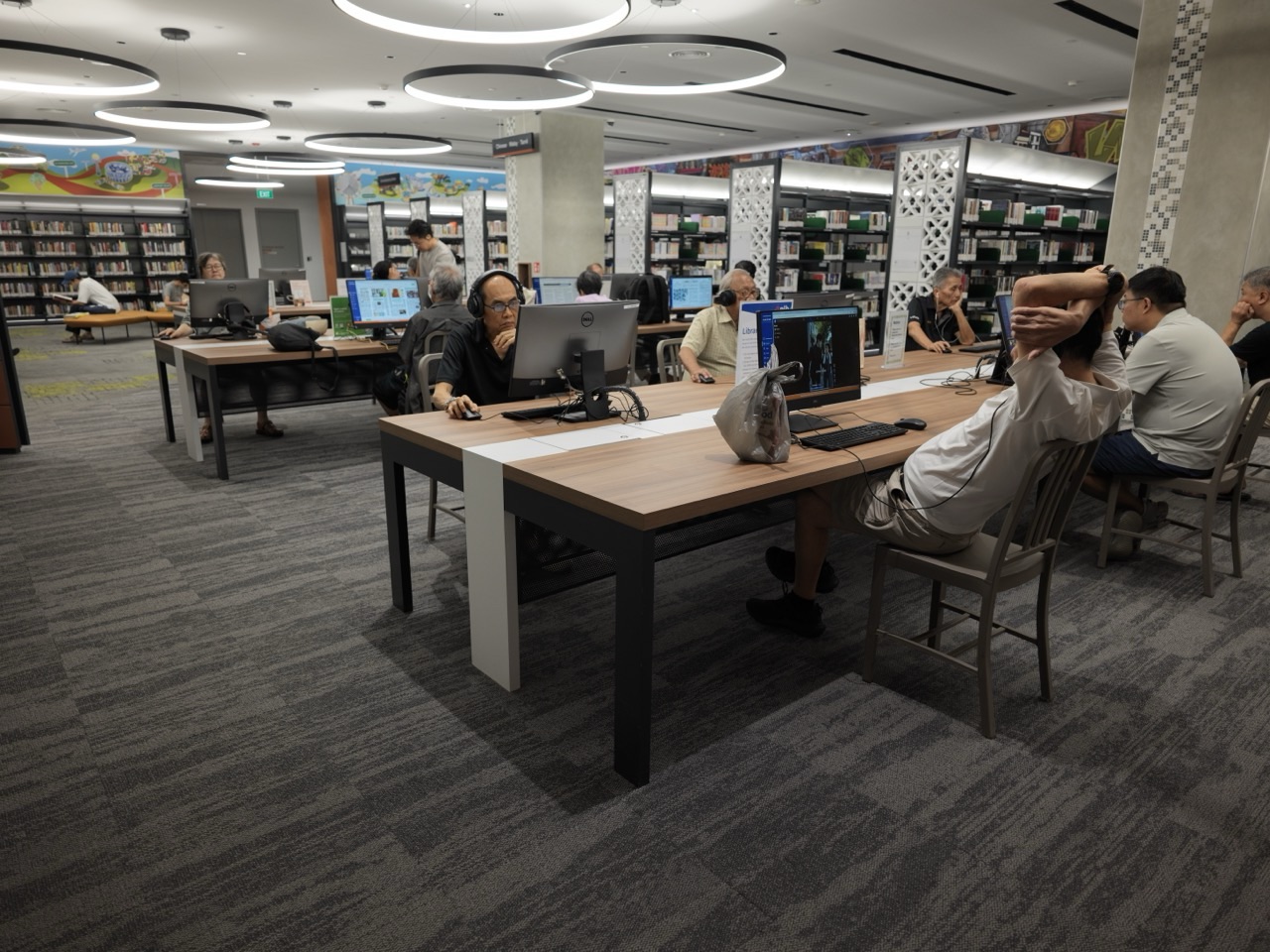
Updated 27 October 2026. Featured photo shows existing National Library computers, not an official Computing SEC exam room. Examples in this article are fictional exercises; actual software, apparatus and allowed assistance follow school and SEAB instructions.
Jump to: 1. Why K349 is different from G1 and G2 Computing · 2. The assessment split: sixty per cent written, forty per cent practical · 3. Why a computer-lab exam requires a different routine · 4. What the five modules are designed to teach · 5. Computer architecture: processing, memory and storage · 6. Bits, bytes and units: why two similar abbreviations may differ · 7. Binary, hexadecimal and two’s complement · 8. Logic gates, truth tables and Boolean expressions · 9. Algorithms begin with a precise problem statement · 10. Sequence, selection and iteration in Python · 11. Variables, numbers, strings, lists and dictionaries · 12. Functions help manage a larger task · 13. Tracing code and locating mistakes · 14. Validation and boundary cases are part of correctness · 15. Spreadsheet references: relative, absolute and mixed · 16. What Goal Seek and conditional formatting accomplish · 17. Lookup, text and statistical functions · 18. Python and spreadsheet work belong in separate lab tasks · 19. Networking: LAN, WAN and the internet · 20. MAC and IP addresses are not interchangeable · 21. Security, privacy and data protection · 22. The impact of computing on everyday life · 23. Copyright, licensing and digital creation · 24. AI-generated code and the need to understand it · 25. What the written paper can ask about practical skills · 26. A practical study loop from late 2026 through 2027 · 27. K349 and the next educational stage · Related 2027 SEC guides
1. Why K349 is different from G1 and G2 Computing
Singapore’s SEC begins in 2027 with a common certificate reflecting the General level taken for each subject. K349 is the G3 Computing syllabus. G1 K127 and G2 K237 are distinct newly listed Computing subjects with their own software, practical tasks and assessment weights. A student should not substitute one for another because all three carry the word Computing.
G3 K349 includes Python programming and JupyterLab alongside spreadsheets. G1 and G2 practical programmes include different combinations of familiar software and Scratch. A learner who is comfortable moving blocks in a visual program may need additional time to understand Python syntax, structured problem-solving and debugging.
Confirm the actual subject code, school offering and permitted applications before buying resources. Full Subject-Based Banding allows different subject-level combinations, and a pupil’s secondary entry Posting Group does not by itself establish their registered G3 Computing examination.
2. The assessment split: sixty per cent written, forty per cent practical
Paper 1 lasts two hours and carries 80 marks, contributing 60% to the final grade. It tests all five modules through a mixture of single- and multiple-answer MCQs, short answers, matching, cloze passages and structured questions. Paper 2 lasts two hours thirty minutes and contributes 40% with 70 marks earned through practical tasks.
This is not a straightforward half-theory, half-practical scheme. The written paper has a larger weighting, but the lab component also requires genuine working skills. A teenager who memorises computer terms without practising file handling and debugging may struggle when asked to produce and save usable code.
Parents can ask which paper currently creates the greatest difficulty and why. Weak understanding of networking needs one lesson; confusing Python variables or spreadsheet references needs another. Generic advice to ‘do more coding’ is too imprecise to help every pupil.
- Paper 1 — 2h, 80 marks, 60%, five modules.
- Paper 2 — 2h30, 70 marks, 40%, spreadsheets plus Python/JupyterLab.
- All questions compulsory; approved calculators allowed in both papers.
- Python quick reference is provided in Paper 2, subject to official rules.
3. Why a computer-lab exam requires a different routine
SEAB states that each candidate should have sole use of a personal computer for Paper 2, with appropriate spreadsheet and Python/JupyterLab access. The 2h30 allocation includes saving required files as softcopies. Finishing a correct program but leaving the file unsaved may therefore create a serious submission problem.
School teachers establish the authorised file locations, instructions and software environment. Students should practise reading tasks carefully, using meaningful file names where required, saving at sensible checkpoints and checking that final outputs match expectations. An unapproved home setup is not proof that a particular package or shortcut is available in the examination.
Transporting a personal laptop into the exam room or using cloud-based tools should never be assumed acceptable. The centre provides controlled equipment and candidates follow the examiner’s instructions, not procedures advertised by a software retailer.
4. What the five modules are designed to teach
Computing Fundamentals explains hardware, data representations and logic. Algorithms and Programming covers analysing a problem, writing Python code and testing the result. Spreadsheets trains students to manipulate and examine data systematically. Networking explains how devices exchange information and why security matters. Impact of Computing examines ethical, legal and social consequences.
These are complementary areas. A program runs on hardware, handles data represented in bits, may exchange information over a network, and has consequences for the people who use it. A child who studies each module as an isolated stack of definitions may miss how those parts connect in an unfamiliar practical task.
A useful revision map puts the intended computing problem at the centre and asks which module helps solve each part. For example, an imaginary school-library system requires valid inputs, a way to organise records, program logic and appropriate privacy protection.
5. Computer architecture: processing, memory and storage
The syllabus expects pupils to distinguish the processor, main memory and secondary storage. These components perform related but different roles. A file saved on storage is not the same as data being used temporarily by a running program in memory. The distinction affects how computers handle tasks and recover from restarts.
Students also encounter input and output interfaces, and magnetic, optical and solid-state media. Their uses can differ by typical capacity, durability, cost and speed. A brand’s marketing slogan cannot replace an accurate comparison of the properties stated in the syllabus.
Parents can use an everyday analogy of a work surface and a filing cabinet to begin an explanation, but the student should then return to the proper technical terms. Analogies have limits and are not complete descriptions of computer architecture.
6. Bits, bytes and units: why two similar abbreviations may differ
K349 includes conversions among bits, bytes and decimal versus binary-based storage quantities, including kilobytes versus kibibytes and megabytes versus mebibytes. Students should not use these terms indiscriminately when a calculation expects the distinction between powers of ten and powers of two.
For an elementary check, one byte equals eight bits. A message of 100 bytes contains 800 bits, assuming the relevant size convention. A larger storage problem requires consistent units and awareness of the prefix being used, not merely adding zeros to a familiar abbreviation.
Ask the pupil to write the conversion factor before calculating. A correct numerical answer with an incorrectly stated unit may demonstrate a misunderstanding of what has actually been measured.
7. Binary, hexadecimal and two’s complement
Computers represent information in digital forms. The syllabus includes converting positive whole numbers among binary, denary and hexadecimal and explaining the technique used. It also includes the representation of positive and negative integers using two’s complement for a fixed number of bits.
Take the fictional integer 13: it is 1101 in binary and D in hexadecimal. A student should be able to explain how place values produce that result. Two’s complement requires separate attention to the chosen bit width; a binary pattern’s signed interpretation is not meaningful without knowing the representation.
This is a good topic for checking reasoning aloud. Rather than asking a teenager to memorise a long table, invite them to reconstruct a small conversion and then verify it with the appropriate operation.
8. Logic gates, truth tables and Boolean expressions
AND, OR, NOT, NAND, NOR and XOR gates can be represented using symbols, Boolean expressions or truth tables. SEAB specifies circuit problems with no more than three inputs in the relevant outcomes. Students should trace the effect of each gate and apply the truth table consistently.
Imagine a conceptual access system that requires two conditions before a green indicator lights. An AND relationship expresses a condition in which both must be true. A different system might use OR so that either permitted condition suffices. The interpretation depends on the given logic, not a vague rule that one gate is ‘better’.
Truth tables help catch an incorrect assumption by systematically considering all relevant input combinations. That method teaches controlled reasoning and can be practised safely on paper without handling electronics.
9. Algorithms begin with a precise problem statement
Before writing code, the pupil needs to know the intended inputs, valid input conditions and required outputs. A program that runs without errors can still solve the wrong problem. SEAB’s syllabus explicitly treats problem analysis and removal of irrelevant detail as examinable skills.
For a fictional timetable checker, the student might need a date, time and status as input. If the task requires reporting whether an event is within school hours, the definition of those hours must be supplied. A vague instruction to ‘check schedule’ is not enough to determine the correct algorithm.
Teach students to restate the task in ordinary language, identify cases they must handle and give an example of expected output. Only then should they begin Python coding. This can save time by preventing premature implementation.
10. Sequence, selection and iteration in Python
Programs organise actions in sequence, choose among branches through conditions and repeat work through loops. K349 covers Python if, elif and else statements, for and while loops and suitable flowchart interpretation. These constructs are basic building blocks for more complicated algorithms.
A fictional program that categorises a mark must compare it with stated thresholds and choose the correct branch. A loop that processes several marks needs a termination condition so it does not continue forever. The exact thresholds must come from the task, not the student’s personal preference.
Students should predict what happens for a simple input before running the code. Doing so reveals whether they understand the order of decisions, and makes debugging less like randomly editing lines until the output looks right.
11. Variables, numbers, strings, lists and dictionaries
K349 expects candidates to use different data types appropriately. A variable stores a value; strings represent text, lists organise ordered collections and dictionaries associate keys with corresponding values. The choice of structure can make an algorithm clearer and more reliable.
Suppose an imaginary program stores book titles and their shelf locations. A dictionary could connect each title to a location, while a list might be suitable for a sequence of items. The student should explain what the chosen structure enables instead of merely using whichever Python feature was most recently taught.
Data types also affect operations. Concatenating strings differs from adding numbers, and a value received from input may need validation or conversion. Careful explanation of these differences helps prevent bugs in assessed programs.
12. Functions help manage a larger task
The syllabus includes user-defined functions with parameters and possible return values, along with the distinction between local and global variables. Functions can reduce duplication and make a complex problem easier to develop and test in parts.
For a fictional pricing program, one function might compute a subtotal, and another might format the result for display. Each should have a clear purpose and appropriate inputs. If the same formula appears in many places, an authorised, well-designed function may make changes more consistent.
Students should know what a function promises to return and how to check that the caller uses the result correctly. A correct-looking function that is never invoked, or that returns the wrong type, may not solve the original task.
13. Tracing code and locating mistakes
SEAB assesses trace tables, dry runs, printed variable values and tracing logic backward from unexpected behaviour. It distinguishes syntax errors, logic errors and run-time errors. These categories require different responses; changing random code until a warning disappears is not a systematic debugging method.
A syntax error might prevent a program from running at all. A logic error may allow it to run but produce a wrong answer. A run-time error may occur only when a particular input or state is reached. A strong student can describe the difference and construct a relevant test.
Use small known inputs with expected outputs. If a program should return the greater of two numbers, test values in both orders and equal values. This exposes boundary conditions that a single happy-path example can miss.
14. Validation and boundary cases are part of correctness
The curriculum includes length, range, presence, format, existence and check-digit validation. It also requires tests for normal, error and boundary conditions. A form accepting a date or identifier cannot be called reliable simply because it processes one valid sample correctly.
Imagine a fictional event-registration form that requires an age between two stated bounds. Testing the minimum, maximum and immediately adjacent invalid values reveals more than entering a random middle number repeatedly. The task’s actual requirements determine which tests are appropriate.
Validation is a defence against accidental or incorrect input; it is not a guarantee of cybersecurity. A correct validation rule and safe treatment of private data are related but distinct responsibilities.
15. Spreadsheet references: relative, absolute and mixed
K349 tests formulas that must behave properly when copied across cells. A relative reference changes position when copied, while absolute and mixed references fix all or part of the position. A table that initially calculates one correct result may fail down the next twenty rows if references are chosen incorrectly.
Imagine a fictional price calculator multiplying quantities by a tax or conversion factor stored in one cell. The factor’s reference may need to remain fixed as formulas are copied, while the quantity cell changes row by row. The student should reason from the table’s structure rather than memorise a sequence of clicks.
A useful check is to change a source value and verify that the dependent results recalculate correctly. Typing the expected final numbers manually conceals errors and does not demonstrate a working spreadsheet model.
16. What Goal Seek and conditional formatting accomplish
The syllabus specifies Goal Seek and Conditional Formatting. Goal Seek can find an input needed to produce a specified target result in an appropriate spreadsheet model. Conditional formatting updates the presentation of cells when their values meet stated rules.
An illustrative household-budget worksheet might use Goal Seek to find a monthly saving amount needed for an invented target. Conditional formatting could highlight entries exceeding a given limit. Those tools serve an analytical purpose, not merely decoration.
Students should describe what input the tool changes, which result it is trying to achieve and what assumptions the formula uses. A spreadsheet may produce a numerically valid target that is unrealistic for the particular scenario.
17. Lookup, text and statistical functions
K349 includes logical, mathematical, text, lookup and date functions, such as IF, SUMIF, COUNTIF, VLOOKUP, INDEX, MATCH and relevant rounding or ranking tools. The official PDF provides an examinable function list, which should take priority over whatever functions happen to be available in a newer commercial spreadsheet version.
A lookup can return a corresponding value from a suitable table. But exact and approximate matches behave differently, and incorrect ordering or reference ranges can produce misleading results. A student must understand why a lookup works for the given data.
Good revision uses small invented tables with deliberately chosen edge cases, including missing matches and repeated conditions. The pupil learns to detect a wrong result rather than trust every value produced by a formula.
18. Python and spreadsheet work belong in separate lab tasks
Paper 2’s official format includes one spreadsheet question and four to five programming questions. That means the learner should prepare for both practical modes and understand the instructions for delivering each required softcopy. An excellent Python program does not automatically replace the spreadsheet assessment.
Students should practise opening the correct files, confirming input assumptions, checking outputs and saving the requested work using school-approved procedures. The examination time includes saving, so leaving file management until the final seconds is avoidable risk.
Do not assume that personal cloud storage, unapproved code-completion tools or installed packages are available. The school centre provides the controlled facilities specified by SEAB, with its own instructions.
19. Networking: LAN, WAN and the internet
The Networking module distinguishes local and wide-area networks and examines wired and wireless media, network architectures and relevant protocols. A school or home local network may connect several devices, while the internet links many networks across broader infrastructure.
Students should be able to explain the roles of routers, switches, wireless access points and interfaces under the syllabus rather than call every device ‘the Wi-Fi’. A network problem is easier to reason about when the pupil knows which connections and addresses operate at which level.
Printed diagrams and conceptual examples are sufficient for safe learning. Reconfiguring another person’s router or network to test a theory is neither necessary nor authorised exam preparation.
20. MAC and IP addresses are not interchangeable
K349 covers MAC addresses and IPv4 and IPv6 addressing, including their purposes and representations. MAC addresses are typically used for directing data within a local network context, while IP addressing supports routing across networks. The same device can participate in both levels of communication.
Students should distinguish an address’s role, representation and scope rather than memorise a visually appealing string of digits. The protocol and network arrangement determine how an address is used.
Do not publish another person’s identifiers or private network details in a practice task. Invented addresses or teacher-approved diagrams can demonstrate the same concept without exposing a family’s network.
21. Security, privacy and data protection
The syllabus covers anti-malware software, firewalls, encryption, phishing, pharming and privacy threats, alongside relevant principles of Singapore’s Personal Data Protection Act. A technically functioning program can still expose people if data are collected or shared carelessly.
Imagine a fictional student application asking for a user’s name and contact details. The builder should ask whether those details are necessary, how they are protected and who is authorised to see them. Appropriate privacy practice begins with the purpose and data minimisation, not simply choosing a longer password.
Students should learn to recognise suspicious messages and fake websites without opening unsafe links. An education task does not justify testing spyware, harvesting credentials or bypassing an actual computer’s security controls.
22. The impact of computing on everyday life
Computing changes communication, education, transport, retail and many other activities. The syllabus asks students to understand both useful applications and possible social costs. A system that makes a process faster may also raise privacy, accessibility, copyright or information-integrity concerns.
For example, self-checkout technology can help some retail operations while requiring reliable interfaces and support for customers who encounter errors. A student should describe the benefit and the operational or social challenge, rather than declare every technology uniformly better.
Comparisons should be grounded in actual case information. No particular Bukit Timah retailer’s costs or staffing decisions can be inferred merely because such technology exists.
23. Copyright, licensing and digital creation
Programs and other digital creations can be protected by copyright and distributed under different licences. The syllabus distinguishes proprietary software, freeware, shareware and free/open-source software. ‘Free to download’ does not necessarily mean ‘free to copy, modify and redistribute without conditions’.
A pupil using code or digital media created by someone else should check the applicable licence and school originality policy. The exam expects students to demonstrate their own programming ability, so pasting a complete external solution defeats the assessed purpose even if it works.
Use small original practice programs and properly acknowledged references. Academic integrity is both an examination requirement and a professional computing habit.
24. AI-generated code and the need to understand it
AI tools can produce Python snippets rapidly, but the output may contain logic errors, hidden assumptions or unsupported functions. If a student cannot explain how the program behaves for boundary inputs, the code is not evidence of the student’s understanding. Formal exam rules may prohibit external assistance or unauthorised tools entirely.
A good preparation exercise is to review a short program’s predicted inputs and outputs before executing it, then test the prediction. If a generated example is used in legitimate learning, inspect each step and consult the teacher about permission and attribution.
Computational thinking involves responsibility for results. A fluent explanation from a tool is not a substitute for debugging, validation and a reasoned decision about how the program should operate.
25. What the written paper can ask about practical skills
Paper 1 assesses knowledge, application and design thinking across all five modules. Students may be asked to interpret pseudocode or Python behaviour, read spreadsheet formulas, assess a network diagram or evaluate a scenario’s security implications.
Writing ‘use Python’ is not enough if the question asks which algorithm to apply or how an error should be handled. Strong answers explain the relationship between the required input, the operations performed and the correct output.
Practise short descriptions of what a given code fragment does and why a particular test is useful. This strengthens written-paper performance while also supporting lab competence.
26. A practical study loop from late 2026 through 2027
Start by checking K349 and the school’s software provision. Diagnose knowledge gaps in binary representation, Boolean logic and computing architecture. Then build small Python exercises that demonstrate input validation, conditions, loops, functions, lists and dictionaries within the official reference scope.
Alternate programming with spreadsheet practice so that absolute references, lookup functions and data validation remain familiar. Use teacher-approved tasks for network and privacy reasoning. As the exam approaches, practise the two-hour written paper and the 2h30 supervised lab format under legitimate school conditions.
After each task, record the precise source of errors: misunderstood requirements, code syntax, wrong algorithm, incorrect spreadsheet reference or unsaved output. That error log gives the teacher a clearer next teaching step than simply asking the student to spend more hours on a computer.
- Confirm the school-registered K349 code.
- Know the 60% written/40% lab split.
- Practise Python and JupyterLab plus spreadsheet skills.
- Check normal, invalid and boundary inputs.
- Save the correct files through approved school procedures.
- Revise networking, ethics and privacy as well as coding.
27. K349 and the next educational stage
Computing can support future interests in software, data analysis, digital systems and other fields, but a single subject grade does not guarantee a course or profession. The first SEC cohort is expected to receive results in January 2028; the receiving institution will determine the applicable admissions requirements.
The most useful longer-term outcome is to approach technology thoughtfully: define problems precisely, design a solution, test it against evidence and respect the people whose information a system handles. Those habits matter even for students who later pursue non-computing subjects.
Families can read our separate G1/G2 Computing 2027 comparison for the distinct beginner-level papers, and the Bukit Timah AI Literacy and Code for Fun guide for the wider national programme.
Frequently asked questions
What is the 2027 SEC G3 Computing code?
K349, with older reference 7155.
How long is Paper 1?
Two hours, with 80 marks and 60% of the grade.
How long is Paper 2?
Two hours thirty minutes in a supervised computer lab, worth 70 marks and 40%.
What software is used in the lab?
Spreadsheets and Python with JupyterLab, in the school-provided authorised environment.
How many lab questions are there?
One spreadsheet question and four to five programming questions.
Are both papers compulsory?
Yes, all questions in both are compulsory.
Is a Python reference provided?
SEAB supplies a quick reference guide for Paper 2.
How many syllabus modules are there?
Five: fundamentals, algorithms/programming, spreadsheets, networking, and impact.
Is Scratch sufficient preparation for G3 K349?
No. G3’s lab includes Python and JupyterLab; G1/G2 have different practical requirements.
Do students need to know binary and hexadecimal?
Yes, including conversions and specified two’s-complement concepts.
Does the syllabus include spreadsheets with lookup functions?
Yes, using the specific examinable functions and reference behaviours listed by SEAB.
Is cybersecurity part of the written syllabus?
Yes, including privacy, malware, encryption, network security and good practices.
May students use AI code completion in the examination?
Never assume permission. Formal exam software and assistance are governed by the school’s and SEAB’s instructions.
Where are actual exam dates?
Check the official SEAB 2027 candidate timetable and school notices.
Explore the next 2027 SEC subjects at Bukit Timah
Compare the four new subject guides below, each based on its own official SEAB 2027 syllabus. The different General levels and paper structures matter when choosing study materials or planning a school timetable.
- Education at Bukit Timah | Higher Chinese: E-Oral and Writing
- Education at Bukit Timah | G2 Humanities: Social Studies and Geography
- Education at Bukit Timah | Exercise and Sports Science: E-Exam and Coursework
Official sources and related reading
SEAB 2027 G3 syllabuses — official syllabus or related reference.
SEAB G3 Computing K349 syllabus — official syllabus or related reference.
SEAB SEC qualification overview — official syllabus or related reference.
MOE SchoolFinder — official syllabus or related reference.
eduKateSG G1/G2 Computing comparison — official syllabus or related reference.
eduKateSG 2027 SEC examination calendar — official syllabus or related reference.
Bottom line: K349 assesses more than computer familiarity. Students must reason about systems, design and debug Python programs, manage spreadsheet data, save authentic lab work and evaluate privacy and social impact. The best revision learns why a solution works and how to check when it does not.