
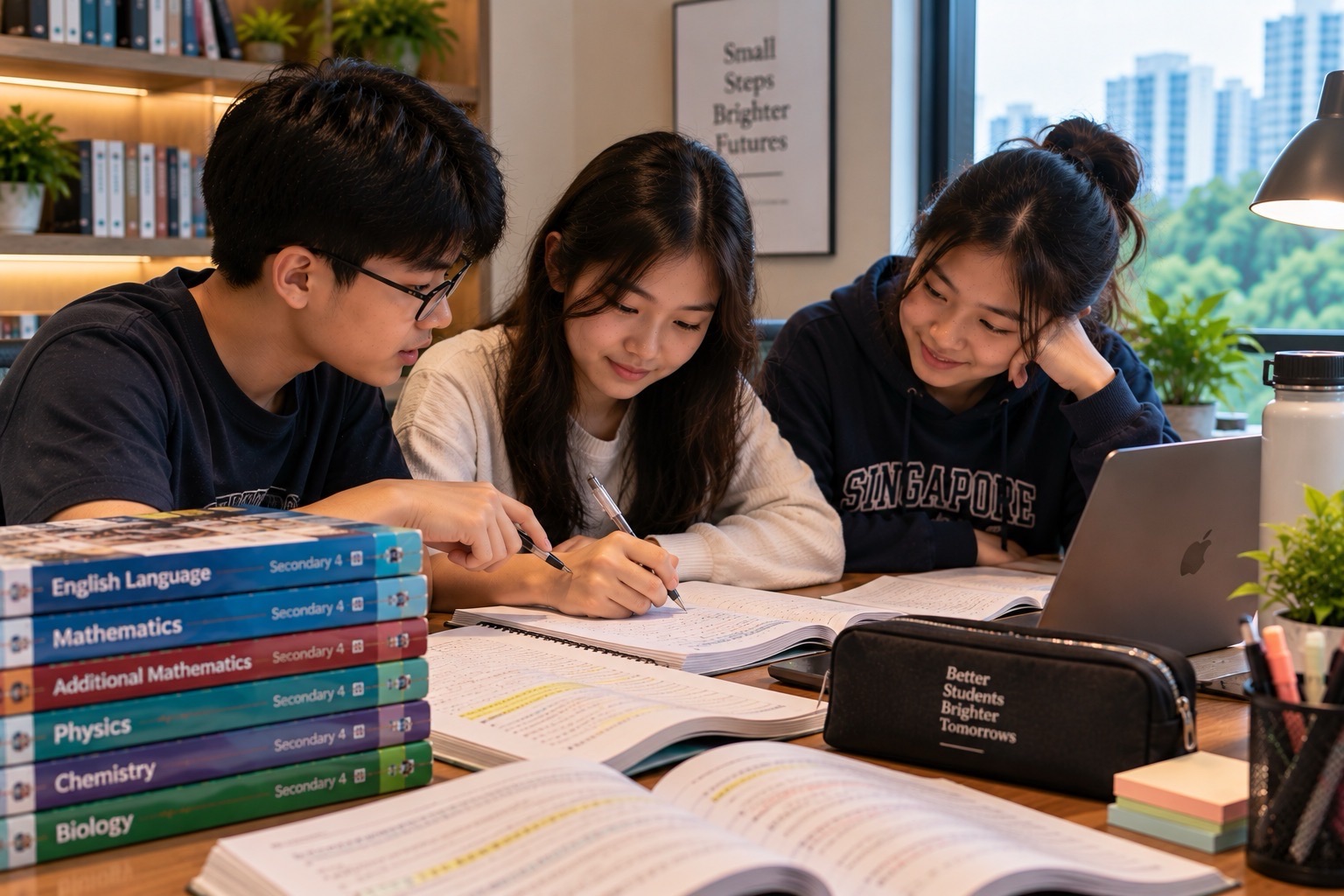
Padlet for students can look like a digital noticeboard: a teacher asks a question, pupils add notes, images or links, and everyone’s ideas appear in one shared space. It feels simple. Yet the educational value depends on something much more demanding than collecting colourful posts: are students supporting claims with evidence, noticing other perspectives and improving their thinking?
Parents and teachers searching for Padlet for students, how to use Padlet, Padlet classroom collaboration, Padlet for Schools, and Padlet privacy settings often want practical instructions without unnecessary jargon. They also want to know whether a child needs an account, who can see the posts and how to stop a class discussion from becoming a wall of unverified opinions.
This guide gives a learning-first route. We explain the difference between a board and an assignment system, work through English, Mathematics and Science activities, demonstrate constructive peer feedback and examine Padlet’s updated permissions. The objective is a student who can collect ideas and then evaluate, explain, revise and use them.
Quick answer: Padlet lets an authorised creator organise a shared board or other collaborative space. Students may read, comment or contribute depending on the creator’s settings. The current privacy controls distinguish access from permissions: a link does not necessarily mean the post is private, and a writer may be able to add material without being allowed to edit everything. The best learning sequence is question → evidence → contribution → comparison → correction → independent conclusion.
What Is Padlet for School Learning?
A Padlet board can gather short posts from several contributors. The posts might contain text, images, links or other material depending on the chosen configuration. This makes it useful for brainstorming, exit tickets, research collections and simple class discussions.
Its greatest convenience can also be its weakness. When students are encouraged to post quickly, an inaccurate claim can appear next to a sound one. If the teacher counts twenty contributions and calls the activity successful, the class may have produced twenty messages without developing any stronger understanding.
A better approach gives the board a precise educational purpose. Rather than asking “What do you think about Science?”, ask “Which observation supports the conclusion that the switch was open?” The narrower question produces answers that can be checked.
Padlet is not an official replacement for every school’s learning platform or a complete curriculum. It is one way to organise discussion and evidence. In Singapore, pupils should still follow school instructions about approved services, assignments and student information.
Boards, Posts, Comments and Collaborators
A board is the shared activity space. A post is a contributor’s item on that board. A comment responds to an existing post when commenting is enabled. A collaborator may have individually granted privileges that differ from those of an ordinary visitor.
These distinctions matter when troubleshooting. A pupil who can see every post but cannot add a new one may have Reader access. Someone who can comment but cannot create a top-level post may have Commenter access. A teacher may deliberately close new contributions after the deadline without removing the board’s read access.
Padlet’s official permissions documentation distinguishes No access, Reader, Commenter, Writer, Moderator and Creator permissions in supported settings.
The name Writer does not mean unlimited power over classmates’ work. In ordinary use it allows creating posts, while stronger permissions can allow editing or approving content. Always inspect the exact current permission rather than assuming the role from a vague label.
For a normal class task, give each person only the access needed to complete the learning activity.
Is Padlet Free for Students?
Padlet has individual and organisational options. Basic access and the number of boards or features can depend on the plan and school arrangement. Padlet for Schools is a separate institutional environment with administrator controls.
Do not promise an unlimited number of free boards, a fixed price or every teacher feature for an ordinary personal account. These offerings can change, and a school licence can behave differently from an individual’s workspace.
Some activities allow a learner to contribute through a shared link without opening an individual account, if the board’s access settings permit it. Other activities require school membership, a login or other restrictions.
The practical starting point is not purchasing a subscription. Ask the teacher which board, account or link is approved. If a pupil is invited to contribute to a school-managed board, use the school’s route rather than creating unnecessary personal accounts.
The educational purpose—writing a supported claim, reading peers’ evidence and revising a conclusion—can also be practised using paper sticky notes when a digital board is unsuitable.
Privacy Versus Permission: Two Questions, Not One
Padlet’s current settings make a distinction between who may reach the board and what those visitors may do. They are separate questions, and confusing them is a common safety mistake.
For instance, a board may allow visitors with a link to see it, while granting those visitors Reader permission. The same link could become much more open if the owner changes the visitor permission to Writer.
An organisation-only setting can restrict access to members of a school workspace, depending on the configuration. A password or login requirement can add a boundary. A school administrator may prohibit certain options entirely.
The official 2025–2026 privacy explanation also warns that public or broad sharing choices are not suitable for every task. A link should never be treated as a promise that a board is completely private.
Before a lesson, check who can visit, who can write, who can comment, who can moderate, and whether the material could be exposed outside the intended class.
A Worked Primary Science Board: Observation Versus Explanation
Imagine a class looking at a simple circuit containing a battery, bulb, wires and a switch. A teacher asks pupils to compare the bulb with the switch open and closed.
Create two columns: What we observe and What we explain. Students might place “The bulb lights when the switch is closed” under Observation and “The closed switch completes the intended conducting path” under Explanation.
Now consider a learner who writes, “The battery disappears when the switch opens.” That is an incorrect physical explanation. The teacher should ask the child to compare the imagined claim with the model: the battery still exists, but the conducting path has been interrupted.
The repair involves moving beyond a coloured post. The student should produce a corrected statement using accurate vocabulary and identify the condition that changed.
A short final question could ask: “What happens if a wire is disconnected in the same simple series circuit?” The learner should answer independently, without copying their classmate’s wording.
The board is successful when it helps distinguish evidence from explanation and the child can transfer the idea to a new situation.
An English Comprehension Board: Claim, Quote and Inference
Consider this invented sentence: “Maya stared at the unopened letter, slipped it into her bag and hurried outside.” A teacher asks what the actions suggest about Maya.
Divide the board into three fields: Claim, Evidence, and What remains uncertain. One student may write that Maya seems reluctant to open the letter, citing the verbs “stared” and “slipped”. Another may suggest she is in a hurry for an unrelated reason.
Both readings are possibilities, but neither should invent facts the text does not establish. A student should distinguish “Maya did not open the letter” from “Maya was definitely frightened of the letter’s contents”.
Now ask the group to compare which interpretation has stronger textual support and which remains speculative. The purpose is not to vote for the most dramatic story. It is to develop disciplined inference.
End by giving pupils a different short passage without the board. If they can identify an explicit fact, a reasonable inference and an unsupported guess, the collaborative activity has helped real comprehension.
For wider language learning, connect this to How Vocabulary Really Works and How PSLE English Composition Really Works.
A Mathematics Board: Compare Methods, Not Just Answers
Write a question: Solve 3(x + 2) = 18. One learner suggests dividing both sides by 3 to obtain x + 2 = 6, then x = 4. Another expands to obtain 3x + 6 = 18, then 3x = 12, then x = 4.
The two routes are different, but they are both valid. The board can place them side by side so students explain which operations preserve the equation.
Now post a deliberately incorrect move: 3(x + 2) = 3x + 2. Ask the class to identify the first mistake and correct it. The multiplier must apply to both terms, so the correct expansion is 3x + 6.
A third student might verify the answer by substitution: 3(4 + 2) = 18. The three contributions serve separate purposes: strategy, error diagnosis and verification.
Do not reward the student who posted first simply because their answer appeared at the top. Give attention to clarity, valid reasoning and constructive correction.
Finally, ask learners to solve 4(x + 3) = 28 without viewing the board. The correct answer is x = 4. That independent transfer matters more than how many thumbs-up reactions the original post received.
A Research Board: Five Links Can Still Mean One Source
Suppose a group is researching a historical or scientific claim. They each contribute a webpage that repeats the same statistic. Five links appear on the board.
Does the class now have five independent pieces of evidence? Not necessarily. The pages may all copy or paraphrase the same original press release, study or unverified social-media post.
Give students a simple source-tracing task. Who first reported the information? When? What was actually measured or observed? Does each later page provide new data or merely repeat the claim?
Mark each source as original evidence, independent verification, commentary, or repetition, with a brief reason. This is stronger research than collecting a large number of URLs.
Our related eduKateSG guide, Why Five Websites Can Still Be Just One Source, explains this evidence trail.
A Padlet board should help the class compare the quality of evidence, not confuse the quantity of posts with certainty.
How to Make Peer Comments Useful
A common collaborative-learning failure is a board filled with comments such as “Nice!” and “I agree!” Those responses are friendly but rarely advance the task.
Give students three feedback prompts: What is clear?, Which claim needs evidence?, and What question would help improve this idea? This allows feedback to be specific without becoming harsh.
For instance, “Your Science explanation mentions heat, but which object transfers energy to which other object?” is a constructive comment. It asks for a missing causal link.
“Your answer is wrong” is much less useful. It gives no reason, no evidence and no actionable correction.
When students give feedback, remind them to discuss the idea or method, not attack the person. The receiver should then make a visible revision and, ideally, explain what changed and why.
The learning loop is complete when feedback improves reasoning, not when every post has received a reaction.
Padlet Moderation and Classroom Safety
Padlet for Schools includes administrator controls and content-moderation options. Its school safety guidance explains manual approval and automated content filtering options, although exact availability varies by account.
For a school lesson involving minors, review those controls before opening a board for contributions. A moderated space can reduce inappropriate posts, but moderation is not proof that every statement is accurate or every participant is authorised.
If students can comment, teach basic norms: no personal insults, no private contact information, no unsolicited images of classmates, and no publishing another pupil’s marks or personal difficulties.
Do not assume an anonymous post is fully untraceable or that anonymity eliminates harm. Some settings require users to sign in and show names, while other activities may allow guest contribution.
Moderation should support respectful reasoning. It should not be used to suppress ordinary evidence-based disagreement or to turn a peer discussion into a popularity contest.
What Teachers Should Check Before Sharing
Before opening the board, use a short readiness check:
- Is the learning question specific enough for students to answer with evidence?
- Is the board restricted to the correct class or invited audience?
- Are visitor permissions set to Reader, Commenter or Writer as intended?
- Do the teacher and school understand the moderation and administrator settings?
- Are students instructed not to post personal information or private school content?
- Are examples accurate and aligned with the current school topic?
- Will learners compare and improve contributions, not simply upload them?
- Is there an individual follow-up task to check understanding?
These checks are often more important than the visual layout. A well-designed board that lacks access control can expose pupils. A perfectly private board without a clear purpose can waste an entire lesson.
The better preparation is concise: one clear question, appropriate permissions, safe participation and an independent learning check.
Why Padlet Is Not the Same as Google Classroom
Google Classroom primarily helps teachers manage class assignments and submissions. Padlet is a flexible collaborative surface for ideas, evidence and conversation.
A teacher could use Padlet during brainstorming and ask students to submit a finished response through a different approved platform. Those are two separate workflow steps.
A pupil who writes an excellent Padlet contribution should not assume that the official homework has automatically been submitted. Follow the actual teacher instructions and check the correct destination.
For a small research task, a Google Doc might be more appropriate for sustained drafting and version history. For collecting individual anonymous survey responses and calculating frequencies, Google Forms may be more suitable.
Choose Padlet for the kind of interaction it supports, not simply because it displays many students’ work at once.
A Twenty-Minute Padlet Learning Routine
A practical routine for one focused lesson is:
- Minutes 1–3: State the question and the evidence standard.
- Minutes 4–7: Students work independently before seeing others’ posts.
- Minutes 8–11: Each pupil contributes one clear claim with a reason, example or citation.
- Minutes 12–15: Compare two different contributions and identify a strength or missing condition.
- Minutes 16–18: Revise one claim based on evidence or feedback.
- Minutes 19–20: Close the board and write an independent conclusion.
For a group of three, rotate contributor, evidence checker and reasoned challenger. The challenger should test assumptions constructively, not create disagreement for its own sake.
If pupils start copying the first answer they see, hide contributions until everyone has made an initial attempt, where the teacher’s chosen settings and workflow allow. The purpose is to preserve each student’s thinking before group influence changes it.
This routine can be used with paper notes too. The educational method matters more than the medium.
A Parent’s Guide to Evaluating a Padlet Task
Parents can help without accessing the entire class board. Ask the child to explain the task, one contribution they made and one idea they changed after seeing evidence.
A useful prompt is: “What did somebody else say that made you reconsider your answer?” Another is: “Can you give the explanation without opening the board?”
If the student cannot do so, the group may have created a shared answer without individual understanding. That is a teachable gap, not proof that collaboration was pointless.
Do not ask a child to screenshot private classmates’ contributions to send outside school. Work with school-approved material and permitted summaries.
Good collaborative learning should leave the child better able to reason alone and more willing to listen carefully to others.
Common Problems and Simple Repairs
The child cannot post. Check whether the board’s visitor permission is Reader or Commenter, whether login is required, and whether the task has closed.
Anyone with a link can see more than expected. Recheck the Share settings, public or link access, and administrator policies. Do not assume a difficult-to-guess link is a privacy guarantee.
Everyone copies the first response. Give a short independent thinking phase before showing the group board.
Students post unsupported statements. Require an observation, citation, worked calculation or other evidence under each substantive claim.
The board fills with off-topic comments. Restate the question and use teacher moderation or focused contribution rules.
Only one student understands the group’s conclusion. Use an individual exit question with new wording or numbers.
An image is attractive but misleading. Ask what exactly it proves and whether the labels, dates and scales are accurate.
The board becomes a permanent archive of old homework. Close or organise completed activities and keep the official assignment destination clear.
Each repair targets the actual failure: access, safety, evidence, discussion quality, understanding or administration.
Frequently Asked Questions
Is Padlet free for students?
Padlet offers different individual and organisational plans. Features and free-board limits may vary. Students invited to a school board may not need to buy or create a separate plan.
Do pupils always need a Padlet account?
Not always. Some boards permit visitor access through a link, while school-managed boards may require organisational login. The teacher’s settings determine the route.
What is the difference between Reader and Writer?
A Reader can view permitted material but cannot add posts. A Writer can contribute posts within the board’s permissions. Stronger roles may edit or moderate other material.
Is a Padlet link private?
Not automatically. Link access, public visibility and visitor permissions are separate settings. Check the privacy configuration before sharing pupil work.
Can Padlet be used for PSLE English?
It can support discussion of evidence, vocabulary and planning, but it does not replace individual reading, composition writing or examination preparation.
Can students use Padlet for Science?
Yes, to separate observations, explanations, diagrams and questions. Scientific claims still require accurate models and evidence.
Is Padlet better than Google Classroom?
They serve different purposes. Padlet emphasises collaborative contributions; Classroom emphasises teacher-assigned work and submission management. Use the platform required by the school.
How do we know whether the activity taught anything?
Ask students to independently answer a fresh question and justify the reasoning after the board is closed. The number of posts is not a learning score.
Sources and eduKateSG Learning Routes
- Padlet — Official Collaboration Platform
- Padlet Help — Current Privacy and Permission Settings
- Padlet Help — Best Practices for Padlet for Schools Safety
- Padlet Help — School Permissions and Default Access
- Padlet Help — Sharing a School Board Internally
- eduKateSG — Google Forms for Students
- eduKateSG — Google Classroom for Students and Parents
- eduKateSG — Why Five Websites Can Still Be One Source
- eduKateSG — How Vocabulary Really Works
- eduKateSG — How Education Works
The lasting lesson: a collaborative wall becomes education only when each contribution has a purpose, claims are checked, feedback improves understanding and every student can think independently after the board closes.