
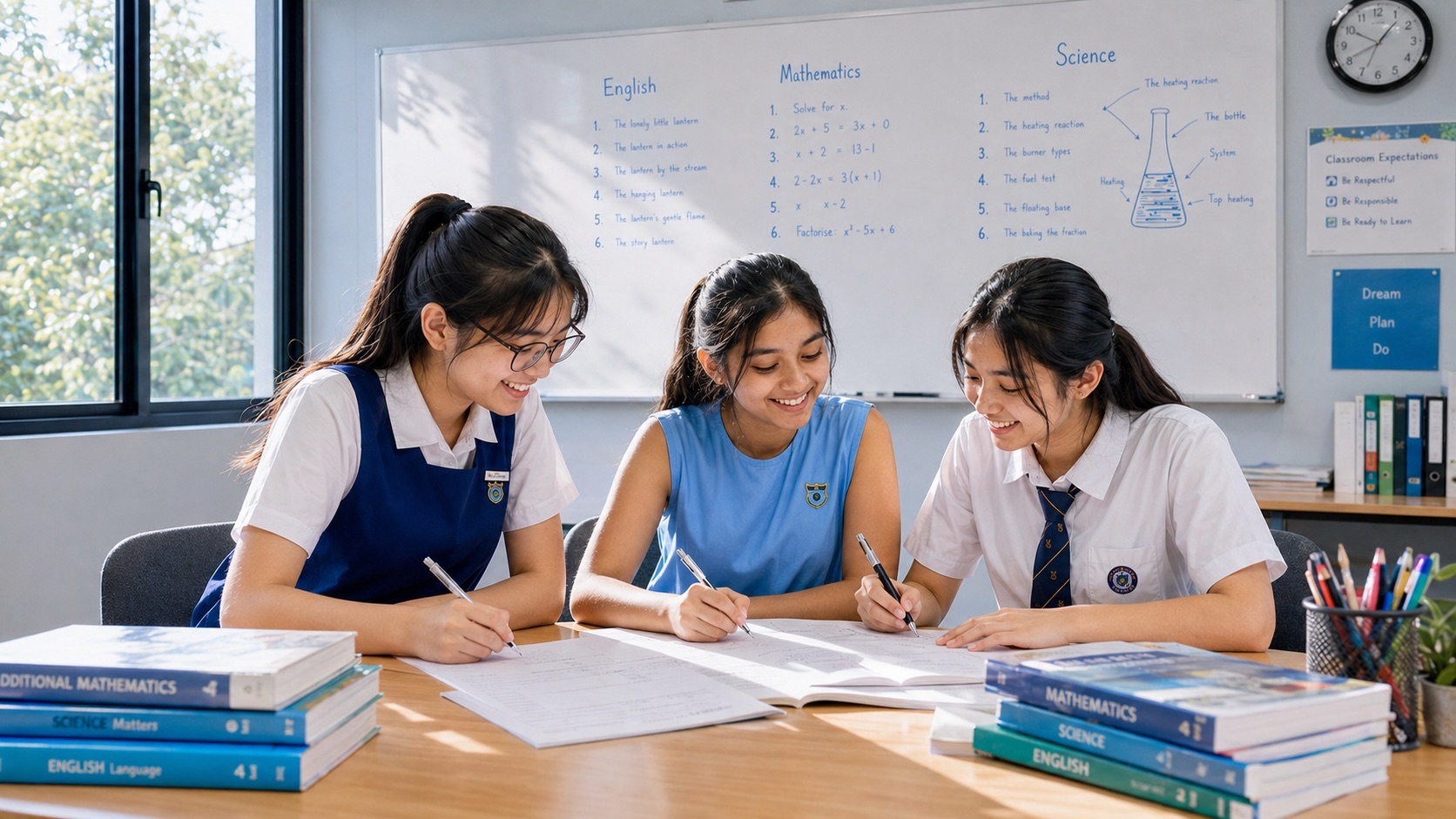
What is the Singapore Student Learning Space (SLS), and how does it work for PG1, PG2 and PG3 children? SLS is MOE’s online learning platform, while PG1, PG2 and PG3 refer to Secondary 1 admission groups. Home-Based Learning (HBL) is a way schools organise learning outside ordinary classroom lessons, and Student-Initiated Learning (SIL) creates room for learners to explore interests. None of these terms is another national G-level examination subject.
For families, the most useful answer is practical: the child needs to know the school’s assigned task, its actual G1/G2/G3 syllabus where relevant, the deadline and how to ask for help. SLS can support comprehension, experiments through approved simulations, practice questions, feedback and self-directed learning, but submitting a digital quiz is not automatically an SEC paper.
This eduKateSG guide explains the differences in plain language and uses realistic parent examples across English, Mathematics, Science, Humanities and Mother Tongue. It also covers current secondary SLS login support, account privacy, learning routines and a sensible way to combine digital learning with normal family life. Every Posting Group deserves curiosity, clear explanations and an appropriate learning pace.
Independent eduKateSG parent reference reviewed 17 October 2026 using MOE’s Student Learning Space information site, current secondary login guidance, HBL/SIL information and official Full SBB education pathways. School instructions and the child’s actual examination-year syllabus remain decisive.
Quick answer: SLS, HBL, SIL and the SEC
- SLS: MOE’s curriculum-aligned digital learning platform.
- HBL: a school-arranged mode of learning away from an ordinary face-to-face lesson.
- SIL: structured opportunity for students to explore learning interests and exercise ownership.
- PLD: the school-prescribed Personal Learning Device used through a separate national digital-learning programme.
- G1/G2/G3: individual academic subject levels under Full Subject-Based Banding.
- PG1/PG2/PG3: admission categories, not digital lesson difficulty ratings.
- SEC: the national certificate with subject-specific examination rules, separate from ordinary SLS class activities.
Find the question that applies to your child
- 1. The first distinction: SLS is a learning platform
- 2. PG1, PG2 and PG3 are admission categories
- 3. HBL is a mode of schooling
- 4. Blended learning combines different experiences
- 5. Student-Initiated Learning is not random screen time
- 6. SLS supports subjects at different G-levels
- 7. SLS and the 2027 SEC are different systems
- 8. The official SLS information site matters
- 9. Secondary student login follows current MIMS guidance
- 10. Never disclose student credentials to a tutor
- 11. Technical difficulties should go to the right place
- 12. SLS content does not have to be completed all at once
- 13. A learning goal gives meaning to a video
- 14. Quizzes can diagnose, not define the learner
- 15. A correct answer is not the whole explanation
- 16. Teacher feedback is part of the lesson
- 17. Self-directed learning still includes asking for help
- 18. SLS can reinforce foundational Mathematics
- 19. SLS can support English reading
- 20. SLS can support Science modelling
- 21. SLS can support Humanities evidence work
- 22. SLS can support Mother Tongue practice
- 23. SLS is not identical to Computing
- 24. SLS is not a game score
- 25. Learning analytics do not know the whole person
- 26. Breaks are part of productive learning
- 27. The learning environment can be simple
- 28. One device shared across a family needs planning
- 29. HBL deadlines belong to the school
- 30. Offline tasks can still be HBL learning
- 31. Student-Initiated Learning should have a purpose
- 32. Curiosity should not be graded by Posting Group
- 33. SIL reflection does not need grand claims
- 34. AI assistance needs school-rule awareness
- 35. Privacy matters on education platforms
- 36. Cyber wellness extends beyond blocking websites
- 37. HBL and CCA time should not collide unnecessarily
- 38. Secondary 1 students need clear routines
- 39. Secondary 2 students can practise independence
- 40. Secondary 3 students should distinguish workload types
- 41. Secondary 4 students should focus on registered examination subjects
- 42. Feedback can be converted into a learning log
- 43. Parents should ask about understanding, not just completion
- 44. When SLS does not open, academic progress need not stop
- 45. SLS assessment is not automatically SEC assessment
- 46. Good resources have dates and clear authorship
- 47. Teachers are essential to digital learning
- 48. Family support should gradually build independence
- 49. Do not confuse SLS with digital-device procurement
- 50. No child needs to perform perfectly online
- 51. HBL is a chance to practise real study habits
- 52. The most useful question tonight
1. The first distinction: SLS is a learning platform
Singapore Student Learning Space (SLS) is MOE’s digital learning portal with curriculum-aligned resources and interactive tools. It is used by teachers and students across school learning, including but not limited to home-based lessons. It is not another national subject level or a substitute SEC certificate.
For example: A learner studies a Science animation assigned in SLS after attending school normally; that does not automatically make the afternoon an HBL day.
Useful next step: Ask what learning outcome the activity supports before concentrating on the screen time. This helps students connect the digital activity to a real learning goal rather than treating completion as the whole result.
2. PG1, PG2 and PG3 are admission categories
Posting Groups are used for entry to Secondary 1. In Full Subject-Based Banding, individual subjects may be taken at G1, G2 or G3 under eligibility rules. SLS works as a teaching-and-learning resource, not as a fourth stream based on the student’s Posting Group.
For example: Two classmates may receive different Mathematics practice because they are studying different G-level syllabuses, while using the same learning platform.
Useful next step: Check each actual subject and its school task; avoid assuming every class member sees identical homework. This helps students connect the digital activity to a real learning goal rather than treating completion as the whole result.
3. HBL is a mode of schooling
Home-Based Learning (HBL) means the school arranges learning away from the ordinary face-to-face classroom for a specified period. Students may receive digital or other tasks and are expected to follow the school’s schedule. SLS can be used to support HBL but is not the definition of it.
For example: A child completes a teacher-assigned reading task at home on an ordinary evening; the location alone does not make it an official HBL day.
Useful next step: Use the school’s published HBL schedule to distinguish normal homework from a formally designated HBL programme. This helps students connect the digital activity to a real learning goal rather than treating completion as the whole result.
4. Blended learning combines different experiences
Blended learning intentionally combines face-to-face teaching with independent learning and digital or home-based experiences. The purpose is to strengthen learners’ ability to manage tasks, review feedback and ask questions, not to eliminate teachers or replace every class with online videos.
For example: A teacher introduces a topic in class, assigns an SLS explanation for independent review and returns to discuss errors with students.
Useful next step: Identify what is learned online and what should be brought back to the classroom for discussion. This helps students connect the digital activity to a real learning goal rather than treating completion as the whole result.
5. Student-Initiated Learning is not random screen time
Student-Initiated Learning (SIL) is a feature of HBL arrangements that gives learners opportunities to explore interests with a greater degree of choice and ownership. The student still needs purposeful learning, realistic planning and reflection on the outcome.
For example: A learner chooses to investigate a neighbourhood biodiversity question, rather than scrolling indefinitely through unrelated videos.
Useful next step: Help the child state the inquiry, useful source and intended small output in one or two sentences. This helps students connect the digital activity to a real learning goal rather than treating completion as the whole result.
6. SLS supports subjects at different G-levels
A single online portal can serve Mathematics, English, Science, Humanities and other school learning. However, the teacher’s specific assignment and syllabus determine what a child should practise. The platform does not turn a G1 worksheet into a G3 examination by itself.
For example: A student watches an algebra video shared with several classes but needs to complete questions appropriate to their registered Mathematics level.
Useful next step: Write the actual subject and learning objective beside the task in the weekly planner. This helps students connect the digital activity to a real learning goal rather than treating completion as the whole result.
7. SLS and the 2027 SEC are different systems
The SEC is the national examination with formal registered subjects, papers and assessment rules. SLS is an education platform used for learning and school work. SEAB’s official electronic examinations may have separate interfaces, login methods and candidate procedures.
For example: A student is comfortable submitting SLS quizzes and assumes their 2027 SEC e-examination will have identical controls.
Useful next step: Use SLS to develop understanding and SEAB’s official e-exam familiarisation where required; never invent an exam interface. This helps students connect the digital activity to a real learning goal rather than treating completion as the whole result.
8. The official SLS information site matters
MOE operates an SLS information site at learning.moe.edu.sg with student resources, account guidance and updates. This is the appropriate first reference for current platform functions and support, rather than an old screenshot from a commercial website.
For example: A learner finds a tutorial from several years ago and the login screen no longer matches.
Useful next step: Use the current MOE SLS information site and school instructions to verify the necessary steps. This helps students connect the digital activity to a real learning goal rather than treating completion as the whole result.
9. Secondary student login follows current MIMS guidance
The SLS information site, updated in October 2026, explains that secondary and JC/CI students can use their MOE Identity Management System (MIMS) login; it also describes the older SLS login route for certain accounts. Students should use the route indicated for their own account.
For example: A Secondary 1 learner has MIMS credentials but follows instructions intended for a primary-school-only account.
Useful next step: Check the current secondary student login guidance and obtain help from the school when unsure. This helps students connect the digital activity to a real learning goal rather than treating completion as the whole result.
10. Never disclose student credentials to a tutor
A teacher or parent may help a child understand how to access an assigned lesson without collecting or sharing private usernames and passwords. Students should authenticate through official portals, and support staff should use proper channels when resolving login difficulties.
For example: A third-party tuition helper offers to complete SLS tasks if the learner sends their account password.
Useful next step: Do not share school login credentials; ask the student to show the task’s question or teacher’s allowed instructions instead. This helps students connect the digital activity to a real learning goal rather than treating completion as the whole result.
11. Technical difficulties should go to the right place
MOE’s SLS student pages include password and technical-support guidance and a route to request help through the student’s school. That is preferable to repeatedly guessing passwords or using unauthorised recovery links.
For example: A student is unable to access a lesson shortly before the HBL timetable begins.
Useful next step: Contact the teacher or school’s designated ICT help channel and describe the issue without disclosing passwords. This helps students connect the digital activity to a real learning goal rather than treating completion as the whole result.
12. SLS content does not have to be completed all at once
An online sequence can contain explanations, questions, reflection and follow-up work. Families benefit from checking which parts are assigned and due, then distributing them across a reasonable timetable. Completing a task carefully matters more than rushing through every resource visible on the platform.
For example: A learner opens a long series of optional and compulsory materials and becomes unsure which is due first.
Useful next step: Identify required tasks, deadlines and teacher priorities, then schedule short focused sessions. This helps students connect the digital activity to a real learning goal rather than treating completion as the whole result.
13. A learning goal gives meaning to a video
Educational videos can illustrate concepts, but watching one does not guarantee understanding. The learner should be able to say what changed in their thinking or answer a related question without the explanation visible.
For example: A Science animation demonstrates condensation, yet the student still confuses it with evaporation.
Useful next step: Pause after the example and ask for a short explanation of the process in the student’s own words. This helps students connect the digital activity to a real learning goal rather than treating completion as the whole result.
14. Quizzes can diagnose, not define the learner
An auto-marked quiz can reveal which concepts need revisiting. A low first attempt may result from misunderstanding a word or using the wrong method, and a high score may reflect guessing. Both benefit from reflection.
For example: A student gets most Mathematics questions correct but cannot explain why one distractor was incorrect.
Useful next step: Review the reasoning behind an answer and try a new question after feedback. This helps students connect the digital activity to a real learning goal rather than treating completion as the whole result.
15. A correct answer is not the whole explanation
Multiple-choice and short-response activities can check knowledge efficiently, while deeper understanding requires connecting ideas. Students should know when they need to supply working, diagrams or written justification in formal school assessments.
For example: A learner selects the right graph but cannot identify the axes or explain the trend.
Useful next step: Ask which feature supports the answer and how that feature relates to the question. This helps students connect the digital activity to a real learning goal rather than treating completion as the whole result.
16. Teacher feedback is part of the lesson
Digital work becomes especially useful when students revisit feedback and practise the corrected method. A submitted task is not automatically finished as a learning experience once a confirmation screen appears.
For example: An English summary receives feedback for changing who performed an action.
Useful next step: Read the feedback, revise one example and test the method with a different passage. This helps students connect the digital activity to a real learning goal rather than treating completion as the whole result.
17. Self-directed learning still includes asking for help
Independent study means managing tasks and taking responsibility for attempts, not solving every difficult question in isolation. Students should recognise when a question has become unproductive and seek a teacher’s clarification.
For example: A learner spends an hour repeating an incorrect fraction operation in an SLS exercise.
Useful next step: Write down the first confusing step and bring it to the next subject lesson. This helps students connect the digital activity to a real learning goal rather than treating completion as the whole result.
18. SLS can reinforce foundational Mathematics
Students at different G-levels can use digital worked examples, visual models and retrieval practice. What matters is matching the task to the mathematics actually being taught, including algebra, graphs and units.
For example: A G2 learner repeatedly forgets that a negative sign changes the result of a subtraction.
Useful next step: Use a number-line or equivalent teacher-approved explanation, then try a fresh problem independently. This helps students connect the digital activity to a real learning goal rather than treating completion as the whole result.
19. SLS can support English reading
A digital reading lesson can ask the learner to identify the purpose of a passage, extract a relevant detail or justify an inference. These habits transfer beyond the platform when the student learns to explain evidence.
For example: A student recognises all the vocabulary in a notice but still misses the deadline described.
Useful next step: Identify the intended reader and action before answering the specific question. This helps students connect the digital activity to a real learning goal rather than treating completion as the whole result.
20. SLS can support Science modelling
Videos, animations and simulations can make invisible processes easier to discuss. The learner should still understand a model’s assumptions and distinguish simulated outcomes from real-world observations.
For example: A virtual circuit changes brightness after a component is altered, and the student assumes the program directly measures a real wire.
Useful next step: Explain what the simulation represents and what a physical experiment would need to measure. This helps students connect the digital activity to a real learning goal rather than treating completion as the whole result.
21. SLS can support Humanities evidence work
Digital sources can provide maps, excerpts, photographs and data for structured discussion. A student should pay attention to authorship, date, geography and what the evidence can actually support.
For example: Two online historical images are placed beside one another without their original dates.
Useful next step: Check the contextual information before drawing a conclusion about change over time. This helps students connect the digital activity to a real learning goal rather than treating completion as the whole result.
22. SLS can support Mother Tongue practice
Language learning may use listening, reading, vocabulary retrieval or appropriate communication tasks. The child should use the resources assigned for the actual school course rather than assume that every language module has identical demands.
For example: A learner practises Chinese listening on the platform but struggles to explain what changed in a dialogue.
Useful next step: Listen for the speaker’s main intention and verify the relevant detail. This helps students connect the digital activity to a real learning goal rather than treating completion as the whole result.
23. SLS is not identical to Computing
All students may develop digital literacy through SLS, while G1, G2 and G3 Computing are separately named SEC elective subjects where offered. Clicking through a digital lesson does not automatically mean the child is studying programming.
For example: A student completes an online Geography quiz but never writes a program.
Useful next step: Distinguish using digital tools from learning algorithms, coding and debugging. This helps students connect the digital activity to a real learning goal rather than treating completion as the whole result.
24. SLS is not a game score
Points, badges or completion indicators may be motivating when used appropriately, but they should not replace evidence of understanding. Progress is stronger when a student can perform a fresh task or explain a concept to another person.
For example: A learner rapidly completes easy quizzes yet struggles with an unfamiliar word problem.
Useful next step: Use a novel question to check whether learning transferred beyond the practice screen. This helps students connect the digital activity to a real learning goal rather than treating completion as the whole result.
25. Learning analytics do not know the whole person
Digital systems can help teachers notice patterns in attempts and participation. They do not automatically diagnose motivation, aptitude or a child’s long-term educational pathway. Educators can use the information as one of several sources.
For example: A student’s response time looks slow because they are taking notes carefully.
Useful next step: Consider the actual work and teacher observations before interpreting a platform metric. This helps students connect the digital activity to a real learning goal rather than treating completion as the whole result.
26. Breaks are part of productive learning
Students benefit from a realistic arrangement of focused work, movement, meals and rest. Long periods sitting at a screen without reflection can reduce attention even when an assignment remains open.
For example: A learner keeps replaying a video because their concentration has faded.
Useful next step: Divide a longer HBL task into manageable blocks and return after an ordinary short break. This helps students connect the digital activity to a real learning goal rather than treating completion as the whole result.
27. The learning environment can be simple
An HBL workspace does not need expensive furniture. A reasonably quiet place, stable connection where needed, suitable posture and school-required materials may be sufficient.
For example: A family uses a shared dining table for learning because there is no separate study room.
Useful next step: Choose a predictable space and establish a schedule that respects other household members. This helps students connect the digital activity to a real learning goal rather than treating completion as the whole result.
28. One device shared across a family needs planning
Families may have multiple children using online lessons. Device requirements differ depending on the tasks and school’s instructions; a timetable can help when shared access is possible. The student’s school can advise where access is difficult.
For example: Two siblings have simultaneous video lessons and only one suitable computer.
Useful next step: Contact the school early and agree on an appropriate supported plan rather than blaming the learners. This helps students connect the digital activity to a real learning goal rather than treating completion as the whole result.
29. HBL deadlines belong to the school
Schools determine the actual timetable, assigned tasks and communication arrangements for their cohorts. A public article cannot substitute for the child’s teacher’s latest notice, especially when an event changes school operations.
For example: A parent reads a generic HBL guide and assumes every secondary school follows the same hour-by-hour schedule.
Useful next step: Use the current school notice and clarify which activities are compulsory or optional. This helps students connect the digital activity to a real learning goal rather than treating completion as the whole result.
30. Offline tasks can still be HBL learning
Self-directed learning is about the educational activity, not uninterrupted internet access. Depending on school instructions, reading, observation, reflection or an offline design task can be appropriate.
For example: A child uses a printed worksheet or notes an environmental observation between online sessions.
Useful next step: Keep the activity relevant to the assigned learning objective and follow its reporting requirements. This helps students connect the digital activity to a real learning goal rather than treating completion as the whole result.
31. Student-Initiated Learning should have a purpose
An independent-interest activity becomes more useful when a learner identifies a question, chooses suitable resources and produces a modest outcome. The outcome might be a short explanation, annotated drawing or reflection where permitted.
For example: A student investigates how different public spaces support mobility and prepares a simple comparison.
Useful next step: Ask for the question and the evidence used rather than demanding an elaborate final product. This helps students connect the digital activity to a real learning goal rather than treating completion as the whole result.
32. Curiosity should not be graded by Posting Group
Students in PG1, PG2 and PG3 can enjoy different academic and creative explorations. A learner’s current subject level is relevant to formal syllabus selection, not to the worth of their personal interests.
For example: One child wants to read about astronomy while another makes an animation about recycling.
Useful next step: Encourage an achievable question that the child genuinely wants to answer. This helps students connect the digital activity to a real learning goal rather than treating completion as the whole result.
33. SIL reflection does not need grand claims
Reflection can explain what the learner intended, what happened and what they would change next. It is a practical study skill rather than a competition in sophisticated writing.
For example: A student builds a small model that fails on its first test.
Useful next step: Write one observation and one improvement without inventing a success that did not happen. This helps students connect the digital activity to a real learning goal rather than treating completion as the whole result.
34. AI assistance needs school-rule awareness
Some digital tools can provide hints or feedback, but students should follow their school’s current rules on authorised AI use and assessment authenticity. A plausible generated answer should be checked instead of submitted as personal work.
For example: A learner asks an AI system to write every response for a reflective assignment.
Useful next step: Use allowed assistance to understand a concept, then explain the final work independently. This helps students connect the digital activity to a real learning goal rather than treating completion as the whole result.
35. Privacy matters on education platforms
School accounts, classmates’ work and learning records deserve appropriate protection. Families should not copy personal data into external sites or share screenshots containing sensitive information merely to obtain homework help.
For example: A parent sends a screenshot with children’s names and account details to a public tutoring group.
Useful next step: Crop or describe the academic question without disclosing identities or credentials. This helps students connect the digital activity to a real learning goal rather than treating completion as the whole result.
36. Cyber wellness extends beyond blocking websites
Responsible technology habits include respectful communication, consent, evaluating sources and appropriate time management. Students learn these skills alongside classroom digital practice and Character and Citizenship Education.
For example: A group chat forwards an unkind image from a classmate’s project.
Useful next step: Do not circulate it; use the school’s trusted reporting and support channels if needed. This helps students connect the digital activity to a real learning goal rather than treating completion as the whole result.
37. HBL and CCA time should not collide unnecessarily
Students have academic work, CCAs, family responsibilities and rest. A clear weekly plan prevents one type of activity from consuming every available hour.
For example: A child schedules an extensive optional digital project during a demanding examination week.
Useful next step: Prioritise required tasks, choose a manageable independent exploration and protect time for other commitments. This helps students connect the digital activity to a real learning goal rather than treating completion as the whole result.
38. Secondary 1 students need clear routines
New secondary students are adjusting to unfamiliar teachers, subject codes and online systems. Building a simple routine early is more useful than expecting perfect organisation immediately.
For example: A Secondary 1 learner knows the login procedure but loses track of which SLS tasks are due.
Useful next step: Keep a short current weekly checklist and practise checking it independently. This helps students connect the digital activity to a real learning goal rather than treating completion as the whole result.
39. Secondary 2 students can practise independence
As students approach upper-secondary choices, they can use self-directed learning to explore interests while consolidating foundational subjects. The exploration can inform conversations about school combinations without deciding eligibility itself.
For example: A child enjoys a geography-related SIL activity and wants to know what the upper-secondary syllabus includes.
Useful next step: Ask to see a real school subject example and current prerequisites. This helps students connect the digital activity to a real learning goal rather than treating completion as the whole result.
40. Secondary 3 students should distinguish workload types
Formal elective coursework, ordinary SLS homework and optional SIL projects may have very different assessment status. Keeping those distinctions clear prevents unnecessary deadlines or mistaken project priorities.
For example: An Art candidate spends all weekend polishing an optional digital poster while a supervised portfolio milestone needs planning.
Useful next step: List each task’s official purpose and teacher-confirmed deadline. This helps students connect the digital activity to a real learning goal rather than treating completion as the whole result.
41. Secondary 4 students should focus on registered examination subjects
A student approaching SEC benefits from knowing the exact registered G-level syllabus and using relevant review materials. SLS practice is useful when it strengthens those concepts, but it does not determine the formal exam format.
For example: A candidate studying G3 Mathematics K310 follows the wrong old-code exercise in an online folder.
Useful next step: Cross-check the subject code, syllabus year and teacher’s guidance. This helps students connect the digital activity to a real learning goal rather than treating completion as the whole result.
42. Feedback can be converted into a learning log
Students can record a short entry: the question attempted, the first mistaken step, the corrected idea and a new test. The log need not be long to help them avoid repeating the same issue.
For example: A learner notices that an inaccurate graph answer came from reading the wrong axis.
Useful next step: Write a one-line correction and check the principle on another graph. This helps students connect the digital activity to a real learning goal rather than treating completion as the whole result.
43. Parents should ask about understanding, not just completion
A platform may show a completed assignment, but parents can support learning by asking what the student can now explain. This creates a more useful conversation than comparing digital completion percentages.
For example: A child proudly says every SLS task is done but cannot describe the main concept of the lesson.
Useful next step: Invite one short teach-back using a fresh example. This helps students connect the digital activity to a real learning goal rather than treating completion as the whole result.
44. When SLS does not open, academic progress need not stop
Technical access issues should be reported through the school, and the student can continue with safe teacher-approved offline revision where suitable. The priority is restoring legitimate access, not discovering insecure workarounds.
For example: A scheduled lesson fails because the student has an account error.
Useful next step: Tell the form or subject teacher and ask what alternative task is permitted. This helps students connect the digital activity to a real learning goal rather than treating completion as the whole result.
45. SLS assessment is not automatically SEC assessment
The SLS platform can support school assignments and e-assessment functions, but national SEAB coursework and SEC e-exams follow subject-specific candidate rules. The word assessment alone does not establish that an activity affects national grading.
For example: A student completes a classroom SLS quiz and a relative claims it becomes 20% of the national SEC result.
Useful next step: Read the school’s assessment notice and SEAB syllabus before making that claim. This helps students connect the digital activity to a real learning goal rather than treating completion as the whole result.
46. Good resources have dates and clear authorship
Digital links can become outdated. The SLS information site posts updates, while subject syllabuses are released by examination year. Students should learn to check publication dates and authoritative publishers.
For example: A tutorial depicts an interface no longer used by the current student account.
Useful next step: Prefer official current MOE resources and school instructions. This helps students connect the digital activity to a real learning goal rather than treating completion as the whole result.
47. Teachers are essential to digital learning
SLS extends what teachers can assign, explain and review. The teacher remains important in choosing a suitable task, diagnosing errors and explaining how it fits the curriculum.
For example: A learner repeatedly fails a fraction lesson despite watching a video several times.
Useful next step: Ask the teacher which foundational concept the student has missed. This helps students connect the digital activity to a real learning goal rather than treating completion as the whole result.
48. Family support should gradually build independence
Parents can initially help a new Secondary 1 student organise logins and assignments, then let the learner take more responsibility for checking deadlines, completing tasks and asking questions.
For example: A child learns to start HBL independently but still discusses one confusing Science task with a parent.
Useful next step: Reduce administrative help as the learner develops confidence while remaining available for support. This helps students connect the digital activity to a real learning goal rather than treating completion as the whole result.
49. Do not confuse SLS with digital-device procurement
The SLS is a learning platform, while the Personalised Digital Learning Programme concerns school-prescribed Personal Learning Devices and managed device use. The two often work together but answer different parent questions.
For example: A family asks how much SLS costs after seeing a school’s Chromebook purchase notice.
Useful next step: Separate platform access from the school’s PLD procurement and assistance arrangements. This helps students connect the digital activity to a real learning goal rather than treating completion as the whole result.
50. No child needs to perform perfectly online
Digital study can produce mistakes, incomplete explanations or technical hiccups. The useful response is to identify the issue and make a supported improvement. Progress should be compared with the learner’s own previous understanding.
For example: A student finally understands a difficult graph after reviewing teacher feedback.
Useful next step: Recognise the specific reasoning improvement rather than comparing classmates. This helps students connect the digital activity to a real learning goal rather than treating completion as the whole result.
51. HBL is a chance to practise real study habits
Planning, prioritising, revisiting evidence and asking for help are useful beyond any one website. A student can apply them in a classroom, at home or later at JC, polytechnic or ITE.
For example: A learner learns to identify which task is urgent and which needs clarification.
Useful next step: Create a weekly plan with realistic study sessions and review what worked. This helps students connect the digital activity to a real learning goal rather than treating completion as the whole result.
52. The most useful question tonight
Ask which SLS activity helped the child understand one idea they did not understand before. Then ask what new example would test that idea. That small step moves attention from digital completion to genuine knowledge.
For example: A student says an animation made force diagrams clearer.
Useful next step: Invite a hand-drawn diagram explaining the same concept in a different situation. This helps students connect the digital activity to a real learning goal rather than treating completion as the whole result.
SLS and Home-Based Learning FAQs
Is SLS only for PG3 students?
No. SLS is MOE’s learning platform; Posting Groups are separate secondary admission categories.
Is SLS a separate subject?
No. It supports teaching and learning across the curriculum.
Is every SLS assignment part of HBL?
No. Teachers may use SLS during normal school learning or home-based learning.
Does HBL mean students must be on video all day?
Follow the school’s actual schedule, which can include different learning activities and formats.
What is Student-Initiated Learning?
An opportunity within school-designed HBL arrangements for pupils to explore interests and exercise learning ownership.
Can SIL be about a subject outside my child’s registered SEC entries?
Subject to school instructions, interest exploration can be wider than formal examinable subjects.
Does my child’s Posting Group decide which SLS course they can see?
The teacher’s assignment and current subject level are the relevant details, not the admission label alone.
How do secondary students log in?
MOE’s current SLS guidance provides MIMS login instructions for secondary students and routes for other account types.
What should we do if the login fails?
Approach the school teacher or designated ICT help channel and follow the official account recovery procedure.
Should a tutor use the student’s SLS password?
No. Keep account credentials private.
Are SLS quizzes national SEC examinations?
Not automatically. National SEC examinations have separate SEAB specifications.
Can parents see their child’s assigned learning?
Parents can discuss the task with their child; account access and any monitoring are subject to school and MOE arrangements.
Can school resources help with G1/G2/G3 Mathematics?
Yes, when the assigned material aligns with the student’s current syllabus and needs.
Does completing a video prove understanding?
Not alone. Ask the learner to explain the concept through a new task.
Can AI complete SIL reflections?
Students should follow their school’s rules and present authentic independent learning.
What if siblings need the same device during HBL?
Contact the school about practical arrangements and develop a realistic family schedule.
Does SLS replace subject teachers?
No. Teachers guide learning, explain feedback and select appropriate educational tasks.
Does every school arrange HBL identically?
No. Refer to the current school timetable and notices.
Do we need to buy a device simply to use SLS?
Device arrangements and school-prescribed PLDs should be confirmed through the school’s digital-learning programme.
What is a good parent check-in?
Ask what was learned, which part remains confusing and what the student will try next.
Connected eduKateSG subject and pathway articles
The links below connect this SLS and HBL guide to eduKateSG’s SEC subject index, common curriculum, digital literacy, school opportunities and deeper evidence-based learning. They are complementary guides, not another set of online login instructions.
- PG1/PG2/PG3 common curriculum overview
- PG1/PG2/PG3 Computing and Digital Literacy
- PG1/PG2/PG3 CCE, Cyber Wellness and Digital Citizenship
- PG1/PG2/PG3 study from mistakes
- PG1/PG2/PG3 ALP, LLP and CCA
- PG1/PG2/PG3 four-year learning plan
- PG1/PG2/PG3 e-Examinations vs classroom tasks
- How to Study G1 G2 G3 Subjects — SEC Guide Index
- Parents & Pathways Hub
- How Education Works — Digital Literacy
Official MOE information and help
Use the official MOE resource pages to verify current SLS functions, secondary login options and school support. Never disclose your child’s account password through an unofficial support request.
- Official SLS Information Site
- Official SLS Student Support
- MOE secondary student SLS login guidance (October 2026)
- MOE Student Learning Space programme
- MOE Student-Initiated Learning
- MOE transition to secondary school
A useful family learning conversation
Instead of asking only whether everything online has been completed, ask the child what one lesson helped them understand, how they checked their answer and which question remains. A short teach-back can reveal genuine progress and guide the next school conversation.
SLS and HBL are opportunities to practise confidence, organisation, careful reasoning and responsible technology use. A student’s PG1, PG2 or PG3 starting point does not limit those skills.