
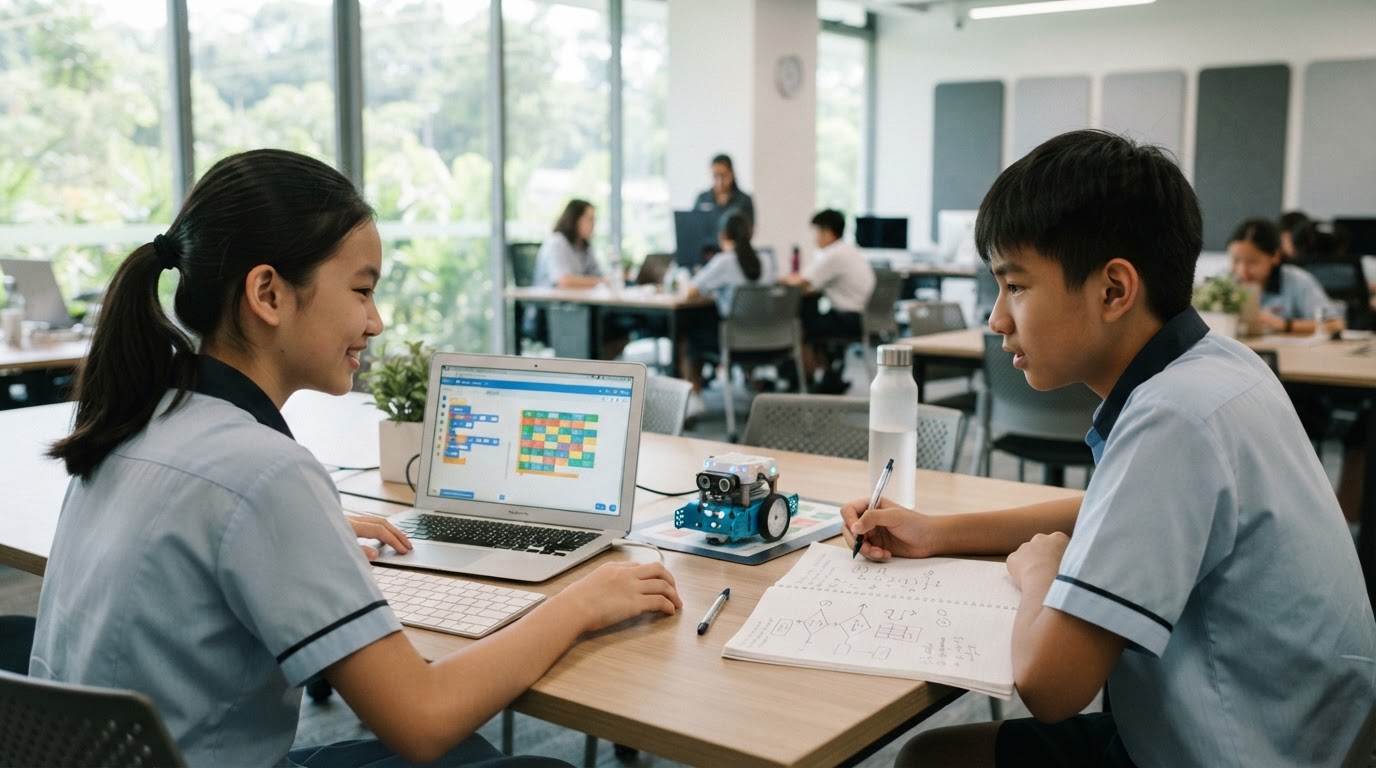
Secondary 1 students do not have to master Python or sit a national Computing examination to keep a future G3 Computing pathway open. MOE has stated that Computing is an elective from upper secondary and that it has no plans to introduce it as a standalone subject before upper secondary. Children develop digital and computational thinking through current Mathematics, school programmes and Code for Fun opportunities; schools may also offer additional experiences. Parents should begin with the child’s ability to reason through a small problem, not a list of programming languages.
Ask your child to explain one simple algorithm in everyday words, predict its result and find a mistake in the steps. If the learner enjoys that thinking, a short safe coding exercise may be suitable; if they become lost in syntax, separate the reasoning problem from the language problem. SEAB’s 2027 G3 Computing syllabus is K349 and includes computing fundamentals and programming, but it applies to the relevant graduating cohort. It is not a compulsory Secondary 1 national paper or a requirement that every PG3 child use Python immediately.
- Full SBB Posting Group 3 does not mean automatic enrolment in standalone Secondary 1 G3 Computing.
- MOE’s upper-secondary Computing elective offers G1, G2 and G3 pathways from the 2026 Secondary 3 cohort.
- Start with precise instructions, sequencing, selection, repetition, tracing and debugging rather than memorising syntax.
- Build digital and AI literacy, privacy and verification habits alongside problem-solving.
- Do not buy a senior K349 course merely because the 2027 syllabus lists computer architecture and Python.
- Ask the school about Code for Fun, existing curriculum experiences and future Computing subject availability.
MOE’s public parliamentary explanation in September 2026 says foundational digital and AI literacy is developed through existing subjects and programmes, including Code for Fun, while Computing is offered from upper secondary and there are no plans to introduce standalone Computing before that stage. The 2026 MOE Committee of Supply announcements also describe strengthened AI literacy and an updated Code for Fun programme available to all schools in 2027. The SEAB 2027 G3 Computing K349 syllabus covers computing fundamentals and practical computing topics; its scope is for candidates sitting that SEC examination year. It is distinct from lower-secondary Mathematics and general digital-literacy activities.
1. The distinction between Posting Group, subject level and national examination
Under Full Subject-Based Banding (Full SBB), Posting Group 3 is a secondary-school admission arrangement; G3 is the level of individual subjects. Those labels are not interchangeable. For Computing, the relevant current arrangement is Future upper-secondary G3 Computing K349; no standalone compulsory Secondary 1 Computing. A child who enters Secondary 1 in 2027 normally will not sit the SEC immediately. SEAB’s 2027 syllabus listings describe students graduating that year, and the eventual examination-year documents may differ.
Parents often become anxious because a search result lists a 2027 SEC subject even when their child’s school is teaching an introductory or common-curriculum module. The first action is to confirm the actual timetable, the relevant current MOE teaching syllabus, and the teacher’s most recent task instructions. Only then consider outside tuition, enrichment or senior examination material. National syllabus codes cannot tell you what the child is expected to learn in one ordinary Secondary 1 lesson.
2. Diagnose a small, observable learning need before adding hours
Select two samples of current Computing learning: a task, teacher feedback, learner explanation, safe demonstration or reflection as appropriate. Ask the child what was required and what they tried. Find the first misunderstanding or point of uncertainty. Distinguish understanding of the instructions, ability to perform a step, use of supporting evidence, confidence and external barriers. A single poor result is a snapshot rather than a forecast of a national examination or lifelong capability.
Keep a short record of the original challenge, the specific correction and one delayed attempt on a different example. Ask whether the student can explain the idea in their own words, not simply repeat the teacher’s model. Do not compel a long performance or physical activity when safety, wellbeing or inappropriate difficulty is the actual concern. A realistic improvement plan should include feedback from the school and enough time for the student to rest.
3. A parent-facing reading of the current MOE syllabus
The Computing syllabus should be used as an educational map, not a checklist demanding that the student finish every future topic now. Schools may sequence modules, arrange practical or discussion activities differently and assess learning through suitable approaches. Always ask for the child’s current learning outcomes and how independent progress will be recognised at this school. Where the school uses a common-curriculum subject, do not invent a national G3 exam code that does not exist.
The worked examples below are original illustrations for families. They are not official SEAB examination questions, copied marking rubrics or claims about what any one secondary school will teach next week. Their purpose is to turn common parent worries into small steps that can be checked against real schoolwork. Choose the examples that fit the learner’s readiness and the school’s instructions.
4. Computing is not the same as using devices fluently
A child may navigate games and apps rapidly yet struggle to break a problem into rules, inputs and outputs. Conversely, a child who rarely codes can have strong logical reasoning. Parents should not use screen time as a measure of Computing readiness.
What parents should do next
Ask the child to explain what a program must be told to do, what information it needs and how success can be checked. Use an ordinary school problem before introducing software.
A concrete worked scenario
A timetable reminder needs an event, time and condition for alerting, not merely a beautiful phone interface.
How to recognise progress: Can the child distinguish the user’s goal from the technology used to display it?
5. Algorithms are precise instructions with an end point
A vague instruction such as ‘sort the numbers properly’ hides the decisions a computer must perform. An algorithm requires steps that could be followed consistently, with a way of knowing when the work is complete.
What parents should do next
Have the child explain how to sort three numbered cards in order. Ask which comparisons are made and what happens if two numbers are equal.
A concrete worked scenario
If a rule checks only the first two cards, the third may remain misplaced. Testing the rule reveals the missing step.
How to recognise progress: Can someone else follow the child’s instructions without asking for missing details?
6. Decomposition makes large tasks manageable
Children may freeze when asked to create a whole program or project. Breaking a goal into smaller functions reduces confusion and clarifies which part is failing. The same principle supports ordinary study skills.
What parents should do next
Divide a fictional school-library organiser into inputs, borrowing rules, reminders and output messages. Work on one component before joining them.
A concrete worked scenario
A program that records an item correctly but displays the wrong due date might have a time-rule problem rather than a data-entry problem.
How to recognise progress: Can the child point to the subsystem that needs correction?
7. Sequence, selection and repetition are different ideas
Computational thinking includes steps in order, conditional decisions and repeated actions. Memorising the names is less useful than explaining why a chosen structure matches the task.
What parents should do next
Give three small verbal examples: make a sandwich in order, choose an umbrella if it is raining, and check each item in a list. Ask why each differs.
A concrete worked scenario
‘If temperature is above a threshold, show a warning’ is selection; ‘for every reading, check the threshold’ adds repetition.
How to recognise progress: Can the student describe the number of checks the algorithm performs?
8. Variables and data must mean something
A child sees `score = 7` and assumes an assignment symbol is the same as equality in Mathematics, or misunderstands why a value changes. Clear language helps prevent syntactic confusion.
What parents should do next
Use labelled boxes representing stored values and trace what happens when a new value replaces an old one. Relate this to, but distinguish it from, algebraic notation.
A concrete worked scenario
Starting with score 7 and adding one gives 8; storing the updated value is an action in a program, not a mathematical assertion that 7 equals 8.
How to recognise progress: Can the learner tell you which value is stored after each step?
9. Tracing a program is better than guessing its output
Students sometimes press Run repeatedly until an answer looks right. A trace table makes variable states, decisions and loop iterations visible and turns bugs into investigable events.
What parents should do next
Use a three-line pseudocode sequence with one variable. Ask for the value after every line before using any device.
A concrete worked scenario
If `n` begins at 2, the instruction ‘add 3’ produces 5 before a later multiplication changes it again.
How to recognise progress: Can the student predict the result without observing the screen first?
10. Debugging is diagnosis, not punishment
An error message or wrong output can feel like failure. In computing, it is evidence that a test revealed a mismatch between the intended rule and actual behaviour. Changing random lines may hide rather than fix the problem.
What parents should do next
Ask for the expected result, the actual result, the first differing step and one plausible cause. Make one change and test again, retaining a record.
A concrete worked scenario
A program that calculates the total twice may have an unwanted repeated step, even if its individual arithmetic is correct.
How to recognise progress: Can the learner show which change fixed the specific error?
11. Syntax mistakes and logic mistakes need different remedies
A missing punctuation mark can prevent a program from running, while a logically incorrect program can run smoothly and still give the wrong answer. Children benefit from classifying the problem before seeking help.
What parents should do next
Read the error carefully when present, then compare the implemented rule with the original task. Avoid replacing the child’s entire program with AI-generated code.
A concrete worked scenario
A correct Python statement implementing the wrong tax rate is still a logic or modelling error, not evidence of syntactic mastery.
How to recognise progress: Can the child distinguish ‘will not run’ from ‘runs but does the wrong thing’?
12. AI assistants are not a substitute for independent understanding
Children may use generative AI to produce code they cannot explain. MOE’s digital and AI literacy direction highlights responsible use and verification. Copying a ready-made program can create confidence that disappears during an independent task.
What parents should do next
Ask the student to predict what a suggested program will do, explain its decisions and test it with cases the original answer may miss. Follow school AI-use and attribution rules.
A concrete worked scenario
A generated script that sorts numbers correctly in one example may mishandle empty input or equal values; the student should test reasonable edge cases.
How to recognise progress: Can the child modify a small part and defend the result unaided?
13. Binary representation is a future topic, not a first-year emergency
The 2027 K349 syllabus contains computing fundamentals such as data representation, but families should not assume every incoming Secondary 1 child must immediately memorise binary, hexadecimal, logic gates or hardware interfaces.
What parents should do next
Use K349 to understand the eventual breadth of the subject, and build current arithmetic, reasoning and reading precision first. Introduce simple representation puzzles only when the learner is interested and ready.
A concrete worked scenario
Seeing 101 in binary and discovering it represents five in decimal may spark curiosity; mastering every number system is not the prerequisite for enjoying basic algorithms.
How to recognise progress: Can the child explain the meaning of a representation rather than reciting conversions?
14. Computing involves judgement about data and privacy
Programs often handle information about people. Even a simple class project can raise questions about permission, accuracy and who can view results. Digital citizenship matters alongside technical skill.
What parents should do next
Use invented sample data for home coding, protect classmates’ private details and ask how data should be used responsibly. Never collect passwords or confidential information as a learning exercise.
A concrete worked scenario
A class attendance prototype should not expose real students’ identifiers on a public page. Fictional entries can demonstrate the logic safely.
How to recognise progress: Can the learner describe one privacy risk and a safer design?
15. Interest in Computing is not restricted to early coders
A learner may love systematic problem solving but have had little access to programming tools. Another may enjoy building games but dislike debugging. Subject choices should balance curiosity, observed readiness and the school’s actual offerings.
What parents should do next
Ask which computing problems the child would like to solve and how they react when a small test fails. Check whether the school offers Computing in future upper-secondary years, including any centre-based arrangements.
A concrete worked scenario
A child who carefully traces a simple algorithm and enjoys finding an error may have a useful foundation despite never taking a paid coding class.
How to recognise progress: Can the family recognise reasoning ability separately from prior access to devices?
16. Screen time and access should stay manageable
Coding enrichment can become another long evening activity. Extended device use is not automatically productive, especially when the child has heavy school homework or poor sleep. The goal is meaningful, explainable practice.
What parents should do next
Choose a short offline algorithm exercise or a limited supervised coding session with a clear stopping point. Ask what the student understood, not how long they were at the laptop.
A concrete worked scenario
Ten minutes of tracing a difficult rule accurately can be more valuable than two hours copying a ready-made game without understanding.
How to recognise progress: Can the child teach you the idea away from the screen?
17. Ten to twelve short diagnostic activities at home
The following are brief original exercises, not national examination tasks. Select only one or two relevant to the current Computing learning, rather than requiring every example in a single week. Activities must be safe, school-appropriate and respectful of the learner’s wellbeing. Ask for reasoning first, then give the child an opportunity to try again unaided.
Mini-diagnostic 1: Unambiguous instructions
Write steps to arrange three numbered cards and see whether someone else can follow them without clarification.
Mini-diagnostic 2: Find the missing step
Give a sorting rule that ignores the last item; ask which input reveals the failure.
Mini-diagnostic 3: Input, rule, output
Describe a calculator-like task with input values, the intended operation and expected output.
Mini-diagnostic 4: Conditional reasoning
Ask what should happen if a school event is cancelled versus held, and express the choice clearly.
Mini-diagnostic 5: Loop reasoning
Explain why a check for each item in a list should repeat instead of being written only once.
Mini-diagnostic 6: Trace a variable
Start n at 2, add 3 and double it; write the state after each step and final value 10.
Mini-diagnostic 7: Logic versus syntax
Compare a program that will not run with one that runs but uses the wrong operation; name the different causes.
Mini-diagnostic 8: Test an edge case
For a rule predicting the largest of two numbers, ask what happens when both are equal.
Mini-diagnostic 9: AI-check routine
Before using code generated by a tool, ask what each line does and which tests could show an error.
Mini-diagnostic 10: Offline transfer
Describe a household procedure as an algorithm and mark where decisions or repetition occur.
18. Three family cases and decisions that make a difference
The cases below are fictional teaching scenarios, not actual student records, personal medical advice or promised grade improvements. A similar school result can arise from several different causes. Compare the scenario with the child’s real work and seek school-specific advice instead of assuming that one story describes everyone.
Case 1: A child feels behind because friends know Python
A Secondary 1 student says everyone else is learning Python and fears they have missed the G3 Computing syllabus. The parent checks the actual timetable and MOE guidance: Computing is an upper-secondary elective, not a standard standalone subject for all Secondary 1 pupils. Friends may have extracurricular experience, which is different from a national requirement. The family practises one simple algorithm using paper and tests whether the child enjoys the reasoning. They then look for suitable Code for Fun or school enrichment opportunities, without buying a senior K349 course immediately. Progress is measured by whether the child can state steps, trace decisions and debug a new example. The goal is informed interest rather than racing classmates.
Case 2: AI-generated homework code works but the student cannot explain it
A learner pastes a complete program from a generative AI assistant, obtains the expected screen output and concludes the task is solved. When a teacher changes the input, the code fails, and the child cannot say why. The parent avoids replacing the answer with a more elaborate generated program. They ask for the task’s intended rules, trace the variables by hand and isolate the first unexpected condition. The child creates a minimal independent solution and documents what assistance was used under school policy. A fresh exercise checks whether they can apply the reasoning unaided. The family treats AI as a tool to interrogate rather than an authority that removes the need to understand.
Case 3: A family chooses a secondary school based on a K349 listing
Parents see G3 Computing K349 in the SEAB 2027 directory and assume any school with G3 classes must offer it. The family checks actual school subject offerings and learns that electives depend on school capacity and arrangements; some students access centre-based provision. They ask the school how future interest is considered and which prerequisites or options apply, without claiming an enrolment guarantee. In Secondary 1, the child prioritises school Mathematics, reasoning and safe digital literacy. If they enjoy coding, a modest elective experience can build curiosity. The distinction between a national examination syllabus and a particular school’s timetable prevents an expensive mistake.
19. A four-week evidence-based parent plan
Week 1: ask the right question
Review the current Computing task with your child and identify the first moment of confusion or discomfort. Clarify the real learning outcome and any safety, timing or access conditions. Record one strength as well as one missing skill. Ask what support is already available from the subject teacher. The goal for this week is accuracy about the problem, not a dramatic increase in lessons.
Week 2: teach one step clearly
Choose a small school-aligned skill and show one worked or discussed example. Let the learner describe why the method or decision is appropriate, then reduce prompts gradually. If the issue concerns relationships, confidence or wellbeing, replace drills with safe communication and appropriate school support. Do not turn a school difficulty into an exercise in shame. A short correct explanation is more useful than copied work that the child cannot adapt.
Week 3: try a different but related task
Return to the same underlying Computing skill using a fresh example or situation. Ask the student to identify what is similar, what has changed and which response would be appropriate. If the learner can work independently, the improvement is more credible than repeating the first corrected answer. If the difficulty persists, narrow the task or bring specific evidence to the teacher. Keep any physical or technical activity within safe and approved limits.
Week 4: review whether the support helped
Compare the first attempt with a fresh task, reflection or demonstration. Record what the student can now explain, decide or do more independently. If progress is visible, keep the routine modest and allow more ownership. If there is little improvement, ask the teacher about the next support step and review date. Do not automatically buy a long tuition package; the useful question is whether a defined intervention can address the documented need.
20. Making the first parent-teacher conversation productive
Before contacting school, choose one example that illustrates the Computing difficulty. State the actual event, the learning or wellbeing impact and what you are asking the school to clarify. Avoid conclusions based on comparisons with other families or an unrelated SEC syllabus. Ask which current outcomes matter, what support or assessment arrangements exist, and when to review. If there is a credible safety concern, prioritise protection rather than delaying it for an academic meeting.
- Which digital literacy, Code for Fun or problem-solving experiences are offered in lower secondary?
- Does the school offer later Computing at G1, G2 or G3 and under which arrangements?
- What school rules apply to AI assistance in coding tasks?
- Which logic, mathematical or literacy foundations should we build first?
- Are there safe beginner activities suited to a student without prior coding experience?
- When will the school explain actual upper-secondary Computing elective options?
21. Six common parent questions and accurate answers
Must a Secondary 1 PG3 child study Python?
No. MOE does not require a standalone Computing subject before upper secondary. School programmes may introduce coding and digital literacy.
Is Computing K349 a Secondary 1 paper?
No. K349 is a 2027 G3 SEC syllabus for the graduating cohort.
Can students take Computing at G1 or G2 later?
MOE introduced upper-secondary Computing electives at G1, G2 and G3 from the 2026 Secondary 3 cohort; individual school options vary.
Does knowing Scratch guarantee future G3 Computing success?
No. Prior programming helps, but reasoning, debugging, Mathematics and sustained interest matter too.
Is generative AI code acceptable for homework?
Follow the school’s rules. Students should disclose assistance where required and be able to explain and test their own work.
Should we purchase a full senior Computing course in Secondary 1?
Not automatically. Begin with the child’s current programme and a small interest test.
22. What not to do when anxiety rises
- Do not confuse Posting Group 3 with a requirement that every common-curriculum subject has a G3 SEC paper.
- Do not infer that one bad school mark, anxious lesson or incorrect answer decides a future examination pathway.
- Do not ask the student to copy a solution they cannot explain or to perform an activity that is unsafe.
- Do not increase homework, screen time, training or tutoring automatically without a specific learning target.
- Do not compare a thirteen-year-old with a graduating SEC candidate or an elite performer.
- Do not ignore teacher feedback, individual support needs or the child’s rest and social adjustment.
Families often feel more in control after naming one precise issue and agreeing on one reasonable step. When school and home use the same clear language, the child is less likely to be overwhelmed by contradictory instructions. A respectful approach can maintain high educational standards without suggesting that the student’s worth is determined by a timetable label.
23. When extra support is a good choice
Targeted help can be useful when a repeatable Computing skill gap remains after understandable teaching and reasonable opportunities to practise. The best support can demonstrate what the student misunderstood, why the correction is valid, and whether the idea transfers to an unfamiliar situation. A one-size-fits-all package of worksheets or senior examination papers is not always a good solution.
The established eduKateSG Clementi tutorial page is the immutable editorial benchmark for foundation-first teaching: quick delivery in the opening, clear explanation, targeted practice, honest limits and an independent understanding check. Its specific Mathematics class logistics are not an assertion that identical tuition is offered for every Computing need. The appropriate response may be a school consultation, adapted learning activity or carefully chosen enrichment instead of paid tuition.
24. A final parent checklist
- I have confirmed my child’s current Computing subject or programme rather than assuming it from Posting Group.
- I know the relevant MOE school syllabus and this term’s actual teacher instructions.
- I can identify one observable difficulty and one existing strength.
- The child has an opportunity to explain the correct reasoning or safe choice independently.
- Any required school supervision, support or accommodation has been considered.
- I have not confused a future SEAB SEC listing with a compulsory Secondary 1 exam.
- The next practice task is manageable and does not displace essential rest or other commitments.
25. Official references and further parent reading
MOE Full Subject-Based Banding · School guidance on the six lower-secondary common-curriculum subjects · SEAB 2027 G3 Computing syllabus (K349) · SEAB Secondary Education Certificate overview · SEAB 2027 SEC G3 school-candidate subject directory · MOE 2026 digital and AI literacy policy · Related eduKate learning guide · Immutable Clementi foundation-first teaching benchmark. Official syllabus links and the 2027 subject directory were checked against published information on 24 November 2026. Applicable school documents and the child’s eventual examination-year syllabus take precedence over this general parent guide.
The useful next move is to solve one real Computing problem at the appropriate current level, confirm the child’s independent understanding and communicate clearly with the school. Long-term SEC planning should guide choices without turning every Secondary 1 difficulty into an examination crisis.