
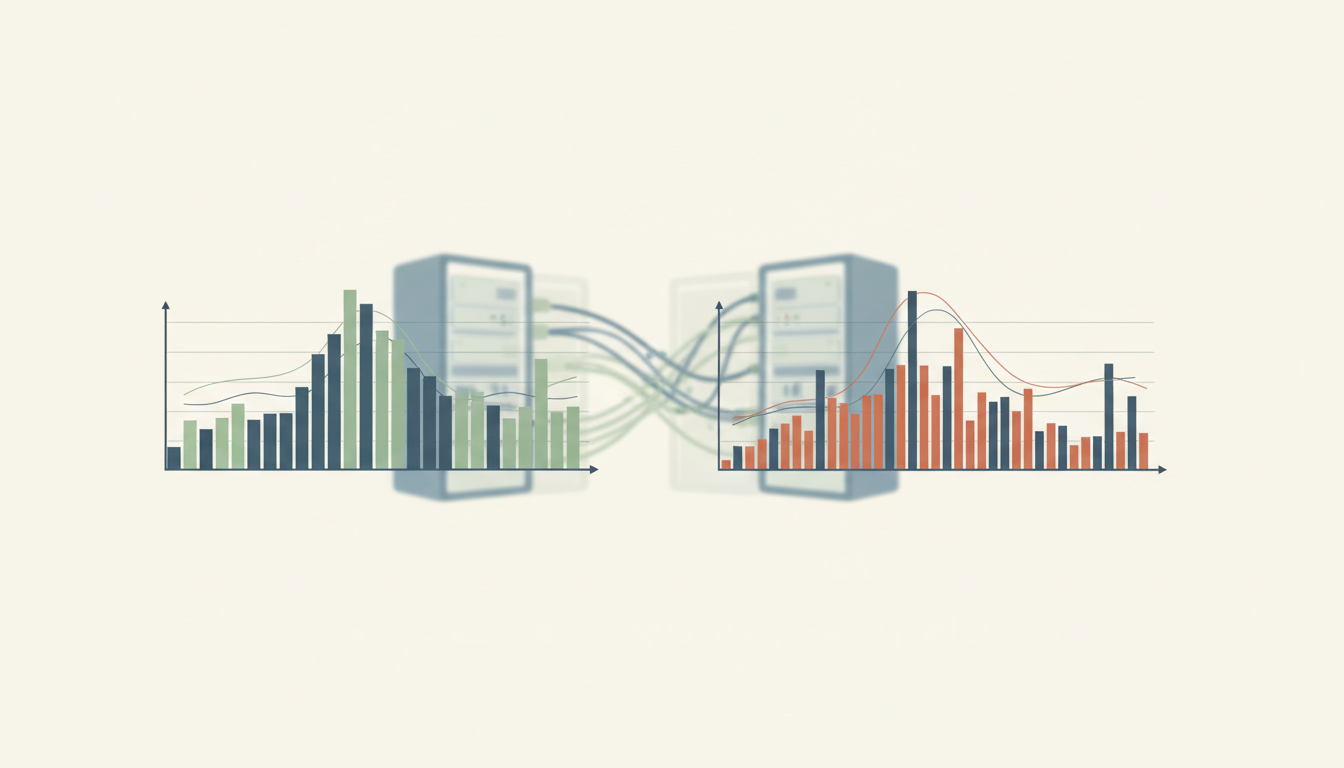
The gold standard of Observability is the ability to understand and explain a system’s behaviour from trustworthy signals, including problems nobody predicted in advance. A system may be reachable while users cannot complete their tasks. Effective observability connects the user journey to events, metrics, traces and decisions.
This 23-chapter guide explains instrumentation, correlation, clocks, service objectives, slow response tails, missing data and privacy. Four worked cases trace an assignment upload, a library search, an environmental sensor and a duplicated room booking. The purpose is a defensible diagnosis and a better service, not a larger dashboard.
The OpenTelemetry observability primer and Google SRE monitoring guidance are primary software-operations references. Cases and numbers here are original learning exercises, not measurements from named live systems.
Find the part you need
Start with the broken task, the signals you have, the user experience to test or a worked case.
Chapter index
Find the user task
Build the signal system
Test the experience
Work through cases
CHAPTER 1 OF 23 · Find the user task
1. Observability asks why the service behaves as it does
Observability is the ability to understand a system’s behaviour from the evidence it emits, including when an unexpected question arises. It supports investigating why something happened instead of merely noticing that a familiar performance number crossed a threshold.
An online learning portal can return a successful status code while a pupil’s assignment disappears from the teacher’s view. The server is reachable, yet the intended learning task fails. A system that reports only whether it is “up” gives too little information to diagnose that experience.
The OpenTelemetry observability primer emphasises understanding unknown problems using traces, metrics and logs. This root translates that idea into practical, evidence-based diagnostics across software services and related operations, without claiming that every physical system must use one software toolkit.
CHAPTER 2 OF 23 · Find the user task
2. Define success from the user’s completed journey
A service is observable for a purpose, not because it has a large collection of coloured charts. Start with the user’s task: request a resource, submit an assignment, locate a booking or retrieve a verified result. The task has a start, a sequence of steps and a meaningful completion condition.
For a lesson upload, success might mean that the authorised pupil submits a file, receives a durable confirmation and the appropriate teacher can retrieve the same file. Showing the upload page is not sufficient evidence; neither is recording a click on the Submit button.
Describe success and plausible failures before choosing sensors. The User Experience and Systems Reliability roots explain why the whole service outcome matters more than the local success of one component.
CHAPTER 3 OF 23 · Find the user task
3. Distinguish a visible symptom from an internal state
External behaviour provides clues about what a system is doing, but those clues need context. A slow screen may be caused by network delay, waiting for a database, a saturated worker or client-side rendering. One symptom can support several plausible explanations.
Observability aims to make those explanations inspectable. Record what the request attempted, when it happened, which components handled it and which state transitions were expected. A chart alone cannot establish the cause.
When a pupil sees a spinning icon for eight seconds, the team should be able to identify whether the work was still queued, whether the server returned an error or whether the display failed after a successful save. That distinction changes the repair.
A useful monitoring question is specific: “What percentage of legitimate timetable changes reached the student view within the intended interval?” That requires a definition of legitimate changes, accepted timestamps and an observation of the receiving view.
Gather only signals that help answer known important questions or allow a reasonable investigation of unknown failures. More instrumentation can also create noise, cost and privacy risks. A good design makes the next decision easier to reach, not simply the data store larger.
The Measurement and Data Quality roots show why a recorded number must be valid, timely and fit for the proposed interpretation. Observability depends on the quality of its evidence.
CHAPTER 5 OF 23 · Build the signal system
5. Logs explain individual events and their context
A log records an event or condition observed by a component, often with a timestamp and related fields. A structured entry might indicate that a submitted lesson file was received, a validation check failed or a worker retried a background task.
Prefer clear event names and stable identifiers to unstructured prose that cannot be compared consistently. Include which component emitted the record and what operation it refers to. Avoid dumping the entire content of a student’s submission into logs; it is rarely necessary to troubleshoot the upload.
A log is an account of what a component reported, not necessarily an independent witness to everything that happened. Missing logs, unsynchronised clocks and errors in the logging code can distort a story. See Documentation for maintaining a trustworthy event vocabulary.
CHAPTER 6 OF 23 · Build the signal system
6. Metrics show patterns across requests and time
Metrics aggregate measurements, including error counts, request rates, storage use and response-time distributions. They help operators recognise an unusual pattern before every affected user has to complain. Their definitions and collection intervals matter.
A server that handles a thousand requests per minute can still be failing one essential user path. Break important measurements down by task type where doing so does not expose private information or produce misleading tiny samples.
The OpenTelemetry signal descriptions distinguish runtime measurements from individual events and traces. Use each kind of signal for the question it can actually answer. A high-level error-rate metric indicates a problem; it rarely tells the full causal story.
CHAPTER 7 OF 23 · Build the signal system
7. Traces connect the stages of one transaction
In a multi-component system, a request may pass through a browser, authentication service, application server, storage system and confirmation queue. Distributed traces can record the spans of work within that transaction and show which operation took time or returned an error.
A trace is most useful when it covers the handoffs that matter. If the initial request appears successful but the background save has no linked operation, the journey can break at the one place the tracing scheme does not follow.
Explain trace relationships carefully: a span describes an operation, while a trace assembles associated operations into a request’s path. The OpenTelemetry primer provides concrete examples; it is a reference technology, not a requirement that every organisation adopt the same instrumentation stack.
CHAPTER 8 OF 23 · Build the signal system
8. Correlate signals without confusing coincidence with cause
Logs, metrics and traces should be alignable through time, component identity, request context or another appropriate identifier. Without correlation, an operator can see a CPU spike, a failed request and a database warning but cannot establish whether they belong to the same incident.
Use trace and span identifiers where appropriate and protect access to the resulting records. A matching timestamp is a clue, not proof of a causal chain. A busy shared server may emit many unrelated events in one second.
The OpenTelemetry log correlation specification explains time, trace context and resource context as useful linking methods. A defensible diagnosis tests the inferred relationship against the actual execution path.
CHAPTER 9 OF 23 · Build the signal system
9. Use consistent clocks and explicit timestamps
Time is a measurement that travels with many operational claims. If two systems record local times without time-zone information or their clocks drift apart, a valid-looking event sequence can put a response before its request.
Represent timestamps unambiguously and monitor clock quality in systems where sequencing matters. Preserve the event time and, where helpful, the time the record was ingested. A delayed log should not silently rewrite the order of the real work.
A fictional booking that appears to have been cancelled before it was created may indicate clock inconsistency rather than impossible user behaviour. Check the time basis first, then examine the relevant state changes.
CHAPTER 10 OF 23 · Test the experience
10. Measure availability through real or synthetic tasks
A health endpoint can return a reassuring success while the main service is unusable. A synthetic test performs a representative transaction under controlled conditions, such as opening a page, verifying a timetable or uploading a harmless test file.
Choose a task that exercises the essential dependency chain without creating false records or violating privacy. For critical flows, verify that the reported result is correct rather than merely accepting a successful HTTP response.
Synthetic checks supplement observations from real users. They may fail to represent accessibility barriers, particular network conditions or rare permissions. The Verification guide shows why a test needs an explicit acceptance criterion.
CHAPTER 11 OF 23 · Test the experience
11. Read the four golden signals in their real context
Google’s Site Reliability Engineering guidance describes latency, traffic, errors and saturation as four useful high-level monitoring signals for user-facing systems. Each answers a different question: how long, how much demand, how often requests fail and how close resources are to a limiting condition.
A growing traffic rate may be normal during examination results release. Rising latency under that demand is more consequential if essential interactions become unusable. A low average CPU value does not prove that a database or single worker is unconstrained.
Examine the task and system context rather than treating four numbers as a universal pass condition. A queue that misses a time-critical deadline can be unacceptable even while average machine utilisation looks comfortable.
CHAPTER 12 OF 23 · Test the experience
12. Look at slow tails, not just average speed
Averages can conceal a small number of very slow experiences. Consider a fictional set of 1,000 completed requests: 950 take 0.2 seconds, while 50 take 10 seconds. The arithmetic mean is (950 × 0.2 + 50 × 10) ÷ 1,000 = 0.69 seconds.
That average may sound acceptable, yet fifty users experienced ten-second delays. Inspect an appropriate percentile or distribution alongside the mean, and report which operations are represented. The relevant threshold depends on the user task and service obligations.
Separate successful and failed-request latencies. A request that fails immediately can lower the overall average response time while worsening the actual service. A fast error is still an error. See Statistics and Systems Reliability.
CHAPTER 13 OF 23 · Test the experience
13. Connect indicators with explicit service objectives
A service-level indicator is a measurable description of behaviour, while a service-level objective states a desired level over a defined window. These are useful operational tools when they match an important user experience.
For a purely illustrative task, if the objective is 99.9% successful legitimate submissions over 10,000 attempts in a stated period, the implied allowance is 10 unsuccessful attempts (0.1% of 10,000). Real services must define what counts as a valid attempt, what exclusions are defensible and how partial failures are handled.
A single objective is not a complete reliability contract. An upload could be accepted but unavailable later, so durable retrieval may need a separate indicator. Treat the allowed failures as information for decisions, not permission to ignore affected people.
CHAPTER 14 OF 23 · Test the experience
14. Identify failures of the monitoring system itself
Observability tools can fail, lag, drop samples or mislabel events. A flat line may mean that a system is healthy, that the data collector has stopped or that the instrument is reporting a stale value. A dashboard needs enough self-checking to distinguish those conditions.
Monitor signal freshness, collector state and expected reporting coverage. Where a sensor or software component is silent, label the condition as unknown or unavailable rather than displaying the most recent green reading without its age.
The Control Theory and Systems Reliability roots connect feedback quality to system behaviour. A decision made on a failed measurement loop can be worse than one made with an explicit statement of uncertainty.
CHAPTER 15 OF 23 · Test the experience
15. Control the cost, sampling and sensitivity of telemetry
Collecting every event in unlimited detail can produce excessive storage cost and make the signal harder to navigate. High-cardinality labels, such as placing a unique user identifier on every metric series, can multiply time series and harm system performance.
Choose sampling and aggregation methods that preserve the evidence needed for high-consequence failures. A rare checkout defect may be hidden by a naive sample that mostly records routine requests. Document what the instrumentation excludes.
Apply privacy, retention and access rules to observability records. A trace identifier is not a reason to log passwords, session tokens, health details or students’ raw submissions. The Information Security root provides the wider principles for limiting and protecting operational data.
CHAPTER 16 OF 23 · Work through cases
16. Worked case: a school upload appears successful but is missing
A fictional school portal shows a green tick after a pupil presses Submit. The teacher cannot see the assignment the next morning. A basic uptime monitor reports that the portal was available throughout the period.
A useful trace reveals that the browser request was accepted, but a background worker failed to move the file into durable storage. A confirmation message was emitted before the storage completion condition. The interface therefore reported success at the wrong stage of the workflow.
The repair changes the acceptance contract, adds a verified state transition and checks recovery for already affected submissions. It also tests the whole journey from the pupil to the teacher rather than only the status code returned to the browser.
CHAPTER 17 OF 23 · Work through cases
17. Worked case: a library search slows under burst traffic
A fictional university library receives a large burst of catalogue searches when a new semester begins. Its average response time remains tolerable, but users with complex filters experience long waits and start repeating requests.
The operators inspect traffic by request type, latency distributions, database query spans and saturation of the relevant resources. A repeated request may reflect a stalled interface rather than a new independent user need. The team avoids treating higher traffic alone as proof of harmful demand.
The diagnosis could reveal an inefficient query, a shared queue or a degraded search index. Each requires a different remedy. After correction, a representative filtered search should be tested under load, not merely in a quiet development environment.
CHAPTER 18 OF 23 · Work through cases
18. Worked case: a sensor dashboard freezes at a plausible value
A fictional environmental learning project sends temperature readings from several stations. One station reports exactly the same value for hours during changing weather. The chart looks calm, so students initially conclude that the environment at that location is unusually stable.
The raw value alone cannot distinguish environmental stability from a stuck sensor or broken transmission. Inspect the age of the latest sample, collection logs, battery or network state and comparisons where scientifically appropriate. Do not invent a cause merely because one explanation is convenient.
Improve the dashboard so it can show stale measurements and missing telemetry distinctly from a verified stable reading. This is a lesson in scientific evidence and systems instrumentation: silence is not proof of normal operation.
CHAPTER 19 OF 23 · Work through cases
19. Worked case: a room booking is duplicated across services
A fictional campus booking service receives the same request twice after a network delay and creates two room reservations. Each application instance logs a successful request, while the facilities team discovers conflicting room states.
The problem may involve retries, missing idempotency, queue handling or inconsistent state ownership. To diagnose it, correlate the original request, the retry, the booking identifier and the database changes. Do not infer malicious behaviour from repeated clicks without examining the actual sequence.
Repair the transaction rules and run a test in which the response acknowledgement is deliberately delayed. The proper outcome is one coherent booking and an understandable message to the user, even if the network delivers a duplicate request. See Interoperability and Coordination.
CHAPTER 20 OF 23 · Choose the next route
20. Diagnose an unexplained fault with a traceable question
Choose a specific user-visible failure, not a vague statement that the server is unhealthy. Reproduce the problem safely if possible and record the task, approximate time, affected scope and expected result.
Ask eight questions: What did the user try? What does completed mean? Which components handled it? What signals are present and missing? Can logs and traces be correlated? Do clocks and identities agree? Which alternative explanations fit the evidence? What test would distinguish them?
Work backwards from the first verified deviation, without allowing the first alarming graph to settle the cause. The Root Cause Analysis and Evidence roots explain why the origin of a failure deserves an explicit chain of reasoning.
CHAPTER 21 OF 23 · Choose the next route
21. The Observability specialist reading library
Observability sits between system design, instrumentation, meaningful metrics, information security, human experience and failure recovery. The guides below let readers move from one diagnostic question into the related area that supplies the missing skill.
Begin with Systems Reliability for expected service behaviour, Systems Integration for interface failures, Data Quality for signal trustworthiness and Information Security for responsible telemetry collection.
OpenTelemetry’s public documentation and Google’s SRE handbook explain established software operations concepts. Fictional educational and public-service scenarios here are not assertions that these organisations endorse particular software tools.
System behaviour and service operations
- Systems Engineering
- Systems Integration
- Systems Reliability
- Control Theory
- Networks
- Computing
- Information Systems
- Operations Management
- Management
Signals, diagnostics and evidence
- Data
- Data Quality
- Measurement
- Statistics
- Quality
- Verification
- Root Cause Analysis
- Evidence
- Research
- Documentation
- Measurement and Performance Review
People, interfaces and protected information
- Human Factors Engineering
- User Experience
- Web Accessibility
- Workflow Design
- Coordination
- Interoperability
- Information Security
- Failure, Correction and Recovery
- Change, Scaling and Renewal
- Education: Learning Transfers into Life
- Clementi Secondary 1 Mathematics
Primary observability references
OpenTelemetry Observability Primer · OpenTelemetry Signals · OpenTelemetry Instrumentation · OpenTelemetry Logging and Context Correlation · Google Site Reliability Engineering: Monitoring Distributed Systems. These provide technical background; the worked examples above are educational simulations.
CHAPTER 22 OF 23 · Choose the next route
22. Questions about the gold standard of Observability
Is observability the same as monitoring? Monitoring commonly watches known signals and thresholds. Observability supports investigating unexpected behaviour using appropriately rich contextual evidence. The two practices reinforce each other.
Do I need traces, logs and metrics for every system? No. Choose evidence suited to the architecture, task and risk. More telemetry than can be understood or protected is not automatically helpful.
Why is a green dashboard insufficient? A health check may test only one component. The user may still be unable to complete the essential end-to-end task.
Can monitoring information be wrong? Yes. Sensors, collectors, timestamps, labels and sampling can fail. Check signal freshness and independent evidence when a claim matters.
Do service objectives guarantee good user experience? No. They are defined measures over a window, often covering only part of the overall journey. Validate important unmeasured outcomes as well.
Can students practise observability? Yes. Trace a simple multi-step digital task, log each transition and use the records to locate the first step where the outcome diverges from the expected result.
CHAPTER 23 OF 23 · Choose the next route
23. Make one hidden system failure explainable
Select a harmless, repeatable task such as saving a practice file or reserving a test room. Write down the expected sequence and the condition for final acceptance. Map the places where a request, identifier or state passes between components.
Collect a small set of appropriate signals: one user-task success check, a duration measure and events that identify key state transitions. Use a controlled simulated failure to see whether you can locate the deviation without reading someone’s private content.
If the failure cannot be explained, identify the missing evidence and add only the instrumentation that would resolve that ambiguity. This parallels the Clementi Mathematics teaching reference: make the reasoning steps visible, locate the first unstable one and verify the corrected process independently.