
A map of neighbourhoods is placed over a satellite image. We ask for the average temperature, rainfall or vegetation value within each neighbourhood. That is the task of zonal statistics—but the answer can change with cell size, alignment, boundaries and missing-data choices even when the underlying environmental landscape has not changed.
The gold standard of zonal statistics is a reproducible calculation tied to a real spatial question. A valid regional mean needs a defined zone, measured raster, coordinate reference, pixel inclusion rule, NoData treatment and suitable units. It should not turn category codes into meaningful arithmetic or equate a mapped mean with individual exposure.
This 24-chapter guide connects Geospatial Analysis, Cartography and Remote Sensing. All numerical examples are invented teaching cases; method descriptions follow current QGIS and ArcGIS documentation.
Choose a learning route
Use these routes or the chapter index. All 24 teaching chapters remain expanded below.
Chapter index · Worked raster checks · Related Gold Standards
Complete chapter index
Define the spatial inputs · Chapters 1–5
Control grids and missing values · Chapters 6–10
Choose meaningful statistics · Chapters 11–15
Interpret spatial and time variation · Chapters 16–20
Reproduce and audit calculations · Chapters 21–24
CHAPTER 1 OF 24 · Define the spatial inputs
1. Define zonal statistics as a summary by area
Zonal statistics summarises the values of a raster within regions called zones. A zone may represent a watershed, school catchment, district, habitat polygon or integer raster category. A common output is the mean, sum, count, minimum, maximum or variability of values associated with each region.
The ArcGIS Pro reference makes an important distinction: a zone defines which locations are grouped, while a value raster supplies the quantities to summarise. The output inherits the meaning and limitations of both inputs.
CHAPTER 2 OF 24 · Define the spatial inputs
2. Separate zone geometry from raster values
A polygon boundary describes an area, but the raster is a grid of finite-sized cells. A zone may overlap cells partially, completely or not at all. Which cells enter an analysis depends on the software, selected method, spatial reference, grid size and alignment.
Do not assume a software tool performs perfect continuous-area integration by default. In ArcGIS Pro, vector zones can be rasterised internally using cell centres; small polygons may disappear from the output when no cell centre falls inside. Name the inclusion rule.
CHAPTER 3 OF 24 · Define the spatial inputs
3. Recognise raster zones with repeated identifiers
A raster zone is commonly formed by cells sharing an integer category value. Areas need not be contiguous; two distant clusters carrying the same zone identifier may be summarised together. That can be desirable for a land-cover category but wrong if the intention was one statistic per separate park.
Choose the zone field or identifier so that it matches the actual reporting unit. A school ID used across several campuses and an individual campus ID are different entities. Summation across all matching cells will follow the IDs, not the analyst’s unspoken expectations.
CHAPTER 4 OF 24 · Define the spatial inputs
4. Keep cell size and resolution visible
Raster resolution determines how much spatial detail is present. A 1-km cell and a 10-metre cell cover very different ground areas. Summarising a narrow river corridor with kilometre cells can fail to capture the corridor’s true footprint.
Resampling to a smaller cell size creates more grid cells but does not automatically create new underlying information. Esri’s methods explanation warns that finer internal grids can improve representation of small zones without increasing the source raster’s intrinsic detail.
CHAPTER 5 OF 24 · Define the spatial inputs
5. Understand the cell-centre selection rule
When a vector polygon is converted to a raster zone using cell centres, a cell is assigned according to whether its centre falls inside the polygon. A very narrow polygon can touch multiple cells yet include none of their centres. The output may contain no record for such a region.
An empty result therefore is not proof that the geographic zone has no environmental values. It may indicate that rasterisation excluded it. Check footprint, cell centres and any rasterisation or weighting options before concluding an area was empty.
CHAPTER 6 OF 24 · Control grids and missing values
6. Align grids and coordinate systems intentionally
Two raster layers can have the same cell size yet different grid origins. Their cell boundaries may not line up, so overlay requires resampling or regridding. Coordinate-system differences can complicate the calculation further, especially if projected and geographic units are mixed.
Document grid origin, snap raster, coordinate reference, cell size and transformation choices. ArcGIS Pro’s current tool reference explains that a mismatch can trigger internal resampling. If you rerun the analysis with different environment settings, results may change without any real-world environmental change.
CHAPTER 7 OF 24 · Control grids and missing values
7. Treat NoData differently from zero
A raster value of zero is a valid measurement when the phenomenon permits zero. NoData means the cell has no valid supplied value under the dataset’s rules. Mixing the two can systematically lower averages or invent false absence.
ArcGIS Pro allows NoData cells to be ignored within a zone or to make the zone’s summary NoData. The chosen setting affects the denominator and should be reported with the data completeness of each zone. A blank sensor reading is not an observed rainfall of zero millimetres.
CHAPTER 8 OF 24 · Control grids and missing values
8. Keep measurement units attached to summaries
A mean temperature raster measured in degrees Celsius yields a mean in the same unit. A sum over temperature pixels has units of degree-Celsius cells, which usually does not represent a meaningful physical amount. By contrast, an appropriate rainfall-depth surface might be used with area and units to estimate a volume under stated assumptions.
The mathematical operation must match the physical quantity. Do not call a raw sum of cell values a regional energy or mass without multiplying by valid cell areas and other required conversion factors.
CHAPTER 9 OF 24 · Control grids and missing values
9. Calculate the mean of included values
For n valid cells with equal contribution, the arithmetic zone mean is their sum divided by n. Suppose a fictional zone includes temperatures 25, 27, 28 and 30°C. The mean is 110/4=27.5°C. NoData should not silently add a fifth zero to the denominator.
A mean describes the included raster cells, not necessarily every actual point within a polygon. When cells cross the zone boundary or have unequal represented areas, the interpretation may require an explicitly area-weighted alternative.
CHAPTER 10 OF 24 · Control grids and missing values
10. Distinguish count, sum, variety and majority
Count reports how many valid raster cells entered an analysis. Sum adds values. Variety counts unique raster classes. Majority reports the most frequent class and may have software-specific tie rules. These summaries are not interchangeable.
A categorical land-cover map is generally ill suited to a mean of category codes if numbers are labels rather than quantities. Majority or class percentages may be more meaningful. Keep class definitions, NoData and cell-inclusion rules visible.
CHAPTER 11 OF 24 · Choose meaningful statistics
11. Use a weighted mean where the design requires it
An area-weighted mean uses weights proportional to each included cell’s contribution to the target polygon or to another stated weighting measure. It differs from a simple arithmetic mean when cells have unequal areas or fractional overlap.
A GIS tool’s reported mean should not be labelled ‘area weighted by polygon intersection’ unless that is the implemented method. The chosen rasterisation and weighting determine which area the statistic actually represents. Recalculate a small boundary case by hand to validate the claim.
CHAPTER 12 OF 24 · Choose meaningful statistics
12. Recognise latitude-longitude cell-area variation
On a regular geographic latitude-longitude grid, cell area varies with latitude. A degree of longitude spans less distance near the poles than near the equator. Taking an unweighted global mean across all latitude-longitude pixels may overrepresent higher latitudes.
For a large-area physical average, use an appropriate area-weighting method or equal-area analysis where the quantity permits it. Projected coordinates alone do not solve all precision questions: projection choice, grid alignment and geometric meaning still require attention.
CHAPTER 13 OF 24 · Choose meaningful statistics
13. Handle continuous and categorical rasters differently
Elevation, temperature and reflectance typically have continuous numeric interpretations, while habitat-class numbers are labels. The arithmetic mean of values 1, 2 and 3 may be meaningful for a continuous field but arbitrary for categories called 1=forest, 2=water and 3=urban.
Check the raster type and metadata first. ArcGIS restricts some statistics, such as majority and variety, to integer-valued rasters; floating rasters support a different set. A tool offering a calculation is not proof it answers a scientifically useful question.
CHAPTER 14 OF 24 · Choose meaningful statistics
14. Understand minimum, maximum and outlier sensitivity
A zone’s minimum and maximum describe extremes among included cells. They can highlight potential hazards or errors but are sensitive to isolated bad values, resampling and data coverage. A maximum satellite temperature is not automatically the hottest physical point in a real region.
Retain information about pixel quality, confidence and observation time. Reporting just an extreme without verifying its origin invites a misleading local narrative. Use percentiles, distributions and spatial review when extremes drive a decision.
CHAPTER 15 OF 24 · Choose meaningful statistics
15. Use the median when skew matters
Median summarises the middle of an ordered set and may better describe the typical included value under strong skew. It is not equivalent to an area-weighted median unless appropriate weights are used. The mean and median can both be informative when reported together.
A district with one very high pollution pixel and many low pixels can have a mean above the median. Which statistic matters depends on whether the decision concerns typical exposure, total burden or the highest-risk locations.
CHAPTER 16 OF 24 · Interpret spatial and time variation
16. Read standard deviation as within-zone variation
A zone’s standard deviation describes spread among included raster values under a specified definition. High spread may reflect genuine heterogeneity, measurement noise, mixed land covers or inconsistent data acquisition. It does not directly describe the uncertainty of the regional mean.
A larger number of spatial pixels does not guarantee thousands of independent measurements because nearby cells may be highly autocorrelated. Sampling error and spatial variation should not be collapsed into the same standard-deviation figure.
CHAPTER 17 OF 24 · Interpret spatial and time variation
17. Treat angular and cyclical quantities specially
Directions such as compass headings wrap around 360°. A linear mean of 359° and 1° gives 180°, which points in the opposite direction from the two near-north directions. Circular statistics handle such wraparound appropriately when the data and analysis permit it.
ArcGIS Pro offers circular mean and circular standard deviation options with a wrap value. Name the variable’s cyclic nature and chosen method rather than averaging directions as ordinary linear numbers.
CHAPTER 18 OF 24 · Interpret spatial and time variation
18. Choose bands carefully in multispectral imagery
A satellite image may contain several spectral bands representing different wavelengths. A zonal mean of one band cannot be interpreted as a mean of all bands. Derived indices such as NDVI have their own formulas, scaling and valid-value ranges.
Select the correct band or derived raster before summarising. The QGIS processing reference documents its raster-band parameter and available zonal statistics. Coordinate comparison must use compatible acquisition dates and preprocessing.
CHAPTER 19 OF 24 · Interpret spatial and time variation
19. Audit temporal raster comparisons
A region’s zonal statistic can change because environmental conditions changed, boundaries changed, the sensor changed or data completeness shifted. A before-and-after map needs compatible dates, grid, classification and inclusion rules.
An annual mean computed from 365 daily rasters is not the same as a mean of one composite image if composites omit clouds or use a different weighting. Explicit temporal aggregations prevent calendar and sampling ambiguities.
CHAPTER 20 OF 24 · Interpret spatial and time variation
20. Avoid ecological fallacies from aggregate maps
A zonal statistic describes a region’s raster values under the analysis. It cannot automatically describe every person, animal or property inside that region. A school catchment’s average temperature does not equal each student’s exposure.
If the question concerns individuals, need appropriate individual data, within-zone variability and causal or sampling design. Aggregate associations may reflect different processes from individual-level associations.
CHAPTER 21 OF 24 · Reproduce and audit calculations
21. Worked example: mean and valid-cell count
Suppose a fictional zone’s raster cells contain 10, 20, 30 and NoData. Ignoring NoData yields a count of three and arithmetic mean (10+20+30)/3=20 units. Treating NoData as zero would instead give 15, a different and generally unjustified result.
The output should include the number and proportion of valid cells. If a large fraction of a zone is missing, the mean of valid cells may not be representative even though its arithmetic is correct.
CHAPTER 22 OF 24 · Reproduce and audit calculations
22. Worked example: fractional area weights
Consider a hypothetical polygon intersecting three valid value cells with values 2, 10 and 20, covering fractions 1.0, 0.5 and 0.25 of equal-area cells. The fractional-area-weighted mean is (2×1+10×0.5+20×0.25)/(1+0.5+0.25)=12/1.75≈6.86.
An unweighted mean of those three values is 10.67, showing that inclusion weighting matters. The fractional calculation is an explicit alternative method, not automatically the output of every software zonal-statistics command.
CHAPTER 23 OF 24 · Reproduce and audit calculations
23. Worked example: circular wind direction mean
A fictional zone contains directions 359° and 1°. The ordinary arithmetic mean is 180°, misleadingly southward. Circular averaging uses unit vectors: the sine components cancel and cosine components point nearly north, so the circular mean is 0°.
This is a methodological example for angular observations, not a demonstration that two wind vectors have equal speed or that their vector-average velocity is northward. Direction and magnitude may require distinct treatment.
CHAPTER 24 OF 24 · Reproduce and audit calculations
24. Transfer GIS statistics into reliable decisions
The gold standard of zonal statistics ties a geographic zone, original value raster, coordinate reference, alignment, NoData rules, weights, chosen statistic and validation to the question being answered. Without that chain, a colourful region map can hide arbitrary data-processing choices.
Follow Geospatial Analysis, Cartography, Remote Sensing, Statistics and Geography. These are applications of Learning Transfers into Life.
Evidence table: select the statistic for the actual value
| Raster type or issue | Useful statistic or control | What to avoid |
|---|---|---|
| Temperature or numeric physical field | Mean, median, minimum, maximum and spread | Uninterpreted sum of degrees |
| Categorical land cover | Majority, class count or percentage | Mean of nominal class IDs |
| Angular directions | Circular statistics and matching units | Linear mean of 359° and 1° |
| NoData areas | Declared missing-data rule and valid-cell coverage | Silent replacement with zero |
| Thin polygon | Declared cell-centre or fractional-overlap approach | Assuming every polygon is represented |
Worked checks: original fictional raster values
| Hypothetical input | Calculation | Result and limitation |
|---|---|---|
| 10, 20, 30, NoData | (10+20+30)/3 | Mean=20 across valid cells |
| 25, 27, 28, 30 °C | 110/4 | Mean=27.5°C |
| 2,10,20 weighted by 1,.5,.25 | 12/1.75 | Area-weighted mean≈6.86 |
| Same 2,10,20 unweighted | 32/3 | Arithmetic mean≈10.67 |
| 359° and 1° directions | Circular vector mean | 0°, not arithmetic 180° |
Connected Gold Standard learning routes
| Purpose | Published eduKate roots |
|---|---|
| Mapping and geographic framing | Geospatial Analysis · Geography |
| Raster and visual sources | Remote Sensing · Cartography |
| Reliable numerical inference | Statistics · Metrology |
| Transferable decisions | Learning Transfers into Life |
Frequently asked questions
What are zonal statistics?
Statistics of raster values grouped within defined zones, such as polygons or classified raster regions.
Why can a small polygon get no result?
Some tools internally rasterise zones using cell centres, and none may fall within a narrow polygon.
Is NoData the same as zero?
No. NoData means no valid reported value; zero can be a valid measurement.
Does a higher raster resolution always mean more information?
No. Resampling creates more cells without necessarily providing new source detail.
Can I average land-use codes?
Usually not meaningfully if the codes are category labels; use class counts or proportions.
Do I need area weighting?
It depends on the target quantity, cell areas, overlap and tool convention. State the method.
How do I average compass directions?
Use a circular-statistics method rather than an ordinary linear mean when wraparound matters.
Does a zonal mean describe every resident?
No. It describes the raster cells included in an area under the analysis method.
Primary GIS software documentation
GIS documentation checked 24 October 2026. The examples are invented; ArcGIS Pro and QGIS may differ in their implemented inclusion and alignment details. Always use the documentation matching the software version deployed.
ArcGIS Pro — Zonal Statistics as Table — Software-provider explanation of zone conversion, pixel handling or available statistics.
ArcGIS Pro — How Zonal Statistics Work — Software-provider explanation of zone conversion, pixel handling or available statistics.
ArcGIS Online — Zonal Statistics Mechanics — Software-provider explanation of zone conversion, pixel handling or available statistics.
Esri — Small Zone and Cell-Centre Issue (2025 Update) — Software-provider explanation of zone conversion, pixel handling or available statistics.
QGIS 3.44 — Zonal Statistics Algorithm — Software-provider explanation of zone conversion, pixel handling or available statistics.
ArcGIS Pro — Raster Analysis Zonal Tool — Software-provider explanation of zone conversion, pixel handling or available statistics.
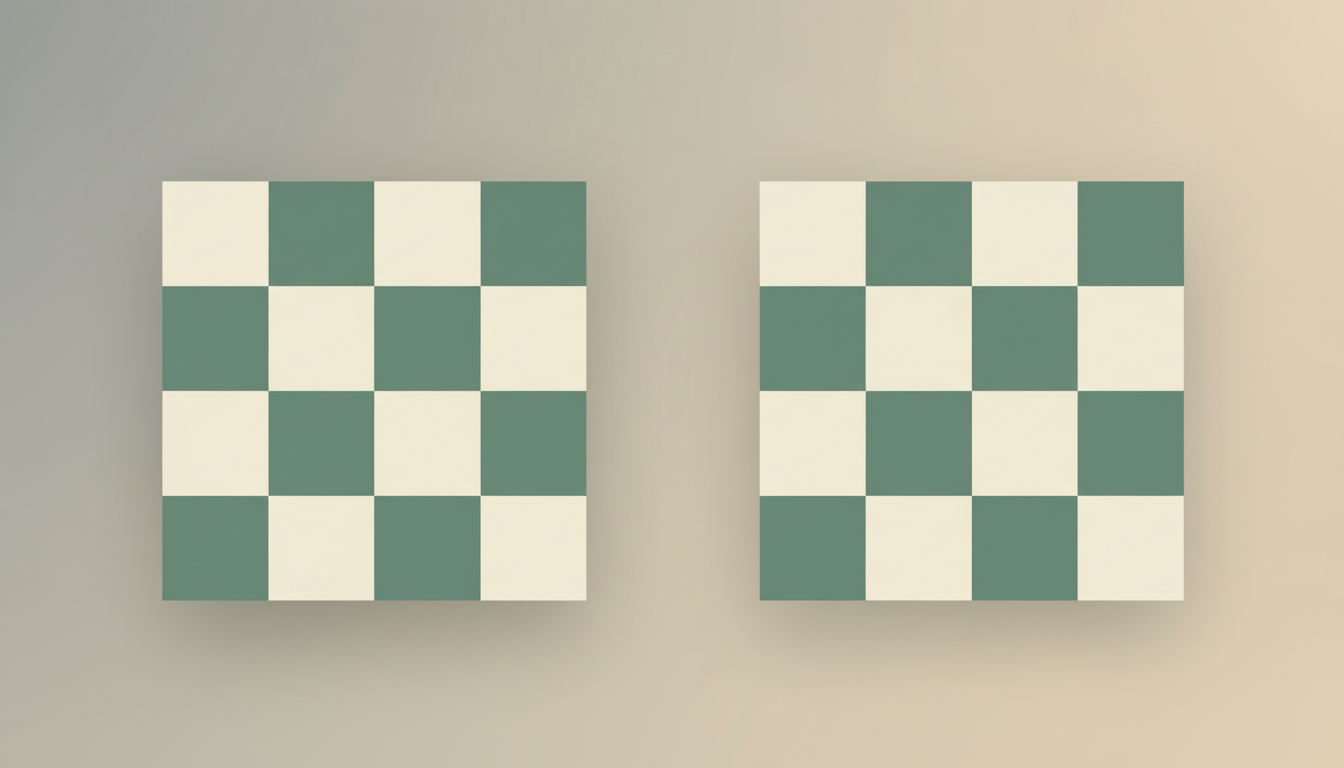
Featured image: an original eduKate spatial statistics illustration showing equal cell counts in different geographic patterns. The image is conceptual, not the fictional raster values used in worked calculations.