
MakeIT at Punggol Library is a place to explore making with technology, not just read about it. NLB lists the Punggol makerspace on Level 4 and recommends its equipment and programmes for ages 13 and above. Start with the official programme information and a suitable beginner session rather than assuming anyone can walk in and operate a machine.
For a Punggol student, a hands-on project can begin with a small question: how do I make this shape, explain this design or improve this first attempt? The useful learning is in the decisions and revisions, not merely the finished object. A library activity can complement school learning without becoming another graded assignment.
Before travelling, check the current session listing, eligibility, registration and equipment-access rules. Workshop registration and self-service machine booking are different processes. This independent eduKate guide explains that distinction and offers simple learning prompts; it does not reserve a place or promise equipment availability.
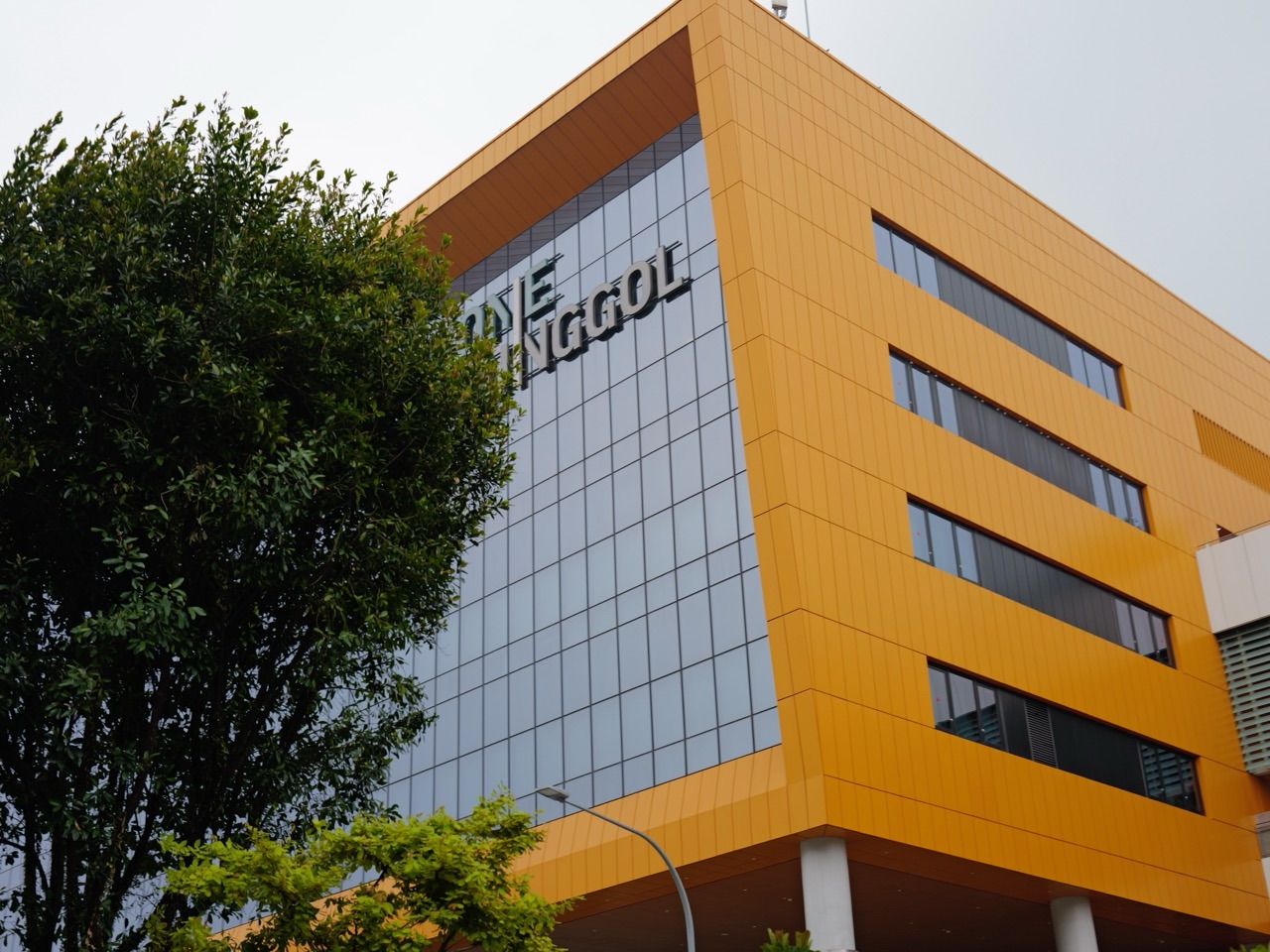
Uploaded photograph: One Punggol’s yellow exterior, glass façade, building lettering and trees. Punggol Library is within One Punggol; this photograph does not show the MakeIT room, equipment or a workshop in progress.
Choose your reading route
Understand MakeIT · Check booking routes · Connect with learning
Article contents
Sections 1–3
1. What MakeIT offers at the library
NLB’s MakeIT at Libraries page describes technology-based making, including 3D printing, digital cutting and robotics. It offers beginner Starter Sessions and opportunities to work on personal projects. NLB says workshops and materials are free for members; check the requirements of the specific activity you choose.
Treat the makerspace as a learning environment with its own procedures. A student’s enthusiasm is a good starting point, but it does not replace instructions, training or permission to use equipment. Ask staff when unsure and follow the current safety rules.
The official Punggol Library page gives the One Punggol address and current library information. Our photograph establishes that neighbourhood setting. It cannot tell you which machine is available on a particular afternoon.
NLB notes that certain machines require the relevant MakeIT certification. For a concrete example, its Punggol 3D Starter Session listing for 17 October 2026 says attendance is compulsory before reserving and using its MakeIT 3D printers. That listing specifies ages 13 and above and registration per person. At our 11 October review it was fully booked, so it is an example of requirements—not an invitation claiming available places.
Read the current listing for the session you actually intend to attend. Check its age range, prerequisites, venue, duration and attendance instructions. If it is full, search for another suitable listing rather than treating an old event page as a standing booking offer.
For younger children, browse age-appropriate library programmes and ask NLB about suitability. Do not assume that adult accompaniment automatically overrides a programme’s age or equipment requirements. A reading or drawing activity can be a worthwhile visit in its own right.
The Book MakeIT Yourself Equipment page lists Punggol booking links for 3D printers, 3D pens and sewing machines. It describes self-service time slots and says its booking process uses Singpass verification. It separately directs new users seeking equipment within the MakeIT makerspaces to the relevant Starter Sessions for certification.
Use the route that matches your purpose. A workshop place is not proof of a separate machine reservation, and seeing a booking link does not establish that a slot is free. Read the booking terms and equipment-specific guidance before confirming anything. If a student cannot complete the required verification or is unsure which service applies, ask NLB for the permitted arrangement; do not use someone else’s credentials as a workaround.
NLB publishes MakeIT hours of Wednesday to Sunday, noon to 8.30pm, with closure exceptions including public holidays. These are not the main library or study-zone hours. Recheck the official page and your session confirmation when planning the visit.
| Your aim | Start here | Do not assume |
|---|---|---|
| Learn a new technique | Current beginner programme listing | That a place is available without registration |
| Use a makerspace machine | Required training and staff guidance | That reading instructions replaces certification |
| Book MakeIT Yourself equipment | Official self-service booking information | That this is the same as a workshop ticket |
Before a suitable session, write one sentence about what you want to understand. ‘How do I keep these parts aligned?’ is more useful than ‘I want to make something impressive.’ Keep the goal small enough that you can recognise progress.
Here is an eduKate paper-planning example, not a MakeIT workshop instruction: sketch a rectangular bookmark 120mm long and 30mm wide. Label the dimensions and note that its length is four times its width. Then imagine a version 90mm long with the same proportions. Its width would be 22.5mm. You can explore that relationship on paper without operating any equipment.
A digital model or physical print would introduce additional constraints, so this arithmetic does not establish that either design is ready to manufacture. Ask the instructor about the actual task and permitted design. The question worth keeping is: which features stay the same, and which change when I resize something?
After the activity, ask the student for three short statements: what I intended, what I observed and what I would change. These prompts make the reasoning visible without requiring a long report. If something did not work, describe the result before guessing the cause.
This can connect with mathematics through dimensions and proportion, with science through careful observation, and with English through precise instructions and explanations. Those are suggested learning connections, not claims that attending a workshop fulfils a school syllabus or raises examination marks.
Useful words include dimension, proportion, align, prototype and revise. A prototype is an early version used to explore or test an idea; a revision changes an earlier version. Choose the words relevant to the actual activity and explain them in the student’s own sentence. Our eduKate vocabulary resources offer a wider language-learning route.
A library project does not need to become another packed weekly commitment. Consider travel, meals, schoolwork and rest before selecting a session. A manageable visit with one clear question can be more useful than trying to fit every activity into the afternoon.
For the wider setting, continue with One Punggol and learning beyond the classroom. For a quieter reading visit, our library books and student reading guide covers a different use of the same neighbourhood resource. The neighbourhood science guide offers observation prompts outside a workshop setting.
If a project reveals a recurring learning difficulty, identify it before adding tuition: is it understanding instructions, working with measurements or explaining a result? eduKate’s diagnosis-before-tuition approach starts there. Equipment and booking questions belong with NLB. eduKate is an independent education provider and this guide is not an NLB programme or an endorsement by NLB.
Sources and review
Reviewed 11 October 2026. Official sources support the library and programme facts; learning prompts and paper-design examples are eduKate suggestions. Follow current NLB eligibility, booking and equipment-safety instructions.
NLB: MakeIT at Libraries programme, access guidance and hours
NLB: Book MakeIT Yourself Equipment
NLB: Punggol Library location and current programmes
NLB GoLibrary: 17 October 2026 3D Starter Session (dated example, fully booked at review)